
LEXiBOOK RC65
Contents
LEXiBOOK Crosslander Phantom RC65 Remote Control Racing Car Instruction Manual
Model: RC65 | Brand: LEXiBOOK
Introduction
This manual provides essential information for the safe and optimal operation of your LEXiBOOK Crosslander Phantom RC65 Remote Control Racing Car. Please read it thoroughly before first use and retain it for future reference.
Important Safety Information
WARNING! Not suitable for children under 3 years. Choking Hazard - Small parts. Always supervise children during operation. Do not operate near water or in wet conditions. Keep fingers, hair, and loose clothing away from moving parts. Do not modify the product. Use only specified batteries and charging equipment.
Package Contents
Verify that all items are present in the package:
- 1 x LEXiBOOK Crosslander Phantom RC65 Remote Control Racing Car
- 1 x Classic Remote Control
- 1 x Gesture Wrist Remote Control
- 1 x Charging Station (USB cable included)
- 2 x Rechargeable Batteries (for car)
- 1 x Water Dropper (for smoke effect)
- 1 x Instruction Manual (this document)

Image: The LEXiBOOK Crosslander Phantom RC65 car, classic remote, gesture remote, and charging station displayed in its retail packaging.
Setup Guide
1. Battery Installation
To install the rechargeable battery in the RC car:
- Locate the battery compartment on the underside of the car.
- Use a small screwdriver to open the battery compartment cover.
- Connect the rechargeable battery to the car's battery connector, ensuring correct polarity.
- Place the battery inside the compartment and close the cover securely with the screw.
For the remote controls, insert 2 AA batteries (not included) into the classic remote and ensure the gesture remote is charged (it has a built-in rechargeable battery).
Video: Demonstrates how to install and charge the battery for a remote control car, including connecting the battery and using the charging station.
2. Charging the Car Battery
Your Crosslander Phantom RC65 comes with two rechargeable batteries to extend playtime. To charge a battery:
- Ensure the car's power switch is in the "OFF" position before charging.
- Connect the USB cable from the charging station to a USB power source (e.g., computer, USB wall adapter).
- Open the charging slot on the car (usually located under a small flap on the top).
- Connect the Type-C end of the charging station cable to the car's charging port.
- The charging indicator on the station will show charging status. Disconnect once fully charged.
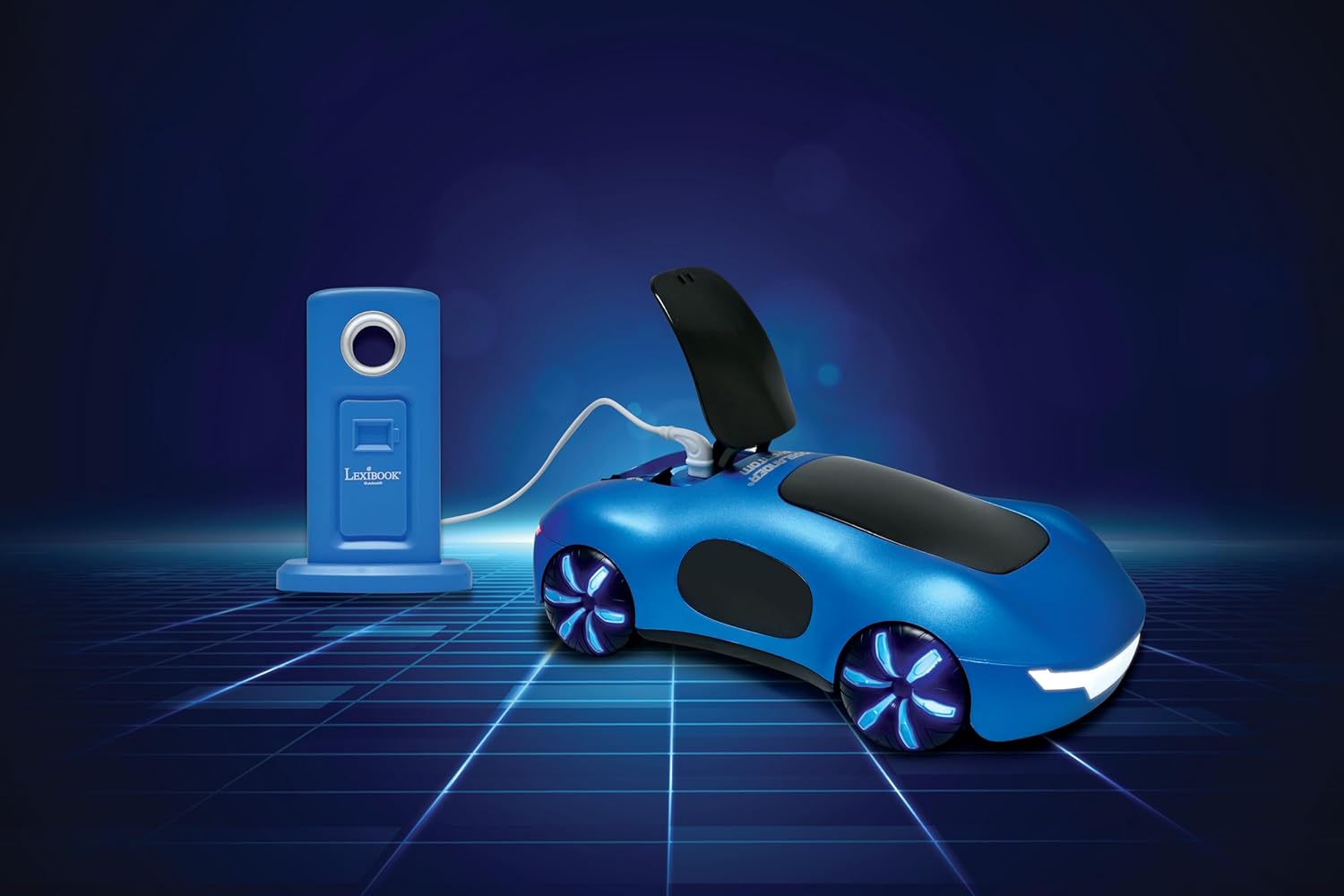
Image: The LEXiBOOK Crosslander Phantom RC65 car connected to its charging station via a USB cable, indicating the charging process.
3. Activating Smoke Jets
The Crosslander Phantom RC65 features exciting smoke jets. To activate them:
- Locate the water inlet on the car (often near the charging slot).
- Use the provided water dropper to carefully fill the water tank with clean water. Do not overfill.
- Once filled, the smoke effect can be activated via the remote control during operation.
Video: Demonstrates the smoke jet feature of a LEXiBOOK Crosslander RC car, showing water being added and the smoke effect in action.
Operating Instructions
Your Crosslander Phantom RC65 offers dual control options for a dynamic racing experience.
1. Powering On
Turn on the power switch on the underside of the car. Then, turn on your preferred remote control (classic or gesture). The car and remote should automatically pair.
2. Classic Remote Control
The classic remote control provides precise button-based navigation:
- Directional Joysticks: Control forward, backward, left, and right movements.
- Drift Mode Button: Activates specialized drift maneuvers.
- 360° Spin Button: Initiates a full 360-degree rotation.
- Smoke Jet Button: Activates the rear smoke jets (ensure water tank is filled).
- Light/Sound Buttons: Control the car's dynamic light and sound effects.
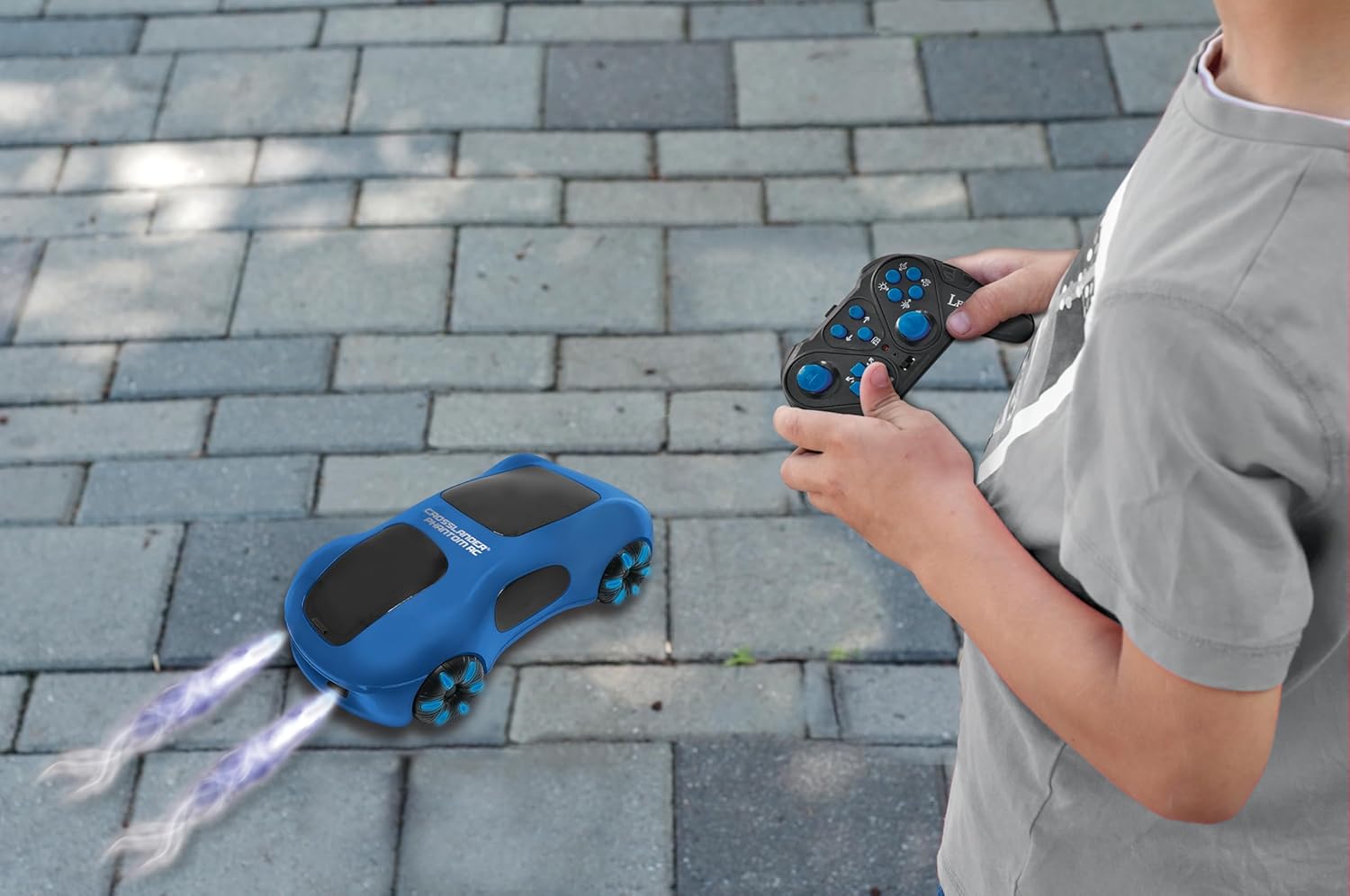
Image: A child using the classic remote control to operate the LEXiBOOK Crosslander Phantom RC65, which is emitting smoke from its rear jets.
3. Gesture Wrist Remote Control
Experience intuitive control with the gesture wrist remote:
- Wear the wrist remote securely on your hand.
- Move your hand forward, backward, left, or right to control the car's direction.
- Specific hand gestures or button presses on the wrist remote may activate special functions like drift, 360° spins, or smoke jets. Refer to the remote's specific instructions for detailed gesture commands.
Video: Demonstrates the gesture control feature of an RC car, showing how hand movements with a wrist remote translate into car actions, including smoke effects.

Image: A child's hand wearing the gesture wrist remote control, positioned next to the LEXiBOOK Crosslander Phantom RC65 car on an outdoor path.
4. Key Features and Maneuvers
- High Speed: Achieves speeds up to 15 km/h.
- 8-Direction Movement: Navigate in all cardinal and intercardinal directions.
- Side Drifts & 360° Spins: Perform dynamic stunts with dedicated controls.
- 4-Wheel Drive: Provides enhanced traction and control.
- 45° Incline Climbing: Capable of tackling challenging terrains.
- Dynamic Lights & Sound: Enhances the racing experience.
Video: Official product video for the LEXiBOOK Crosslander Phantom RC65, showcasing its various features including smoke jets, lights, sounds, drift mode, and dual control options.
Video: Demonstrates the stunt capabilities of a Lexibook Extreme Crosslander RC car, including 360-degree rotations, multi-directional movement, and navigating obstacles.
Maintenance
- Cleaning: Wipe the car with a soft, dry cloth after use. Avoid using water or harsh chemicals directly on electronic components.
- Battery Care: Always remove batteries from the remote controls when not in use for extended periods. Fully charge the car's rechargeable batteries before storage and periodically during long storage to maintain battery health.
- Storage: Store the car and accessories in a cool, dry place away from direct sunlight and extreme temperatures.
Troubleshooting
| Problem | Possible Cause | Solution |
|---|---|---|
| Car does not respond to remote. | Low battery in car or remote; not paired; power switch off. | Charge car battery, replace remote batteries, ensure both are powered on and paired. |
| Smoke jets not working. | Water tank empty; clogged nozzle. | Refill water tank with clean water. Gently clean the nozzle if clogged. |
| Car gets stuck or moves erratically. | Obstruction; low battery; interference. | Clear path, charge batteries, move to an area with less interference. |
Specifications
- Brand: LEXiBOOK
- Model: RC65
- Product Dimensions: 9.6 x 5.1 x 2.8 inches
- Item Weight: 1.15 pounds
- Manufacturer Recommended Age: 6 years and up
- Car Batteries: Rechargeable (2 included)
- Classic Remote Batteries: 2 AA batteries (not included)
- Gesture Remote Batteries: Rechargeable (built-in)
- Max Speed: Up to 15 km/h
- Features: Smoke jets, dynamic lights, sound effects, drift mode, 360° spins, 8-direction movement, 4-wheel drive, 45° incline climbing.

Image: The LEXiBOOK Crosslander Phantom RC65 car, highlighting its 1:14 scale, smoke, light, sound, battery, and speed features through surrounding icons.
Warranty and Support
For warranty information, technical support, or service inquiries, please refer to the contact details provided on the product packaging or visit the official LEXiBOOK website. Keep your proof of purchase for warranty claims.
Manufacturer: Lexibook
Release Date: October 22, 2024
Documents and downloads
Ask a question about this manual
Ask about setup, troubleshooting, compatibility, parts, safety, or missing instructions. Manuals+ will review the question and use this page’s manual context to help answer it.