1. Introduction
Thank you for purchasing the MangoKit MS4 CD DAB Radio Hifi System. This manual provides essential information for the safe and efficient operation of your device. Please read it thoroughly before use and retain it for future reference.
The MS4 is a versatile audio system featuring a CD player, DAB+ and FM radio, Bluetooth connectivity for streaming and headphone output, USB playback, and alarm functions, all housed in an acoustically designed wooden cabinet.
2. Important Safety Information
- Read these instructions carefully before operating the unit.
- Keep this manual for future reference.
- Do not expose the unit to rain or moisture to reduce the risk of fire or electric shock.
- Ensure proper ventilation. Do not block any ventilation openings.
- Place the unit on a stable, flat surface.
- Use only attachments/accessories specified by the manufacturer.
- Unplug the unit during lightning storms or when unused for long periods.
- Refer all servicing to qualified service personnel.
- Do not open the casing. There are no user-serviceable parts inside.
- Avoid placing the unit near heat sources such as radiators, heat registers, stoves, or other apparatus (including amplifiers) that produce heat.
3. Package Contents
Please check that all items listed below are included in your package:
- 1 x MangoKit MS4 CD DAB Radio Hifi System
- 1 x Remote Control
- 1 x Mains Power Adapter with Cable
- 1 x User Manual
4. Product Overview
The MangoKit MS4 features a user-friendly design with clear controls and a full-color TFT display. It integrates multiple audio sources for a complete entertainment experience.

Figure 4.1: Front view of the MangoKit MS4 Hifi System with remote control, showcasing the display and control buttons.
4.1 Front Panel Controls and Display
The front panel provides access to all primary functions. The 2.4-inch color display shows station information, track details, and menu options. Key controls include:
- Volume Knob: Adjusts the audio output level.
- Navigation Buttons: For menu navigation and track selection.
- Mode Button: Switches between DAB, FM, CD, Bluetooth, USB, and AUX modes.
- Alarm/Sleep Buttons: For setting and managing alarm and sleep timer functions.
- Info/Menu/Back Buttons: Accesses information, menu settings, and navigates back.

Figure 4.2: Close-up view of the control panel, highlighting the volume knob, navigation buttons, and mode selection.
4.2 Rear Panel Connections
The rear panel houses various input and output ports for external connections.

Figure 4.3: Rear panel of the MS4, showing the 3.5mm Aux-in, Headphone output, USB port, DC 15V power input, and antenna.
- 3.5mm Aux In: Connect external audio devices.
- Headphone Output: For private listening with wired headphones.
- USB Playback: For playing MP3 and other digital audio files from a USB drive.
- DC 15V: Power input for the mains adapter.
- Antenna: Extendable antenna for DAB and FM radio reception.
5. Setup
5.1 Power Connection
- Connect the provided mains power adapter to the DC 15V input on the rear of the MS4.
- Plug the power adapter into a wall socket.
- Switch the power on using the power switch located on the rear panel.
5.2 Antenna Setup
For optimal DAB and FM radio reception, fully extend the telescopic antenna located on the rear of the unit.
6. Operating Instructions
6.1 Basic Operation
- Power On/Off: Press the Power button on the front panel or remote control.
- Select Mode: Press the "Mode" button repeatedly to cycle through available sources (DAB, FM, CD, Bluetooth, USB, AUX).
- Adjust Volume: Rotate the Volume knob on the front panel or use the Volume +/- buttons on the remote.
6.2 CD Player Operation
- Select "CD" mode using the Mode button.
- Gently insert a CD into the slot-loading CD player on the front panel. The disc will be automatically drawn in.
- Playback should begin automatically. Use the Play/Pause, Skip Forward, and Skip Backward buttons to control playback.
- To eject the CD, press the Eject button.

Figure 6.1: Inserting a CD into the slot-loading CD player for playback.
6.3 DAB/FM Radio Operation
- Select "DAB" or "FM" mode using the Mode button.
- For DAB: The system will automatically scan for available DAB+ stations on first use. To perform a manual scan, navigate to the DAB menu.
- For FM: Use the navigation buttons to tune to a desired frequency or perform an auto-scan for available stations.
- Saving Presets: To save a station, tune to the desired station, then press and hold a preset number button (1-40) until "Preset Saved" appears on the display.
- Recalling Presets: Briefly press the desired preset number button to recall a saved station.
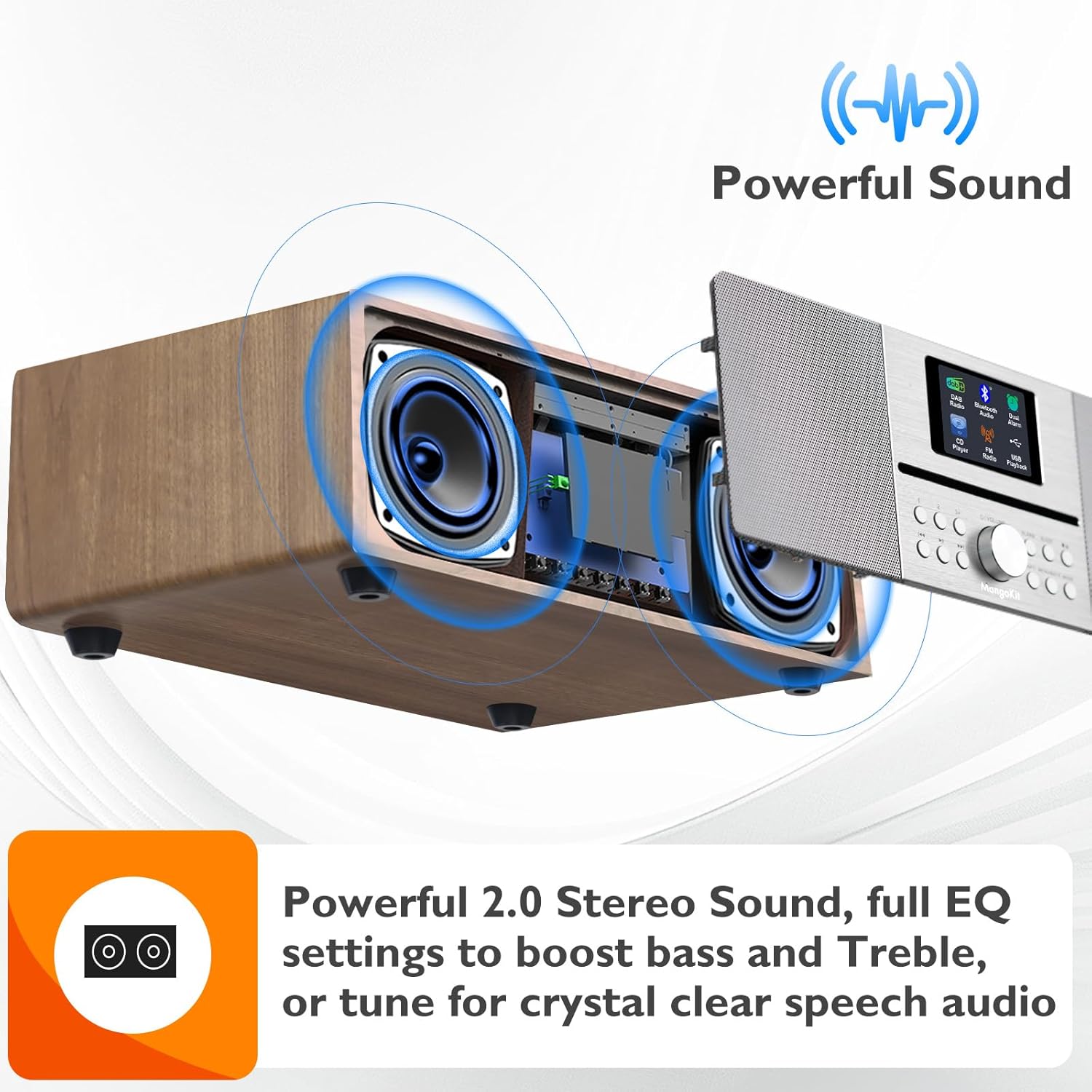
Figure 6.2: The MS4 display showing DAB radio station information.
6.4 Bluetooth Connectivity
6.4.1 Bluetooth Input (Streaming from Phone)
- Select "Bluetooth" mode on the MS4. The display will show "Bluetooth Searching".
- On your smartphone or other Bluetooth device, enable Bluetooth and search for "MangoKit MS4".
- Select "MangoKit MS4" to pair. Once connected, "Connected" will appear on the MS4 display.
- You can now stream audio from your device to the MS4.
6.4.2 Bluetooth Output (Connecting Wireless Headphones)
The MS4 supports Bluetooth output, allowing you to connect wireless headphones for private listening.
- Ensure your wireless headphones are in pairing mode.
- On the MS4, navigate to the Bluetooth settings menu (refer to the full menu guide for specific steps).
- Select "Bluetooth Out" and initiate a scan for devices.
- Select your headphones from the list to connect.

Figure 6.3: Using Bluetooth output to connect wireless headphones to the MS4 for private listening.
6.5 USB Playback
- Insert a USB drive containing MP3 or other compatible audio files into the USB port on the rear panel.
- Select "USB" mode using the Mode button.
- The system will read the files and display a list. Use the navigation buttons to select and play tracks.
6.6 AUX Input
- Connect an external audio device (e.g., MP3 player) to the 3.5mm Aux In port on the rear panel using a 3.5mm audio cable (not supplied).
- Select "AUX" mode using the Mode button.
- Control playback and volume from your external device.
6.7 Alarm and Sleep Timer Functions
The MS4 features dual alarms and a sleep timer.
- Setting Alarms: Press the "Alarm" button to access alarm settings. You can set two independent alarms with options for weekday/weekend, alarm source (DAB, FM, or buzzer), and volume.
- Sleep Timer: Press the "Sleep" button to activate the sleep timer. This allows the unit to play for a set duration before automatically turning off.
Figure 6.4: The MS4 on a bedside table, illustrating its use as an alarm clock with dual alarm functionality.
7. Maintenance
- Cleaning: Use a soft, dry cloth to clean the unit. Do not use abrasive cleaners or solvents.
- CD Player Care: Keep the CD slot free of dust and debris. Use a CD cleaning disc if necessary.
- Storage: If storing the unit for an extended period, unplug it from the power outlet and store it in a cool, dry place.
8. Troubleshooting
| Problem | Possible Cause | Solution |
|---|---|---|
| No power | Power cable not connected; Power switch off | Ensure power cable is securely connected and the rear power switch is ON. |
| No sound | Volume too low; Incorrect source selected; Mute activated | Increase volume; Select the correct audio source; Deactivate mute. |
| Poor radio reception | Antenna not extended; Weak signal area | Fully extend the telescopic antenna; Reposition the unit for better reception. |
| Bluetooth not connecting | Device not in pairing mode; MS4 not in Bluetooth mode; Out of range | Ensure both devices are in pairing mode; Select Bluetooth mode on MS4; Move devices closer. |
| CD not playing | CD inserted incorrectly; CD is dirty or scratched; Incorrect mode selected | Re-insert CD correctly; Clean or replace CD; Select CD mode. |
9. Specifications
- Brand: MangoKit
- Model: MS4
- Color: Walnut
- Connectivity Technology: Bluetooth 5.3
- Tuner Technology: DAB, FM
- Supported Radio Bands: VHF, FM
- Power Source: Corded Electric (DC 15V)
- Special Features: Wood cabinet, Hifi Music CD player, FM DAB Digital Radio, USB player, Bluetooth 5.3 receiving, Bluetooth out, 2.4" color display, Dual alarms, Sleep timer, 40 presets, Headphone Jack.
- Product Dimensions: 35.5L x 21.5W x 14.4H cm
- Audio Output: 100W Peak Power (2 x 3-inch full range speakers)
10. Warranty and Support
MangoKit products are designed and manufactured to the highest quality standards. In the unlikely event of any issues, please refer to the warranty information provided with your purchase or contact MangoKit customer support for assistance.
For further support, please visit the official MangoKit website or contact your retailer.


