
Introduction
This manual provides detailed instructions for the operation and maintenance of your MAILANGSHI M27 Portable Bluetooth Speaker. Please read this manual thoroughly before use to ensure proper functionality and to maximize your listening experience.

Image: The MAILANGSHI M27 Portable Bluetooth Speaker, showcasing its compact design and integrated strap.
Product Overview
Package Contents
Upon opening the package, verify that all the following items are included:
- 1 x MAILANGSHI M27 Portable Bluetooth Speaker
- 1 x USB-C Charging Cable
- 1 x User Manual
- 1 x Warranty Card
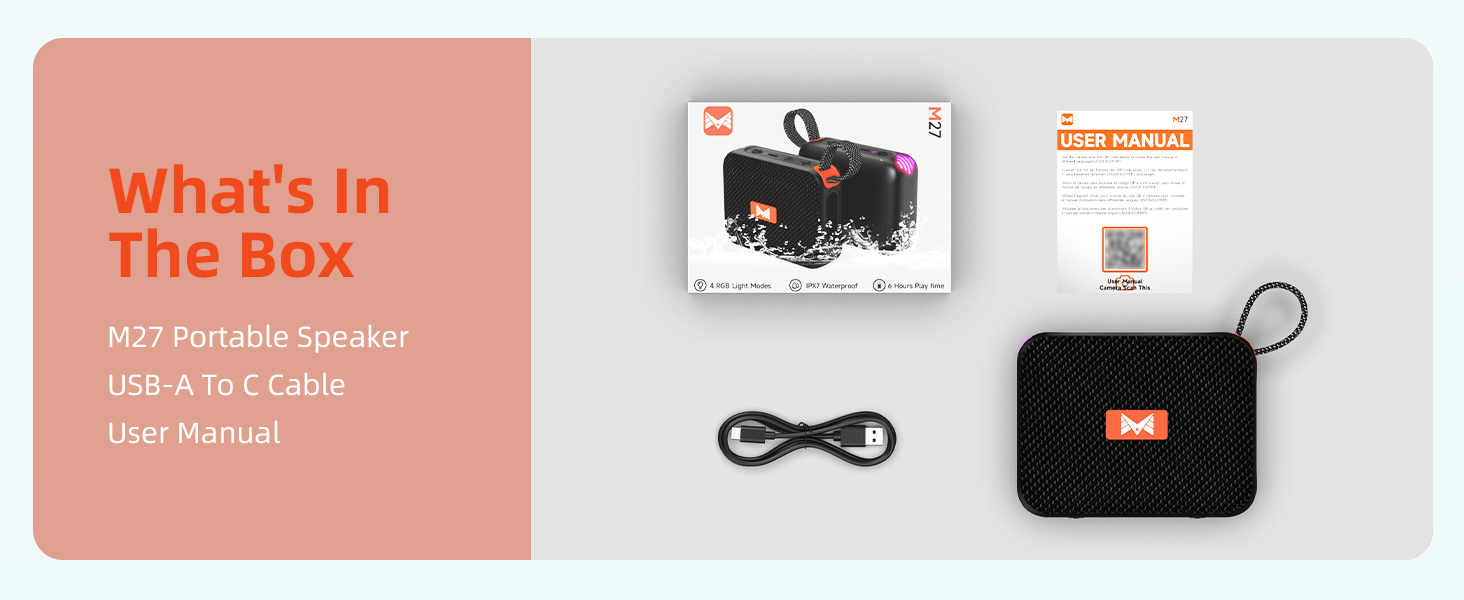
Image: A visual representation of the items included in the MAILANGSHI M27 Portable Bluetooth Speaker package: the speaker, USB-C cable, and user manual.
Key Features
- IPX7 Waterproof Rating: Designed to withstand immersion in water up to 1 meter for 30 minutes.
- Beat-Synced RGB Lights: Features dynamic LED lights that synchronize with your music, offering 4 distinct light modes.
- Loud Stereo Sound & Deep Bass: Delivers powerful audio with clear highs, defined mids, and strong bass.
- Portable Design: Lightweight (approximately 260g) with a convenient strap for easy carrying.
- True Wireless Stereo (TWS) Pairing: Connect two M27 speakers for an enhanced stereo sound experience.
- 5-Hour Playtime: Enjoy extended music playback on a single charge.

Image: The MAILANGSHI M27 speaker partially submerged in water, demonstrating its IPX7 waterproof capability.

Image: A person carrying the MAILANGSHI M27 speaker attached to a backpack, illustrating its portability.

Image: The MAILANGSHI M27 speaker on an outdoor table, with a graphic indicating 5 hours of playtime.
Setup
1. Charging the Speaker
Before initial use, fully charge the speaker. Connect the provided USB-C cable to the charging port on the speaker and the other end to a USB power adapter (not included) or a computer's USB port. The charging indicator light will show the charging status.
Note: A full charge typically takes approximately 2-3 hours.
2. Power On/Off
- To Power On: Long press the Power button (
 ) for approximately 3 seconds until you hear an audible prompt and the indicator light illuminates.
 - To Power Off: Long press the Power button () for approximately 3 seconds until the indicator light turns off.
Image: A close-up view of the speaker's control panel, illustrating the power button, volume controls, and play/pause button.
3. Bluetooth Pairing
- Ensure the speaker is powered on and in Bluetooth pairing mode (the indicator light will flash).
- On your device (smartphone, tablet, etc.), enable Bluetooth and search for available devices.
- Select "MAILANGSHI M27" from the list of devices.
- Once connected, the speaker will emit an audible confirmation, and the indicator light will remain solid.
4. True Wireless Stereo (TWS) Pairing
To achieve a stereo sound experience, you can pair two MAILANGSHI M27 speakers together:
- Ensure both M27 speakers are powered on and not connected to any other Bluetooth device.
- On one of the speakers (this will be the primary speaker), short press the Play/Pause button () twice to enter TWS pairing mode. You will hear a prompt.
- The two speakers will automatically search for and connect to each other. Once connected, you will hear a confirmation sound.
- Now, connect your device to the primary speaker via Bluetooth as described in the "Bluetooth Pairing" section.

Image: Two MAILANGSHI M27 speakers being used together, demonstrating the True Wireless Stereo (TWS) pairing feature for a wider soundstage.
Operating Instructions
Basic Controls
- Power On/Off: Long press the Power button ().
- Play/Pause: Short press the Play/Pause button ().
- Volume Up: Short press the "+" button ().
- Volume Down: Short press the "-" button ().
- Next Track: Long press the "+" button ().
- Previous Track: Long press the "-" button ().
Light Modes
The speaker features beat-synced RGB lights with multiple modes. To cycle through the light modes or turn them off:
- Double-click the Power button () to switch between the available light modes.

Image: A close-up of the MAILANGSHI M27 speaker highlighting its active RGB beat-synced lights.
Micro SD Card Playback
The speaker supports music playback directly from a Micro SD (TF) card. Insert a Micro SD card with audio files into the designated slot. The speaker will automatically switch to Micro SD card mode and begin playback. Short press the Power button to switch between TF card and Bluetooth modes.
Maintenance
- Cleaning: Use a soft, dry cloth to clean the speaker's exterior. Do not use abrasive cleaners or solvents.
- Water Resistance: The speaker is IPX7 waterproof. Ensure the charging port cover is securely closed before exposing the speaker to water. Do not intentionally submerge the speaker for extended periods or beyond the specified depth (1 meter for 30 minutes).
- Storage: Store the speaker in a cool, dry place away from direct sunlight and extreme temperatures when not in use.
- Battery Care: To prolong battery life, avoid fully discharging the speaker frequently. Charge the speaker regularly, even if not in use for long periods.
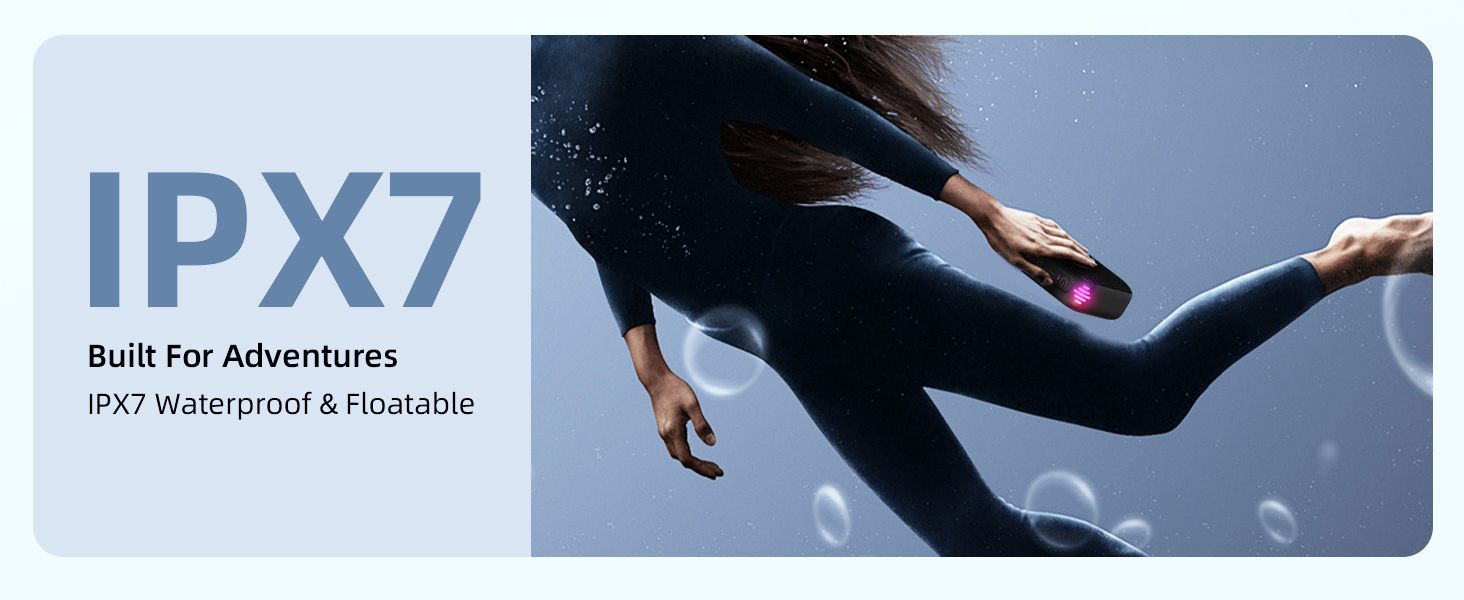
Image: The MAILANGSHI M27 speaker partially submerged in water, illustrating its IPX7 waterproof capability.
Troubleshooting
| Problem | Possible Cause | Solution |
|---|---|---|
| Speaker does not power on. | Low battery; Power button not pressed correctly. | Charge the speaker fully. Long press the Power button for 3 seconds. |
| Cannot pair via Bluetooth. | Speaker not in pairing mode; Device Bluetooth off; Speaker already connected to another device; Distance too far. | Ensure speaker is in pairing mode (flashing light). Turn on Bluetooth on your device. Disconnect from other devices. Move speaker closer to your device (within 10 meters). |
| No sound or low volume. | Volume too low on speaker or device; Paused playback; Incorrect audio source. | Increase volume on both speaker and device. Press Play/Pause. Ensure correct input mode (Bluetooth/TF card). |
| TWS pairing fails. | Speakers already connected to other devices; Incorrect TWS pairing procedure. | Ensure both speakers are disconnected from all devices. Follow TWS pairing steps precisely. |
| Lights are not working. | Light mode is off; Speaker malfunction. | Double-click the Power button to cycle through light modes. If issue persists, contact customer support. |
Specifications
| Model Name: | M27 |
| Brand: | MAILANGSHI |
| Connectivity Technology: | Bluetooth |
| Wireless Communication: | Bluetooth |
| Speaker Type: | Portable Speaker |
| Speaker Maximum Output Power: | 15 Watts |
| Audio Output Mode: | Surround (2.0 Channel Configuration) |
| Water Resistance Level: | IPX7 (Waterproof) |
| Playtime: | Up to 5 hours |
| Power Source: | Battery Powered (1 Lithium Polymer battery, included) |
| Control Method: | Touch (Buttons) |
| Material: | Acrylonitrile Butadiene Styrene (ABS), Metal |
| Product Dimensions (L x W x H): | 3.86"D x 2.99"W x 1.54"H |
| Item Weight: | 260 Grams (9.2 ounces) |
| Special Features: | LED Light, Lightweight, Portable, Waterproof |
Warranty and Support
The MAILANGSHI M27 Portable Bluetooth Speaker comes with a limited warranty. Please refer to the included Warranty Card for specific terms and conditions. Based on available information, a 1-year replacement warranty is offered for this product.
For any questions, technical support, or warranty claims, please contact MAILANGSHI customer service. Contact details can typically be found on the warranty card or the official MAILANGSHI website.