Introduction
This manual provides comprehensive instructions for the setup, operation, and maintenance of your Pawsync Automatic Cat Feeder. Please read this manual thoroughly before using the device to ensure proper function and safety for your pet.
The Pawsync Automatic Cat Feeder is designed to provide scheduled and portion-controlled meals for your cats and small dogs, ensuring their dietary needs are met even when you are away. Featuring a smart scale, Wi-Fi connectivity, and app remote feeding, it offers advanced control and monitoring of your pet's food intake.
Safety Information
- For indoor use only. Do not expose the feeder to direct sunlight, rain, or moisture.
- Keep the feeder on a stable, level surface to ensure accurate scale readings and prevent tipping.
- Use only dry kibble between 0.2-0.6 inches (4-15 mm) in size. Do not use wet, canned, or moist food, as this can cause clogging or spoilage.
- Ensure the power adapter cable is not chewed by pets. Use the provided power adapter only.
- Do not immerse the main unit of the feeder in water. Only the stainless steel bowl and food tank are washable.
- Keep out of reach of children.
- If using battery backup, ensure batteries are inserted correctly and replaced when low. Batteries are not included.
Package Contents
Please check the package to ensure all items are present and in good condition:
- Pawsync Automatic Cat Feeder Main Unit
- Stainless Steel Food Bowl
- Food Tank Lid
- Desiccant Bag (pre-installed or separate)
- Power Adapter
- User Manual (this document)
Product Components
Familiarize yourself with the different parts of your Pawsync Automatic Cat Feeder:

Figure 1: Overview of the Pawsync Automatic Cat Feeder, showing the main unit, food bowl, and the accompanying mobile application interface.
- Food Tank: Stores dry kibble. Capacity: 3.6 Liters.
- Lid: Secures the food tank and contains a desiccant bag compartment to maintain food freshness.
- Control Panel: Features LED indicators and manual feed button.
- Dispenser Outlet: Where food is dispensed into the bowl.
- Stainless Steel Bowl: Removable and dishwasher-safe for easy cleaning. Designed with a 23° angle for comfortable eating.
- Base Unit: Contains the motor, smart scale, and battery compartment.
- Power Port: For connecting the power adapter.
Setup Guide
1. Assembly
- Place the main feeder unit on a stable, level surface.
- Insert the stainless steel bowl into the designated slot at the front of the feeder base. Ensure it is seated correctly.
- Open the lid of the food tank. If not already installed, place the desiccant bag into its compartment on the underside of the lid. Close the lid securely.
2. Power Supply
- Connect the power adapter to the power port on the back of the feeder and plug it into a wall outlet.
- For battery backup (optional, batteries not included), open the battery compartment at the bottom of the feeder and insert 3 D-cell batteries. This ensures continuous feeding during power outages for up to 6 days.
3. App Installation and Connection
The Pawsync app is essential for full functionality, including remote feeding, schedule customization, and tracking.
- Download the Pawsync app from the App Store (iOS) or Google Play Store (Android).
- Create an account or log in if you already have one.
- Follow the in-app instructions to add your Pawsync Automatic Cat Feeder. Ensure your phone is connected to a 2.4GHz Wi-Fi network during the pairing process.
- Once connected, the feeder's Wi-Fi indicator light will turn solid blue.

Figure 2: The Pawsync app provides a mobile interface for managing your pet's feeding schedule and tracking their intake.
Operating Instructions
1. Filling the Feeder
- Open the lid of the food tank.
- Pour dry kibble into the tank. Ensure the kibble size is between 0.2-0.6 inches (4-15 mm).
- Close the lid securely to maintain food freshness.
2. Setting Feeding Schedules
Use the Pawsync app to customize your pet's feeding plan:
- Open the Pawsync app and select your feeder.
- Navigate to the "Feeding Plan" section.
- You can set up to 10 meals per day, with up to 10 portions per meal. One portion is approximately 1/11 cup, varying slightly based on kibble density.
- Adjust meal times and portion sizes according to your pet's needs. The app can provide recommendations based on pet profile and food calories.
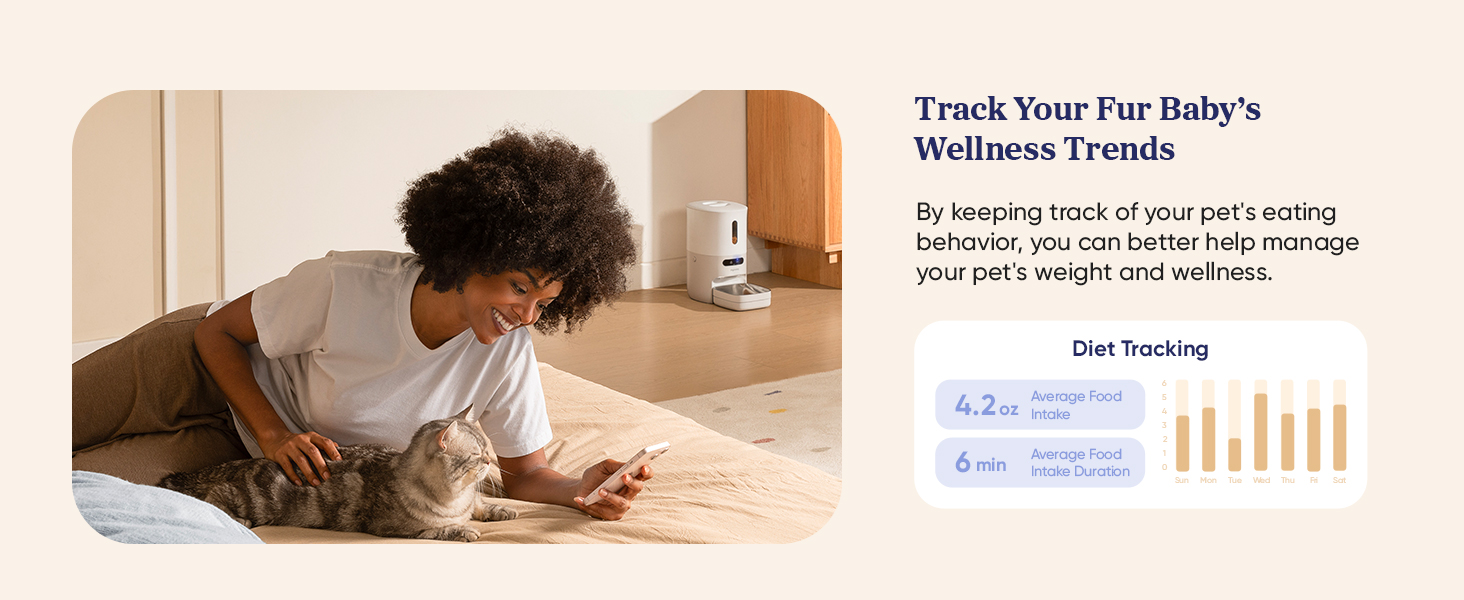
Figure 3: Customize feeding schedules and utilize the feeding calculator within the Pawsync app to manage your pet's diet.
3. Using the Smart Scale
The built-in smart scale tracks your pet's eating habits in real-time:
- The scale automatically measures the food dispensed and consumed.
- View real-time data, feeding times, amounts, and speed directly in the Pawsync app.
- Receive weekly analyses and feeding trend reports to monitor your pet's health and detect unusual behaviors.
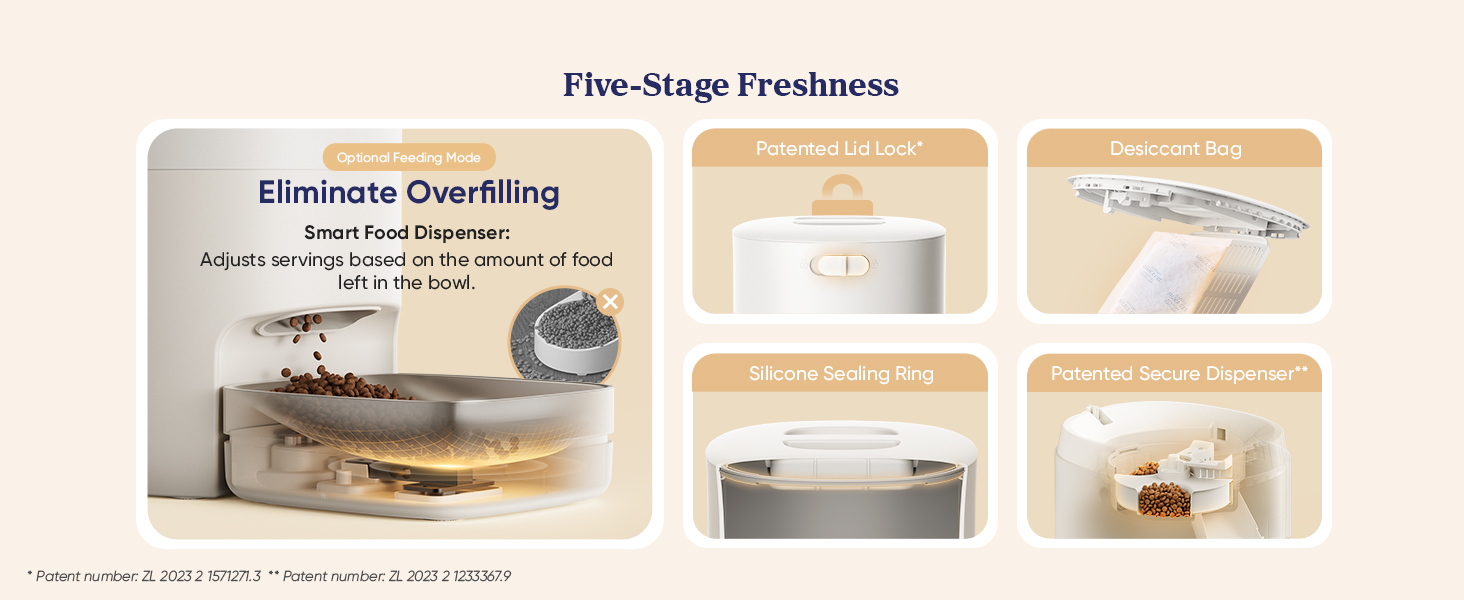
Figure 4: The integrated smart scale accurately tracks your pet's food intake, providing data through the app.
4. Voice Recording
- Record a 10-second voice message through the app. This message will play at meal times to call your pet to eat.
- This feature helps maintain a routine and comfort for your pet, even when you are not physically present.
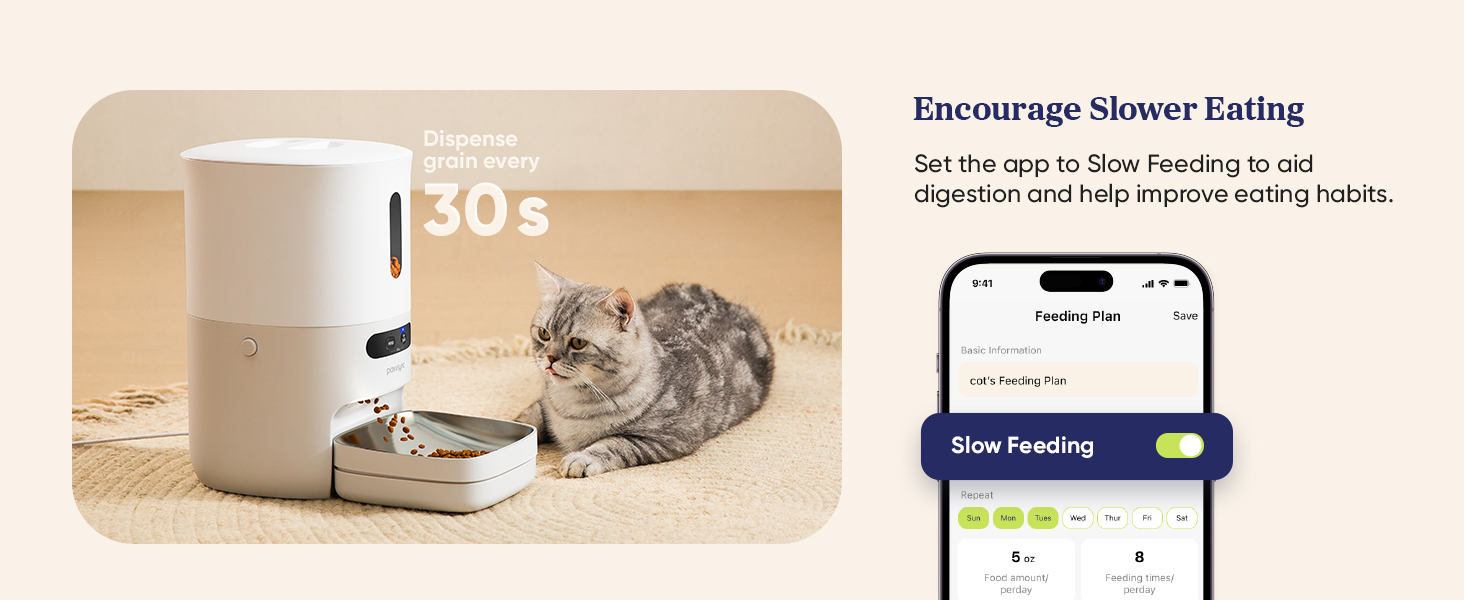
Figure 5: Record a personalized voice message to call your pet for meals, enhancing their feeding experience.
5. Jam-Fix Technology
The feeder incorporates smart reverse rotation technology to prevent food clogs. If a jam is detected, the mechanism will automatically reverse to dislodge it, ensuring consistent food delivery.
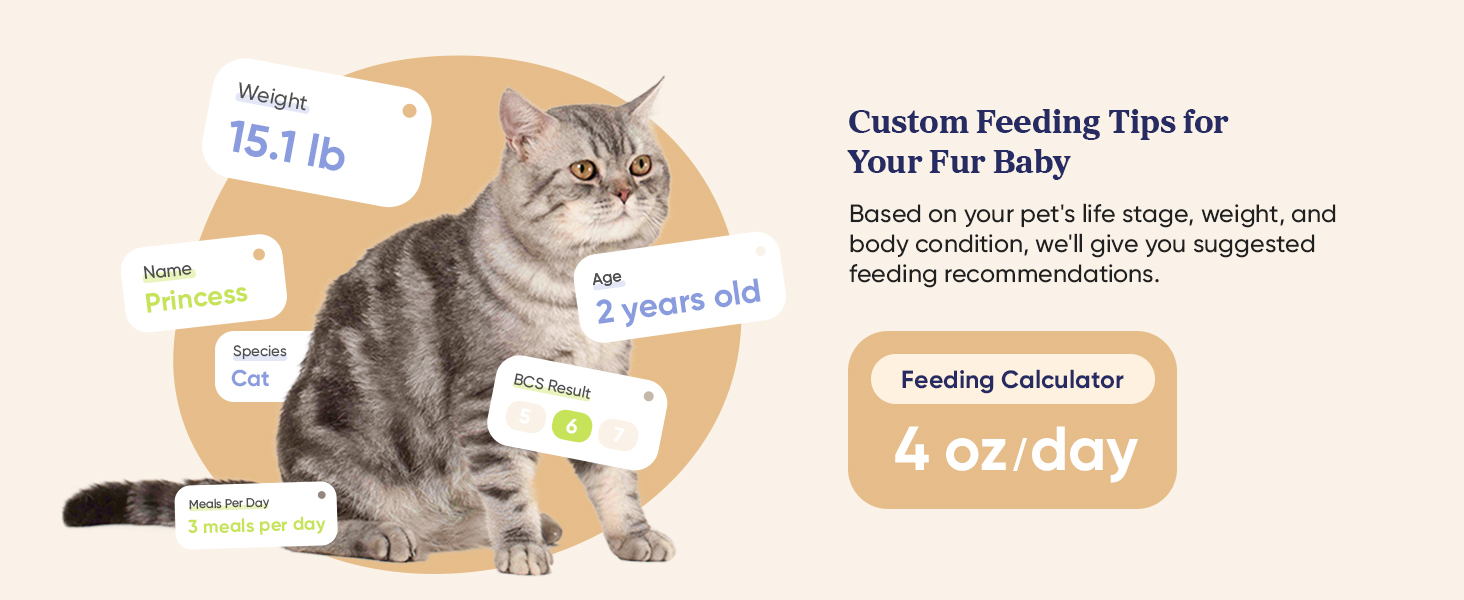
Figure 6: The feeder's jam-fix technology ensures reliable food dispensing by automatically reversing to clear any blockages.
6. Dual Power Supply
The feeder can operate on both AC power and D-cell batteries (not included). In case of a power outage, the feeder will automatically switch to battery power, ensuring your pet's feeding schedule is not interrupted. The app will send alerts for low battery or network disconnection.
Maintenance
1. Cleaning
Regular cleaning ensures hygiene and proper function of the feeder:
- Stainless Steel Bowl: The bowl is dishwasher-safe. Remove it from the base and wash with soap and water or place in the dishwasher.
- Food Tank and Lid: These parts can be detached and washed with soap and water. Ensure they are completely dry before reassembling.
- Main Unit: Wipe the exterior of the main unit with a soft, damp cloth. Do not submerge the main unit in water.
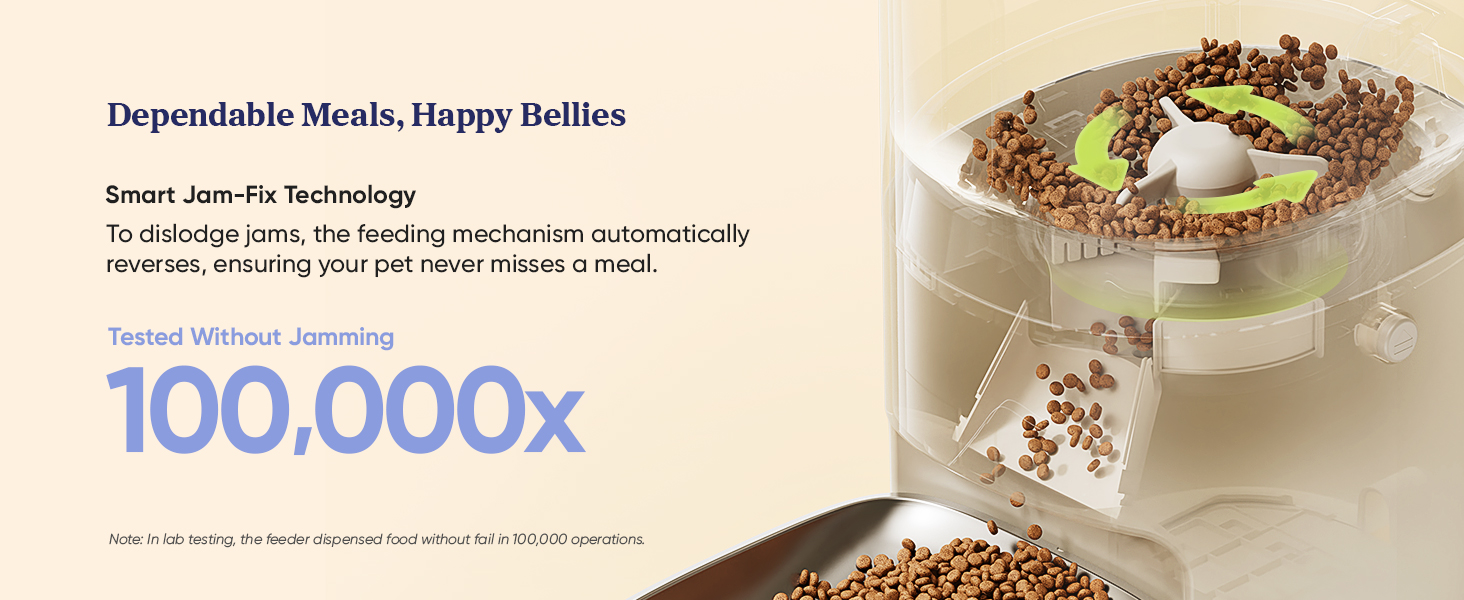
Figure 7: The feeder features easy-to-clean detachable parts, including the dishwasher-safe stainless steel bowl and food tank.
2. Desiccant Bag Replacement
The desiccant bag helps keep the food fresh. It should be replaced periodically (e.g., every 1-2 months) depending on humidity levels.
- Locate the desiccant bag compartment on the underside of the food tank lid.
- Remove the old desiccant bag and dispose of it.
- Insert a new desiccant bag (search for 'PRD-R351-WUS' for compatible replacements).
- Close the compartment securely.

Figure 8: Desiccant bags help maintain food freshness within the feeder's storage tank.
Troubleshooting
| Problem | Possible Cause | Solution |
|---|---|---|
| Feeder not dispensing food. |
|
|
| Feeder not connecting to Wi-Fi. |
|
|
| Inaccurate food intake tracking. |
|
|
| Feeder dispenses food when network is disconnected or power is off. | This is expected behavior. |
The feeder stores the feeding schedule internally. It will continue to dispense food as scheduled even if the network is disconnected. If batteries are installed, it will also dispense food during a power outage. |
Specifications
| Feature | Detail |
|---|---|
| Model Number | PPF-R361S |
| Capacity | 3.6 Liters |
| Dimensions (LxWxH) | 14 x 7.48 x 13.27 inches |
| Weight | 6.56 pounds |
| Material | Stainless Steel (bowl), BPA-free Plastic |
| Compatible Food Type | Dry kibble, freeze-dried food, mixed food, air-dried food (0.2-0.6 inches / 4-15 mm) |
| Power Supply | AC Power Adapter, 3 x D-cell batteries (not included) for backup |
| Wi-Fi Connectivity | 2.4GHz only |
| Max Meals/Day | Up to 10 meals |
| Max Portions/Meal | Up to 10 portions |
| Special Features | Smart Scale, App Remote Control, Jam-Fix Technology, Voice Recording, Dual Power Supply, Desiccant Bag for Freshness |
| Target Species | Cats, small dogs, small animals |
Warranty and Support
Warranty Information
The Pawsync Automatic Cat Feeder (Model: PPF-R361S) comes with a 1-year manufacturer's warranty from the date of purchase. This warranty covers defects in materials and workmanship under normal use.
The warranty does not cover:
- Damage caused by accident, abuse, misuse, flood, fire, earthquake, or other external causes.
- Damage caused by operating the product outside the permitted or intended uses described in this manual.
- Damage caused by service performed by anyone who is not a representative of Pawsync.
- Products or parts that have been modified to alter functionality or capability without the written permission of Pawsync.
Customer Support
For technical support, warranty claims, or any questions regarding your Pawsync Automatic Cat Feeder, please contact Pawsync customer service. Refer to the contact information provided on the official Pawsync website or your purchase documentation.
You can also visit the Pawsync Store on Amazon for more product information and support resources.


