
Introduction
Thank you for purchasing the RIENOK S6 Portable Bluetooth Speaker. This manual provides important information on how to set up, operate, and maintain your speaker. Please read it thoroughly before use and keep it for future reference.
Product Overview
The RIENOK S6 is a powerful 15W portable Bluetooth speaker designed to deliver an immersive Hi-Fi stereo sound experience. It features a 10-hour battery life, Bluetooth 5.3 for stable connections, and dynamic RGB lights. With an IPX5 waterproof rating, it is suitable for various outdoor activities.
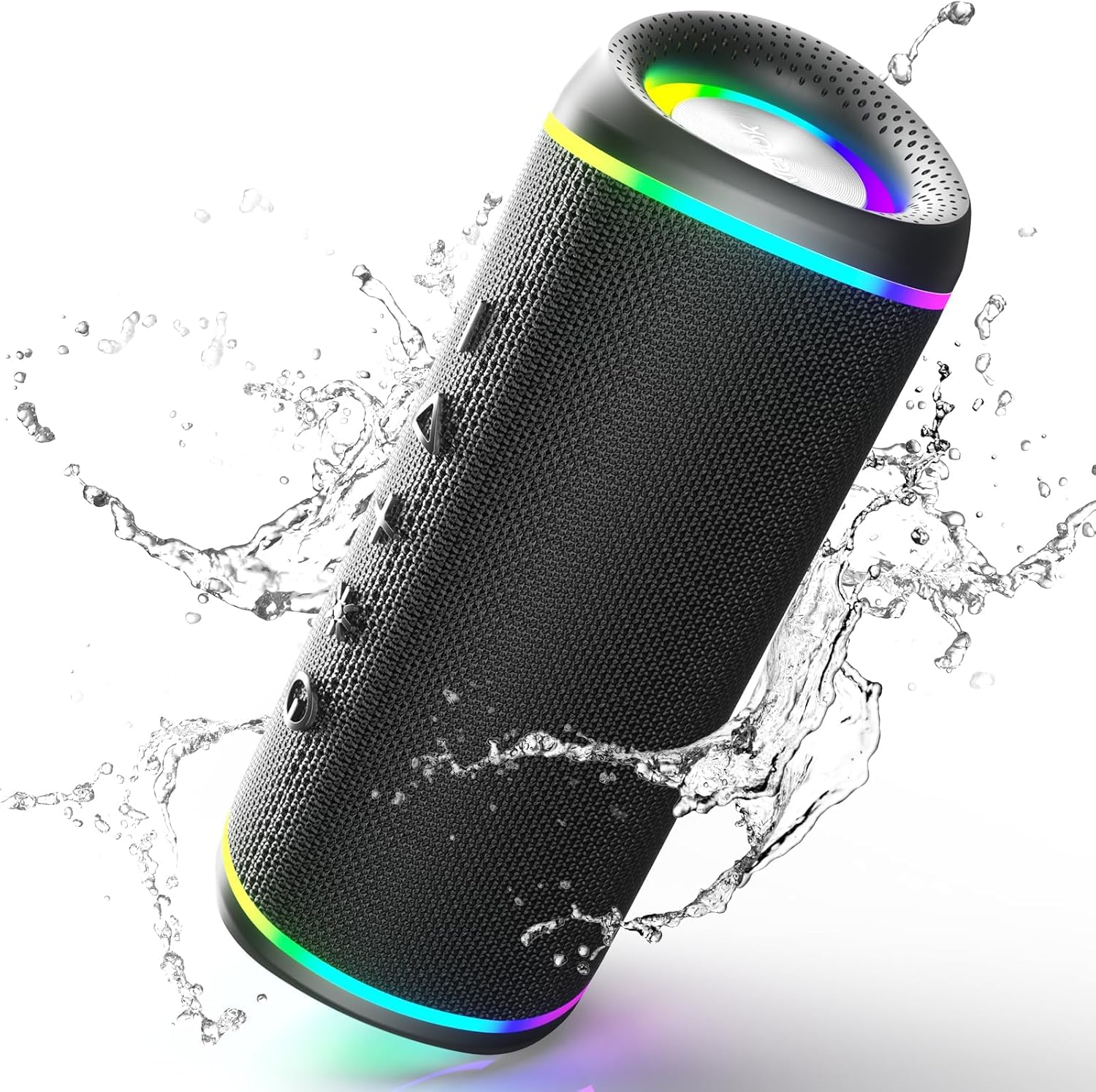
Image: The RIENOK S6 Portable Bluetooth Speaker, showcasing its compact and robust design.
Key Features:
- Hi-Fi Stereo Sound: 15W output for rich, clear audio.
- True Wireless Stereo (TWS): Pair two S6 speakers for an immersive surround sound experience (Bluetooth mode only).
- Extended Playtime: Up to 10 hours of playback on a single charge with its 2500 mAh rechargeable battery.
- Bluetooth 5.3 Connectivity: Ensures a stable and fast connection with your devices.
- Multiple Playback Modes: Supports Bluetooth, TF card (up to 128GB), and AUX input.
- Dynamic RGB Lights: Multi-color lights that sync with music, adding visual flair.
- IPX5 Waterproof: Resistant to rain, dust, snow, and splashes, making it ideal for outdoor use.
- Built-in Microphone: For hands-free calling.
- Portable Design: Compact dimensions and a strap for easy transport.
Package Contents
Please check the box for the following items:
- RIENOK S6 Bluetooth Speaker
- USB Charging Cable
- AUX Cable
- Lanyard/Strap
- User Manual (this document)
Controls and Indicators
Familiarize yourself with the buttons and ports on your RIENOK S6 speaker:

Image: The RIENOK S6 speaker, demonstrating its IPX5 water resistance. Controls are typically located on the top or side panel.
- Power Button: Press and hold to power on/off. Short press to play/pause.
- Volume Down / Previous Track Button: Short press for previous track, long press to decrease volume.
- Volume Up / Next Track Button: Short press for next track, long press to increase volume.
- Mode Button (M): Short press to switch between Bluetooth, TF Card, and AUX modes.
- RGB Light Button: Short press to cycle through light modes or turn off lights.
- Microphone: For hands-free calls.
- USB-C Charging Port: For charging the speaker.
- TF Card Slot: Insert a TF card for music playback.
- AUX Input Port: Connect external audio devices via a 3.5mm AUX cable.
Setup
1. Charging the Speaker
Before first use, fully charge the speaker. Connect the provided USB charging cable to the speaker's USB-C port and to a 5V USB power adapter (not included) or a computer's USB port. The charging indicator light will show charging status (e.g., red for charging, off when fully charged).
2. Powering On/Off
- To Power On: Press and hold the Power Button for approximately 2-3 seconds until you hear an audible prompt and the indicator light turns on.
- To Power Off: Press and hold the Power Button for approximately 2-3 seconds until you hear an audible prompt and the indicator light turns off.
Operating Instructions
1. Bluetooth Pairing
- Ensure the speaker is powered on and in Bluetooth mode (the indicator light will flash blue). If not, short press the Mode Button (M) to switch to Bluetooth mode.
- On your device (smartphone, tablet, computer), enable Bluetooth and search for available devices.
- Select "RIENOK S6" from the list of devices.
- Once paired, the speaker will emit an audible confirmation, and the blue indicator light will remain solid.
- You can now play audio from your device through the speaker.
2. True Wireless Stereo (TWS) Pairing
TWS allows you to pair two RIENOK S6 speakers for a stereo sound experience. This feature is only available in Bluetooth mode with two identical S6 models.

Image: Two RIENOK S6 speakers shown together, illustrating the True Wireless Stereo (TWS) pairing capability.
- Ensure both RIENOK S6 speakers are powered on and in Bluetooth pairing mode (blue indicator light flashing). Do not connect either speaker to your device yet.
- On one of the speakers (this will be the primary speaker), double-press the Power Button. The speaker will search for the other S6 speaker.
- Once successfully paired, both speakers will emit an audible confirmation, and their blue indicator lights will become solid.
- Now, connect your device to the primary speaker via Bluetooth as described in "1. Bluetooth Pairing". The audio will play in stereo through both speakers.
- To disconnect TWS, double-press the Power Button on either speaker.
3. TF Card Playback
- Insert a TF (Micro SD) card with MP3 audio files into the TF card slot.
- The speaker will automatically switch to TF card mode and begin playing music. If not, short press the Mode Button (M) to switch to TF card mode.
- Use the Volume Up/Down buttons for track navigation and volume control.
4. AUX Input
- Connect one end of the 3.5mm AUX cable to the speaker's AUX input port and the other end to the audio output of your external device.
- The speaker will automatically switch to AUX mode. If not, short press the Mode Button (M) to switch to AUX mode.
- Control playback and volume from your external device.
5. RGB Light Modes
Short press the RGB Light Button to cycle through different light modes or to turn the lights off. The lights can sync with the music rhythm.
6. Hands-free Calling
When connected via Bluetooth to your smartphone:
- Answer Call: Short press the Power Button.
- End Call: Short press the Power Button during a call.
- Reject Call: Long press the Power Button.
Maintenance
Cleaning
Wipe the speaker with a soft, damp cloth. Do not use harsh chemicals or abrasive cleaners. Ensure all ports are closed before cleaning if using a damp cloth.
Storage
Store the speaker in a cool, dry place away from direct sunlight and extreme temperatures. If storing for an extended period, charge the battery every few months to maintain its lifespan.
Water Resistance (IPX5)
The RIENOK S6 speaker is IPX5 waterproof, meaning it can resist a sustained, low-pressure water jet spray. It is protected from splashes and light rain. Do not submerge the speaker in water or expose it to high-pressure water jets.
Troubleshooting
| Problem | Solution |
|---|---|
| Speaker does not power on. | Ensure the battery is charged. Connect the speaker to a power source using the charging cable. |
| Cannot pair via Bluetooth. |
|
| No sound or low volume. |
|
| TWS pairing fails. |
|
| RGB lights are not working. | Short press the RGB Light Button to cycle through modes or turn them on. |
Specifications
| Feature | Detail |
|---|---|
| Model Number | Rienok S6 |
| Brand | RIENOK |
| Connectivity Technology | Bluetooth 5.3 |
| Max Speaker Output Power | 15 Watts |
| Audio Output Mode | Stereo |
| Speaker Type | Surround Sound |
| Special Feature | Stereo Pairing (TWS) |
| Control Type | Button |
| Battery Life (Average) | 10 hours |
| Waterproof Rating | IPX5 |
| Product Dimensions (L x W x H) | 20 x 8.5 x 8.5 cm |
| Weight | 670 grams |
| Woofer Diameter | 4.5 Centimeters |
| Tweeter Diameter | 1 Inch |
| Audio Driver Size | 45 Millimeters |
| Power Source | Battery Powered |
| Compatible Devices | Laptop, Smartphone, Tablet |
| Recommended Uses | For smartphone or tablet |
Warranty Information
RIENOK products come with a standard manufacturer's warranty. For specific warranty terms and conditions, please refer to the warranty card included in your package or contact RIENOK customer support. This warranty typically covers defects in materials and workmanship under normal use.
Customer Support
If you encounter any issues or have questions regarding your RIENOK S6 Portable Bluetooth Speaker, please contact our customer support team. You can usually find contact information on the RIENOK official website or through the retailer where you purchased the product.
Please have your model number (Rienok S6) and purchase details ready when contacting support.


