
Tribesigns NY240
Tribesigns 78.7-Inch 2 Person Desk with File Cabinet User Manual
Model: NY240
Introduction
This manual provides comprehensive instructions for the assembly, operation, maintenance, and troubleshooting of your Tribesigns 78.7-Inch 2 Person Desk with File Cabinet. Please read this manual thoroughly before beginning assembly or use to ensure proper setup and longevity of your product.

Image: The Tribesigns 78.7-Inch 2 Person Desk, featuring a spacious dark wood desktop, black metal legs, and a mobile file cabinet positioned centrally. Two computer monitors are visible on the desk, indicating its capacity for dual workstations.
Safety Information
Adherence to the following safety guidelines is crucial for safe assembly and use of the desk:
- Assembly: Follow all instructions carefully. Ensure all components are correctly aligned and securely fastened before use.
- Weight Limit: Do not exceed the specified weight limit for the desk surface or the file cabinet drawers. Overloading can compromise stability and cause damage.
- Handling: Use caution when handling and moving the desk, as it is large and heavy. It is recommended to have at least two people for assembly and relocation.
- Placement: Place the desk on a level, stable surface to prevent wobbling or tipping.
- Children and Pets: Keep small children and pets away from the assembly area. Small parts can be a choking hazard.
Setup and Assembly
Your Tribesigns 2 Person Desk is designed for straightforward assembly. All necessary accessories and hardware are included, along with a detailed assembly guide. Please ensure all parts are present and undamaged before beginning.
Included Components:
- Two Person Desk components
- File Cabinet components
- Assembly Guide
- Installation Tool (screwdriver)

Image: A close-up view of the mobile file cabinet, highlighting its two small storage drawers and one larger file drawer designed for A4-sized folders. The image also shows the 360-degree swivel wheels with brakes for easy movement and stability.
Assembly Steps:
- Unpack and Verify: Carefully unpack all components and compare them against the parts list in the included assembly guide. Report any missing or damaged parts immediately.
- Prepare Workspace: Clear a spacious area for assembly. Lay down a blanket or cardboard to protect your floor and the desk components from scratches.
- Assemble Desk Frame: Follow the step-by-step instructions in the assembly guide to construct the metal frame of the desk. Ensure all screws are tightened securely.
- Attach Desktop: Carefully place the desktop panels onto the assembled frame and secure them using the provided hardware.
- Assemble File Cabinet: Follow the specific instructions for the file cabinet. Pay close attention to drawer slide installation and wheel attachment.
- Final Checks: Once assembled, gently shake the desk to ensure stability. Adjust the foot pads as needed to level the desk on uneven floors.
While the included screwdriver is provided, using your own tools, especially a proper Allen key set, may improve the assembly experience, particularly for star-cutout screws.
Operating the Desk and File Cabinet
The Tribesigns 2 Person Desk is designed for optimal functionality and shared workspace efficiency.
Two-Person Shared Desktop:
Measuring 78.74 inches wide by 27.55 inches deep, this desk provides ample space for two individuals to work simultaneously without interference. It accommodates multiple monitors, laptops, and other office essentials, making it ideal for home offices, study rooms, or professional environments.

Image: An aerial perspective of the Tribesigns 2 Person Desk, illustrating its independent workspace design. The desk is set up with two separate computer setups, demonstrating how two users can work side-by-side without encroaching on each other's space.
Mobile File Cabinet:
The included file cabinet features one file drawer for A4-sized folders and two smaller utility drawers for general office supplies. Its compact size allows it to be placed conveniently under the desk or moved freely around your workspace thanks to its four 360-degree rotating wheels. The top surface of the cabinet can also serve as an additional platform for a printer, scanner, or other devices, helping to free up desktop space.
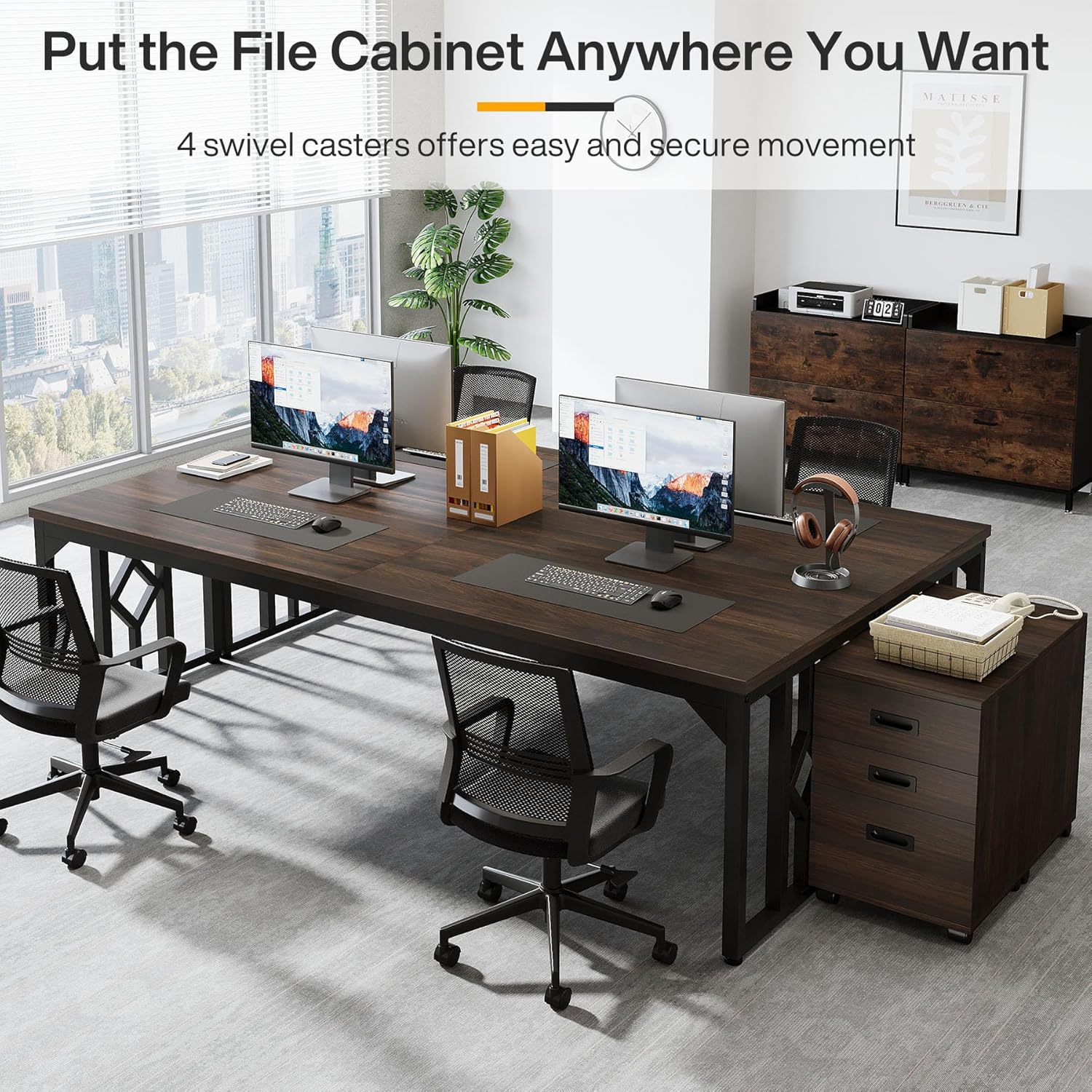
Image: A spacious office environment featuring the Tribesigns 2 Person Desk. The mobile file cabinet is shown positioned at the end of the desk, demonstrating its versatility and ease of movement within the workspace.
Maintenance
Proper care and maintenance will help preserve the appearance and extend the lifespan of your Tribesigns desk.
- Cleaning: For general cleaning, wipe the desk surfaces with a soft, dry cloth. For more stubborn marks, a slightly damp cloth can be used, followed immediately by a dry cloth to prevent moisture damage.
- Avoid Harsh Chemicals: Do not use abrasive cleaners, strong detergents, or solvents, as these can damage the finish of the desk and metal components.
- Spills: Wipe up spills immediately to prevent staining or warping of the engineered wood desktop.
- Heat and Moisture: Avoid placing hot items directly on the desktop. Use coasters for drinks to protect against moisture rings.
- Regular Checks: Periodically check all screws and fasteners to ensure they remain tight. Retighten if necessary to maintain stability.
Troubleshooting
This section addresses common issues you might encounter with your Tribesigns desk.
Desk Wobbles or is Uneven:
- Solution: Check that the desk is placed on a level surface. Utilize the adjustable foot pads on the desk legs to compensate for uneven flooring. Rotate the pads until the desk is stable.
- Solution: Ensure all assembly screws are fully tightened. Loose connections can lead to instability.
Drawers Do Not Slide Smoothly:
- Solution: Verify that the drawer slides are correctly installed and aligned according to the assembly instructions.
- Solution: Check for any obstructions within the drawer tracks. Ensure drawers are not overloaded.
Missing or Damaged Parts:
- Solution: If you discover missing or damaged parts upon unboxing, please contact Tribesigns customer support immediately with your purchase details and a description of the issue. Do not attempt to assemble the product with missing or damaged components.
Difficulty with Assembly:
- Solution: Re-read the assembly guide carefully, paying close attention to diagrams and specific instructions for each step. Sometimes, a small detail can be overlooked.
- Solution: Ensure you are using the correct hardware for each step. Some screws may appear similar but have different lengths or thread types.
Specifications
Detailed specifications for the Tribesigns 78.7-Inch 2 Person Desk with File Cabinet:

Image: A technical diagram illustrating the precise dimensions of the Tribesigns 78.7-Inch 2 Person Desk and its accompanying mobile file cabinet. Key measurements such as width, depth, height, and desktop thickness are clearly indicated.
| Feature | Detail |
|---|---|
| Brand | Tribesigns |
| Model Number | NY240 |
| Product Dimensions (D x W x H) | 27.55"D x 78.74"W x 29.52"H |
| Item Weight | 99.2 Pounds |
| Color | Brown (Red Brown finish) |
| Style | Retro |
| Top Material Type | Engineered Wood |
| Base Material | Metal |
| Finish Type | Powder Coated |
| Special Features | Rust Resistant, Scratch Resistant |
| Number of Drawers | 3 (2 utility, 1 file) |
| Number of Cabinets | 1 (mobile file cabinet) |
| Required Assembly | Yes |
| Includes All Assembly Tools | Yes |
Warranty and Support
Tribesigns is committed to providing high-quality products and customer satisfaction. While specific warranty details are not provided in this manual, the product is backed by a commitment to quality and support.
If you have any questions regarding your Tribesigns 78.7-Inch 2 Person Desk, require assistance with assembly, or need to report missing/damaged parts, please contact Tribesigns customer support. Refer to your purchase documentation or the Tribesigns official website for contact information.
The product is designed to be sturdy and reliable, made from premium MDF and heavy-duty steel, ensuring resistance to scratches, impacts, and water for long-term use.
Related documentsNY240


Ask a question about this manual
Ask about setup, troubleshooting, compatibility, parts, safety, or missing instructions. Manuals+ will review the question and use this page’s manual context to help answer it.