
1. Introduction
The PopBloom Hertz 75 LED Aquarium Light is a full-spectrum lighting solution designed for marine aquariums, specifically suitable for 80-100cm (31-39 inch) saltwater tanks. It supports low-to-mid light level reef coral growth and features smart APP control for customizable lighting programs, including simulated natural lighting cycles and group control for multiple units.
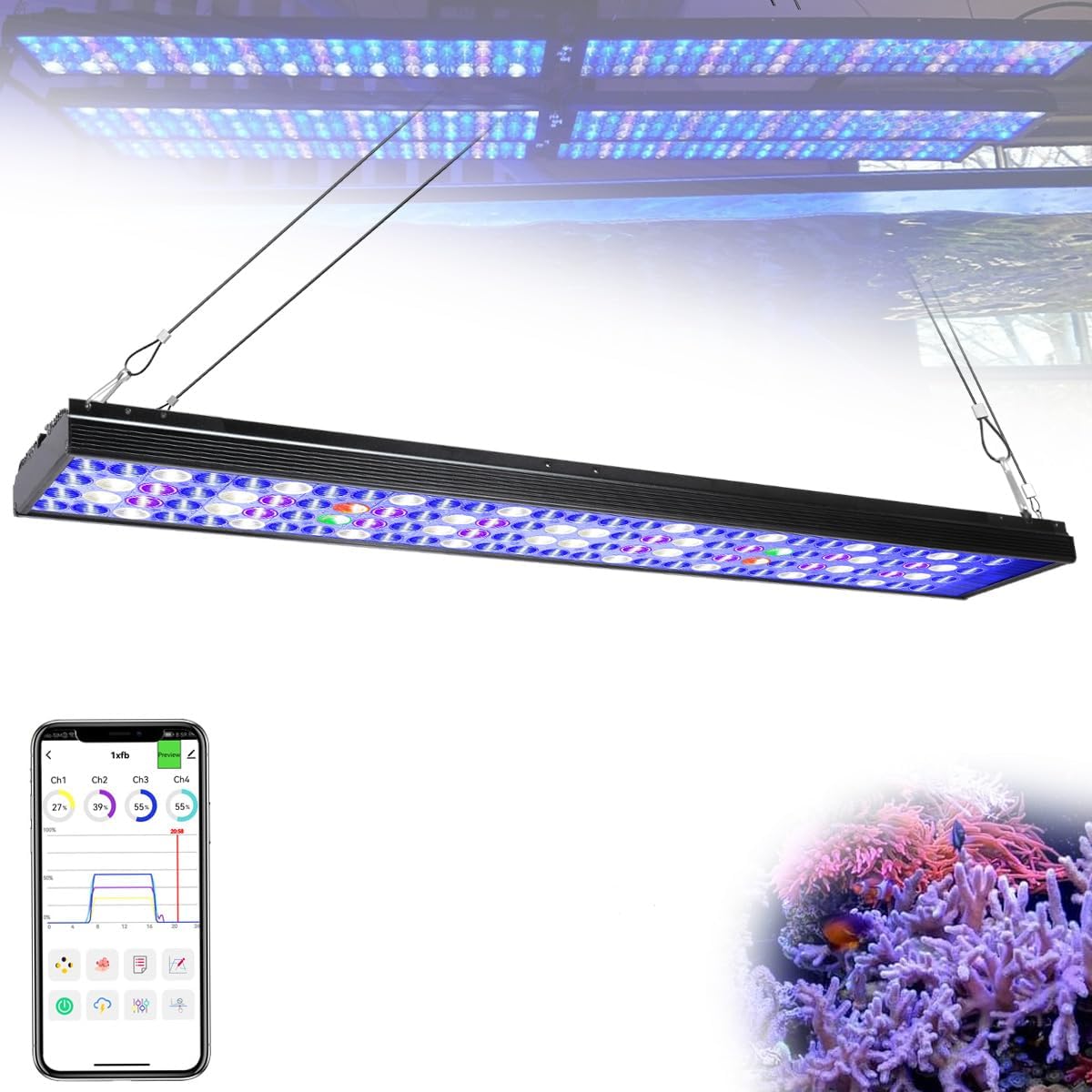
Image: The PopBloom Hertz 75 LED Aquarium Light with its sleek black aluminum housing, suspended above an aquarium, and a smartphone displaying the control app interface.
2. Safety Information
- Always unplug the light from the power outlet before performing any maintenance, cleaning, or installation.
- This product is designed for indoor use only and is not waterproof. Avoid direct contact with water.
- Do not operate the light if the power cord or plug is damaged.
- Ensure proper ventilation around the light to prevent overheating.
- Keep out of reach of children and pets.
- Use only the provided power supply and accessories.
3. Package Contents
Please verify that all items listed below are included in your package:
- 1x PopBloom Hertz 75 LED Aquarium Light (75cm / 29.5 inch)
- 1x Hanging Kit
- 1x Power Supply
- 1x Power Plug
- 1x User Manual

Image: A visual representation of the package contents, including the light panel, hanging kit, power supply, power plug, and user manual.
4. Setup and Installation
4.1 Mounting Options
The Hertz 75 LED Aquarium Light offers versatile mounting options to suit various aquarium setups:
- Hanging: Use the included hanging kit to suspend the light above your aquarium. Each light comes with 2 sets of hanging wires. The total length is 80cm, with a recommended hanging height of 40cm.
- Easy Fit: The ultra-thin design allows the light to fit easily into tank covers, lids, or shells. It can also be nailed to a bar or bracket for a custom fit.
- Mounting Arm (Sold Separately): An optional mounting arm (length and height 35cm) is available for rimless or rimmed tanks, providing a secure and adjustable fixture.

Image: Illustrations demonstrating the hanging installation method, fitting the light into a tank cover, and using an optional mounting arm.
4.2 Power Connection
- Connect the power supply to the light fixture.
- Plug the power cord into a standard electrical outlet.
- Ensure all connections are secure before powering on the unit.
5. Operating Instructions (Smart APP Control)
The PopBloom Hertz 75 LED Aquarium Light is controlled via a smart application, offering comprehensive customization and convenience.
5.1 App Download and Installation
Download the "SmartLife" or "Tuya Smart" APP from your device's app store. The app is compatible with both iOS and Android devices.
- For iOS: Download SmartLife App (iOS)
- For Android: Download Tuya Smart App (Android)

Image: Screenshot showing the SmartLife app interface and QR codes for downloading the app from Apple App Store and Google Play Store.
5.2 Initial Pairing and Connection
- Ensure your light is powered on and within range of your Wi-Fi network.
- Open the SmartLife/Tuya Smart APP and register or log in.
- Follow the in-app instructions to add a new device. The light will typically be discovered automatically or can be added manually.
- Connect the light to your home Wi-Fi network.

Image: A smartphone displaying the PopBloom app interface, highlighting Wi-Fi connectivity and multiple light grouping capabilities.
5.3 Light Channels and Spectrum Control
The Hertz 75 features 4 independent channels, allowing for precise control over the light spectrum to optimize coral growth and coloration:
| Channel | LEDs | Wattage | Function |
|---|---|---|---|
| Channel 1 | White | 16 W | 12000K White |
| Channel 2 | Purple | 11 W | Moonlight |
| Channel 3 | Blue | 46 W | REEF GROW Blue |
| Channel 4 | Red, Green, Yellow | 18 W | Vivid Color |

Image: Diagram illustrating the four independent LED channels, their respective wattages, and functions, along with a spectrum graph and an example of optimal coral growth.
5.4 Programmable Lighting Cycles
The app allows you to program a 24-hour automatic running schedule, simulating natural lighting conditions such as sunrise, daylight, sunset, and moonlight. You can set multi-time points for gradual ramp up and down of intensity.

Image: A visual representation of the smart app control interface, demonstrating how users can program and adjust lighting schedules for their aquarium.
5.5 Preset Modes and Group Control
- Various Preset Modes: The app includes a program library with preset modes like "Tropical Spring" or "Acclimation" to simplify setup for beginners.
- Group Control System: For larger setups, you can link and control up to 10 Hertz 75 lights simultaneously through one smart APP system, ensuring synchronized lighting across multiple tanks or a very long tank.

Image: Screenshots of the app showing different preset lighting modes and their effects on the aquarium environment.

Image: Diagram illustrating how multiple PopBloom lights can be linked and controlled as a group via the smart app for larger aquarium setups.
6. Maintenance
Regular maintenance ensures the longevity and optimal performance of your PopBloom Hertz 75 LED Aquarium Light.
- Cleaning: Periodically wipe the light fixture and diffuser with a soft, damp cloth to remove dust, salt creep, or water spots. Ensure the light is unplugged before cleaning. Do not use abrasive cleaners or solvents.
- Heat Dissipation: The Hertz 75 features a fanless design with a high-quality aluminum heatsink for efficient heat transfer. Ensure the heatsink fins are not obstructed to maintain optimal cooling. This design contributes to zero noise and a lower failure rate compared to fan-cooled units.

Image: Illustration showing the aluminum finned cooling system and emphasizing the fanless, zero-noise operation of the light.
7. Troubleshooting
If you encounter issues with your PopBloom Hertz 75 LED Aquarium Light, please refer to the following common troubleshooting steps:
- Light Not Turning On:
- Check if the power plug is securely connected to the outlet and the light fixture.
- Verify that the power outlet is functional.
- Ensure the power supply unit is not damaged.
- App Connectivity Issues:
- Ensure your smartphone's Wi-Fi is enabled and connected to a 2.4GHz network (5GHz networks are often not supported by smart home devices).
- Restart the light by unplugging it for 30 seconds and plugging it back in.
- Restart your Wi-Fi router.
- Ensure the light is within range of your Wi-Fi router.
- Try re-pairing the device through the app's device addition process.
- Light Intensity or Color Issues:
- Check the settings in the SmartLife/Tuya Smart APP to ensure the channels and intensity levels are set as desired.
- Verify that no scheduled programs are overriding your manual settings.
If the issue persists after attempting these steps, please contact PopBloom customer support for further assistance.
8. Specifications
| Feature | Detail |
|---|---|
| Model Name | Hertz75Wi-US |
| Brand | PopBloom |
| Lamp Type | LED |
| Wattage | 90 watts |
| Voltage | 1.1E+2 Volts (AC) |
| Number of Light Sources | 112 |
| Bulb Features | 4 Channels (12000K White, Moonlight, REEF GROW Blue, Vivid Color) |
| Light Size | 75cm (29.5 inch) length, 12cm (4.7 inch) width, 3.6cm (1.4 inch) thickness |
| Shade Material | Aluminum |
| Special Feature | Energy Efficient, Full Spectrum, Fanless Design |
| Connectivity Technology | Wi-Fi |
| Control Method | App |
| Mounting Type | Hanging, Easy Fit, Optional Mounting Arm |
| Indoor/Outdoor Usage | Indoor |
| Water Resistance Level | Not Water Resistant |

Image: Detailed graphic showing the light's dimensions, wattage, peak PAR values at different depths, and a spectral distribution graph.
9. Warranty and Support
For information regarding the product warranty, please refer to the warranty card included in your package or visit the official PopBloom website. For technical support, troubleshooting assistance beyond this manual, or inquiries about replacement parts, please contact PopBloom customer service through their official channels.
You can typically find contact information on the manufacturer's website or the product packaging.