
Introduction
This manual provides comprehensive instructions for the setup, operation, maintenance, and troubleshooting of your DOOGEE T30Max 4K 12.4 Inch Android 14 Gaming Tablet. Please read this manual carefully before using your device to ensure optimal performance and longevity.
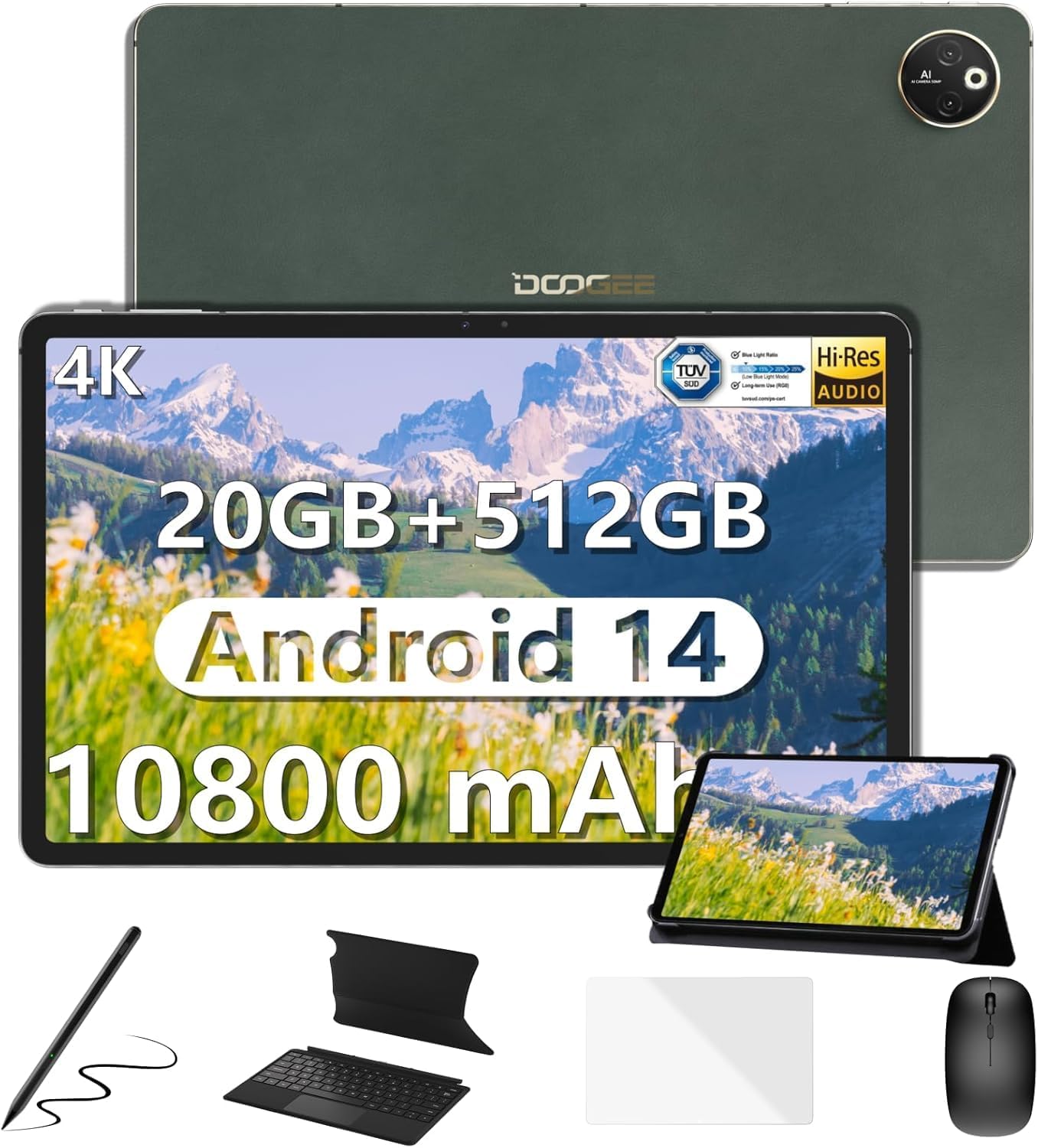
Image: The DOOGEE T30Max tablet displayed with its included accessories: keyboard, mouse, stylus pen, and case.
What's in the Box
Verify that all items are present in your package:
- Tablet x1
- Charger and Data line x1
- Card removal needle x1
- User Manual x1
- Keyboard, Mouse, Stylus Pen and Case x1
Setup
1. Initial Charging
Before first use, fully charge your DOOGEE T30Max tablet. Connect the provided charger and data line to the tablet's charging port and a power outlet. The tablet supports 33W fast charging.

Image: The DOOGEE T30Max tablet connected to a charger, illustrating its 10800mAh battery and fast charging capability.
2. Powering On/Off
- To Power On: Press and hold the Power button until the DOOGEE logo appears.
- To Power Off: Press and hold the Power button, then select "Power off" from the options on the screen.
3. SIM Card and Micro SD Installation
The tablet supports dual 4G Nano-SIM cards and Micro SD expansion up to 2TB.
- Locate the SIM card tray on the side of the tablet.
- Insert the provided card removal needle into the small hole next to the tray to eject it.
- Place your Nano-SIM card(s) and/or Micro SD card into the designated slots on the tray. Ensure correct orientation.
- Gently push the tray back into the tablet until it is flush with the device body.

Image: A close-up of the DOOGEE T30Max tablet showing the SIM card tray and indicating support for dual 4G and Wi-Fi connectivity.
4. Connecting Accessories
Your T30Max comes with a Bluetooth keyboard, mouse, and a capacitive touch pen.
- Bluetooth Keyboard/Mouse: Turn on the keyboard/mouse and enable Bluetooth on your tablet via Settings > Connected devices > Bluetooth. Select the device from the list to pair.
- Stylus Pen: The capacitive touch pen is ready for use upon removal from its packaging. No pairing is required for basic touch functions.
Operating Instructions
1. Display Features
The DOOGEE T30Max features a 12.4-inch IPS screen with a 2560x1600 resolution and DCI-P3 color gamut support for vivid visuals. It also has TÜV certification for low blue light, reducing eye strain.

Image: The tablet's 12.4-inch 4K display, highlighting its anti-blue light feature, 16:10 aspect ratio, 2560x1600 resolution, and 87.5% screen-to-body ratio.
2. Audio and Multimedia
Experience high-resolution audio with the tablet's four smart speakers. The T30Max supports Widevine L1, allowing for streaming of 1080P and higher definition media from various video platforms.

Image: The tablet displaying a high-definition video, emphasizing its Widevine DRM L1 support and Hi-Res certified quad speakers.
3. Android 14 Operating System
The tablet runs on the latest Android 14, offering enhanced privacy controls, multi-screen login, split-screen functionality, and floating windows for improved multitasking.

Image: Screenshots of the Android 14 interface on the tablet, showcasing privacy controls, Google Play Store access, and various app icons.
4. Performance and Storage
Powered by the Helio G99 Octa-Core processor, the T30Max provides smooth performance. It comes with 8GB base RAM (expandable to 20GB) and 512GB ROM, with Micro SD expansion up to 2TB.

Image: An illustration of the Helio G99 Octa-Core processor, highlighting its 2.2GHz ARM Cortex-A76, Mali-G57 MC2 GPU, and 6nm process technology.

Image: The tablet displaying multiple open applications, illustrating its expandable RAM, 512GB storage, and Micro SD expansion capabilities.
5. Camera Functions
The tablet is equipped with a 50MP main camera and a 20MP front camera for capturing photos and video calls.

Image: The tablet's camera interface and examples of photos taken with its 50MP main camera and 20MP front camera.
6. Connectivity and Navigation
The T30Max supports dual 4G, dual-band 2.4G/5G WiFi, and Bluetooth 5.0 for seamless connectivity. For navigation, it integrates Beidou, Galileo, Glonass, GPS, and AGRS for accurate positioning.
Maintenance
1. Battery Care
The 10800mAh battery provides extended usage. To maximize battery life:
- Use the original charger for optimal charging speed and safety.
- Avoid extreme temperatures.
- For long-term storage, charge the tablet to about 50% and power it off.
- The tablet supports OTG reverse charging, allowing it to charge other devices in emergencies.
2. Cleaning
To clean your tablet:
- Power off the device before cleaning.
- Use a soft, lint-free cloth.
- For stubborn marks, slightly dampen the cloth with water or a screen cleaner designed for electronics. Avoid harsh chemicals.
Troubleshooting
| Issue | Possible Cause / Solution |
|---|---|
| Tablet does not power on. | Ensure the battery is charged. Connect the charger and wait a few minutes before attempting to power on again. If unresponsive, press and hold the power button for 10-15 seconds for a forced restart. |
| Poor Wi-Fi connection. | Check if Wi-Fi is enabled. Ensure you are within range of the Wi-Fi router. Restart the router and the tablet. Forget the network and reconnect. |
| Applications are slow or crashing. | Close unnecessary background applications. Clear app cache (Settings > Apps > [App Name] > Storage > Clear cache). Restart the tablet. Ensure sufficient storage space is available. |
| Screen not displaying 4K resolution. | Ensure the content being viewed is 4K. Check display settings for resolution. For optimal viewing, disable "Battery Saver" and "Adaptive Brightness" in settings. A stable internet connection is crucial for streaming high-resolution content. |
| Accessories (keyboard, mouse) not connecting. | Ensure Bluetooth is enabled on the tablet and the accessory. Make sure the accessory is charged and in pairing mode. Unpair and re-pair the device. |
Specifications
| Feature | Detail |
|---|---|
| Brand | DOOGEE |
| Model Name | T30MAX-V-02 |
| Operating System | Android 14 |
| Screen Size | 12.4 Inches |
| Max Screen Resolution | 2560 x 1600 Pixels |
| Processor | Helio G99 Octa-Core |
| RAM | 8GB LPDDR4X (expandable to 20GB) |
| Flash Memory Size (ROM) | 512 GB |
| Expandable Storage | Up to 2TB Micro SD |
| Battery Capacity | 10800 mAh |
| Fast Charging | 33W |
| Main Camera | 50MP |
| Front Camera | 20MP |
| Wireless Type | 802.11n, 802.11b, 802.11a, 802.11g, 802.11ac (Dual-band 2.4G/5G WiFi) |
| Cellular Connectivity | Dual 4G (Nano-SIM) |
| Bluetooth | Bluetooth 5.0 |
| Navigation | Beidou, Galileo, Glonass, GPS, AGRS |
| Item Weight | 687 grams (approx. 1.5 lbs) |
| Product Dimensions | 11.22 x 7.3 x 0.31 inches (28.5 x 18.5 x 0.79 cm) |
Warranty and Support
DOOGEE values your experience. Your T30Max tablet comes with:
- 30-Day Money Back Guarantee and Free Return: For initial satisfaction.
- 2-Year Limited Warranty: Covers manufacturing defects.
- 24/7 One-on-One Online Support: For any issues or questions.
If you encounter any issues or have questions while using the product, please do not hesitate to contact DOOGEE customer service. They promise to respond within 24 hours and assist in resolving any issues.
For further assistance, you may visit the official DOOGEE store or support channels.


