
Introduction
This manual provides comprehensive instructions for the uehba YAC1FB Replacement Remote Control. This remote is designed to be compatible with various Gree and ELECTROLUX air conditioner models, including YACIFBI, YACFB, YAC1FB, YACIFB6, and YACIFBF. It offers a direct replacement solution, requiring no programming for immediate use.
Setup
Battery Installation
The remote control requires two AAA 1.5V batteries (not included). Follow these steps to install them:
- Locate the battery compartment cover on the back of the remote control.
- Slide the cover downwards or press the latch to open it.
- Insert two AAA batteries, ensuring the positive (+) and negative (-) terminals align correctly with the markings inside the compartment.
- Replace the battery compartment cover, sliding it back into place until it clicks securely.

This image shows the battery compartment located on the back of the remote control. Insert two AAA 1.5V batteries according to the polarity markings.
Initial Use
This replacement remote control is pre-programmed and does not require any additional setup or coding. Once batteries are installed, it is ready for immediate use with compatible Gree and ELECTROLUX air conditioners.
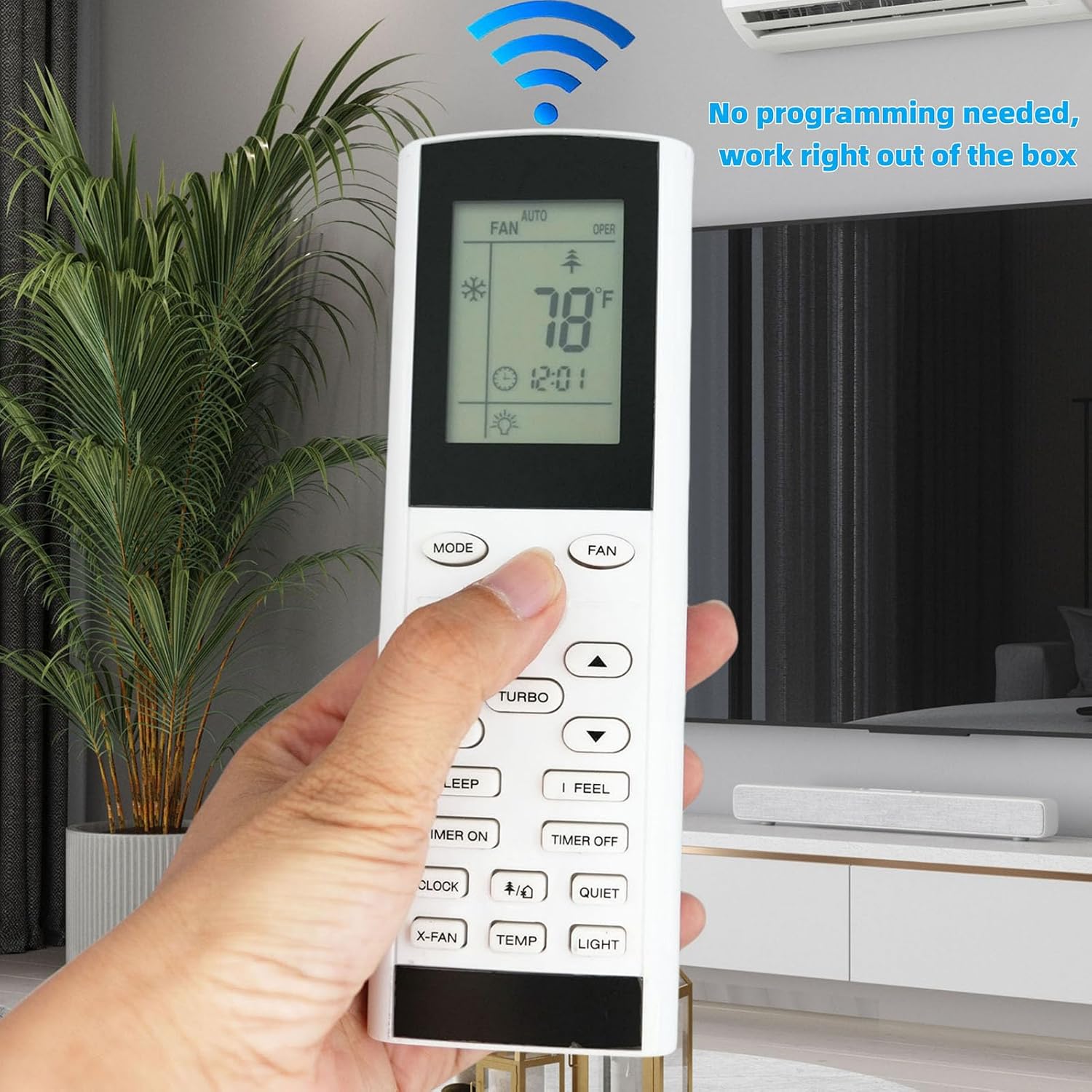
The YAC1FB remote control is designed for immediate use. Simply insert batteries, and it will function without any programming.
Operating Instructions
Familiarize yourself with the buttons and their functions for optimal control of your air conditioner.

A clear view of the YAC1FB remote control's front panel, showing the LCD display and all functional buttons for operating your air conditioner.
Basic Functions
- Power Button (Orange): Turns the air conditioner ON or OFF.
- MODE Button: Cycles through operating modes (e.g., Cool, Heat, Fan, Dry, Auto).
- FAN Button: Adjusts the fan speed (e.g., Auto, Low, Medium, High).
- Temperature Adjustment Arrows (Up/Down): Increases or decreases the set temperature.
Special Functions
- TURBO Button: Activates or deactivates the turbo cooling/heating function for rapid temperature change.
- SLEEP Button: Engages the sleep mode, which adjusts temperature and fan speed for comfortable sleep.
- I FEEL Button: Activates the 'I Feel' function, which senses the temperature at the remote's location for more precise control.
- TIMER ON/OFF Buttons: Sets a timer for the air conditioner to turn ON or OFF automatically.
- CLOCK Button: Sets the current time on the remote's display.
- X-FAN Button: Activates the X-Fan function, which continues the fan operation for a short period after shutdown to dry the indoor coil.
- QUIET Button: Reduces the fan speed to minimize noise.
- LIGHT Button: Controls the display light on the air conditioner unit.
Switching Between Fahrenheit and Celsius
The remote control can display temperature in both Fahrenheit (°F) and Celsius (°C).
- Ensure the remote control is turned OFF.
- Press and hold the MODE button and the down arrow (temperature adjustment) button simultaneously for approximately 5 seconds.
- The display will switch between Fahrenheit and Celsius.
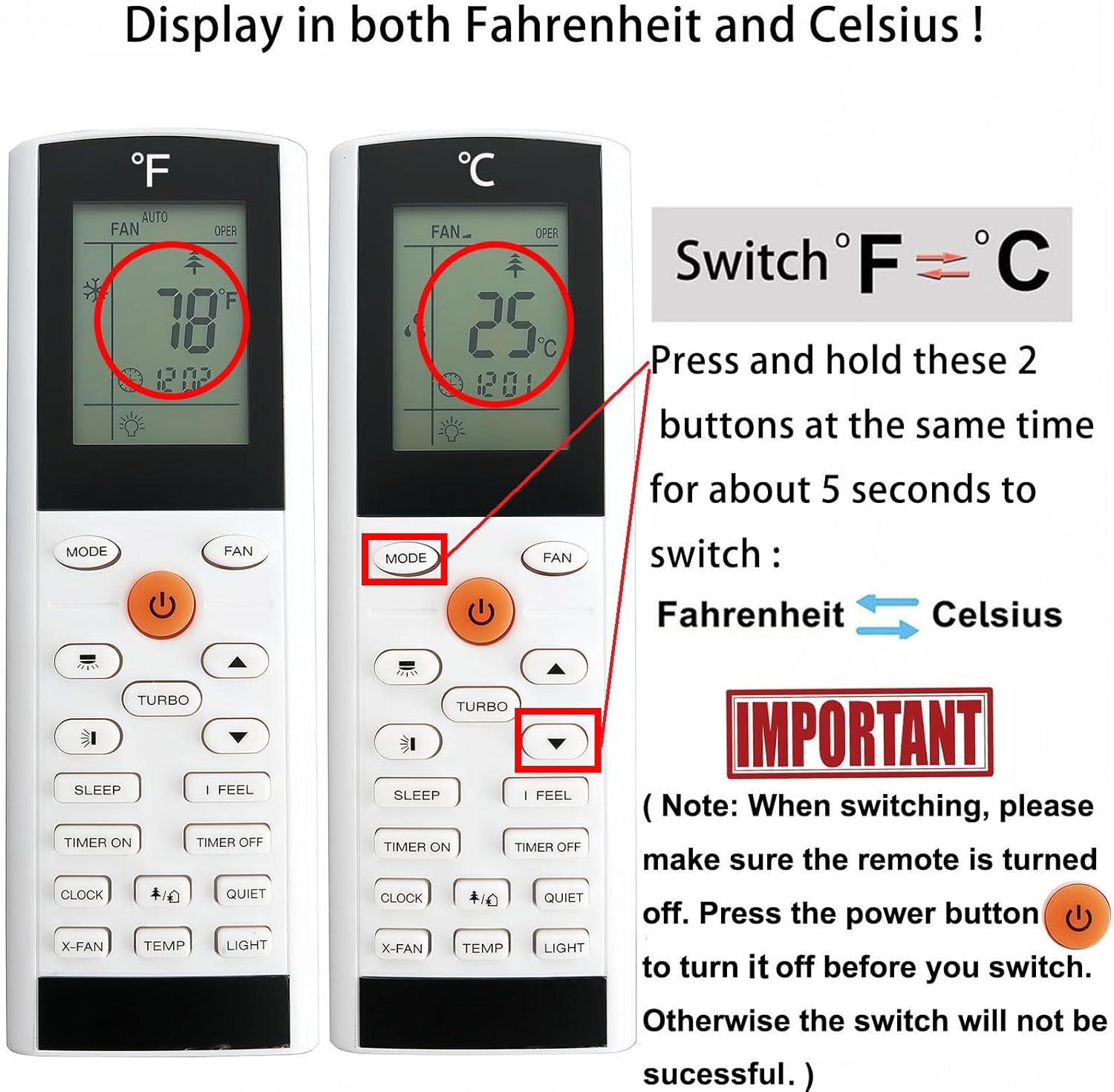
This image illustrates how to switch between Fahrenheit (°F) and Celsius (°C) temperature displays. Press and hold the 'MODE' and 'down arrow' buttons simultaneously for approximately 5 seconds. Ensure the remote is turned off before attempting to switch.
Maintenance
Battery Replacement
Replace batteries when the remote's display becomes dim or the remote stops responding. Always replace both batteries at the same time with new AAA 1.5V batteries. Do not mix old and new batteries, or different types of batteries.
Cleaning
To clean the remote control, wipe it gently with a soft, dry cloth. Do not use liquid cleaners, abrasive materials, or chemical solvents, as these may damage the remote's surface or internal components.
Troubleshooting
- Remote not responding to air conditioner:
- Check if the batteries are correctly installed and have sufficient charge. Replace if necessary.
- Ensure there are no obstructions between the remote control and the air conditioner's receiver.
- Confirm that the remote is pointed directly at the air conditioner unit.
- Temperature display is incorrect (Fahrenheit/Celsius):
- Refer to the "Switching Between Fahrenheit and Celsius" section in this manual to adjust the display unit. Remember to turn off the remote before attempting the switch.
Specifications
- Model: YAC1FB
- Battery Type: 2 x AAA 1.5V batteries (not included)
- Product Dimensions: 6.22 x 2.09 x 0.86 inches
- Item Weight: 2.65 ounces
- Compatibility: Gree, Trane, ELECTROLUX AC Air Conditioners (YACIFBI, YACFB, YAC1FB, YACIFB6, YACIFBF)
- Special Feature: Pre-setting, no programming required