
1. Introduction
This manual provides essential instructions for the installation, operation, and maintenance of your Anchilly CAREL PJEZC00000 Thermostat. This device is designed for precise temperature control in various applications. Please read this manual thoroughly before installation and use to ensure proper function and safety.
2. Safety Information
Failure to follow these safety instructions may result in electric shock, fire, or damage to the product.
- Power Disconnection: Before any installation, wiring, or maintenance procedures, always disconnect the main power supply to prevent electrical hazards.
- Wiring Verification: Prior to installation, it is highly recommended to take a photograph of the original wiring configuration. This will serve as a reference to ensure correct re-connection.
- Correct Wiring Order: After installation, meticulously verify that the new wiring matches the original configuration. Incorrect wiring can lead to malfunction or damage. Only restore power once the wiring has been confirmed as correct.
- Professional Installation: If you are unsure about any part of the installation process, consult a qualified electrician or HVAC technician.
3. Package Contents
Carefully unpack your Anchilly CAREL PJEZC00000 Thermostat and verify that all items are present and undamaged. The package should contain:
- 1 x CAREL PJEZC00000 Thermostat Unit
- 1 x Set of Wiring Terminals
- 2 x Yellow Mounting Clips/Covers
- 1 x Basic Instruction Leaflet (may vary by region)
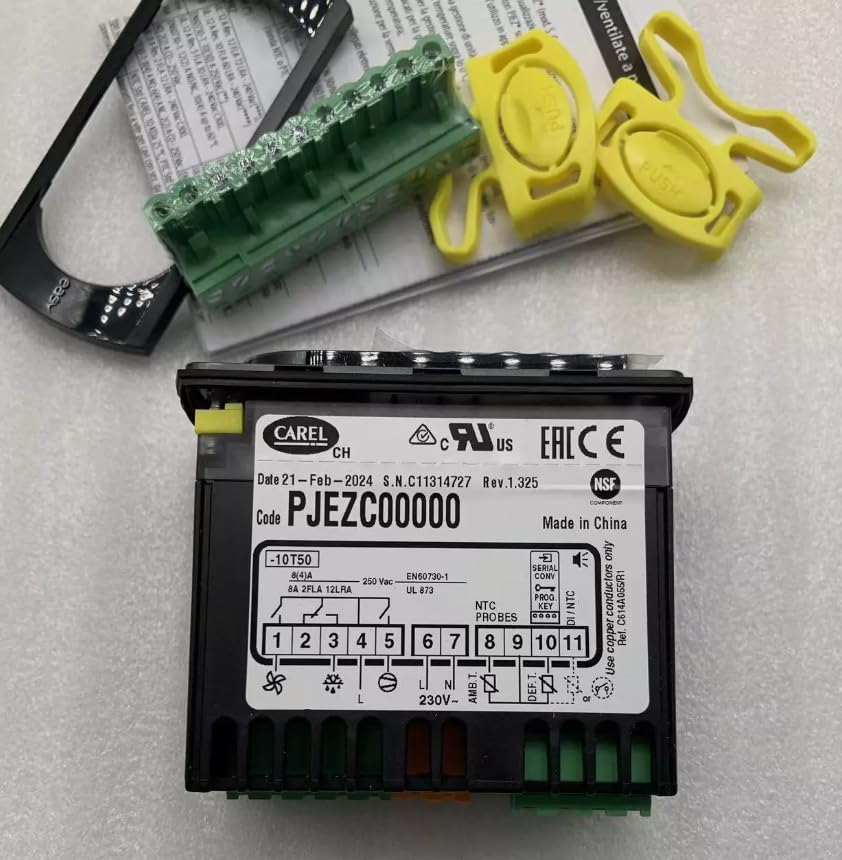
Image 1: Front view of the CAREL PJEZC00000 Thermostat, showing the display, control buttons, and wiring terminals. Yellow mounting clips are also visible.
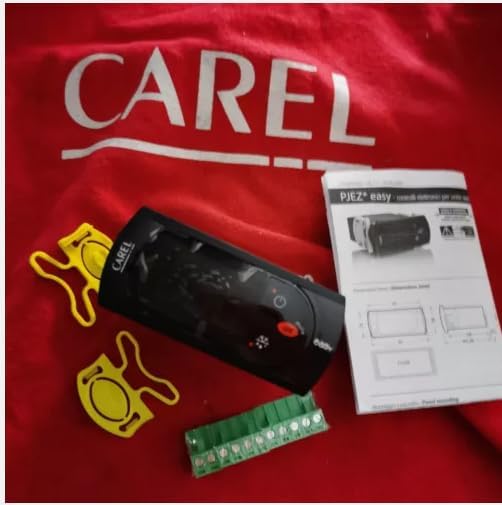
Image 2: The CAREL PJEZC00000 Thermostat unit, wiring terminal, yellow clips, and a small instruction leaflet, displayed on a red fabric background.
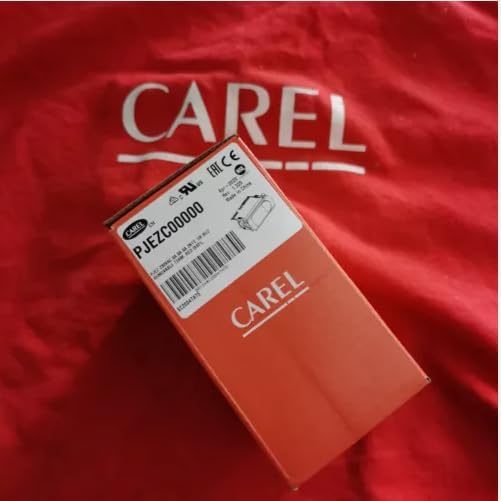
Image 3: The retail packaging box for the CAREL PJEZC00000 Thermostat, featuring the product model number and branding.
4. Setup and Installation
The Anchilly CAREL PJEZC00000 Thermostat is designed for wall-mount installation and requires hardwired power. Follow these steps carefully:
- Power Disconnection: As stated in the safety section, ensure the main power supply to the installation area is completely disconnected before proceeding.
- Mounting Location: Choose a suitable wall-mount location, away from direct sunlight, drafts, or heat sources that could affect temperature readings.
- Wiring Preparation:
- Identify the existing wiring for your heating/cooling system.
- Crucial Step: Take a clear photograph of the current wiring connections before disconnecting any wires. This photo will be your primary reference.
- Carefully disconnect the old thermostat (if applicable).
- Mounting the Thermostat:
- Secure the thermostat base to the wall using appropriate screws (not included, typically).
- Ensure the base is level for aesthetic and functional purposes.
- Wiring Connection:
- Connect the system wires to the corresponding terminals on the CAREL PJEZC00000 thermostat. Refer to the wiring diagram provided with your specific system or on the thermostat unit itself (as seen in Image 1).
- Use the photograph taken earlier to ensure each wire is connected to the correct terminal.
- Ensure all connections are secure and free from loose strands.
- Final Assembly:
- Attach the front panel of the thermostat to the mounted base.
- Secure any covers or clips, such as the yellow mounting clips shown in the package contents.
- Power Restoration: Once all wiring is confirmed correct and the thermostat is fully assembled, restore power to the system.
5. Operating Instructions
The CAREL PJEZC00000 Thermostat features a clear LCD display and push-button controls for manual temperature adjustment and programming.
5.1. Display and Controls
- Display Type: LCD (Liquid Crystal Display) for clear temperature and status indication. Note that this model does not feature a backlight.
- Controller Type: Push Button interface for direct interaction.
5.2. Basic Temperature Control
Use the push buttons (typically labeled with up/down arrows or similar symbols) to manually adjust the desired temperature setpoint. The current temperature and setpoint will be displayed on the LCD.
5.3. Programmable Features
This thermostat includes programmable features, allowing you to set schedules for temperature changes throughout the day or week. Refer to the specific programming instructions provided in the detailed product manual (if available) or on the manufacturer's website for advanced scheduling options.
5.4. Control Method (App)
While primarily controlled via push buttons, the thermostat also supports an "App" control method. This typically implies connectivity for remote monitoring or control via a smartphone application. Please refer to the manufacturer's documentation or website for details on compatible apps and setup procedures for this feature.
6. Maintenance
The Anchilly CAREL PJEZC00000 Thermostat requires minimal maintenance to ensure optimal performance.
- Cleaning: Gently wipe the thermostat's exterior with a soft, dry cloth. Avoid using abrasive cleaners, solvents, or excessive moisture, as these can damage the display or internal components.
- Airflow: Ensure that the vents on the thermostat (if any) are not obstructed by dust or debris, as this can affect temperature sensing accuracy.
- Periodic Checks: Periodically check the wiring connections to ensure they remain secure. Always disconnect power before inspecting wiring.
7. Troubleshooting
If you encounter issues with your Anchilly CAREL PJEZC00000 Thermostat, try the following basic troubleshooting steps:
- No Display/No Power:
- Check the main power supply to your HVAC system and the thermostat.
- Verify that all wiring connections are secure and correct (refer to the Setup section).
- Check for tripped circuit breakers or blown fuses in your electrical panel.
- Incorrect Temperature Reading:
- Ensure the thermostat is not exposed to direct sunlight, drafts, or heat sources.
- Clean any dust or debris from the thermostat's vents.
- System Not Responding to Thermostat:
- Confirm the thermostat is set to the correct mode (e.g., Heat, Cool, Auto).
- Verify the temperature setpoint is above (for heating) or below (for cooling) the current room temperature.
- Check the wiring connections for any looseness or errors.
If these steps do not resolve the issue, please contact customer support or a qualified technician.
8. Specifications
| Feature | Detail |
|---|---|
| Brand | Anchilly |
| Model Number | PJEZC00000 |
| Controller Type | Push Button |
| Special Feature | Programmable |
| Temperature Control Type | Manual |
| Power Source | Hardwire |
| Display Type | LCD |
| Control Method | App |
| Mounting Type | Wall Mount |
| Backlight | No |
| UPC | 765569952664 |
| Manufacturer | Anchilly |
| ASIN | B0DG8MJFDJ |
9. Warranty and Support
For warranty information and customer support regarding your Anchilly CAREL PJEZC00000 Thermostat, please refer to the documentation included with your purchase or visit the official Anchilly website. Specific warranty terms and conditions may vary by region and retailer.
If you require technical assistance or have questions not covered in this manual, please contact the seller or manufacturer directly.