1. Safety Instructions
Please read and understand all safety instructions before using the Godox LP600Bi LED Video Light. Improper use may result in damage to the product or personal injury.
- Do not expose the light to rain or moisture.
- Do not disassemble or modify the product.
- Keep out of reach of children.
- Ensure the power source matches the light's requirements.
- Avoid direct eye exposure to the LED light.
- Always use the provided power adapter or compatible NPF batteries.
2. Product Overview
The Godox LP600Bi is a versatile bicolor LED video light designed for photography and videography. It offers adjustable color temperature, brightness, and special effects, controllable via an intuitive interface or a mobile application.

Figure 2.1: Godox LP600Bi LED Video Light with included accessories.
Key Features:
- Bicolor LED Light: Adjustable color temperature from 2800K to 6500K.
- High Brightness: 9020Lux at 0.5m (5600K).
- Dimmable: Brightness adjustable from 0% to 100%.
- 11 FX Effects: Includes Flash, Lighting, Cloudy, Broken Bulb, TV, Candle, Fire, Firework, Welding, SOS.
- APP Control: Wireless control via the Godox Light APP.
- High Color Accuracy: CRI/TLCI 96+.
- Lightweight & Portable: Slim design (10.4*7.9 inch, 2.2lb) with included carry bag.
- Multiple Power Options: DC-powered (power adapter included) or NPF battery power (batteries sold separately).
What's in the Box:
- LP600Bi LED Light x1
- Barndoor x1
- Carry Bag x1
- Adapter x1
- DC Power Cable x1
3. Setup
3.1 Attaching the Barndoors
- Align the barndoors with the mounting slots on the front of the LP600Bi light panel.
- Gently slide the barndoors into place until they click securely.
- Adjust the individual flaps of the barndoors to control light spill.
3.2 Mounting the Light
- Attach the light's yoke to a compatible light stand using the stand adapter.
- Tighten the locking knob on the stand adapter to secure the light.
- Adjust the tilt of the light using the knobs on the yoke.
3.3 Powering the Light
The LP600Bi offers two power options:
- AC Power: Connect the DC power cable to the light's DC input port and the adapter. Plug the adapter into a standard AC power outlet.
- NPF Batteries: Insert two compatible NPF batteries (e.g., NP-F970, sold separately) into the battery slots on the back of the light. Ensure they are securely latched.
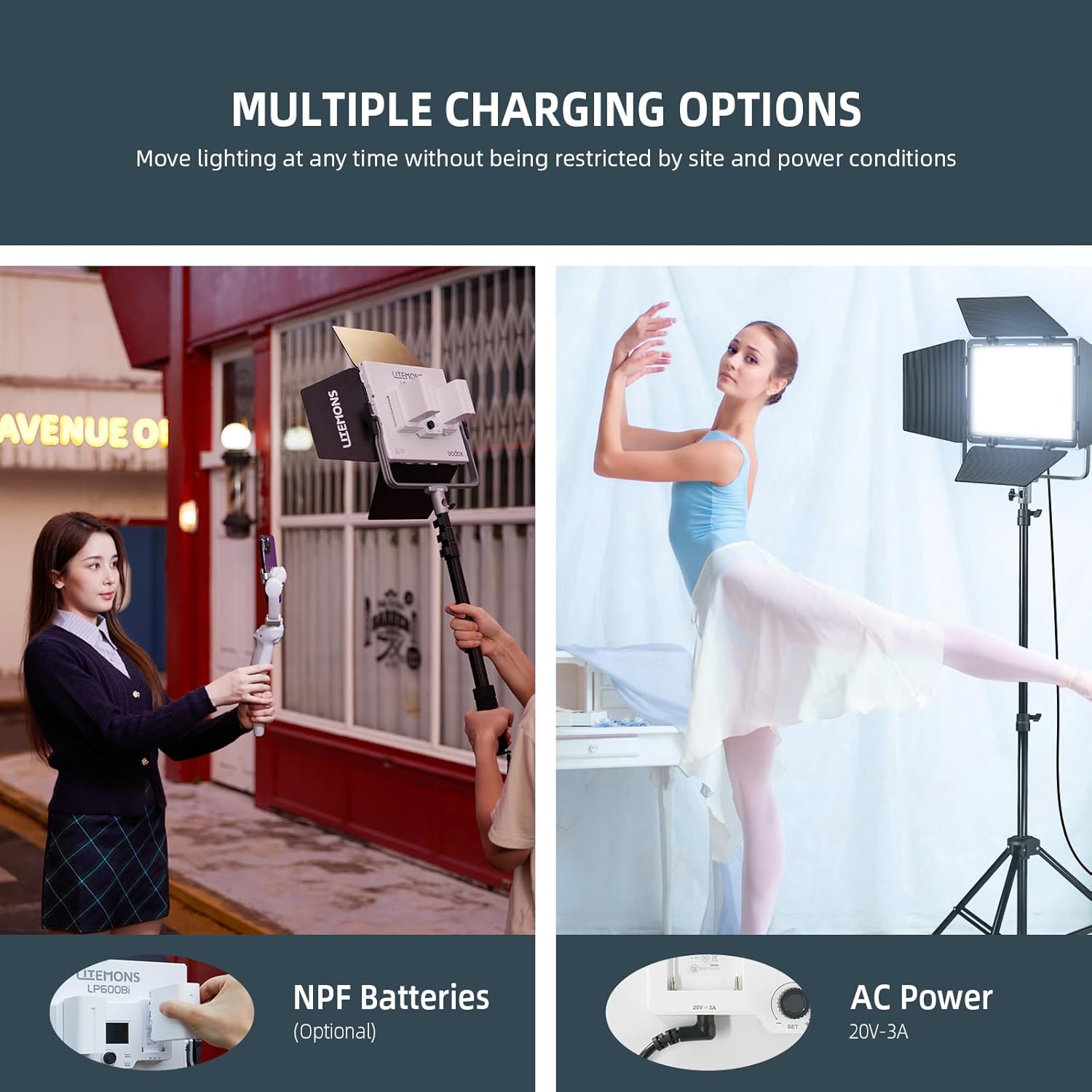
Figure 3.1: Back panel of the LP600Bi showing battery slots and AC power input.
4. Operating Instructions
4.1 Power On/Off
Locate the power switch on the back of the light. Slide it to the 'ON' position to power on the device. Slide it to 'OFF' to power off.
4.2 Adjusting Brightness and Color Temperature
Use the control knob and buttons on the back panel to adjust settings. The display screen will show current values.
- Brightness: Rotate the main control knob to adjust the brightness from 0% to 100%.
- Color Temperature: Press the 'MODE' button to switch to CCT mode. Rotate the control knob to adjust the color temperature between 2800K and 6500K.

Figure 4.1: The LP600Bi offers a wide range of color temperatures from warm 2800K to cool 6500K.
4.3 Using FX Effects
The LP600Bi includes 11 special effects to enhance your creative lighting scenarios.
- Press the 'MODE' button repeatedly until you enter FX mode.
- Rotate the control knob to cycle through the 11 available effects: Flash, Lighting, Cloudy, Broken Bulb, TV, Candle, Fire, Firework, Welding, SOS.
- Adjust the intensity or speed of each effect using the control knob.

Figure 4.2: Icons representing the 11 built-in FX effects.
4.4 APP Control (Godox Light APP)
For convenient wireless control, download the Godox Light APP on your smartphone or tablet.
- Download and install the 'Godox Light' app from your device's app store.
- Ensure Bluetooth is enabled on your mobile device.
- Open the app and follow the on-screen instructions to connect to your LP600Bi light.
- Once connected, you can adjust brightness, color temperature, and FX effects directly from the app.

Figure 4.3: Controlling the LP600Bi via the Godox Light App.
4.5 Official Product Video
Video 4.1: An overview of the Godox LP LED Panel Light, showcasing its features and versatility in various shooting environments.
5. Maintenance
- Cleaning: Use a soft, dry cloth to clean the light panel and housing. Do not use abrasive cleaners or solvents.
- Storage: When not in use, store the light in its carry bag in a cool, dry place away from direct sunlight and extreme temperatures.
- Battery Care: If using NPF batteries, remove them when the light is not in use for extended periods. Charge batteries regularly to maintain their lifespan.
6. Troubleshooting
- Light not turning on: Check power connections. Ensure AC adapter is properly plugged in or NPF batteries are charged and correctly inserted.
- App connection issues: Ensure Bluetooth is enabled on your device and the light. Restart both the app and the light.
- Inconsistent light output: Verify that the power source is stable. If using batteries, ensure both are adequately charged.
- Overheating: Ensure proper ventilation around the light. Avoid operating in enclosed spaces or direct sunlight for prolonged periods.
7. Specifications
| Feature | Specification |
|---|---|
| Model Number | LP600Bi |
| Power Output | 60W |
| Color Temperature Range | 2800K-6500K |
| Illumination (0.5m) | 9020Lux (at 5600K) |
| Brightness Adjustment | 0-100% |
| CRI/TLCI | 96+ |
| FX Effects | 11 types |
| Control Method | On-board controls, Godox Light APP |
| Power Supply | DC (Adapter included), 2x NPF Batteries (Optional) |
| Panel Dimensions | 10.4 x 7.9 inches |
| Item Weight | 2.2 lbs (light only) / 5.41 lbs (package) |
| Manufacturer | Godox |
8. Warranty and Support
For warranty information and technical support, please refer to the official Godox website or contact your local distributor. Keep your purchase receipt as proof of purchase for warranty claims.


