
Introduction
Welcome to the Ziegoal ABS-687 Kids Instant Print Camera user manual. This guide provides detailed instructions for setting up, operating, maintaining, and troubleshooting your new camera. Please read this manual thoroughly to ensure proper use and to maximize your child's enjoyment of the product.
Product Overview
Key Features
- Dual Cameras: Front and rear cameras for selfies and landscape photography.
- High Resolution: 2.0" IPS screen with 48MP resolution for clear images.
- Instant Printing: Print black and white photos instantly.
- Video Recording: 1080P video capability with time-lapse and continuous shooting modes.
- Creative Effects: Includes filters, sticker frames, and mirror effects.
- Digital Zoom: 16X zoom function.
- Built-in Games: Four puzzle games for entertainment.
- Multi-language Support: Supports 12 different languages.
Camera Components and Accessories
Familiarize yourself with the camera's parts and the items included in your package.

This image displays a detailed diagram pointing out the various parts of the camera, such as the front camera, screen, speaker, and buttons. Below it, all included accessories are shown: the camera, three print paper rolls, a user manual, an 8GB SD card, a lanyard, and a Type-C charging cable.
- Camera Body: The main unit with screen, lens, and controls.
- Print Paper Rolls (x3): Thermal paper for instant prints.
- User Manual (x1): This instruction guide.
- 8GB SD Card (x1): For digital photo and video storage.
- Lanyard (x1): For convenient carrying.
- Type-C Cable (x1): For charging and data transfer.
Setup
1. Charging the Camera
Before first use, fully charge the camera's built-in 1300 mAh lithium-ion battery. Connect the provided Type-C cable to the camera's charging port and the other end to a USB power adapter (not included) or a computer USB port. The charging indicator light will show the charging status.
2. Inserting the SD Card
Locate the SD card slot on the side of the camera. Insert the provided 8GB SD card into the slot until it clicks into place. Ensure the card is inserted in the correct orientation. The camera supports full-color photo storage on the SD card.
3. Installing the Print Paper Roll
The camera requires thermal paper for instant printing. Follow these steps to install a new roll:
- Open the paper slot by pressing both sides of the camera simultaneously.
- Insert a new thermal paper roll into the compartment, ensuring the paper feeds out in the correct direction.
- Close the camera cover securely.
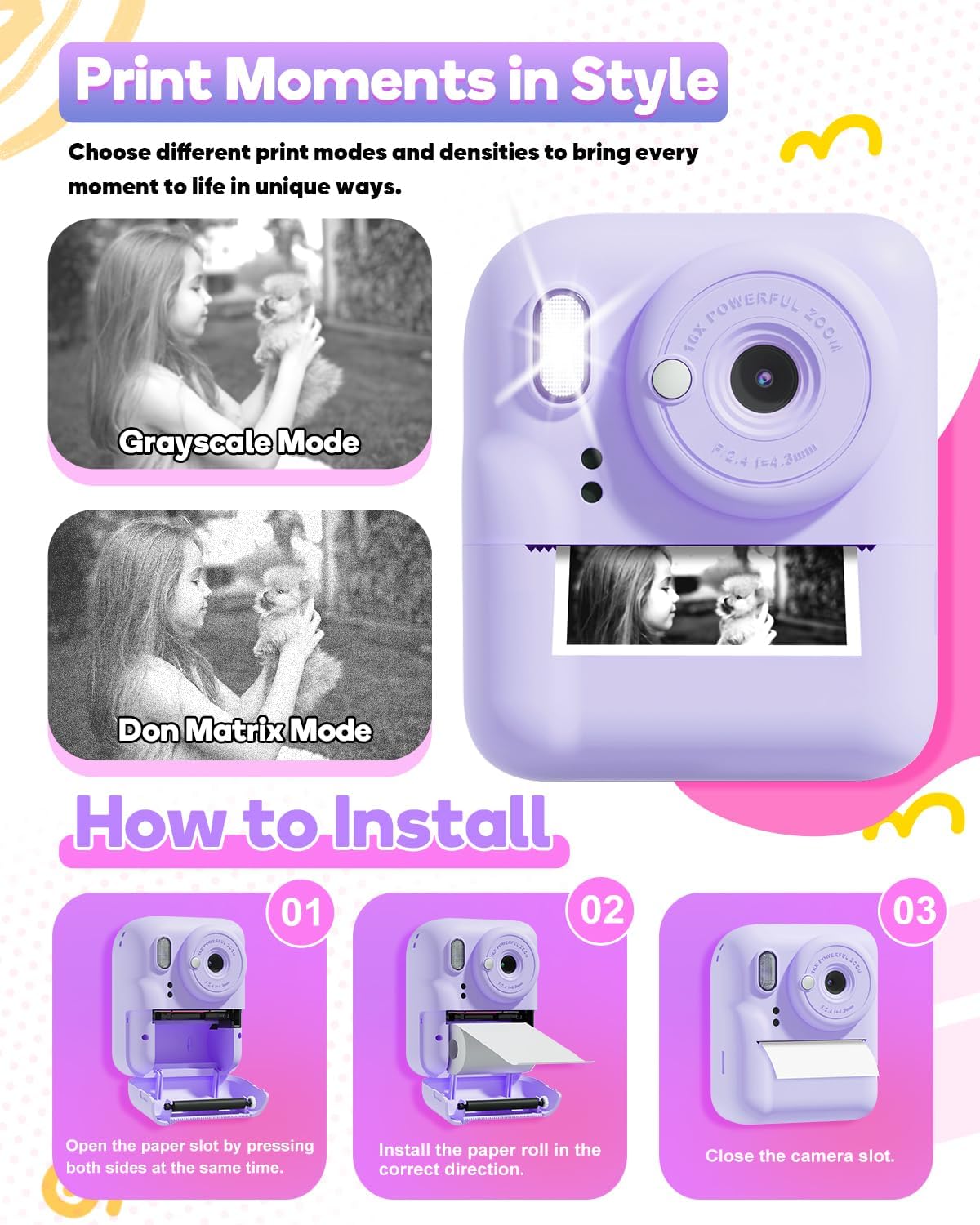
This image demonstrates how to correctly install the thermal paper roll into the camera. It also shows examples of the grayscale and dot matrix printing modes available.
Operating Instructions
1. Power On/Off
Press and hold the Power/Mode button to turn the camera on or off.
2. Taking Photos
- Switching Cameras: Use the designated button to switch between the front and rear cameras for selfies or regular photos.
- Zoom: Use the 'Previous/Zoom In' and 'Next/Zoom Out' buttons to adjust the 16X digital zoom.
- Capture: Press the Capture button to take a photo.

This image displays the Ziegoal Kids Instant Print Camera in its purple color, highlighting its instant printing capability with a photo emerging from the slot. A child is shown happily using the camera, demonstrating its user-friendly design.
3. Instant Printing
After taking a photo, you can choose to print it instantly. The camera offers two printing modes (grayscale and dot matrix) and adjustable printing density. Press the print button to initiate printing. Photos will be printed in black and white.
4. Video Recording
Switch to video mode using the Mode button. Press the Capture button to start and stop recording 1080P videos. The camera supports time-lapse and continuous shooting modes for videos.
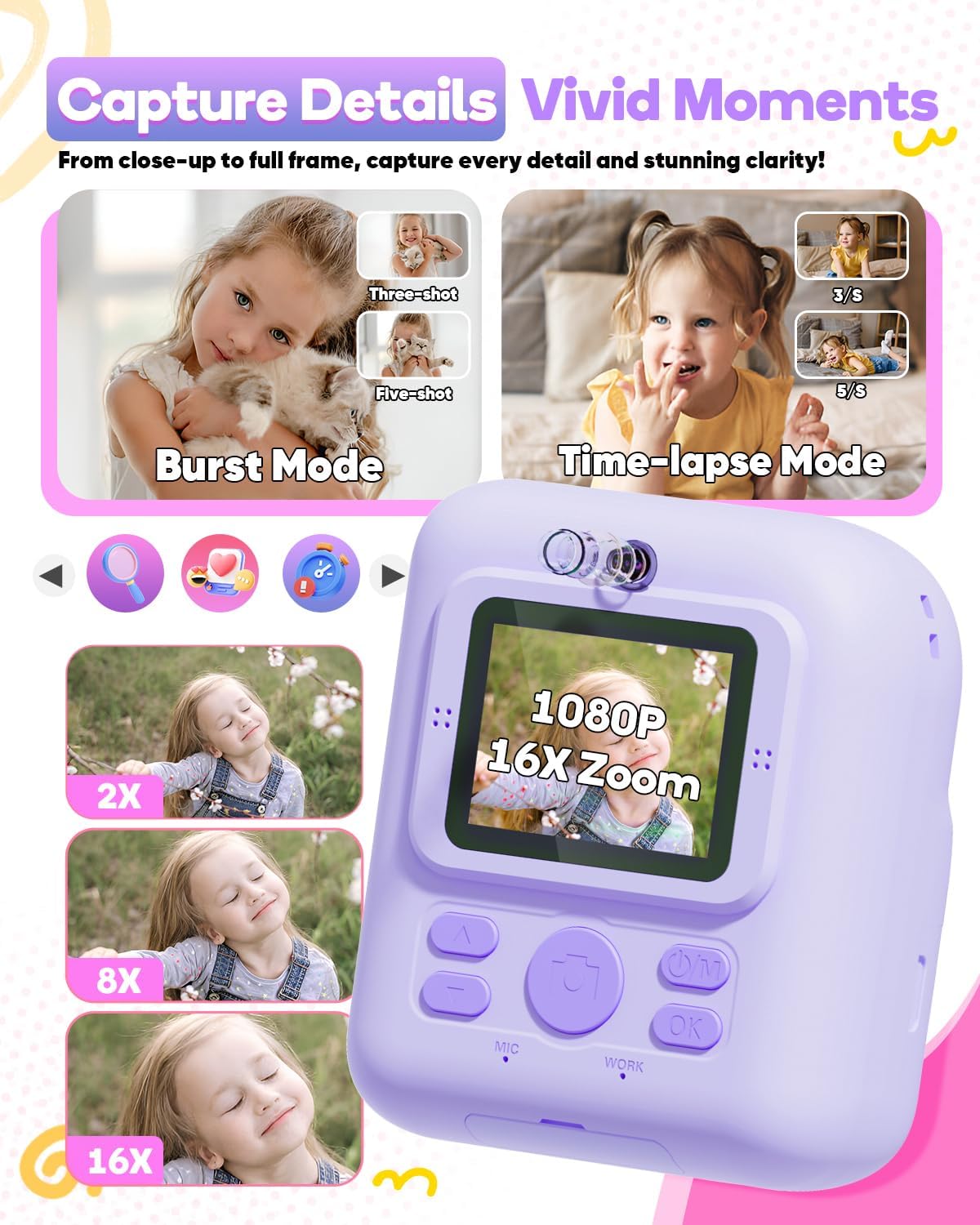
The camera's screen is shown with various zoom levels (2x, 8x, 16x) and icons for burst mode and time-lapse photography, illustrating its advanced capture features.
5. Creative Features and Games
Explore the camera's menu to access various filters, sticker frames, and mirror effects to customize your photos. The camera also includes four built-in puzzle games for entertainment during downtime.

This image highlights the creative features of the camera, including a selection of playful photo frames and stickers that can be added to pictures, enhancing the fun of photography for children.
6. Language Settings
Navigate through the camera's settings menu to select your preferred language from the 12 available options.
Maintenance
Cleaning
Use a soft, dry cloth to clean the camera body. For the lens and screen, use a specialized lens cleaning cloth. Avoid using liquid cleaners or abrasive materials.
Storage
Store the camera in a cool, dry place away from direct sunlight and extreme temperatures. When not in use for extended periods, ensure the battery is partially charged (around 50%) to prolong its lifespan.
Battery Care
To maintain battery health, avoid fully discharging the battery frequently. Charge the camera regularly, especially if it has not been used for a while. The battery provides approximately 4-5 hours of video shooting on a full charge.
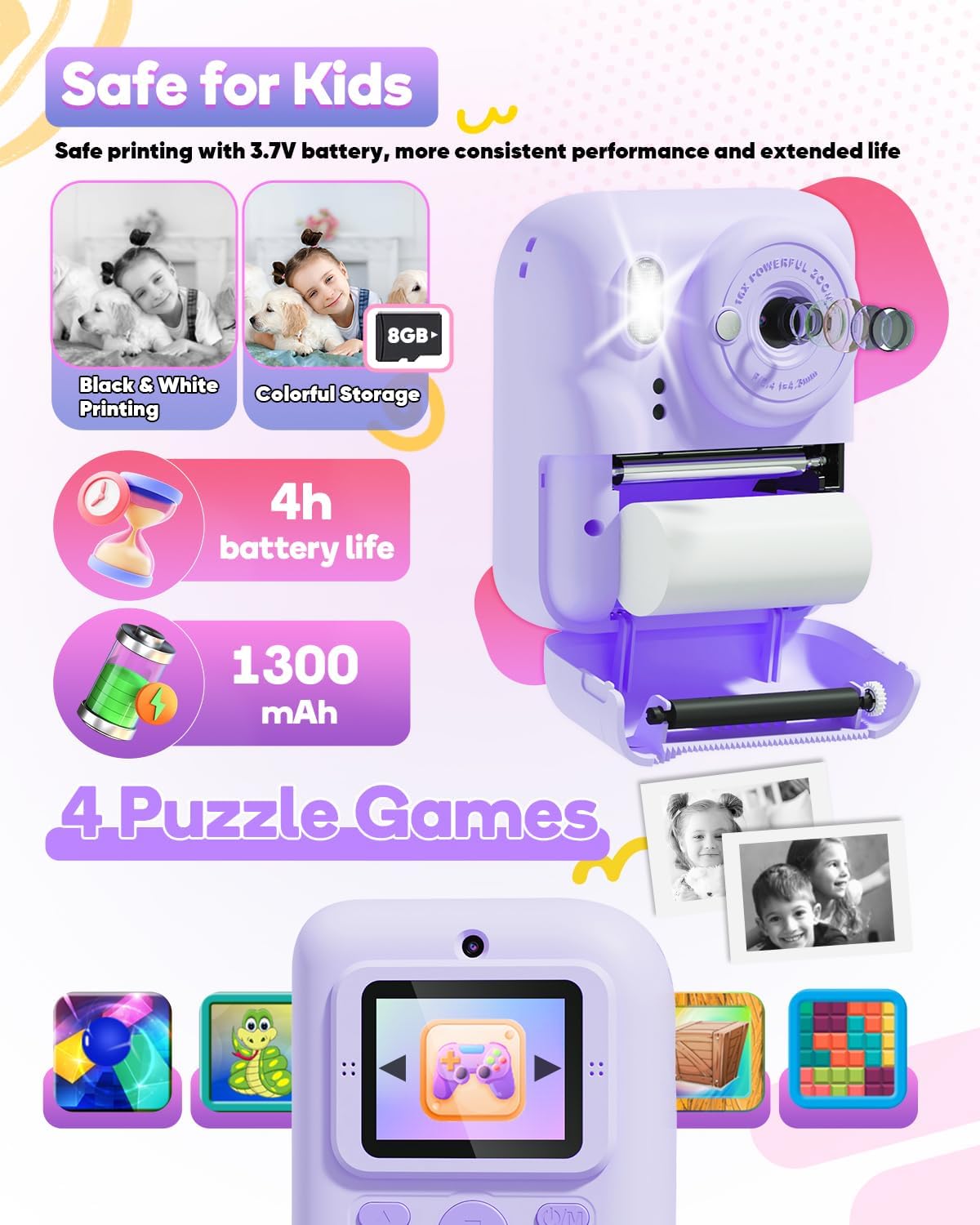
This image illustrates the camera's specifications such as its 4-hour battery life, 1300mAh capacity, 8GB storage, and the inclusion of four engaging puzzle games for entertainment.
Troubleshooting
| Problem | Possible Cause | Solution |
|---|---|---|
| Camera does not power on. | Low battery. | Charge the camera fully using the provided Type-C cable. |
| Cannot take photos/videos. | SD card full or not inserted correctly. | Check if the SD card is properly inserted. Delete unnecessary files or replace the SD card if full. |
| Photos are not printing. | No thermal paper, paper jammed, or paper inserted incorrectly. | Ensure a thermal paper roll is installed correctly. Open the paper slot and clear any jams. Reinsert the paper roll. |
| Poor print quality. | Low printing density setting. | Adjust the printing density in the camera settings. |
| Camera freezes or is unresponsive. | Software glitch. | Press and hold the Power/Mode button for 10-15 seconds to force a restart. |
Specifications
- Model Name: ABS-687
- Product Dimensions: 2.17 x 4.02 x 3.39 inches
- Item Weight: 11.7 ounces (0.33 Kilograms)
- Batteries: 1 Lithium Ion battery (included)
- Special Feature: Digital camera with instant print function
- Film Format Type: Instant (thermal paper)
- Film Color: Black and white for prints, color for digital storage
- Compatible Devices: Camera (standalone device)
- Viewfinder Magnification: 16x (digital zoom)
- Manufacturer: Ziegoal
Official Product Video
This video demonstrates the Ziegoal ABS-687 Kids Instant Print Camera in action, showcasing its instant printing feature, 16x zoom capability, and various creative effects like stickers and frames. It also briefly illustrates the paper loading process.
Warranty and Support
For warranty information or technical support regarding your Ziegoal ABS-687 Kids Instant Print Camera, please refer to the contact details provided on the product packaging or visit the official Ziegoal website. Keep your purchase receipt as proof of purchase for any warranty claims.
