1. Introduction
This manual provides detailed instructions for the installation, operation, and maintenance of your Cocoarm M5 LCD Display. This control panel is designed for electric bikes and scooters, offering essential riding data and control functions. Please read this manual thoroughly before use to ensure proper function and safety.
2. Safety Information
- Always ensure the display is securely mounted before riding.
- Do not attempt to disassemble or modify the display.
- The display is designed to be waterproof for rainy conditions, but avoid prolonged submersion.
- Ensure the communication protocol of your E-bike/E-scooter controller is compatible (No. 2 communication protocol). Incompatibility may prevent proper function.
- Regularly check all connections for security.
3. Product Overview
3.1 Components
The Cocoarm M5 LCD Display package includes the LCD meter, a control button panel, and an instruction manual. The display features a clear screen and robust housing.

Figure 1: Cocoarm M5 LCD Display and Control Button Panel.
3.2 Key Features
- Accurate Metrics: Tracks riding speed, distance, and other performance data.
- Clear LCD Display: Large, intuitive panel with backlight for visibility in various lighting conditions.
- Waterproof Design: Ensures functionality during wet weather conditions.
- Stable and Sturdy: Designed with durable wires and secure interfaces for long-term use and low failure rates.
- Voltage Compatibility: Supports 24V, 36V, 48V, and 60V electric systems.
4. Setup and Installation
4.1 Mounting the Display and Control Panel
The display comes with a bracket designed to fit 22.2mm (0.9 inch) handlebars. Ensure the mounting location provides clear visibility and easy access to the control buttons.

Figure 2: Rear view of the M5 LCD Display with mounting brackets.

Figure 3: M5 LCD Display mounted on an E-bike handlebar.
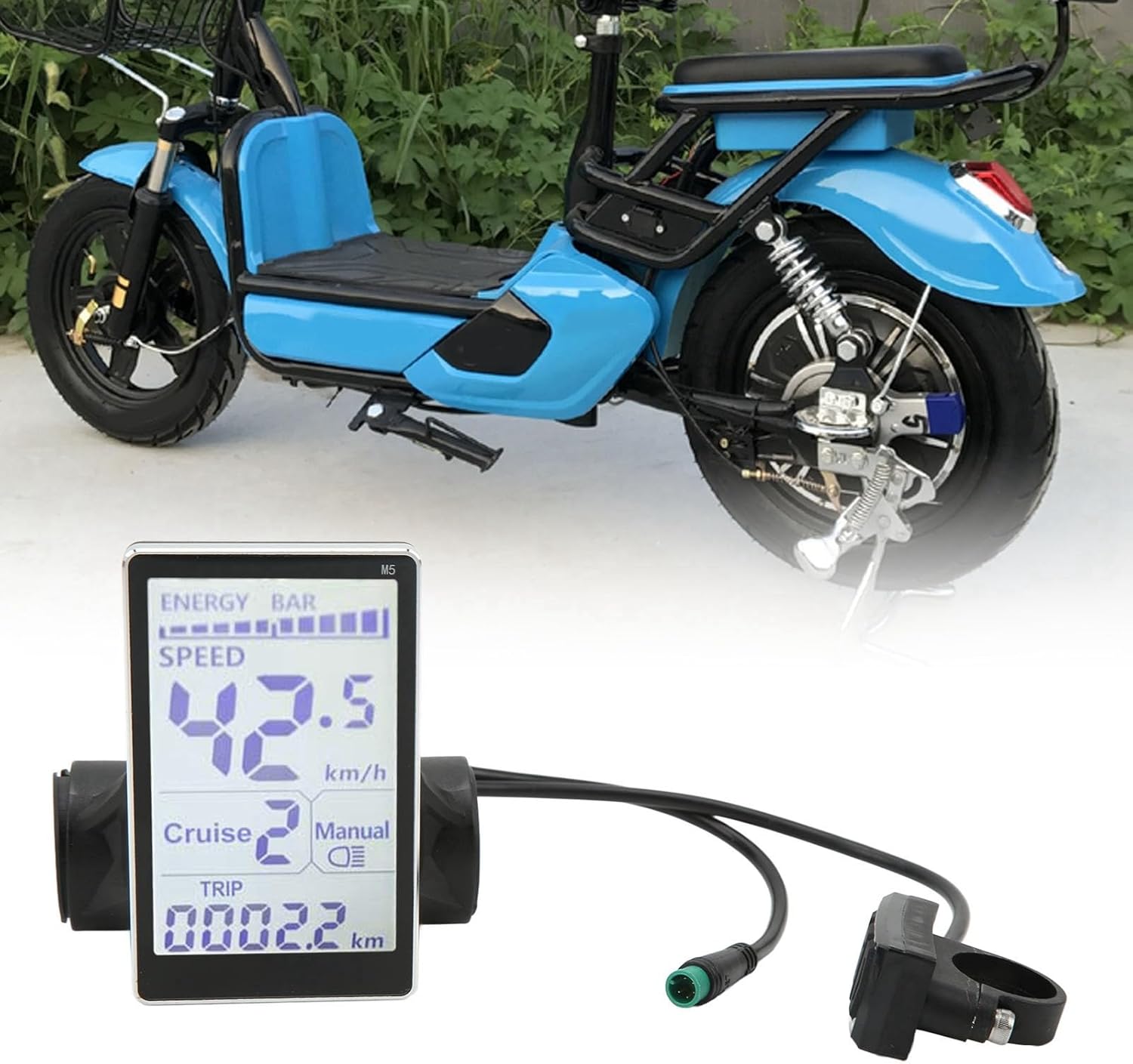
Figure 4: M5 LCD Display mounted on an E-scooter handlebar.
4.2 Wiring Connections
Connect the 5-pin connector from the display to the corresponding port on your E-bike or E-scooter controller. Ensure a secure connection to prevent signal loss.

Figure 5: 5-pin connector diagram, showing pin assignments (1 Red, 2 Blue, 3 Black, 4 Green, 5 Yellow).
4.3 Installation Video Guide
Video 1: Installation and basic operation of an E-bike display. This video demonstrates mounting the display and control panel, connecting the wiring, and powering on the unit.
5. Operating Instructions
5.1 Power On/Off
To power on the display, press and hold the power button on the control panel. To power off, press and hold the power button again.
5.2 Display Modes and Information
The M5 LCD Display provides various real-time riding data, including speed, distance (trip and odometer), battery level (energy bar), and pedal assist (PAS) levels.

Figure 6: Close-up of the M5 LCD Display showing various metrics like speed, battery, and trip distance.
5.3 Button Functions
The control panel typically includes buttons for power, mode selection, and adjusting settings such as pedal assist levels.

Figure 7: Control button panel with up, down, and mode/power buttons.
5.4 Operation Demonstration Video
Video 2: Demonstration of the M5 LCD Display's functions, including power on/off and changing pedal assist levels while riding.
6. Maintenance
- Clean the display screen with a soft, damp cloth. Avoid abrasive cleaners.
- Periodically check all cables and connectors for wear or damage.
- Ensure the display is securely fastened to the handlebars.
7. Troubleshooting
- Display not powering on: Check all cable connections, especially the 5-pin connector, to ensure they are secure. Verify your E-bike/E-scooter battery is charged.
- Incorrect readings: Ensure the display is correctly configured for your E-bike/E-scooter wheel size (if applicable, refer to your E-bike/E-scooter manual for settings).
- Incompatibility: This product uses No. 2 communication protocol. If your controller uses a different protocol, the display may not function correctly. Verify your controller's protocol before use.
8. Specifications
- Item Type: Electric LCD Meter
- Material: ABS
- Voltage Compatibility: 24V, 36V, 48V, 60V
- Mounting Aperture: 22.2mm (0.9 inch)
- Communication Protocol: No. 2
- Package Dimensions: 5.12 x 3.94 x 3.15 inches
- Item Weight: 6.7 ounces
9. Warranty and Support
This product comes with a manufacturer warranty for 90 days from the date of purchase. For technical support, troubleshooting assistance, or warranty claims, please contact Cocoarm customer service through your retailer or the official Cocoarm website.


