
1. Introduction
Thank you for choosing the PET MARVEL M3 Automatic Pet Feeder. This device is designed to provide a convenient and reliable feeding solution for your pets, ensuring they receive meals on schedule with optimal freshness. Please read this manual thoroughly before use to ensure proper operation and maintenance.
2. Safety Information
- Keep the feeder away from children and pets when not in use or during assembly.
- Do not immerse the main unit in water or any other liquid.
- Use only dry pet food. Do not use wet food, canned food, or treats larger than 15mm.
- Ensure the power adapter is suitable for your local voltage.
- Always unplug the device before cleaning.
- Do not attempt to repair or modify the device yourself. Contact customer support for assistance.
- Place the feeder on a stable, level surface to prevent tipping.
3. Package Contents
Verify that all items are present in the package:
- Host Machine *1
- Stainless Steel Bowl *1
- Bowl Tray *1
- Power Cable *1
- Desiccant Bag *1
- User Manual *1
4. Product Overview
The PET MARVEL M3 Automatic Pet Feeder is designed for convenience and pet health. It features a 4.4L capacity, suitable for approximately 30 days of meals for one cat, and incorporates a quadruple sealing system to maintain food freshness.

Image: The PET MARVEL M3 Automatic Pet Feeder shown with a cat and a smartphone illustrating the mobile application interface.
Key Features:
- APP/WiFi Control: Manage feeding schedules, portions, and monitor your pet's diet remotely.
- Quadruple Sealed Freshness: Ensures food remains fresh for up to 30 days.
- 4.4L Large Capacity: Reduces the frequency of refilling.
- Anti-Jamming Design: Features a 45-degree impeller and wider grain outlet to prevent food blockages.
- Detachable and Washable: Components are easily disassembled for thorough cleaning.
- Dual Power Backup: Automatically switches to battery power during outages (3 D batteries, not included).

Image: Exploded view detailing the quadruple freshness lock components: three-layer sealing strip, built-in desiccant, silicone-covered screw cap, and enclosed food outlet.
5. Setup Guide
5.1 Assembly
- Place the main feeder unit on a flat, stable surface.
- Insert the stainless steel bowl into the bowl tray, then attach the tray to the base of the feeder.
- Open the lid of the food storage barrel. Insert the desiccant bag into its designated slot to help maintain food freshness.
5.2 Power Supply
The feeder supports dual power options:
- Primary Power: Connect the provided power cable to the feeder and a wall outlet.
- Backup Power: For power outage protection, install 3 D-size batteries (not included) into the battery compartment at the bottom of the unit. This ensures continuous feeding even if the main power is interrupted.
5.3 App Download and Connection
- Download the PET MARVEL app from your smartphone's app store (iOS or Android).
- Open the app and follow the on-screen instructions to create an account or log in.
- Add your PET MARVEL M3 feeder by selecting the device type and following the pairing instructions. Ensure your phone is connected to a 2.4GHz WiFi network during setup.
5.4 Filling the Feeder
- Open the top lid of the food storage barrel.
- Pour dry pet food into the barrel. Ensure the kibble size is no larger than 15mm to prevent jamming.
- Close the lid securely to maintain freshness.
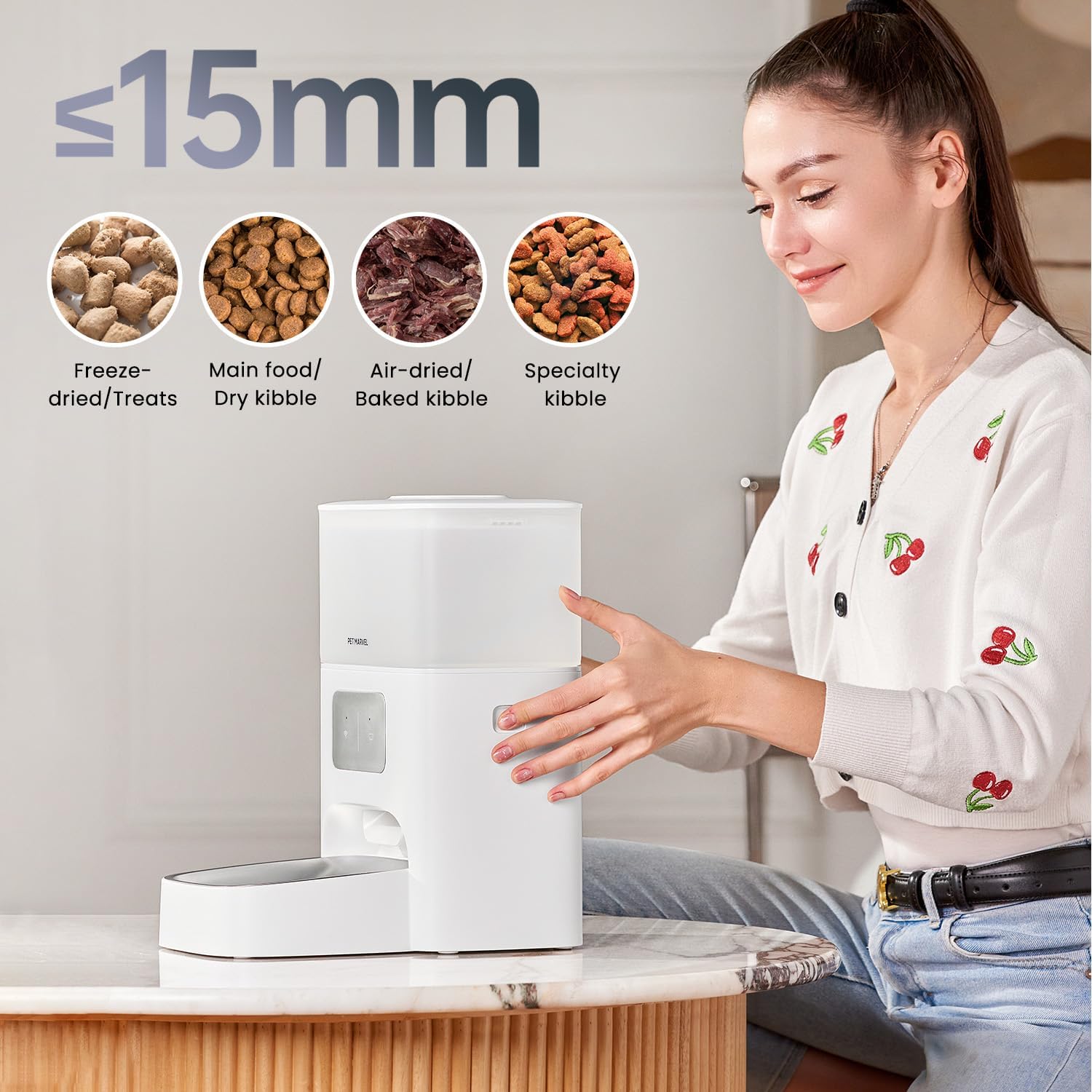
Image: Visual guide for recommended kibble sizes (up to 15mm) and compatible food types including freeze-dried, dry kibble, air-dried/baked kibble, and specialty kibble.
6. Operating Instructions
The PET MARVEL M3 feeder offers multiple feeding modes controlled via the mobile application.

Image: The PET MARVEL M3 feeder illustrating the three primary feeding modes: Smart Mode, Custom Feeding, and Manual Feeding.
6.1 Setting Feeding Schedules (APP Control)
- Open the PET MARVEL app and select your M3 feeder.
- Navigate to the 'Feeding Plan' section.
- Choose between 'Smart Mode' (app suggests a feeding plan based on pet data), 'Custom Feeding' (set specific times and portions), or 'Manual Feeding' (dispense food instantly).
- For custom feeding, set desired meal times and the number of portions per meal. Each portion is a fixed amount of kibble.
- Save your settings. The feeder will now dispense food according to the schedule.
6.2 Manual Feeding
- Via App: In the app, select 'Manual Feeding' to dispense a single portion immediately.
- Via Device Button: Press the manual feed button on the feeder (refer to product diagram for location) to dispense one portion.
6.3 Voice Recording (If applicable)
Some models may feature a voice recording function. If available, you can record a short message through the app that will play during meal times to call your pet.
7. Maintenance
Regular cleaning ensures hygiene and extends the life of your feeder.
7.1 Cleaning Instructions

Image: Detachable components of the PET MARVEL M3 feeder, including the lid, food barrel, dispenser, and bowl, ready for cleaning.
- Unplug the feeder from the power outlet.
- Remove any remaining pet food from the storage barrel.
- Disassemble the food storage barrel, stainless steel bowl, and bowl tray. These parts are washable.
- Wash the detachable parts with mild soap and water. Rinse thoroughly and allow them to air dry completely before reassembly.
- Wipe the main unit with a soft, damp cloth. Do not submerge the main unit in water.
- Reassemble all parts once dry.
7.2 Desiccant Replacement
The desiccant bag helps absorb moisture and should be replaced periodically (e.g., every 1-2 months) to maintain optimal food freshness. New desiccant bags can be purchased separately.
8. Troubleshooting
If you encounter issues with your PET MARVEL M3 feeder, refer to the following common problems and solutions:
| Problem | Possible Cause | Solution |
|---|---|---|
| Feeder not dispensing food | Food jammed, low food level, power issue, incorrect schedule. | Check food level. Ensure kibble size is within 15mm. Clear any visible blockages. Verify power connection and battery backup. Check app schedule. |
| App cannot connect to feeder | Incorrect WiFi password, 5GHz WiFi network, feeder too far from router. | Ensure your phone and feeder are on a 2.4GHz WiFi network. Re-enter WiFi password. Move feeder closer to the router. Reset feeder and try pairing again. |
| Food not fresh | Lid not sealed, old desiccant bag. | Ensure the top lid is securely closed. Replace the desiccant bag. |
| Feeder not turning on | No power, dead batteries. | Check power cable connection. Ensure wall outlet is functional. Replace D batteries if using backup power. |
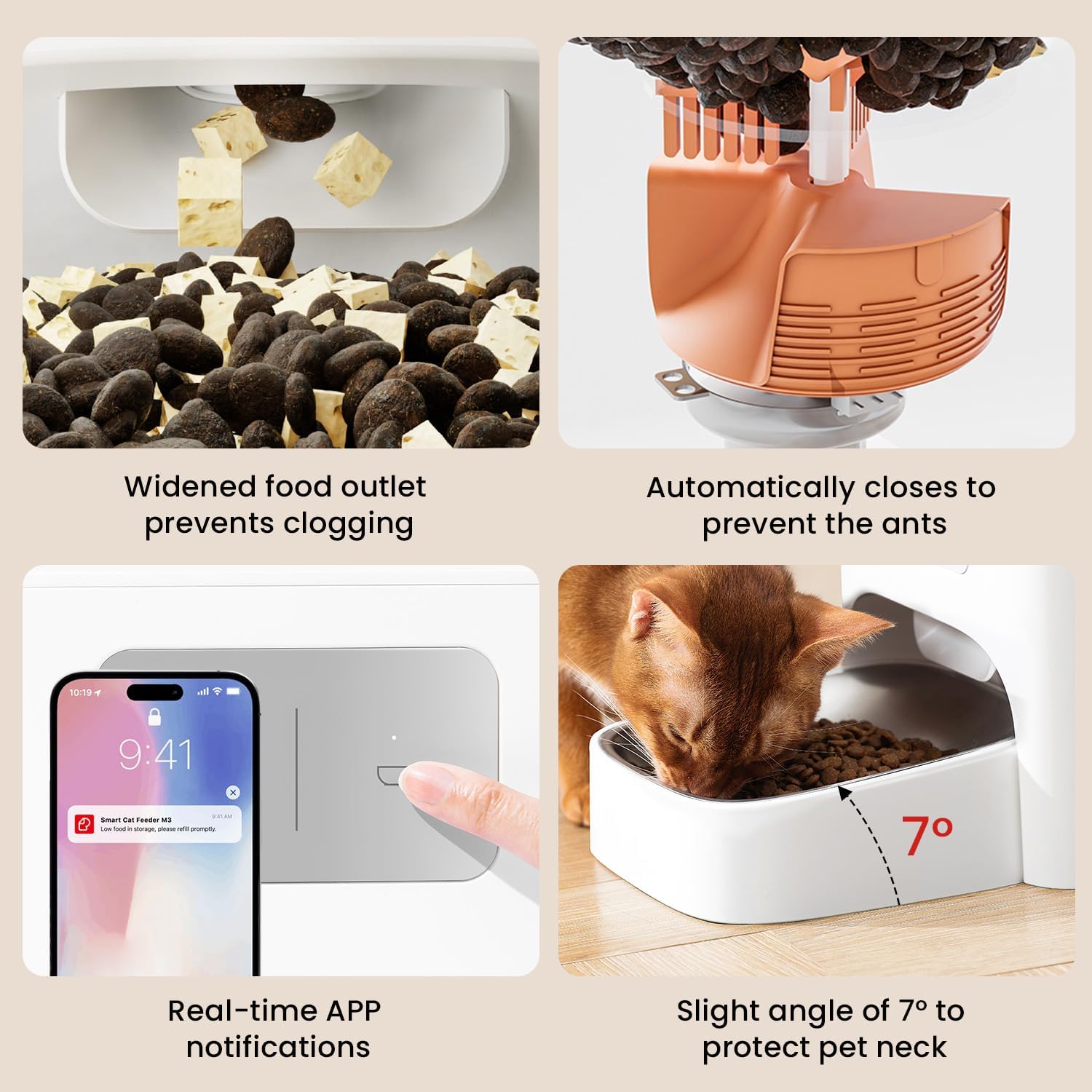
Image: Visuals demonstrating the anti-jamming mechanism, real-time app notifications for feeder status, and the ergonomically designed 7-degree angled bowl.
9. Specifications
| Feature | Detail |
|---|---|
| Model Name | PET MARVEL 4.4L Automatic Cat Feeder (M3) |
| Capacity | 4.4 Liters |
| Dimensions (LxWxH) | 9.21 x 11.57 x 13.46 inches |
| Item Weight | 4.63 pounds |
| Material | ABS Plastic |
| Color | White |
| Power Supply | AC Adapter (included), 3 x D Batteries (not included) for backup |
| Connectivity | 2.4GHz WiFi |
| Recommended Kibble Size | Up to 15mm |
| Target Species | Cats & Dogs |

Image: The PET MARVEL M3 feeder displaying its physical dimensions and 4.4L capacity.
10. Warranty
The PET MARVEL M3 Automatic Pet Feeder comes with a 1-year warranty from the date of purchase. This warranty covers manufacturing defects and malfunctions under normal use. It does not cover damage caused by misuse, accidents, unauthorized repairs, or normal wear and tear. Please retain your proof of purchase for warranty claims.
11. Support
For further assistance, technical support, or warranty inquiries, please contact PET MARVEL customer service through the following channels:
- Email: Refer to your product packaging or the PET MARVEL official website for contact information.
- Online Support: Visit the PET MARVEL Store on Amazon for FAQs and support resources.
- In-App Support: Utilize the online service feature within the PET MARVEL app for direct assistance.


