
1. Introduction
The Omega Time Saving Batch Cold Press Juicer is engineered for efficient and convenient juicing of fruits and vegetables. This manual provides essential information for safe operation, proper assembly, effective use, and routine maintenance of your juicer. Its slow squeeze cold press technology is designed to preserve nutrients and minimize oxidation, yielding fresh, nutrient-rich juice. The large capacity batch hopper allows for effortless loading of entire recipes, reducing preparation time. The unit features an easy-clean design with no mesh filter, simplifying cleanup.

Image: The Omega Time Saving Batch Cold Press Juicer, showcasing its sleek black design and accompanying juice and pulp containers.
2. Important Safety Information
Please read all instructions thoroughly before operating the juicer. Failure to follow these instructions may result in injury or damage to the appliance. Keep this manual for future reference.
- Always ensure the juicer is unplugged from the power outlet before assembling, disassembling, or cleaning.
- Do not immerse the motor base in water or any other liquid.
- Keep hands and utensils away from moving parts during operation to prevent injury.
- Ensure all parts are correctly assembled and locked into place before turning on the juicer. The unit will not operate if internal parts are not assembled correctly.
- Use only with the specified voltage (120.0V).
- This appliance is not intended for use by persons with reduced physical, sensory, or mental capabilities, or lack of experience and knowledge, unless they have been given supervision or instruction.
- Do not operate the juicer if the power cord or plug is damaged. Contact customer service for repair.
- Keep the appliance out of reach of children.
3. Package Contents
Upon unpacking, verify that all the following components are included:
- Motor Base
- Auger Chamber
- Auger
- Easy Clean No Mesh Filter
- Batch Hopper with Lid
- Pulp Container
- Juice Container
- Pusher

Image: All components of the juicer laid out, including the motor base, auger chamber, auger, filter, hopper, and containers.
4. Setup and Assembly
Follow these steps to correctly assemble your Omega Time Saving Batch Cold Press Juicer:
- Place the motor base on a flat, dry surface. Plug the unit into a power outlet.
- Place the Auger Chamber onto the base, aligning the pulp outlet on the left and the juice outlet on the right.
- Insert the Auger into the Auger Chamber and twist until the Auger is perfectly secured.
- Place the Easy Clean No Mesh Filter over the Auger, ensuring the filter is securely inserted into the Auger Chamber.
- Place the Batch Hopper on the assembled Auger Chamber. To securely lock the Batch Hopper to the Auger Chamber, align the lock guide from the Batch Hopper with the unlock icon on the Auger Chamber base. Twist until the lock guide is aligned with the lock icon. The handle of the hopper should be at the back of the unit.
- Place the Pulp Container on the left side under the pulp outlet and the Juice Container on the right side underneath the juice outlet.
For a visual guide, please watch the official assembly video:
Video: Official Omega guide on how to assemble the Time Saving Batch Juicer.
5. Operating Instructions
The Omega Time Saving Batch Cold Press Juicer simplifies the juicing process with its large hopper and efficient cold press technology.
5.1. Preparation
- Wash all fruits and vegetables thoroughly before juicing.
- For optimal performance and to prevent blockages, cut larger or fibrous ingredients (e.g., whole apples, large carrots, celery stalks) into smaller pieces that fit comfortably into the hopper without forcing. Remove hard pits from fruits like peaches or plums.
- Ensure the pulp outlet latch is pushed down to close it, and the juice outlet flap is open before starting.
5.2. Juicing Process
- Load your prepared fruits and vegetables into the Batch Hopper. The large capacity allows for batch juicing, minimizing continuous feeding.
- Press the 'Start' button on the control switch to begin juicing. The juicer will automatically process the ingredients.
- The fresh juice will flow into the Juice Container, and the pulp will be expelled into the Pulp Container.
- Once all ingredients have been processed, press the 'Off' button to stop the juicer.

Image: The juicer's large batch hopper filled with various fruits and vegetables, demonstrating its capacity for hands-free juicing.
5.3. Juicing Tips
- For best juice extraction, alternate between soft and hard ingredients.
- Do not overload the hopper. Allow the juicer to process ingredients at its own pace.
- If the juicer becomes clogged, press the 'Reverse' button for a few seconds to clear the blockage, then resume normal operation.
6. Maintenance and Cleaning
Regular cleaning ensures the longevity and optimal performance of your juicer. The Omega Time Saving Batch Cold Press Juicer is designed for easy cleaning.
6.1. Disassembly
- Ensure the juicer is turned off and unplugged.
- Twist the Batch Hopper counter-clockwise to align the lock guide with the unlock icon, then lift it off.
- Remove the Easy Clean No Mesh Filter and the Auger from the Auger Chamber.
- Lift the Auger Chamber from the motor base.
6.2. Cleaning
- Rinse all detachable parts (Auger Chamber, Auger, Filter, Batch Hopper, Pulp Container, Juice Container) under running water immediately after use to prevent pulp from drying and sticking.
- All removable parts are BPA-free and can be hand washed with warm, soapy water.
- The Easy Clean No Mesh Filter is designed to minimize scrubbing. Use a brush if necessary to remove any remaining pulp.
- Wipe the motor base with a damp cloth. Do not immerse the motor base in water.
- Dry all parts thoroughly before reassembling or storing.

Image: Hands demonstrating the easy cleaning process of the juicer's detachable components under running water.
7. Troubleshooting
If you encounter any issues with your Omega juicer, refer to the following common problems and solutions:
| Problem | Possible Cause | Solution |
|---|---|---|
| Juicer does not turn on. | Not plugged in, parts incorrectly assembled, or safety lock not engaged. | Ensure power cord is securely plugged in. Verify all components are correctly assembled and locked into place as per setup instructions. |
| Excessive pulp in juice. | Filter not properly seated or very soft ingredients. | Check that the Easy Clean No Mesh Filter is securely inserted. Some pulp is normal with cold press juicers, especially with softer fruits. |
| Machine stops during operation. | Overload protection activated due to hard ingredients or blockage. | Turn off and unplug the juicer. Disassemble and clear any blockages. Wait approximately 30 minutes for the motor to cool down before restarting. Cut hard ingredients into smaller pieces. |
| Loud noise or vibration. | Improper assembly or foreign object. | Turn off and unplug. Reassemble all parts carefully, ensuring they are securely locked. Check for any foreign objects. |
8. Specifications
| Feature | Specification |
|---|---|
| Brand | Omega |
| Model Name | Omega Effortless Batch Cold Press Juicer |
| Item Model Number | OMJCSMVBBK13 |
| Color | Black |
| Special Feature | Quiet Motor |
| Product Dimensions | 8.58"D x 9.09"W x 18.15"H |
| Finish Type | Plastic |
| Product Care Instructions | Hand Wash Only |
| Maximum Power | 150 Watts |
| Power Source | Corded Electric |
| Blade Material | Stainless Steel |
| Voltage | 120.0 |
| Item Weight | 9.37 pounds |
| UPC | 737416000064 |
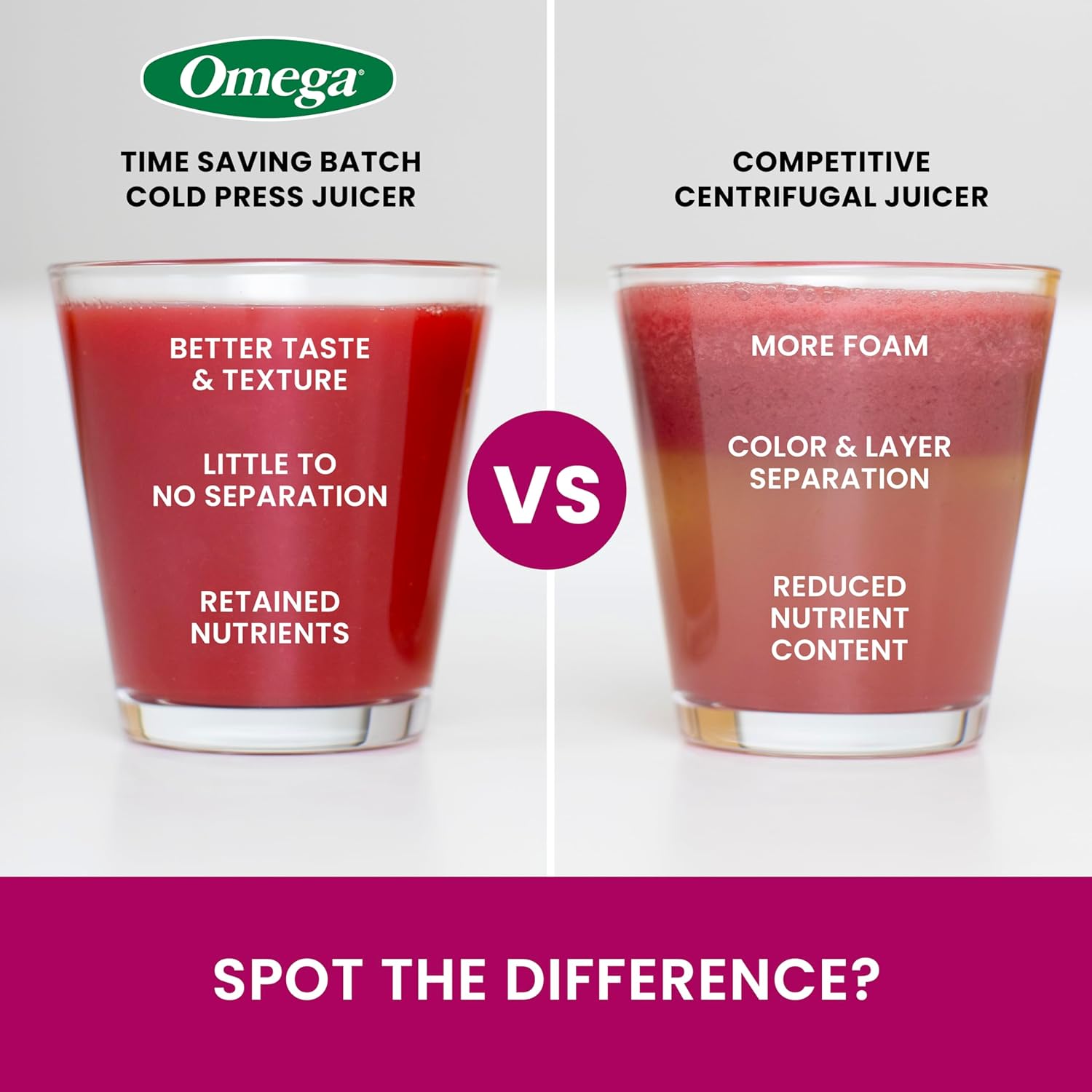
Image: A diagram illustrating the product dimensions (depth, width, height) of the juicer.
9. Warranty and Support
For detailed warranty information, product registration, or to contact customer support, please refer to the warranty card included in your product packaging or visit the official Omega website. Keep your purchase receipt as proof of purchase for any warranty claims.