
Introduction
This manual provides comprehensive instructions for the operation and maintenance of your uehba YAC1FB Replacement AC Remote Control. This remote is designed to be compatible with various Gree and Trane air conditioner models, including YACIFBI, YACFB, YAC1FB, YACIFB6, and YACIFBF. Please read this manual carefully before use to ensure proper functionality and longevity of your device.

Image: The uehba YAC1FB remote control, displaying its buttons and LCD screen with temperature and time.
Setup
1. Battery Installation
- Locate the battery compartment cover on the back of the remote control.
- Slide the cover downwards to open the compartment.
- Insert two (2) AAA 1.5V batteries, ensuring the positive (+) and negative (-) terminals match the markings inside the compartment.
- Slide the battery compartment cover back into place until it clicks securely.

Image: The rear view of the remote control with the battery cover open, illustrating the correct placement for AAA batteries.
2. Initial Use
The uehba YAC1FB remote control is pre-programmed and does not require any additional setup or coding. It is designed to work immediately out of the box with compatible Gree and Trane air conditioners once batteries are installed.
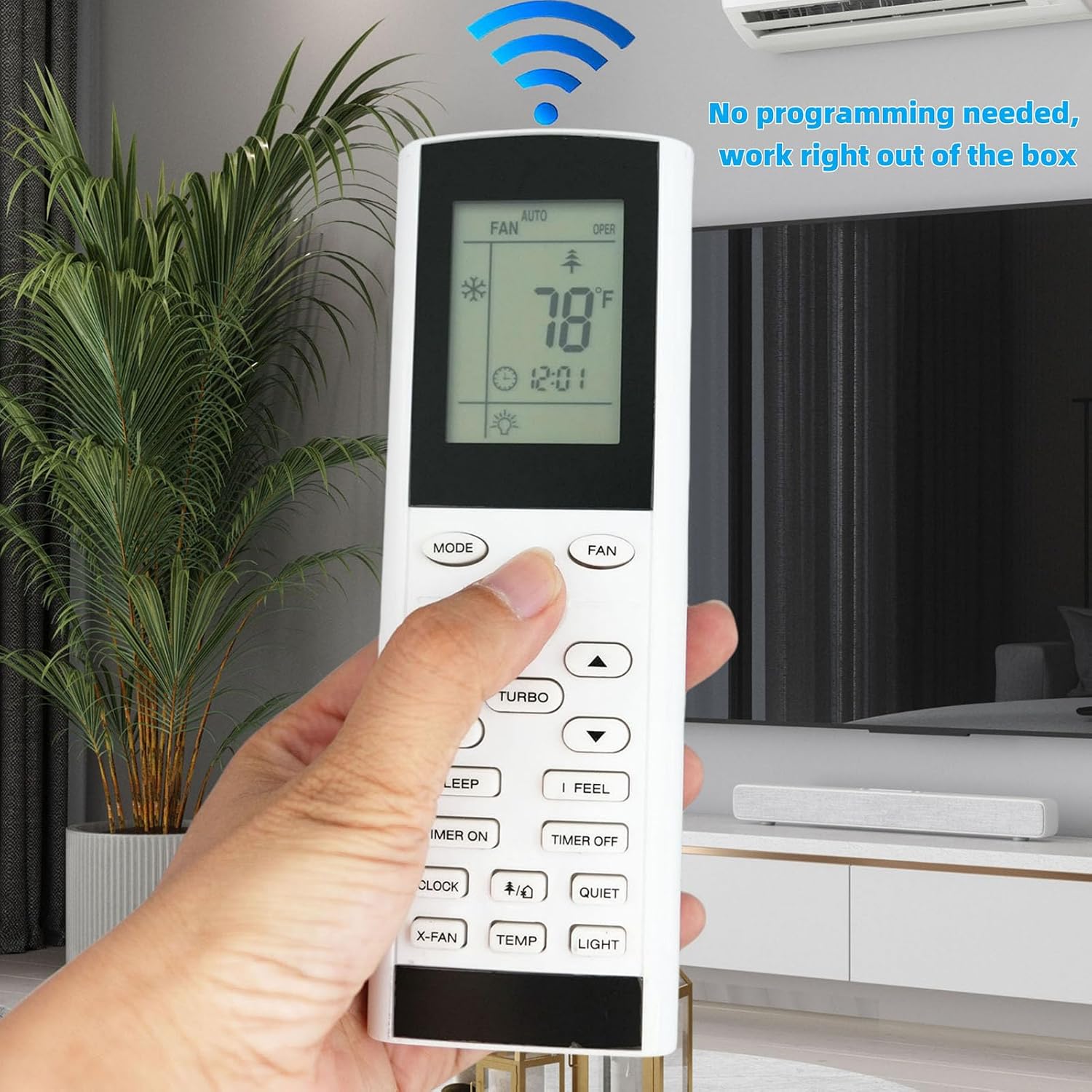
Image: A hand demonstrating the use of the remote control, emphasizing its ready-to-use functionality without programming.
Operating Instructions
Familiarize yourself with the buttons and their functions:
- Power Button (): Turns the air conditioner on or off.
- MODE: Cycles through operating modes (e.g., Cool, Heat, Fan, Dry, Auto).
- FAN: Adjusts fan speed.
- Temperature Up/Down (▲ / ▼): Increases or decreases the set temperature.
- TURBO: Activates rapid cooling or heating.
- SLEEP: Engages sleep mode for energy-efficient and quiet operation.
- I FEEL: Activates the 'I Feel' function, which senses the temperature at the remote's location.
- TIMER ON: Sets a time for the air conditioner to turn on.
- TIMER OFF: Sets a time for the air conditioner to turn off.
- CLOCK: Sets the current time on the remote's display.
- QUIET: Activates quiet operation mode.
- X-FAN: Activates the X-Fan function, which continues fan operation after shutdown to dry the evaporator.
- TEMP: Toggles temperature display between set temperature and room temperature (if supported by AC unit).
- LIGHT: Turns the display light on or off.
Switching Between Fahrenheit and Celsius
The remote control supports both Fahrenheit (°F) and Celsius (°C) temperature displays. To switch between these units:
- Ensure the remote control is OFF. Press the power button () to turn it off if it is currently on.
- Press and hold the MODE button and the Temperature Down (▼) button simultaneously for approximately 5 seconds.
- The display will switch between Fahrenheit and Celsius.

Image: Visual guide demonstrating how to switch the temperature display between Fahrenheit and Celsius on the remote control.
Maintenance
Battery Replacement
When the remote control's display becomes dim or unresponsive, it is time to replace the batteries. Follow the battery installation steps outlined in the "Setup" section. Always replace both batteries at the same time with new AAA 1.5V batteries.
Cleaning
To clean the remote control, gently wipe its surface with a soft, dry cloth. Do not use liquid cleaners, abrasive materials, or chemical solvents, as these may damage the remote's finish or internal components.
Storage
If the remote control will not be used for an extended period, remove the batteries to prevent leakage and potential damage to the device.

Image: The back of the remote control, highlighting the battery compartment and safety warnings regarding battery handling.
Troubleshooting
- Remote not responding:
- Check if the batteries are inserted correctly with the correct polarity.
- Replace old batteries with new AAA batteries.
- Ensure there are no obstructions between the remote control and the air conditioner's receiver.
- Verify that the remote is pointed directly at the air conditioner.
- Display is dim or blank:
- This usually indicates low battery power. Replace the batteries.
- Cannot switch between Fahrenheit/Celsius:
- Ensure the remote control is turned OFF before attempting the switch procedure.
- Hold the MODE and Temperature Down buttons simultaneously for the full 5 seconds.
Specifications
| Feature | Detail |
|---|---|
| Model Number | YAC1FB |
| Brand | uehba |
| Compatible Models | Gree, Trane (YACIFBI, YACFB, YAC1FB, YACIFB6, YACIFBF) |
| Power Source | 2 x AAA 1.5V Batteries (not included) |
| Product Dimensions | 6.22 x 2.09 x 0.86 inches |
| Item Weight | 2.65 ounces |
| Special Features | Pre-setting (no programming required), Fahrenheit/Celsius display |

Image: The remote control with visual callouts indicating its key features and construction materials.
Warranty and Support
This product is a replacement remote control. For specific warranty information, please refer to the terms provided by the seller at the time of purchase. For technical support or inquiries, please contact the seller directly through the platform where the purchase was made.
For more information about uehba products, you may visit their official channels or contact customer service.