1. Product Overview
The DONGKER DY-T5WL is a DC 3.7V-5V 5W Mono Voice Playback Module designed for various audio playback applications. It features 9 trigger interfaces, supporting MP3 and WAV decoding formats, and can drive 4-8ohm speakers directly. This module is ideal for modified speakers, alarm systems, and interactive audio projects.
2. Features
- DC 3.7V-5V wide voltage power supply.
- 9-channel one-on-one trigger interface, supporting up to 9 distinct audio files.
- Low-level trigger version, using GND as the trigger signal.
- Supports MP3 and WAV decoding formats with sampling rates up to 48KHz.
- Reserved TF card socket, supporting up to 32GB TF cards (not included).
- Audio files can be replaced by connecting to a computer via a USB data cable.
- Equipped with a 5W Class D power amplifier, capable of driving 4-8ohm, 1W-5W speakers.
- DIP switch for setting 8 different trigger working modes.
- Integrated potentiometer for volume adjustment.
3. Specifications
| Work Voltage | DC 3.7V-5V |
| Work Mode | 9 Kinds (selectable via DIP switch) |
| File Format | MP3, WAV |
| Speaker Power | 1W-5W |
| Output Impedance | 4ohm-8ohm |
| Memory | Max 32G TF card (NOT Included) |
| Audio Output | Active output |
| Volume Adjustment | Yes (via potentiometer) |
| Trigger Signal | Low Level Signal (NPN) |
| Work Temperature | -20℃~85℃ |
| Work Humidity | 5%~95%RH |
| Module Size | 45mm x 45mm x 9mm |

Image: DY-T5WL module with dimensions indicating 45mm x 45mm size.
4. Package Contents
- 1 x DY-T5WL 5W Mono Voice Playback Module
5. Setup
5.1 Component Identification

Image: Detailed diagram of the DY-T5WL module showing power input (DC 3.7-5V), speaker output (5W, 4-8ohm), volume control, audio output, USB connector, trigger interfaces (S1-S9, GND), power indicator light, play status indicator, and trigger mode setting DIP switch.
5.2 Power Connection
Connect a DC power supply (3.7V-5V) to the designated power input terminals on the module. Ensure correct polarity: + for positive, - for negative (GND).
5.3 Speaker Connection
Connect a 4-8ohm, 1W-5W speaker to the speaker output terminals. The module is equipped with a 5W Class D amplifier.
5.4 TF Card Installation
Insert a TF card (maximum 32GB, formatted to FAT32) into the TF card slot on the module. Ensure the card is inserted correctly until it clicks into place.

Image: Close-up of the DY-T5WL module highlighting the TF card connector. Text indicates support for max 32GB TF card and FAT32 file system format.
6. Operating Instructions
6.1 Volume Adjustment
The module features a blue potentiometer for adjusting the output volume. Rotate the potentiometer clockwise to increase volume and counter-clockwise to decrease it.
6.2 Triggering Audio Playback
The DY-T5WL uses a low-level trigger mechanism. Connect a trigger signal (GND) to any of the S1-S9 input ports to initiate playback of the corresponding audio file. For example, connecting S1 to GND will play the audio file associated with S1.
6.3 Trigger Mode Setting
The module has a DIP switch (labeled 'ON DIP' with switches 1, 2, 3) to select one of 8 trigger working modes. Refer to the 'Trigger Modes' section for detailed explanations of each mode. Note: The power must be restarted after switching modes for the new setting to take effect.
7. Trigger Modes
The DY-T5WL module supports various playback modes configurable via the onboard DIP switch. The specific configuration for each mode is typically provided in a separate diagram or table by the manufacturer. Below are common trigger modes:

Image: List of common trigger modes for the DY-T5WL module, including trigger by level signal, pulse signal, cut-in playing, play/pause, switch to next, auto play after power-on, loop play, single play, play in trigger order, play without interrupting, and interrupt to play new music.
- Trigger to play music by level signal: Audio plays as long as the trigger signal is active.
- Trigger to play music by pulse signal: Audio plays once per trigger pulse.
- Cut in playing: Allows an interruptive sound to play over current audio.
- Play/Pause: Toggles playback state.
- Switch to next playing: Advances to the next audio file.
- Play automatically after power-on (MP3): Starts playing a designated MP3 file upon power-up.
- Play in a loop: Continuously repeats the current audio file or playlist.
- Single play: Plays the audio file once and stops.
- Play in trigger order: Plays files sequentially based on trigger activation.
- Play without interrupting: New triggers are ignored until the current audio finishes.
- Interrupt to play new music by new trigger signal: A new trigger immediately stops current playback and starts the new audio.
8. Audio File Management
8.1 File Naming Convention
Audio files (MP3 or WAV) stored on the TF card must be named using a 5-digit number format, for example: 00001.mp3, 00002.mp3, ..., 00009.mp3. Each input port (S1-S9) corresponds to a specific file (e.g., S3 controls 00003.mp3).
8.2 Transferring Audio Files
To transfer audio files to the TF card:
- Ensure a TF card is installed in the module.
- Connect the DY-T5WL module to your computer using a USB data cable (not a USB power cable).
- The module will appear as a USB flash drive on your computer.
- Copy your prepared audio files (named
00001.mp3, etc.) into the root directory of the USB flash drive. - For 'Inter-Cut Trigger' mode, background music should be in the root directory, and insert music must be placed in a folder named
CHABO. For other play modes, theCHABOfolder is not required.
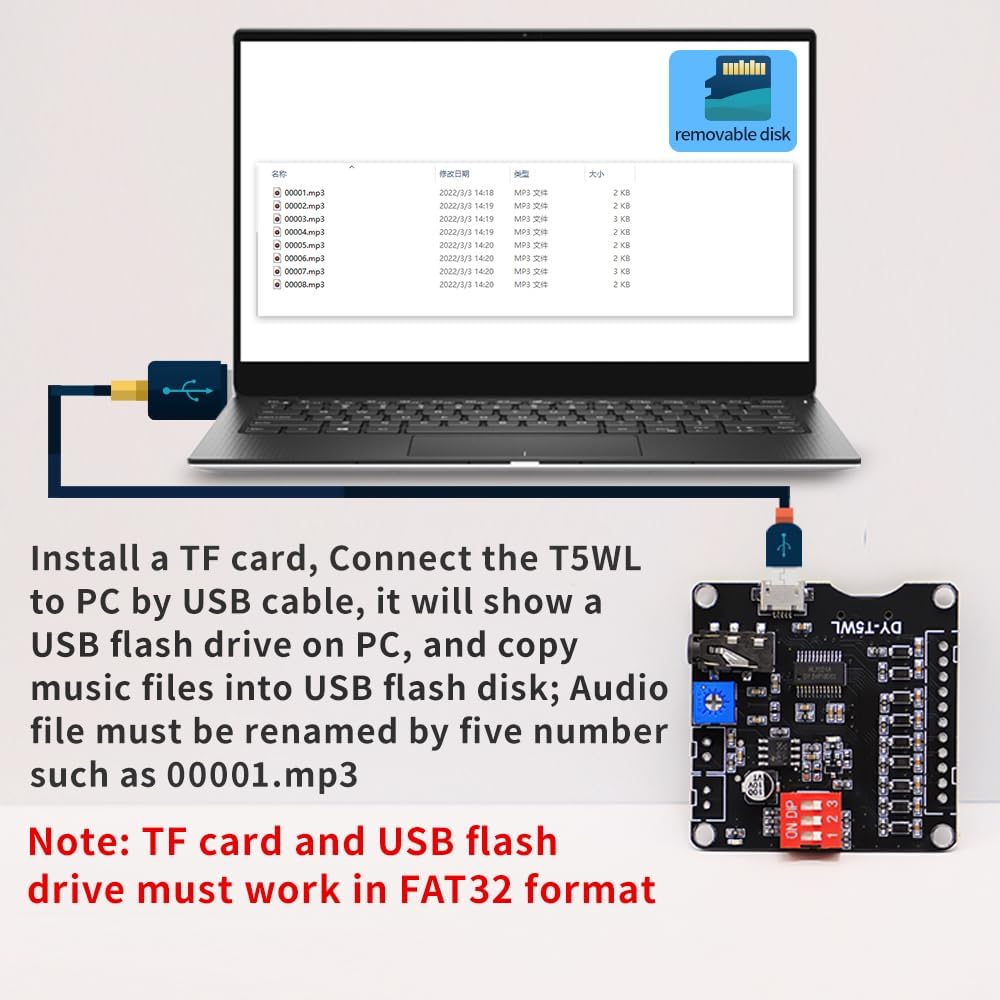
Image: Illustration showing the DY-T5WL module connected to a PC via a USB cable, appearing as a removable disk. Example audio files (00001.mp3 to 00009.mp3) are shown in a file explorer window. A note emphasizes that TF card and USB flash drive must be in FAT32 format.
Important Note: The TF card and USB flash drive must be formatted to FAT32 for proper operation.
9. Applications
The DY-T5WL Voice Playback Module is suitable for a wide range of applications, including:
- Modification, repair, or replacement of existing speaker systems.
- Amplifier equipment for training or activity sites.
- Music festival parties and family entertainment.
- Games and home cinema systems.
- Security systems and voice alarms (e.g., for fire).
- KTV singing halls and home background music systems.
- Intelligent toys and channel gates.
- Voice playback for industrial control and access control systems.
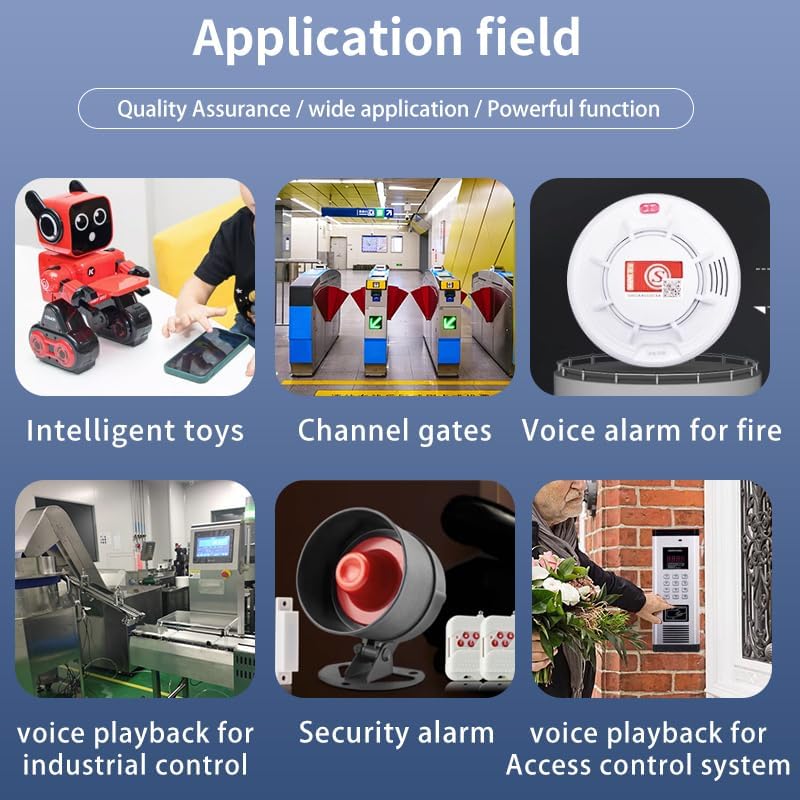
Image: Collage showing various application examples for the DY-T5WL module, including intelligent toys, channel gates, voice alarm for fire, voice playback for industrial control, security alarm, and voice playback for access control systems.
10. Troubleshooting
- Module not responding after mode change: The power must be restarted after switching modes using the DIP switch for the new setting to take effect.
- Trigger not working: Ensure it is a low-level trigger. The input port (S1-S9) requires a GND signal to trigger.
- Computer not recognizing the module: Use a USB data cable, not a USB power cable, when connecting the module to a computer for file transfer.
- Audio files not playing: Verify that audio files are named correctly (e.g.,
00001.mp3) and the TF card is formatted to FAT32.
11. Maintenance
The DY-T5WL module requires minimal maintenance. Keep the module clean and free from dust. Avoid exposing it to extreme temperatures or humidity. Do not attempt to disassemble the module, as this may void any potential warranty and could cause damage.
12. Warranty and Support
For any questions or issues regarding the DONGKER DY-T5WL Voice Playback Module, please contact DONGKER customer support. Refer to your purchase documentation for specific warranty details and contact information.


