Introduction
Thank you for choosing the Casaottima 48 Inch Computer Desk. This manual provides detailed instructions for assembly, operation, maintenance, and troubleshooting to ensure optimal use and longevity of your desk. Please read this manual carefully before assembly and retain it for future reference.
Setup and Assembly
Before beginning assembly, ensure all parts are present and undamaged. It is recommended to assemble the desk on a soft, clean surface to prevent scratches.
Package Contents
Verify that all components listed in the packing list are included. If any parts are missing or damaged, please contact customer support.
- Desk Top Panels
- Metal Frame Components
- Fabric Drawers
- Filing Cabinet Frame
- Storage Bag
- Assembly Hardware (screws, bolts, Allen wrench)
- Adjustable Foot Pads
Assembly Steps
Follow the numbered steps below for proper assembly. Refer to the included diagrams for visual guidance.
- Unpack Components: Carefully remove all parts from the packaging and lay them out on a protected surface.
- Assemble Metal Frame: Connect the metal frame components using the provided screws and Allen wrench. Ensure all connections are secure but do not overtighten initially.
- Attach Desk Top: Place the desk top panels onto the assembled metal frame. Secure them using the designated screws.
- Install Fabric Drawers and Filing Cabinet: The desk features a reversible design. Decide whether to install the fabric drawers and filing cabinet on the left or right side of the desk. Follow the specific instructions for attaching the cabinet frame and inserting the fabric drawers.
- Attach Storage Bag: Secure the storage bag to the desired side of the desk using the provided fasteners.
- Install Adjustable Foot Pads: Screw the adjustable non-slip foot pads into the bottom of the desk legs. Adjust them to ensure the desk is stable and level on uneven surfaces.
- Final Tightening: Once the desk is fully assembled and positioned, carefully tighten all screws and bolts to ensure maximum stability.

Image: Fully assembled Casaottima 48 Inch Computer Desk with a computer, monitor, and accessories, showcasing its functional design.

Image: Diagram illustrating the dimensions of the Casaottima 48 Inch Computer Desk, including the reversible design feature and weight capacities for different sections.
Operating Instructions
The Casaottima computer desk is designed for versatile use in home offices, studies, or bedrooms.
Desk Usage
- Work Surface: The main desk surface provides ample space for a computer monitor, keyboard, mouse, and other work essentials.
- Fabric Drawers: Utilize the two fabric drawers for organizing office supplies, documents, or personal items. These drawers are easy to clean.
- Filing Cabinet: The integrated filing cabinet is suitable for Letter, A4, and Legal-sized documents, helping to keep your workspace tidy.
- Storage Bag: The side storage bag offers convenient access to frequently used items like notebooks, pens, or small electronic devices.
- Reversible Design: The fabric drawers and filing cabinet can be installed on either the left or right side of the desk to best suit your room layout and personal preference.

Image: Casaottima 48 Inch Computer Desk set up in a home office, demonstrating its use with a laptop, monitor, and organized storage.
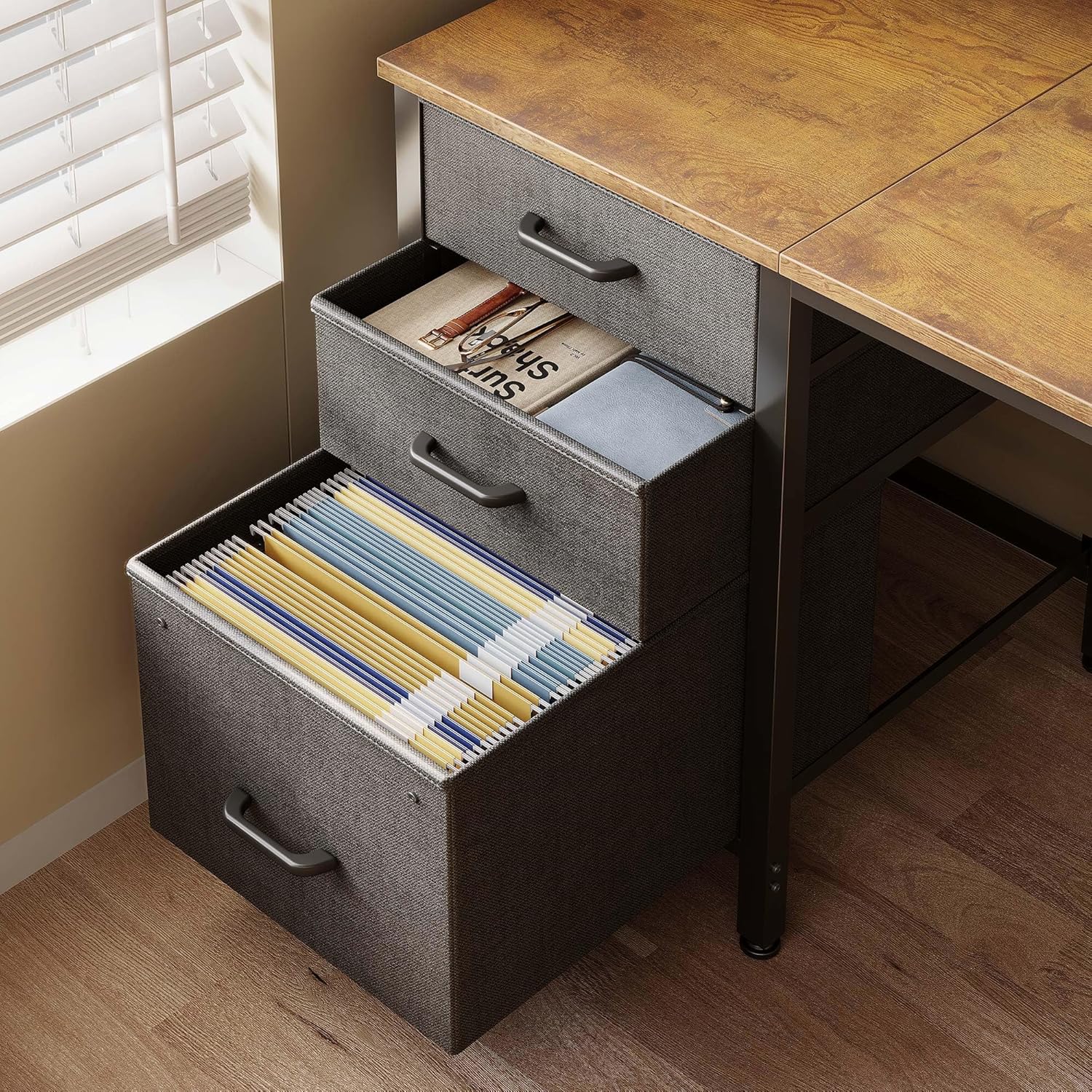
Image: Close-up view of the fabric drawers and filing cabinet, showing their capacity for documents and office supplies.
Maintenance and Care
Proper maintenance will extend the life and appearance of your Casaottima desk.
- Cleaning the Desk Top: Wipe the engineered wood desk top with a soft, damp cloth. Avoid abrasive cleaners or harsh chemicals that may damage the finish.
- Cleaning Fabric Drawers: The fabric drawers can be spot cleaned with a mild detergent and a damp cloth. Allow to air dry completely.
- Frame Care: Clean the metal frame with a soft, dry cloth.
- Regular Checks: Periodically check all screws and bolts to ensure they remain tight. Retighten if necessary to maintain stability.
- Avoid Overloading: Do not exceed the weight capacity of the desk or its storage components. The main desk surface can support up to 110 lbs (50 kg). Individual fabric drawers can support up to 6 lbs (2.7 kg) and the filing cabinet up to 7 lbs (3.2 kg).
- Protect from Moisture: While the desk top is easy to clean, avoid prolonged exposure to liquids. Wipe up spills immediately.

Image: Close-up of the engineered wood desk surface, highlighting its texture and ease of cleaning.
Troubleshooting
This section addresses common issues you might encounter.
| Problem | Possible Cause | Solution |
|---|---|---|
| Desk is wobbly or unstable. |
|
|
| Parts do not align during assembly. |
|
|
| Fabric drawers do not fit or slide smoothly. |
|
|
Specifications
| Feature | Detail |
|---|---|
| Brand | Casaottima |
| Model | 48 Inch Computer Desk |
| Overall Dimensions (Imperial) | 47.2" (L) x 18.9" (W) x 29.2" (H) |
| Overall Dimensions (Metric) | 120 cm (L) x 48 cm (W) x 75.7 cm (H) |
| Desk Design | Computer Desk with Storage |
| Material (Top) | Engineered Wood |
| Material (Frame) | Alloy Steel |
| Storage Features | 2 Fabric Drawers, 1 Filing Cabinet (Letter/A4/Legal), Storage Bag |
| Reversible Design | Yes (drawers and cabinet can be mounted left or right) |
| Weight Capacity (Desk Top) | 110 lbs (50 kg) |
| Weight Capacity (Fabric Drawers) | 6 lbs (2.7 kg) each |
| Weight Capacity (Filing Cabinet) | 7 lbs (3.2 kg) |
| Special Features | Adjustable non-slip foot pads |
Customer Support and Warranty
Casaottima is committed to providing high-quality products and customer satisfaction.
- Assembly Assistance: If you encounter any difficulties during assembly, or if your desk arrives with any breakage or missing parts, please do not hesitate to contact our customer support team.
- Contact Information: For support, please refer to the contact details provided with your purchase documentation or visit the official Casaottima website.
- Response Time: Our professional customer support team aims to respond and assist you with any problems within 24 hours.
- Warranty Information: Specific warranty details are typically included with your product packaging. Please retain your proof of purchase for warranty claims.


