
Lite Brite Lite Brite Touch MINI
Contents
Lite Brite Mini Touch Instruction Manual
Model: Lite Brite Touch MINI
Introduction
The Lite-Brite Touch Mini is a compact and portable light-up toy designed to spark creativity and provide engaging entertainment. It features 25 light-up buttons that display vibrant colors and can be used to play various games and create animated light displays. This manual provides essential information for setting up, operating, maintaining, and troubleshooting your Lite-Brite Touch Mini.
Safety Information
No specific safety warnings are applicable beyond general toy safety guidelines. Always supervise young children during play. Keep the device away from water and extreme temperatures. Do not attempt to open or modify the device, as this may cause damage or injury.
What's in the Box
- 1 Lite Brite Touch Mini
Please ensure all components are present and undamaged upon unboxing.
Setup
Battery Installation
The Lite-Brite Touch Mini requires 3 AA batteries (included). To install or replace batteries:
- Locate the battery compartment on the back of the unit.
- Using a small Phillips head screwdriver, loosen the screw on the battery compartment cover.
- Remove the cover.
- Insert 3 AA batteries, ensuring correct polarity (+/-) as indicated inside the compartment.
- Replace the cover and tighten the screw securely.
Once batteries are installed, the unit is ready for operation.
Operating Instructions
The Lite-Brite Touch Mini offers various modes of play and creative expression.
Basic Operation: Light-Up Buttons and Colors
The device features 25 touch-sensitive buttons. Simply press a button to illuminate it. Each press cycles through 7 vibrant colors, allowing for dynamic light patterns and designs.
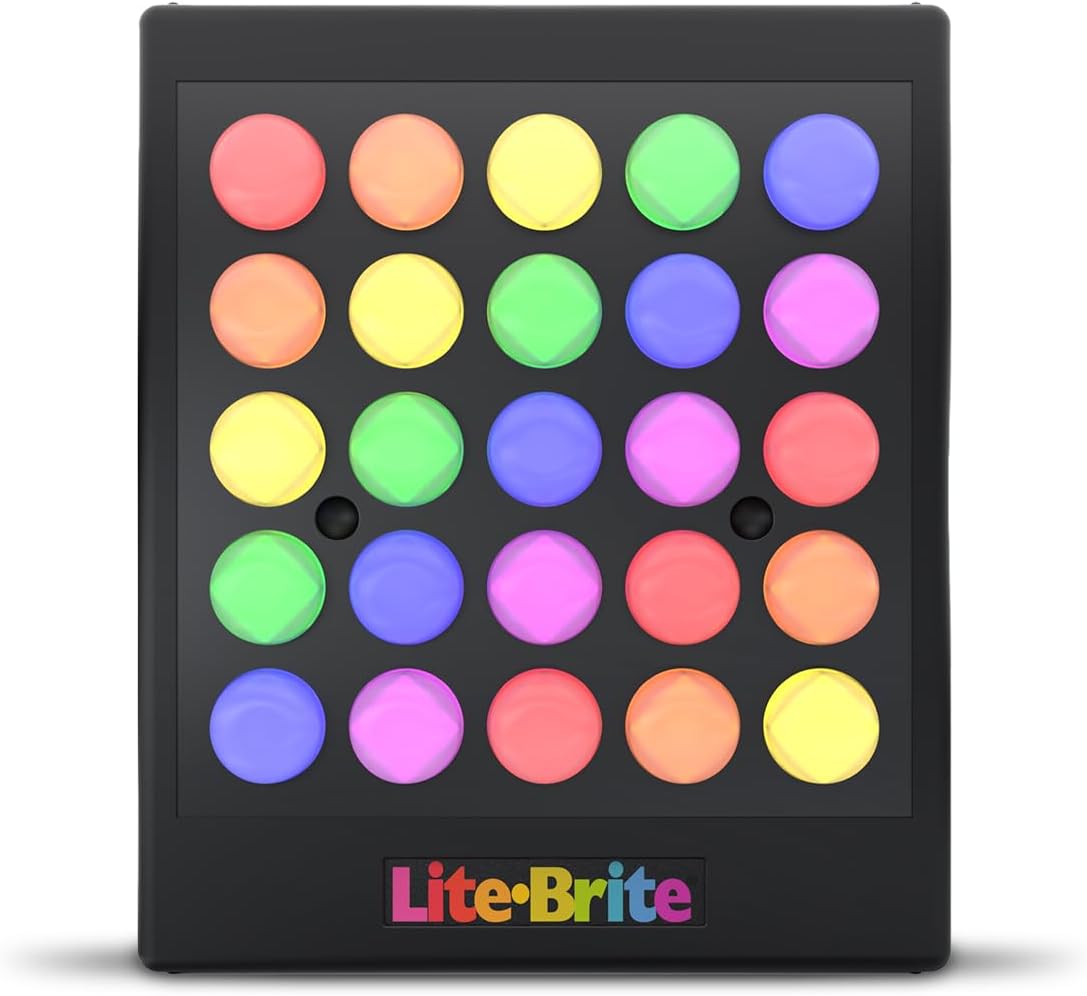
Figure 1: Front view of the Lite Brite Touch Mini displaying various illuminated colors.
Playing Games
The Lite-Brite Touch Mini includes three interactive games:
- Tic-Tac-Toe: Engage in a classic game of Tic-Tac-Toe. The buttons serve as the game grid, with different colors representing each player's mark.
- Simon: Test your memory and pattern recognition with the Simon game. Follow the sequence of lights and sounds by pressing the corresponding buttons.
- Dot-to-Dot: Connect the dots by pressing buttons in a specific order to reveal hidden patterns or images.
Refer to the on-screen prompts or included quick-start guide for specific game instructions and mode selection.
Activating Animations
The device features 5 fun animations that bring your light creations to life. These animations can be activated through specific button combinations or mode selections. Consult the quick-start guide for details on how to access and enjoy these dynamic light shows.

Figure 2: The Lite Brite Touch Mini in use, demonstrating its colorful display capabilities.
Portability
The Lite-Brite Touch Mini is designed for on-the-go fun. Its compact size (approximately 3.5"x3" grid) makes it easy to carry and enjoy anywhere.

Figure 3: The compact design of the Lite Brite Touch Mini allows for easy portability.
Maintenance
To ensure the longevity and optimal performance of your Lite-Brite Touch Mini:
- Cleaning: Wipe the surface with a soft, dry cloth. Do not use abrasive cleaners or immerse the unit in water.
- Storage: Store the device in a cool, dry place away from direct sunlight when not in use.
- Battery Care: Remove batteries if the unit will not be used for an extended period to prevent leakage.
Troubleshooting
| Problem | Possible Cause | Solution |
|---|---|---|
| Unit does not power on. | Batteries are dead or incorrectly installed. | Check battery polarity. Replace with fresh AA batteries. |
| Some lights are not working. | Low battery power or internal issue. | Replace batteries. If problem persists, contact customer support. |
| Buttons are unresponsive. | Low battery power or a temporary software glitch. | Replace batteries. Try turning the unit off and on again. |
Specifications
| Brand | Lite Brite |
| Model Name | Touch Mini |
| Item Model Number | 02405 |
| UPC | 885561024050 |
| Age Range (Description) | 6+ years old (Manufacturer recommended: 6 - 15 years) |
| Color | Lite Brite Touch MINI |
| Theme | Colors |
| Item Dimensions (L x W x H) | 2 x 4.25 x 5.5 inches |
| Material | Acrylonitrile Butadiene Styrene, Alloy Steel, Electronic Parts, Paper, Rubber |
| Item Weight | 6.6 ounces (0.41 Pounds) |
| Included Components | 1 Lite Brite Touch Mini |
| Batteries | 3 AA batteries required (included) |
| Manufacturer | Basic Fun |
| Release Date | February 15, 2025 |
Warranty and Support
For warranty information or technical support, please refer to the manufacturer's official website or contact their customer service department. Keep your purchase receipt as proof of purchase.
Manufacturer: Basic Fun
For further assistance, visit the Lite Brite Store on Amazon.
Documents and downloads
Ask a question about this manual
Ask about setup, troubleshooting, compatibility, parts, safety, or missing instructions. Manuals+ will review the question and use this page’s manual context to help answer it.