
Introduction
The iHome iBT32 is a versatile alarm clock radio designed to enhance your daily routine with its multi-functional features. It combines a sunrise simulation alarm, FM radio, Bluetooth speaker, and a color-changing lamp, all while offering convenient USB charging for your devices. This manual provides detailed instructions for setup, operation, and maintenance to ensure optimal performance of your iBT32 unit.
Key Features
- Sunrise Alarm Clock: Gradually increasing brightness simulates a natural sunrise, complemented by 4 selectable alarm sounds, Bluetooth audio, radio, or light.
- FM Clock Radio: Digital tuning for easy access to FM radio stations.
- Bluetooth Speaker: Wirelessly stream high-quality audio from Bluetooth-enabled devices.
- Color Changing Lamp: Features 11 LED color changing modes and an adjustable dimmer for customizable ambiance.
- USB Charging: Equipped with a USB-C power cable for charging external devices.
- Battery Backup: Requires 2 AA batteries (not included) to maintain clock settings during power outages.
Setup Guide
1. Power Connection
Connect the provided USB-C power cable to the unit's power input port and plug the USB-A end into a 5V 2A USB adapter (not included). Plug the adapter into a working wall outlet. The unit will power on and the display will illuminate.

Image: Front view of the iHome iBT32 unit, displaying the time and control buttons.
2. Battery Backup Installation
For battery backup, open the battery compartment on the bottom of the unit and insert 2 AA batteries (not included). This ensures that time and alarm settings are retained during a power interruption.
3. Initial Time Setting
Upon first power-up, the unit may attempt to auto-sync the time if connected to a Bluetooth device. If not, or if manual adjustment is preferred, press and hold the TIME button. Use the + or - buttons to adjust the hour, then press TIME again to confirm. Repeat for minutes. Press TIME once more to exit time setting mode.
4. Bluetooth Pairing
To pair a Bluetooth device, ensure the unit is powered on. The unit will automatically enter pairing mode if no device is connected, indicated by a flashing Bluetooth icon on the display. On your device, search for "iHome iBT32" in your Bluetooth settings and select it to connect. A voice prompt will confirm successful pairing.

Image: The iHome iBT32 displaying Bluetooth and FM Radio capabilities, with a smartphone streaming music.
Operating Instructions
1. Power On/Off
Press the POWER button to turn the unit on or off.
2. Adjusting Volume
Use the + or - buttons on the side of the unit to increase or decrease the volume.
3. Changing Modes (Bluetooth/FM Radio)
Press the MODE button to switch between Bluetooth and FM Radio modes. The display will indicate the active mode.
4. FM Radio Operation
In FM Radio mode, use the (play/pause) button to scan for stations. Use the (skip forward) or (skip backward) buttons to tune to specific frequencies or navigate through presets.
5. Alarm Setting
Press and hold the ALARM button. Use the + or - buttons to set the desired alarm time. Press ALARM again to confirm. You can then select the alarm source (Bluetooth, radio, or light) and adjust the alarm volume.
6. Sunrise Wake Feature
When an alarm is set with the light source selected, the unit will gradually increase its brightness to simulate a sunrise before the audio alarm sounds, promoting a gentle wake-up experience.
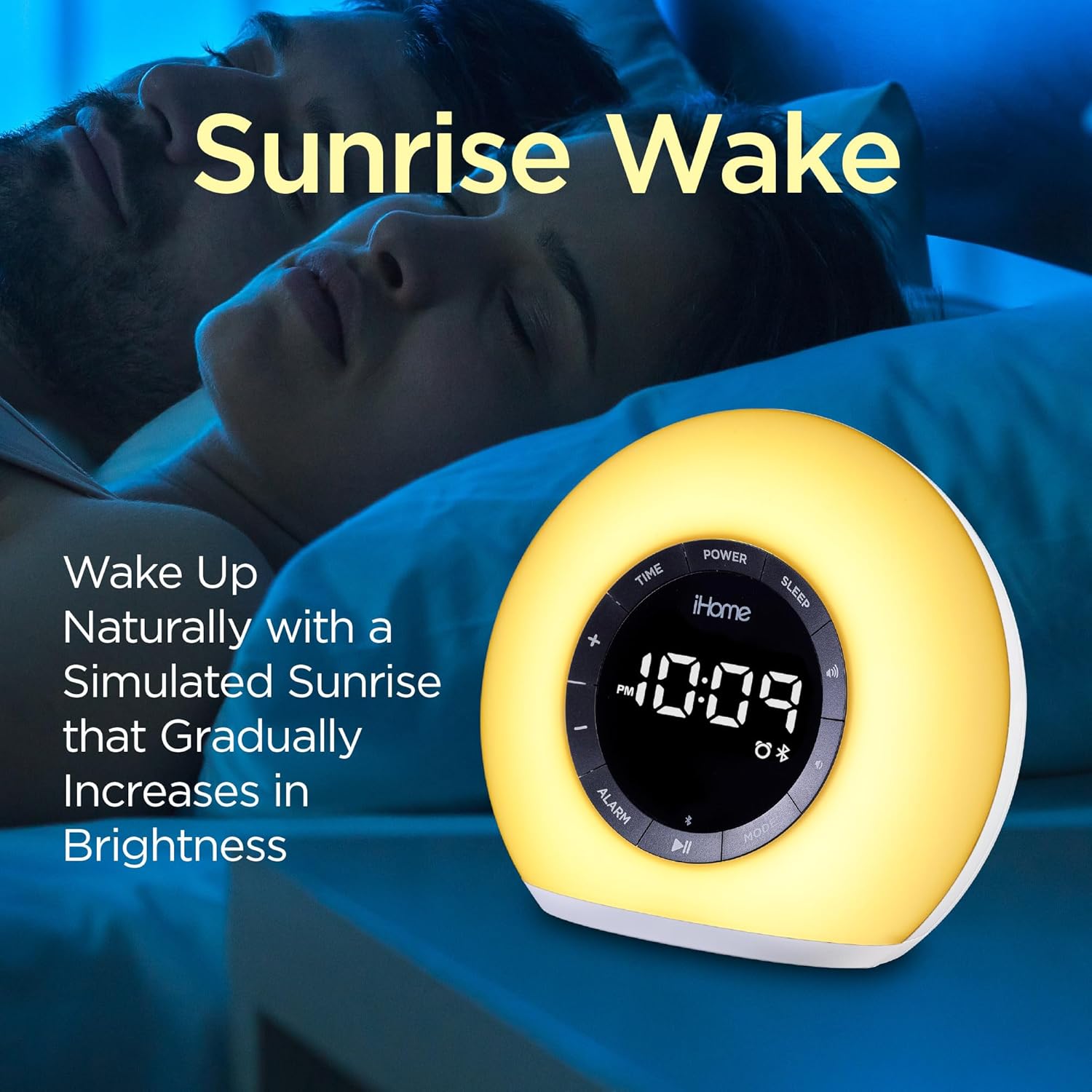
Image: The iHome iBT32 emitting a warm yellow light, illustrating the sunrise wake feature. A sleeping couple is in the background.
7. Color Changing Lamp
Press the MODE button repeatedly to cycle through the 11 available LED color changing modes. These include solid colors, gradient fades, rainbow, and warm light options. Use the + or - buttons to adjust the brightness of the lamp.

Image: The iHome iBT32 showcasing different LED color modes, including solid colors and gradients.
8. Sleep Timer
The sleep timer allows you to fall asleep to music or ambient sounds, which will automatically turn off after a set duration. Press the SLEEP button to activate the sleep timer. Repeated presses will cycle through available durations: 15, 30, 60, 90, or 120 minutes. The display will show the selected duration. The unit will automatically turn off both lights and sound once the timer expires. To check the remaining time, press the SLEEP button once. To cancel the sleep timer, press the SLEEP button until "OFF" is displayed.
9. USB Charging
Connect your mobile device or other USB-powered gadgets to the USB-C charging port on the unit using a compatible cable (not included). The iBT32 provides 5V 2A power output for convenient charging.

Image: The iHome iBT32 with its dimensions (7.2"W x 6.3"H x 3.8"D) and a smartphone connected to its USB-C port for charging.
Maintenance
- Cleaning: Use a soft, dry cloth to clean the exterior of the unit. Do not use abrasive cleaners or solvents.
- Storage: If storing the unit for an extended period, remove the AA backup batteries to prevent leakage.
- Ventilation: Ensure the unit has adequate ventilation and is not placed in an enclosed space to prevent overheating.
Troubleshooting
| Problem | Possible Cause | Solution |
|---|---|---|
| Unit does not power on. | Power cable not properly connected or power outlet is faulty. | Ensure the power cable is securely plugged into the unit and the adapter. Try a different power outlet. |
| Bluetooth device will not pair. | Unit is not in pairing mode or device is too far. | Ensure the unit is in Bluetooth mode and the Bluetooth icon is flashing. Move your device closer to the unit. Try unpairing/forgetting the device on your phone and re-pairing. |
| Time is incorrect. | Auto-sync failed or manual time not set. | Manually set the time as per the "Initial Time Setting" instructions. Ensure Bluetooth is connected for auto-sync if desired. |
| No sound from FM Radio. | Antenna not extended or poor signal. | Extend the FM antenna wire fully. Try repositioning the unit for better reception. |
Specifications
- Brand: iHome
- Model: iBT32
- Color: White
- Display Type: Digital
- Power Source: 5V 2A USB adapter with USBA-USBC power cable
- Product Dimensions: 7.2"W x 6.3"H x 3.8"D (approximate)
- Material: Plastic
- Item Weight: 1.48 pounds
- Special Features: Adjustable Brightness, Charging Port, Mood Light, Radio, Timer
- Are Batteries Included: No (Requires 2 AA batteries for backup)
- UPC: 047532920956
Warranty and Support
The iHome iBT32 comes with a Limited Warranty. For specific details regarding warranty coverage, duration, and terms, please refer to the warranty card included in your product packaging or visit the official iHome support website. For technical assistance, troubleshooting beyond this manual, or to inquire about replacement parts, please contact iHome customer support directly.
You can often find support information and FAQs on the manufacturer's website or through the retailer where the product was purchased.