
Alpine iLX-W770
Alpine iLX-W770 Digital Multimedia Receiver User Manual
Your comprehensive guide to the Alpine iLX-W770 Digital Multimedia Receiver with Wireless CarPlay and Android Auto Compatibility.
Product Overview
The Alpine iLX-W770 is a state-of-the-art digital multimedia receiver designed to enhance your in-car entertainment and connectivity. It features a customizable 6.75-inch touchscreen and offers seamless integration with your smartphone through Wireless Apple CarPlay and Android Auto. This unit is built for audio enthusiasts, providing advanced sound tuning options and compatibility with Alpine's PowerStack and PrismaLink systems.
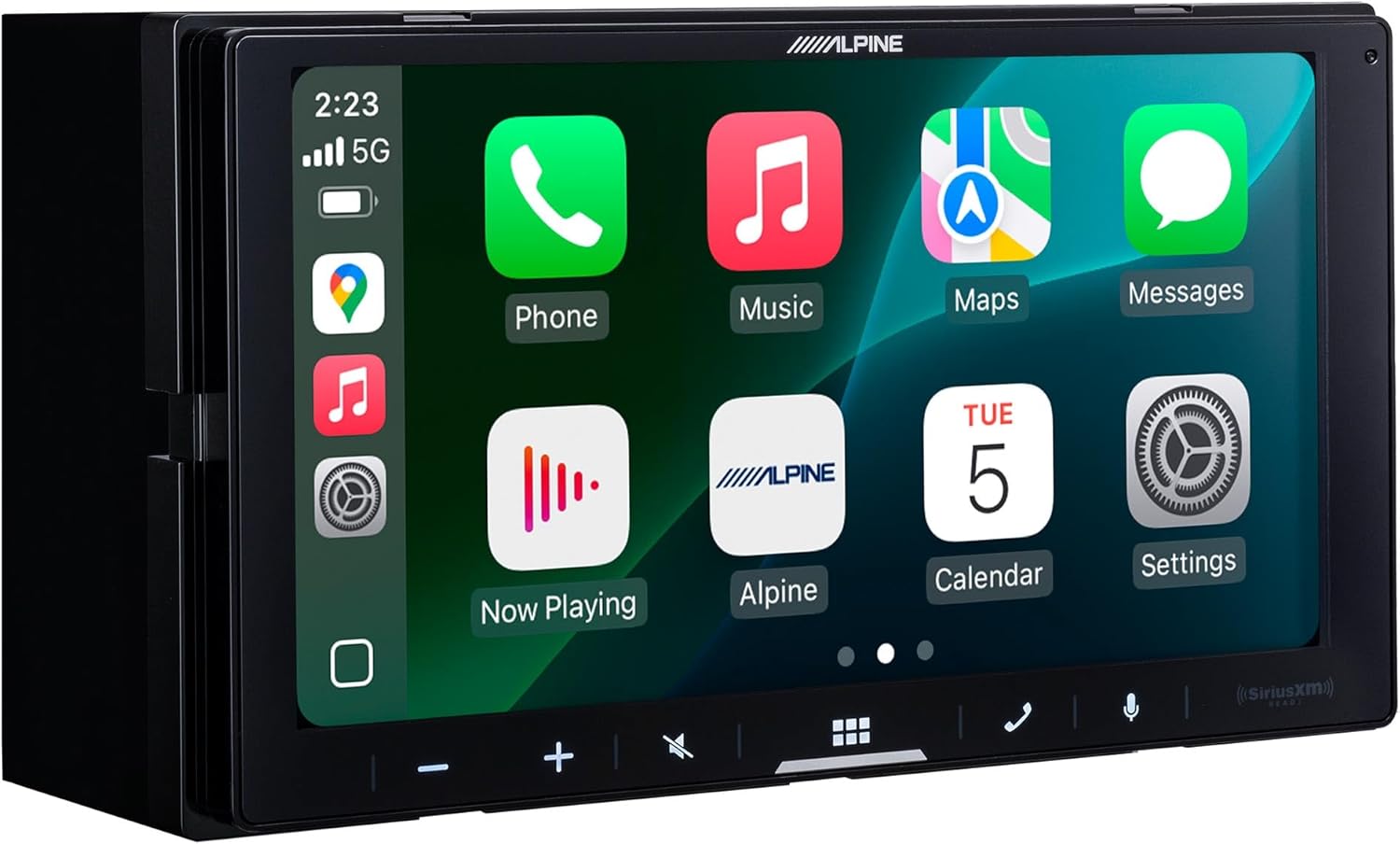
Figure 1: Front view of the Alpine iLX-W770 Digital Multimedia Receiver displaying its intuitive touchscreen interface.
What's in the Box
Upon unboxing your Alpine iLX-W770, you should find the following components:
- iLX-W770 Digital Multimedia Receiver Unit
- Owner's Manual
- Power Harness
- Mounting Screws
- Registration Card
- Warranty Information
- Bluetooth Microphone for hands-free calls
- USB Port with Extension Cable (for dual USB functionality)
- Optional GPS Antenna (for enhanced navigation accuracy with Android Auto/CarPlay)
- Accessory Harness (includes front, rear, and subwoofer RCA outputs, auxiliary input, secondary camera input, and PrismaLink LED controller)

Figure 2: User interacting with the iLX-W770 touchscreen, demonstrating its in-car application.
Setup and Installation Considerations
The iLX-W770 is designed with a shallow mount chassis, allowing for direct mounting of Alpine KTA-200M or KTA-450 amplifiers, creating a compact and powerful audio solution. This PowerStack™ compatible design simplifies installation and reduces clutter.

Figure 3: Rear view of the iLX-W770, highlighting its compact design and connection points for PowerStack™ amplifiers and other accessories.
Camera Inputs
The unit features dual camera inputs, allowing for the integration of both front and rear cameras for enhanced visibility and safety. The accessory harness provides the necessary connections for these inputs.

Figure 4: Example of the rear camera display on the iLX-W770, showing adjustable parking guidelines.
GPS Antenna
An optional GPS antenna is included to provide precise location data, which is crucial for optimal performance of wireless Android Auto and Apple CarPlay navigation features.
PowerStack™ Compatibility
The iLX-W770 is designed to seamlessly integrate with Alpine's PowerStack™ amplifiers (KTA-200M or KTA-450). These amplifiers can be directly mounted to the back of the receiver, creating a compact and powerful audio system without requiring additional mounting space.
PrismaLink™ Integration
For users with Alpine PrismaLink™ subwoofers, the iLX-W770 includes a built-in LED controller within its accessory harness. This allows for direct control of the RGB LED lighting on compatible Alpine enclosures, enhancing the visual appeal of your audio system.

Figure 5: The Lighting Link interface on the iLX-W770, enabling customization of RGB LED lighting for Alpine PrismaLink™ subwoofers.
Product Overview Video
Video 1: A detailed product overview of the Alpine iLX-W770 Multimedia Receiver, presented by Creative Audio. This video highlights key features, accessories, and compatibility aspects of the unit.
Operating Instructions
Wireless Apple CarPlay & Android Auto
Experience seamless smartphone integration with wireless Apple CarPlay and Android Auto. Connect your compatible device wirelessly to access navigation, music, messages, and other apps directly from the iLX-W770's touchscreen. This feature provides a convenient and safe way to use your phone's functionalities while driving.

Figure 6: The customizable home screen of the iLX-W770, featuring quick access icons for various functions including Apple CarPlay and Android Auto.
Sound Boost Menu
Fine-tune your audio experience using the comprehensive Sound Boost Menu. This feature provides expanded controls for bass, mid-bass, and subwoofer levels, allowing you to customize the sound output to your preference. Adjustments can be made for individual speaker channels (front left/right, rear left/right) and the subwoofer for precise sound staging.

Figure 7: The Time Correction interface, part of the Sound Boost Menu, enabling precise audio adjustments for optimal listening.
Customizable Touchscreen
The 6.75-inch double-DIN touchscreen offers a vibrant display and a customizable home screen. You can personalize the layout and choose from 5-color key illumination options to match your vehicle's interior or personal style.
Maintenance
To ensure the longevity and optimal performance of your Alpine iLX-W770, regular maintenance is recommended:
- Screen Cleaning: Use a soft, lint-free cloth to gently wipe the touchscreen. For stubborn smudges, a screen cleaner specifically designed for electronics can be used. Avoid abrasive materials or harsh chemicals.
- Software Updates: Periodically check the Alpine website for firmware updates. Keeping your unit's software up-to-date ensures you have the latest features, bug fixes, and compatibility improvements.
- Connection Checks: Ensure all cables and connections at the rear of the unit are secure and free from corrosion. Loose connections can lead to intermittent issues.
- Environmental Care: Avoid exposing the unit to extreme temperatures, direct sunlight for prolonged periods, or excessive moisture.
Troubleshooting
If you encounter issues with your iLX-W770, refer to the following common troubleshooting tips:
| Problem | Possible Cause | Solution |
|---|---|---|
| No Power | Blown fuse, loose power connection. | Check vehicle's fuse box and unit's power harness connection. Consult a professional if unsure. |
| No Sound | Volume too low, mute activated, incorrect wiring, amplifier issue. | Increase volume, check mute status, verify speaker wiring, check external amplifier (if used). |
| Wireless CarPlay/Android Auto Disconnects | Weak Wi-Fi/Bluetooth signal, phone interference, outdated firmware. | Ensure phone is close to the unit, disable other Wi-Fi/Bluetooth devices, update unit firmware. |
| Touchscreen Unresponsive | Software glitch, screen calibration needed. | Perform a soft reset (refer to owner's manual for specific steps). If issue persists, check screen calibration settings. |
| Camera Image Not Displaying | Loose camera connection, camera malfunction, incorrect settings. | Verify camera input connections, check camera power, ensure correct camera settings in the unit's menu. |
For more detailed troubleshooting, please refer to the comprehensive Owner's Manual included with your product or visit the official Alpine support website.
Specifications
| Feature | Detail |
|---|---|
| Brand | Alpine |
| Model | iLX-W770 |
| Product Dimensions | 8.75 x 6.25 x 7.25 inches |
| Item Weight | 3.55 pounds |
| Special Features | Touchscreen |
| Connectivity Technology | Auxiliary, USB |
| Controller Type | Android |
| Compatible Devices | Smartphone, Speaker |
| Total HDMI Ports | 1 |
| Connector Type | USB, 3.5mm Jack |
| Audio Output Mode | Stereo |
| Surround Sound Channel Configuration | 5.1 |
| Video Encoding | H.264, H.265/HEVC, MPEG-4 |
Warranty and Support
Your Alpine iLX-W770 Digital Multimedia Receiver comes with a manufacturer's warranty. Please refer to the "Warranty Information" card included in your product packaging for details on coverage, terms, and conditions.
For technical support, product registration, or to find authorized service centers, please visit the official Alpine website or contact their customer service. Keeping your registration card and proof of purchase is recommended for warranty claims.
You may also find additional support and resources by visiting the Alpine Store on Amazon.
Related documentsiLX-W770


Ask a question about this manual
Ask about setup, troubleshooting, compatibility, parts, safety, or missing instructions. Manuals+ will review the question and use this page’s manual context to help answer it.