
Introduction
The Oclean X Lite is an advanced smart sonic electric toothbrush designed to enhance your oral hygiene routine. It features a large smart screen for instant feedback, 8-area tracking, and a simple one-click operation, eliminating the need for a separate application. This manual provides essential information for the proper setup, operation, maintenance, and troubleshooting of your Oclean X Lite toothbrush.
Key features include 5 distinct brushing modes, up to 40 days of battery life, IPX7 waterproof rating, and convenient USB-C charging.
Product Overview
The Oclean X Lite Smart Sonic Electric Toothbrush package includes the following components:
- 1 x Brush Handle
- 1 x Brush Head
- 1 x Type-C Charging Cable
- 1 x User Manual
Familiarize yourself with the main parts of your toothbrush:
- Brush Handle: Contains the motor, battery, smart screen, and control button.
- Brush Head: Detachable head with bristles for cleaning teeth.
- Smart Screen: Displays brushing feedback, modes, and battery status.
- Control Button: Used for power on/off and mode selection.
- USB-C Charging Port: Located at the bottom of the handle for charging.

Image: The Oclean X Lite Smart Sonic Electric Toothbrush, showing the handle and a brush head.
Setup
1. Attaching the Brush Head
- Align the brush head with the metal shaft on the brush handle.
- Push the brush head down firmly until it clicks into place. Ensure it is securely attached.
2. Initial Charging
Before first use, fully charge the toothbrush. The Oclean X Lite features a long-lasting battery and quick charging capabilities.
- Open the protective cover at the bottom of the brush handle to expose the USB-C charging port.
- Connect the provided Type-C charging cable to the toothbrush and plug the other end into a compatible USB power adapter (not included) or a USB port.
- The screen will indicate charging status. A full charge typically takes approximately 3 hours.
- Once fully charged, disconnect the cable and close the protective cover to maintain the IPX7 waterproof seal.

Image: The Oclean X Lite toothbrush connected to a USB-C charging cable, illustrating the charging process. The toothbrush offers up to 40 days of battery life on a single 3-hour charge.
Operating Instructions
1. Power On/Off and Mode Selection
- Power On: Press and hold the control button for 2 seconds to turn on the toothbrush.
- Mode Selection: Briefly press the control button to cycle through the available brushing modes. The selected mode will be displayed on the smart screen.
- Power Off: Press and hold the control button for 2 seconds to turn off the toothbrush. It will also automatically turn off after the brushing cycle is complete.
2. Brushing Modes
The Oclean X Lite offers 5 distinct brushing modes to cater to various oral care needs:
- Daily Cleaning: Standard mode for everyday plaque removal. (Intensity: Medium, Duration: 2 mins 30s)
- Deep Cleaning: More intense cleaning for thorough plaque removal. (Intensity: High, Duration: 2 mins 30s)
- Whitening: Designed to help remove surface stains. (Intensity: High, Duration: 2 mins 30s)
- Massage Soothing: Gentle mode for gum stimulation and comfort. (Intensity: Low, Duration: 2 mins)
- Sensitive Gum Care: Extra gentle mode for sensitive teeth and gums. (Intensity: Very Low, Duration: 2 mins)
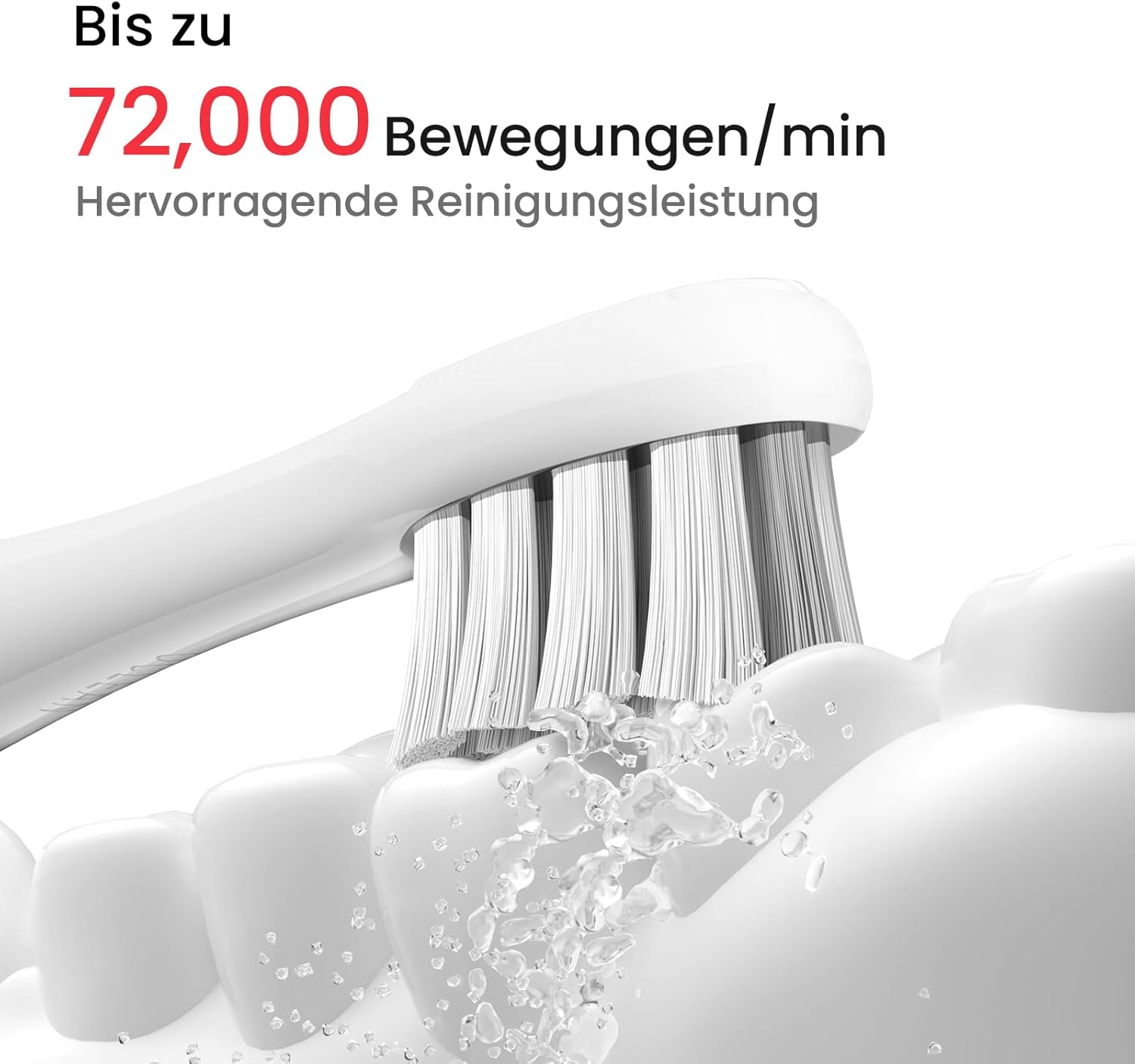
Image: Illustration of the Oclean X Lite's five brushing modes: Daily Cleaning, Deep Cleaning, Whitening, Massage Soothing, and Sensitive Gum Care, each with recommended intensity and duration.
3. Smart Screen Feedback and Area Tracking
The Oclean X Lite features a 6-axis gyro sensor that tracks 8 brushing areas in real-time. After each brushing session, the large smart screen provides instant feedback on your brushing performance.
- Visual Feedback: The screen displays a visual representation of your teeth, highlighting areas that have been thoroughly cleaned (white) and areas that may have been overlooked (red).
- Brushing Guidance: If areas are missed, the toothbrush can automatically provide auxiliary brushing guidance, offering additional time to clean those specific spots, potentially removing up to 38% more plaque.

Image: The Oclean X Lite smart screen displaying brushing feedback. White areas indicate thoroughly cleaned zones, while red areas indicate missed spots requiring additional attention. The image also shows the one-button operation.

Image: A three-step guide demonstrating the auto-setup for additional brushing on the Oclean X Lite. Step 1 shows immediate feedback on missed areas. Step 2 illustrates starting additional brushing with one click. Step 3 depicts thorough oral care after completing the guided brushing.
4. Brushing Technique
For optimal cleaning, follow these general guidelines:
- Apply a small amount of toothpaste to the brush head.
- Place the brush head against your teeth at a slight angle towards the gum line.
- Move the brush slowly from tooth to tooth, allowing the sonic vibrations to clean each surface. Do not scrub aggressively.
- Brush all surfaces of your teeth: outer, inner, and chewing surfaces.
- The built-in timer will guide you through the recommended brushing duration.
Maintenance
1. Cleaning the Toothbrush
- After Each Use: Rinse the brush head thoroughly under running water while the toothbrush is briefly turned on to remove any remaining toothpaste and debris.
- Brush Handle: Wipe the brush handle with a damp cloth. Do not immerse the handle in water for extended periods, although it is IPX7 waterproof.
- Charging Port: Ensure the USB-C charging port cover is closed when not charging to maintain its waterproof integrity.

Image: The Oclean X Lite toothbrush submerged in water, demonstrating its IPX7 waterproof rating, which allows for easy cleaning and use in wet environments.
2. Replacing the Brush Head
Dentists recommend replacing your toothbrush head every 3 months, or sooner if the bristles become frayed. The Oclean X Lite uses professional clean brush heads with W-shaped DuPont bristles and an integrated tongue cleaner.
- To remove: Pull the brush head straight up and off the handle.
- To attach: Align the new brush head and push it down firmly until it clicks into place.

Image: Close-up view of the Oclean X Lite professional clean brush head, highlighting its W-shaped design, DuPont bristles, and integrated fine tongue cleaner.
Troubleshooting
If you encounter issues with your Oclean X Lite toothbrush, please refer to the following common solutions:
- Toothbrush not turning on: Ensure the toothbrush is fully charged. If the battery is depleted, connect it to the charger for at least 30 minutes before attempting to turn it on again.
- Toothbrush not charging: Check that the USB-C cable is securely connected to both the toothbrush and the power source. Try using a different USB-C cable or power adapter. Ensure the charging port is clean and free of debris.
- Weak vibrations or poor performance: The brush head may be worn out and needs replacement. Ensure the brush head is securely attached to the handle. If the battery is low, charge the toothbrush.
- Screen not responding: Try restarting the toothbrush by pressing and holding the control button. If the issue persists, ensure the battery is charged.
- Unusual noise: Ensure the brush head is correctly and securely attached. If the noise persists, contact customer support.
Specifications
| Brand | Oclean |
| Model | X Lite |
| Vibrations | Up to 72,000 movements/min |
| Battery Life | Up to 40 days |
| Charging | USB-C, approximately 3 hours for full charge |
| Waterproof Rating | IPX7 |
| Brushing Modes | 5 (Daily Cleaning, Deep Cleaning, Whitening, Massage Soothing, Sensitive Gum Care) |
| Sensor | 6-axis gyro sensor for 8-area tracking |
| Weight | 130 Grams |
| Dimensions | 25.2 x 2.6 x 2.6 cm |
| Bristle Material | DuPont Nylon |
| Handle Material | Plastic |
| Age Range | Adult |
| Special Features | Brushing Timer, Large Smart Screen, Area Tracking |

Image: A close-up of the Oclean X Lite brush head in action, illustrating the powerful sonic movements of up to 72,000 per minute for effective cleaning.
Warranty and Support
For warranty information and customer support, please refer to the warranty card included in your product packaging or visit the official Oclean website. You may also contact Oclean customer service directly for assistance with product inquiries, technical support, or warranty claims.
Please retain your proof of purchase for any warranty-related services.


