
Introduction
Welcome to your new OffiGo Electric Standing Desk. This manual provides essential information for the safe assembly, operation, and maintenance of your desk. Designed for ergonomic comfort, this desk allows you to easily switch between sitting and standing positions, promoting a healthier work environment. Please read these instructions carefully before assembly and use to ensure optimal performance and safety.

Image: A woman standing at the OffiGo Electric Standing Desk, demonstrating its use in a standing position.
Setup and Assembly
The OffiGo Electric Standing Desk is designed for straightforward assembly. All necessary installation tools are included, and each accessory is clearly labeled to guide you through the process. The desktop consists of three panels, optimized for stability and a seamless work surface.
Assembly Steps:
- Unpack all components and verify against the parts list provided in the packaging.
- Assemble the desk frame according to the detailed diagrams. Ensure all screws are tightened securely.
- Attach the three desktop panels. The 3-panel design enhances stability and provides a more complete surface compared to traditional multi-panel desks.
- Install the control panel and connect all electrical cables as indicated.
- Attach the included hooks and route cables through the integrated cable hole for a tidy workspace.
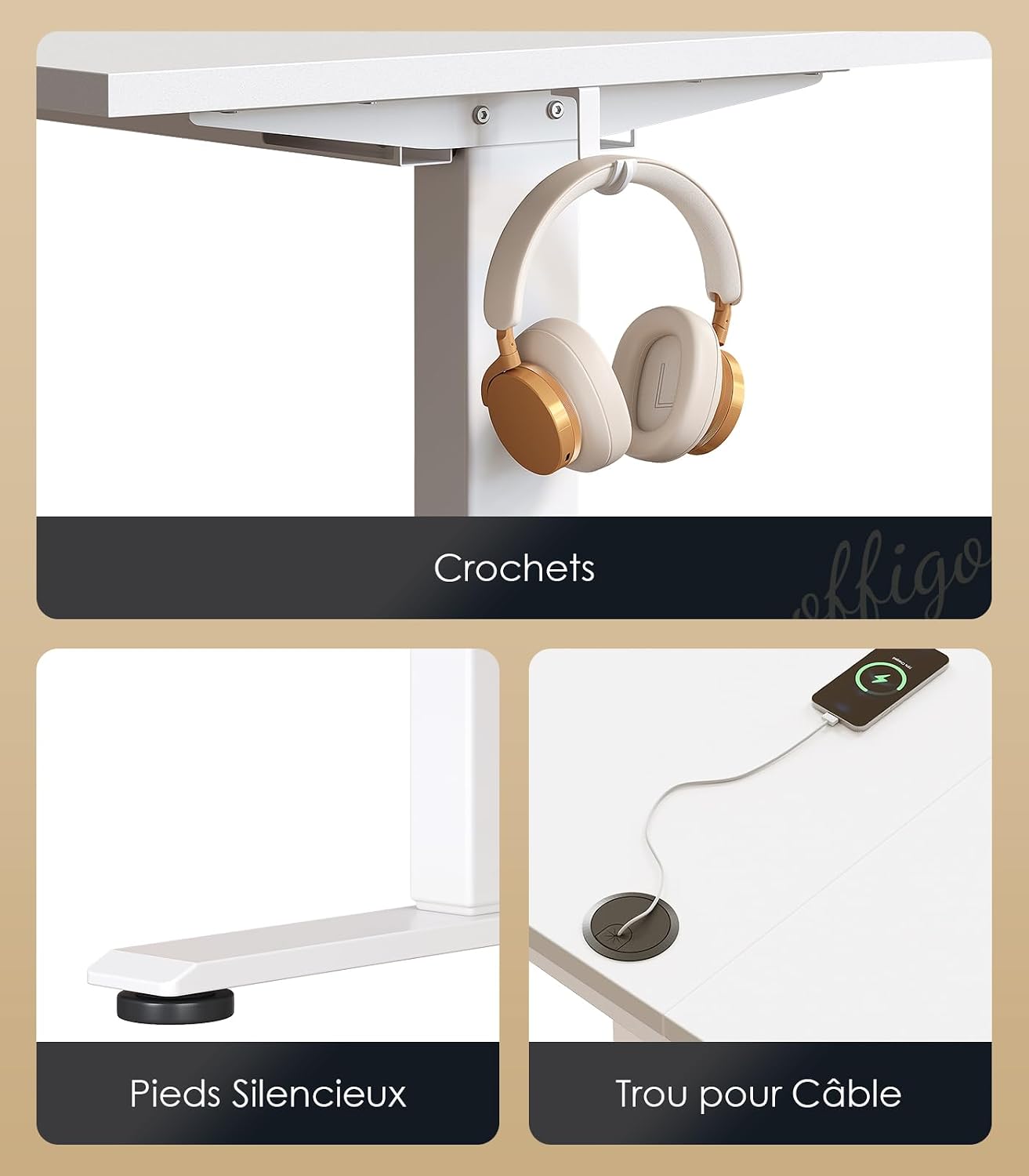
Image: Detailed view of desk features: side hooks for accessories, silent feet for stability, and a cable management hole for organization.
Operating Instructions
Your OffiGo Electric Standing Desk features smooth, quiet electric height adjustment and convenient memory presets.
Height Adjustment:
- The desk can be adjusted from a minimum height of 72 cm to a maximum height of 118 cm.
- Use the Up (▲) and Down (▼) buttons on the control panel to manually adjust the desk height. The current height will be displayed on the LED screen.
- The motor operates quietly, with a sound level between 45 and 55 decibels, ensuring minimal disturbance.
Memory Presets:
The desk includes two memory functions to save your preferred sitting and standing heights.
- To Save a Height: Adjust the desk to your desired height using the Up/Down buttons. Press and hold one of the memory buttons (1 or 2) until you hear a beep or see the LED display flash, indicating the height has been saved.
- To Recall a Height: Simply press the corresponding memory button (1 or 2). The desk will automatically move to the saved height.

Image: The desk's control panel, showing buttons for height adjustment, an LED display for current height, and two programmable memory settings.

Image: Visual representation of the desk's adjustable height, ranging from 72 cm (sitting) to 118 cm (standing).
Maintenance
Proper maintenance ensures the longevity and optimal performance of your OffiGo Electric Standing Desk.
- Cleaning: Wipe the desktop and frame with a soft, damp cloth. For stubborn marks, use a mild, non-abrasive cleaner. Avoid harsh chemicals that may damage the finish.
- Regular Checks: Periodically check all screws and bolts to ensure they are tight. Loose connections can affect stability and motor function.
- Weight Capacity: Do not exceed the maximum weight capacity of 80 kg. Overloading can strain the motor and frame.
- Cable Management: Ensure cables are neatly routed and not pinched or tangled, especially during height adjustments.
Troubleshooting
If you encounter any issues with your OffiGo Electric Standing Desk, please refer to the following common troubleshooting steps:
- Desk Not Moving:
- Check if the power cord is securely plugged into both the desk and a working wall outlet.
- Ensure there are no obstructions preventing the desk from moving up or down.
- Try resetting the desk by unplugging it for 30 seconds, then plugging it back in.
- Uneven Movement:
- Verify that the weight on the desk is evenly distributed.
- Check for any loose connections in the frame or legs.
- Motor Noise:
- A slight motor hum is normal during operation (45-55 dB). If the noise is excessive or unusual, ensure the desk is not overloaded and there are no loose parts.
If these steps do not resolve the issue, please contact OffiGo customer support for further assistance.
Specifications
Detailed specifications for your OffiGo Electric Standing Desk:
| Feature | Detail |
|---|---|
| Brand | OffiGo |
| Model Number | 850066549704 |
| Color | White |
| Product Dimensions (L x W x H) | 180 x 70 x 72 cm (minimum height) |
| Adjustable Height Range | 72 cm to 118 cm |
| Material | FSC Certified Wood (desktop), High-strength Steel (frame) |
| Item Weight | 22 Kilograms |
| Weight Capacity | 80 kg |
| Special Features | Ergonomic, Height Adjustable, Electric, 2 Memory Presets, Cable Management, Accessory Hooks |
| Motor Noise Level | 45-55 dB |

Image: Product dimensions and adjustable height range for the OffiGo Electric Standing Desk.

Image: Illustration highlighting the desk's robust structure and its ability to support up to 80 kg.
Warranty and Support
OffiGo is committed to providing high-quality products. For warranty information, technical support, or any questions not covered in this manual, please contact OffiGo customer service. Keep your purchase receipt as proof of purchase for any warranty claims.
Please refer to the contact information provided with your product packaging or visit the official OffiGo website for support details.