1. Introduction
Thank you for choosing the NICREW LED Aquarium Light. This submersible light is designed to provide optimal illumination for your aquarium, featuring multicolor options, adjustable intensity, and integrated timer functions. Please read this manual thoroughly before installation and operation to ensure proper use and longevity of your product.
2. Safety Instructions
- Always disconnect the power supply before performing any maintenance or installation.
- This product is designed for indoor use in aquariums only. Do not use it for purposes other than its intended use.
- Ensure the power cord and plug are not damaged. Do not operate if any part is damaged.
- Do not attempt to repair the unit yourself. Refer all servicing to qualified personnel.
- Ensure the light is securely mounted before submerging or operating.
- Keep out of reach of children.
3. Package Contents
Verify that all items are present and in good condition:
- NICREW LED Aquarium Light (15-inch)
- Integrated Light Controller
- Suction Cups (2x)
- User Manual (this document)
4. Product Features
- Day and Night Cycles: Features programmable 4, 8, or 12-hour day and night cycles.
- Multicolor LEDs: Crafted using multi-colored LEDs with fade and brightness settings for 13 preset colors.
- Slimline Design: The compact design ensures the light unit does not dominate the aquarium aesthetic.
- Sunrise and Sunset Mimicry: Gradually mimics the effect of a slow sunrise and sunset.
- Adjustable Intensity: Offers 5 intensity levels for customizable lighting.
- Secure Mounting: Strong suction cups ensure firm fixation within the tank or aquarium.
5. Setup Instructions
- Clean the Aquarium Surface: Ensure the area where the suction cups will be placed is clean and free of algae or debris.
- Attach Suction Cups: Securely attach the two provided suction cups to the ends of the LED light bar.
- Mount the Light: Press the suction cups firmly against the inside glass of your aquarium. The light can be mounted horizontally, either fully submerged or above the water line, depending on your preference.
- Position the Controller: Ensure the light controller is accessible and not submerged in water.
- Connect to Power: Plug the power adapter into a suitable electrical outlet.

6. Operating Instructions
The integrated controller allows for easy adjustment of light settings.
6.1 Power On/Off
- To turn the light ON, press the power button once.
- To turn the light OFF, press and hold the power button for 3 seconds.
6.2 Timer Settings
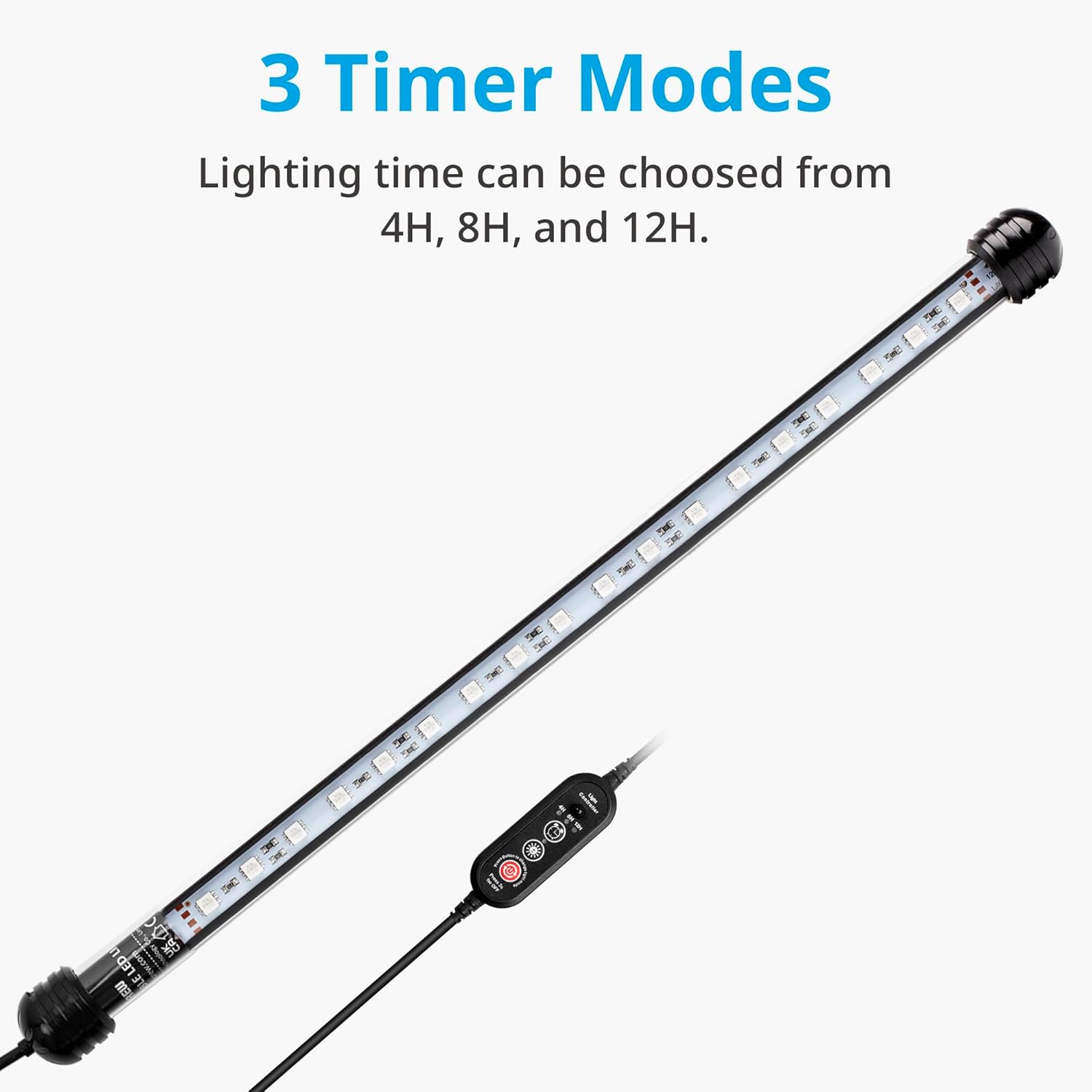
Press the 'Timer' button to cycle through the available timer modes:
- 4H: Light operates for 4 hours, then turns off.
- 8H: Light operates for 8 hours, then turns off.
- 12H: Light operates for 12 hours, then turns off.
The selected timer mode will be indicated by an illuminated LED on the controller.
6.3 Intensity Adjustment
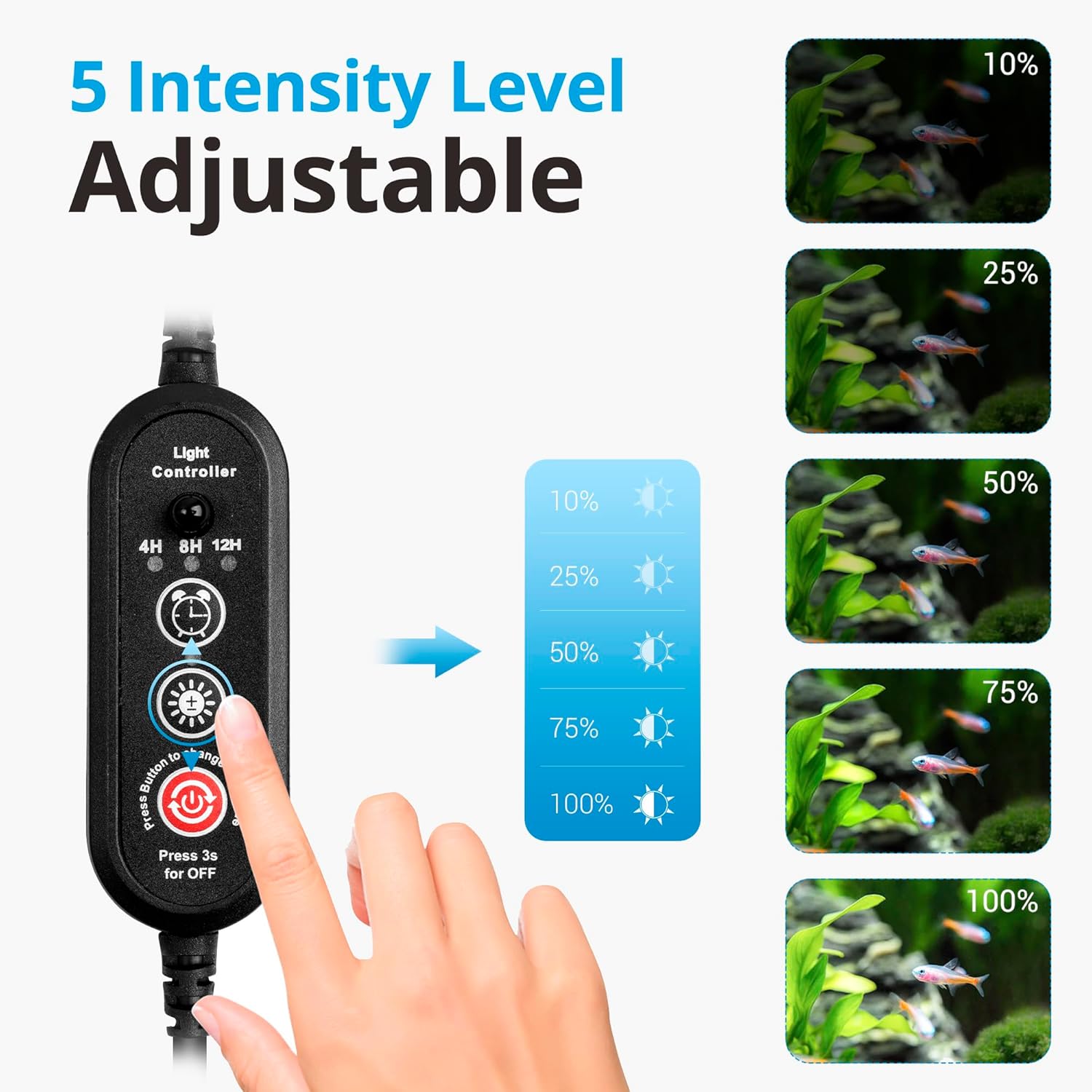
Press the 'Brightness' button (sun icon) to cycle through 5 intensity levels (10%, 25%, 50%, 75%, 100%).
6.4 Color Changing
Press the 'Color' button (rainbow icon) to cycle through 13 preset multicolor options. This includes various single colors and color-changing modes.

7. Maintenance
- Cleaning: Regularly clean the light bar to prevent algae buildup. Disconnect power before cleaning. Use a soft cloth and clean water. Do not use abrasive cleaners or solvents.
- Inspection: Periodically inspect the power cord, plug, and light bar for any signs of damage.
- Suction Cups: Check the suction cups periodically to ensure they maintain a strong grip. Replace if they become brittle or lose suction.
8. Troubleshooting
| Problem | Possible Cause | Solution |
|---|---|---|
| Light does not turn on. | No power supply; damaged cord/plug; light is off. | Check power connection; inspect cord/plug for damage; press power button to turn on. |
| Light flickers or dims unexpectedly. | Loose connection; power fluctuation; unit malfunction. | Ensure all connections are secure; try a different power outlet; contact support if problem persists. |
| Timer function not working. | Incorrect timer setting; power interruption. | Re-select desired timer mode; ensure continuous power supply. |
| Suction cups lose grip. | Dirty surface; worn-out suction cups. | Clean mounting surface and suction cups; replace suction cups if necessary. |
9. Specifications
- Model: NICREW 15-inch LED Aquarium Light
- Length: Approximately 15 inches
- Lamp Type: LED Night Light
- Shade Color: Multicolor
- Shade Material: Glass
- Switch Type: Timer
- Finish Type: Polished
- Power Input: (Refer to product label for specific voltage/amperage)
- Waterproof Rating: Submersible

10. Warranty and Support
This product comes with a standard manufacturer's warranty. For specific warranty details, please refer to the warranty card included with your purchase or visit the official NICREW website. If you encounter any issues or have questions not covered in this manual, please contact NICREW customer support for assistance.
NICREW Customer Support: Please visit the NICREW Store on Amazon or their official website for contact information.


