
1. Introduction
This manual provides essential information for the safe and efficient operation of your THKFMSRC Tmall Genie Intelligent Driver Power Supply, specifically the 12-24W*2 model. This intelligent LED driver is designed for transforming and controlling LED ceiling lamps, offering features like dimming and color adjustment when integrated with Tmall Genie smart home systems. Please read this manual thoroughly before installation and use.
2. Safety Information
WARNING: Electrical shock hazard. Installation should only be performed by a qualified electrician or trained personnel. Disconnect power at the circuit breaker before installation or servicing.
- Ensure the input voltage (220V) matches your electrical supply.
- Do not exceed the specified output power (12-24W*2) or current (0.3A) for connected LED lamps.
- Keep the device away from water and excessive moisture.
- Do not open the casing of the driver; there are no user-serviceable parts inside.
- Ensure proper ventilation around the driver to prevent overheating. Operating temperature range is -25°C to 145°C.
3. Setup and Installation
This intelligent LED driver is designed for external installation. Follow these steps carefully:
- Power Disconnection: Before beginning any installation, turn off the main power supply to the circuit at the circuit breaker. Verify that power is off using a voltage tester.
- Identify Wires: The driver has input wires (typically brown/blue for AC input) and output wires (typically red/black for DC output to LEDs). Refer to the wiring diagram on the driver label.
- Connect Input: Connect the AC input wires from your mains supply to the corresponding input terminals on the driver. Ensure a secure connection. The input voltage is 220V AC.
- Connect Output: Connect the DC output wires from the driver to your LED ceiling lamp. Pay close attention to polarity (positive to positive, negative to negative). This model supports two channels (12-24W per channel).
- Secure Installation: Mount the driver in a suitable, well-ventilated location, ensuring it is protected from physical damage and moisture. The overall dimensions are 90mm x 40mm x 17mm.
- Power Restoration: Once all connections are secure and verified, restore power at the circuit breaker.
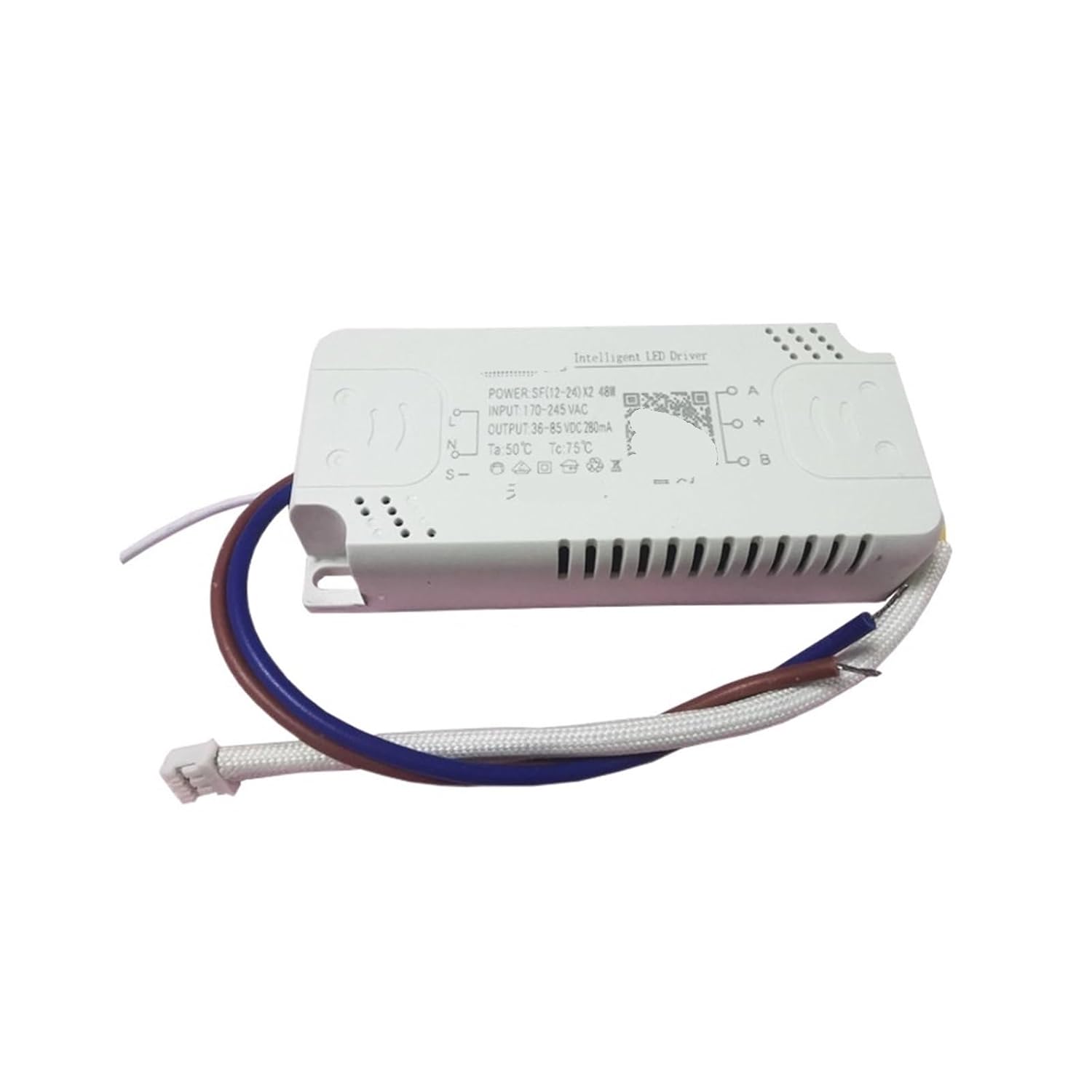
Figure 1: Top view of the THKFMSRC Tmall Genie Intelligent LED Driver. This image shows the main body of the driver with clearly labeled input (AC) and output (DC) terminals, along with a QR code for potential smart home integration. The wires for connection are visible.
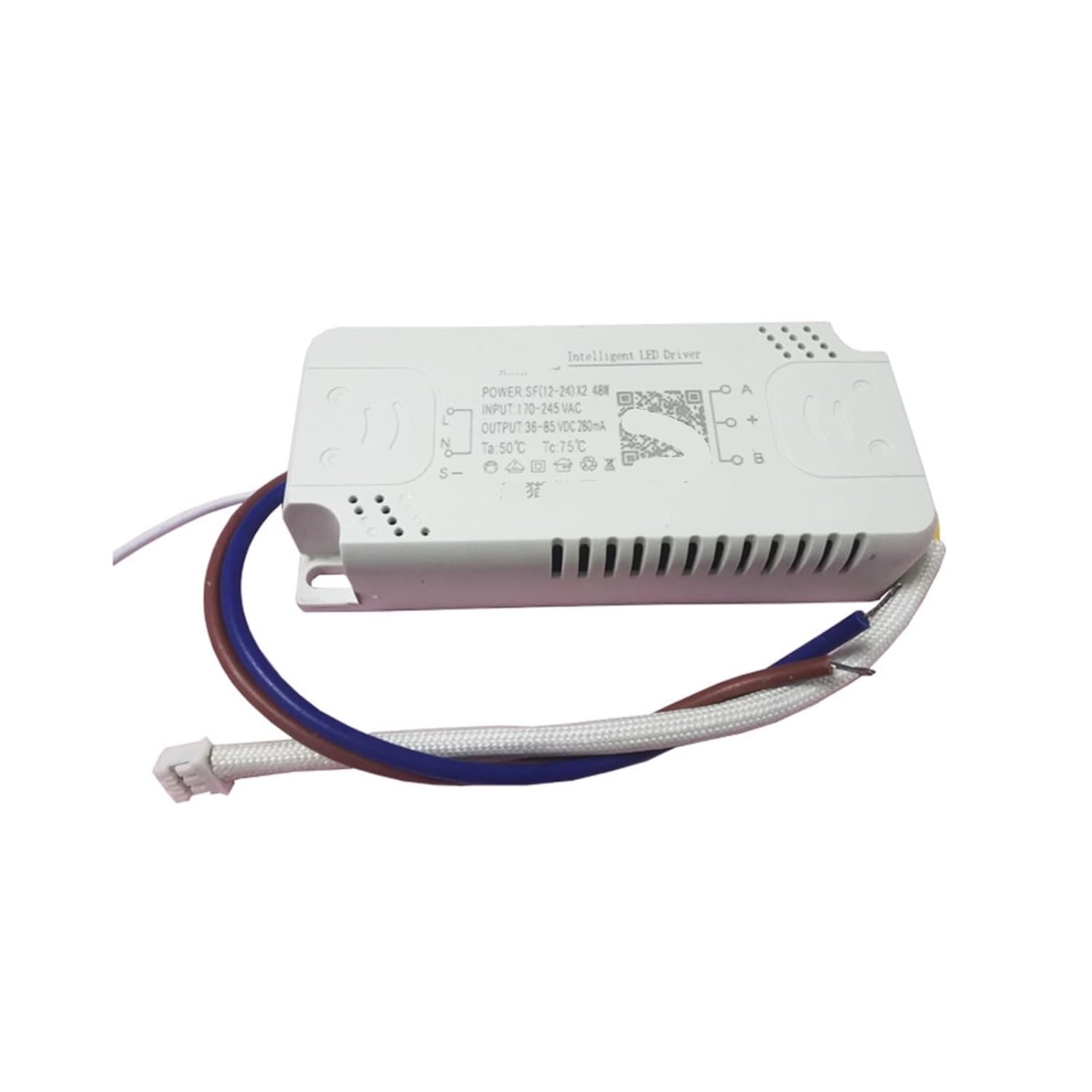
Figure 2: Angled view of the THKFMSRC Tmall Genie Intelligent LED Driver. This perspective emphasizes the compact design of the driver and the attached wiring for both power input and LED output.
4. Operating Instructions
This intelligent driver is designed to work with Tmall Genie for smart control of your LED lighting. Once installed and powered, the driver will provide constant current to the connected LED lamps.
- Basic Operation: The driver provides constant current output to power compatible LED lamp beads.
- Smart Control (Tmall Genie): For dimming and color adjustment features, integrate the driver with your Tmall Genie smart home system. Refer to your Tmall Genie device's instructions for pairing and control setup. The QR code on the driver may facilitate this process.
- Power Factor: The driver operates with a power factor of 0.7, ensuring efficient energy conversion.
5. Maintenance
The THKFMSRC Tmall Genie Intelligent Driver is designed for long-term, maintenance-free operation. Follow these guidelines to ensure its longevity:
- Cleaning: Ensure the driver remains free of dust and debris. If cleaning is necessary, disconnect power and gently wipe the exterior with a dry, soft cloth. Do not use liquid cleaners.
- Ventilation: Ensure the installation location allows for adequate airflow around the driver to dissipate heat.
- Inspection: Periodically inspect the wiring connections to ensure they remain secure and free from corrosion or damage.
- No User Serviceable Parts: Do not attempt to open or repair the driver. Doing so will void any warranty and may pose a safety risk.
6. Troubleshooting
If you encounter issues with your LED driver, refer to the following common problems and solutions:
| Problem | Possible Cause | Solution |
|---|---|---|
| LED lamp does not light up. | No power supply to the driver. Incorrect wiring (input/output). Faulty LED lamp. Overload protection activated. | Check power supply at the circuit breaker. Verify all wiring connections are correct and secure. Test the LED lamp with a known working driver. Ensure total wattage of connected LEDs does not exceed driver's capacity. |
| LED lamp flickers or dims unexpectedly. | Loose connections. Incompatible LED lamp. Driver overheating. | Check and secure all wiring connections. Ensure LED lamp specifications match driver output. Verify adequate ventilation around the driver. |
| Tmall Genie control not working. | Driver not paired with Tmall Genie. Network connectivity issues. Incorrect Tmall Genie settings. | Refer to Tmall Genie pairing instructions. Check Wi-Fi connection and Tmall Genie status. Verify settings within the Tmall Genie app. |
7. Specifications
| Model: | Tmall Genie Voice Model (12-24W*2) |
| Type: | Constant Current Source |
| Input Voltage: | 220V AC |
| Input Frequency: | 50/60 Hz |
| Output Power: | 12-24W * 2 Channels |
| Output Voltage: | 3-220V DC (Adaptive to load) |
| Output Current: | 0.3A (300mA) |
| Efficiency: | 90% |
| Power Factor: | 0.7 |
| Protection: | Overload Protection |
| Installation Location: | External |
| Protection Level: | IP20 |
| Working Temperature: | -25°C to 145°C |
| Applicable Lamps: | LED Lamp Beads |
| Overall Dimensions (L*W*H): | 90mm * 40mm * 17mm |
| Lifespan: | 50,000 hours |
| Weight: | 58g (Unit weight: 0.065kg) |
| Material: | Copper, Silver (for contacts) |
8. Warranty and Support
This product is manufactured by THKFMSRC. For specific warranty information and technical support, please refer to the seller's policies or contact the manufacturer directly. Keep your purchase receipt as proof of purchase.
For further assistance, please visit the product page on Amazon or contact Amazon customer service.