
1. Introduction
Thank you for choosing the CREWORKS 9" x 30" Benchtop Mini Metal Lathe. This machine is designed for precision metalworking tasks, including turning, drilling, threading, and cutting. Its robust construction and versatile features make it suitable for both hobbyists and professionals. This manual provides essential information for safe operation, proper setup, maintenance, and troubleshooting to ensure optimal performance and longevity of your lathe.
Please read this manual thoroughly before operating the machine and retain it for future reference.
2. Safety Instructions
Operating a metal lathe can be dangerous if proper safety precautions are not followed. Always prioritize your safety and the safety of others around you.
- Wear Appropriate Personal Protective Equipment (PPE): Always wear safety glasses or a face shield to protect against flying chips and debris. Wear appropriate work clothing; avoid loose clothing, jewelry, or long hair that can get caught in moving parts.
- Secure Workpiece: Ensure the workpiece is securely clamped in the chuck or collet before starting the machine. An improperly secured workpiece can become a dangerous projectile.
- Keep Hands Clear: Never touch the rotating chuck, workpiece, or cutting tool while the machine is in operation. Keep hands and fingers away from all moving parts.
- Use Emergency Stop: Familiarize yourself with the location and operation of the emergency stop button. In case of an emergency, press it immediately to shut down the machine.
- Maintain a Clean Work Area: Keep your workspace clean, well-lit, and free of clutter. Slippery floors or obstructed pathways can lead to accidents.
- Proper Ventilation: Ensure adequate ventilation when working with materials that may produce fumes or dust.
- Unplug Before Adjustments/Maintenance: Always disconnect the machine from the power source before performing any adjustments, maintenance, or cleaning.
- Read and Understand the Manual: Do not operate the lathe until you have fully read and understood all instructions and safety warnings in this manual.
3. Package Contents
Upon unpacking, verify that all components listed below are present and undamaged. If any items are missing or damaged, please contact CREWORKS customer support immediately.
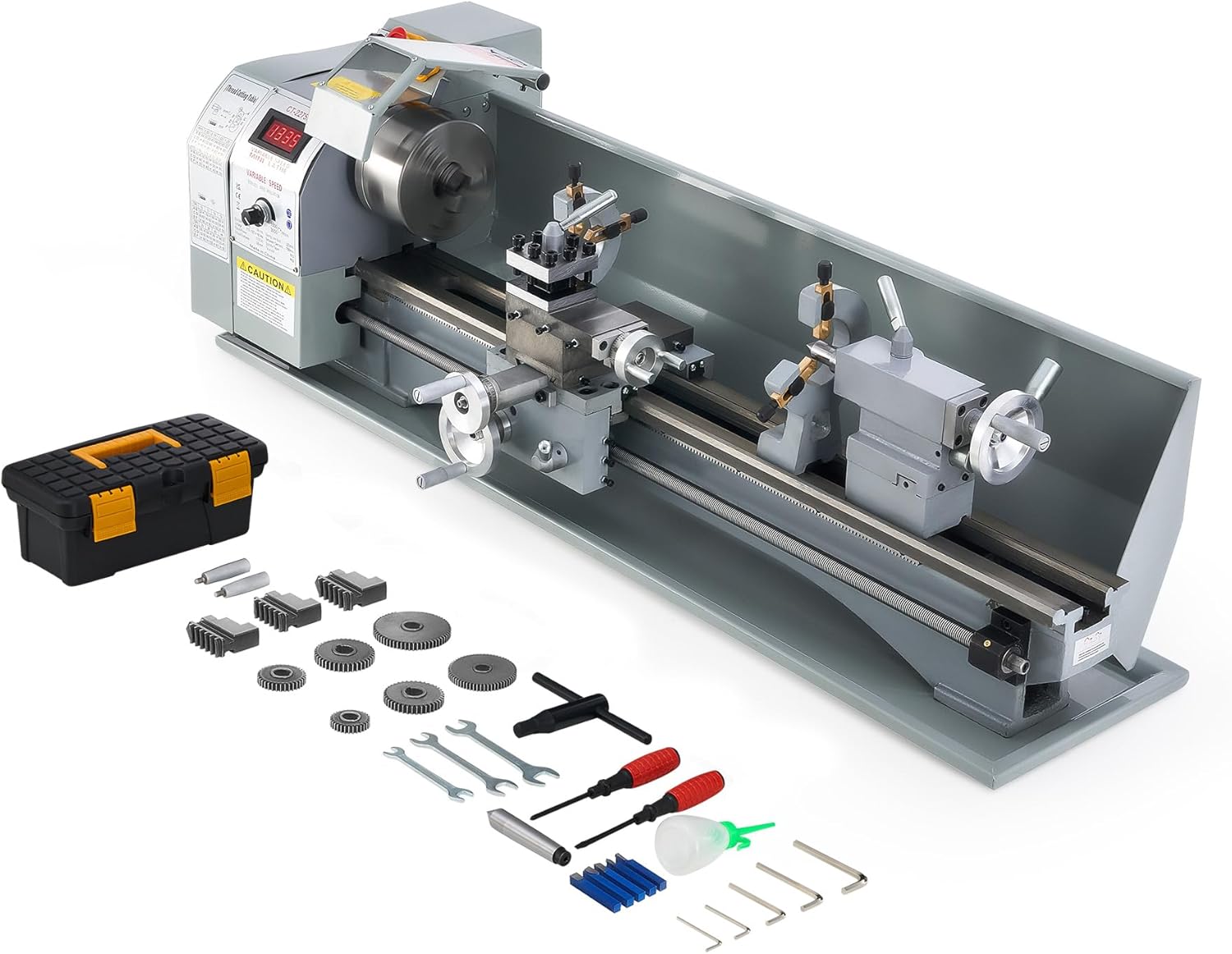
Image: The CREWORKS Mini Metal Lathe with its standard accessories, including a toolbox, various chuck jaws, gears, wrenches, screwdrivers, and an oil bottle.
- CREWORKS 9" x 30" Mini Metal Lathe Main Unit
- 5-inch (125 mm) 3-Jaw Chuck
- Toolbox with standard accessories (e.g., wrenches, screwdrivers, hex keys, oil bottle, extra chuck jaws, change gears for threading)
- User Manual (this document)
4. Component Identification
Familiarize yourself with the various parts of your CREWORKS Mini Metal Lathe to ensure safe and efficient operation.

Image: Close-up of the digital speed display, showing the real-time RPM.
4.1 Digital Speed Display
The digital display provides real-time feedback on the spindle's rotational speed (RPM), allowing for precise control during operation.
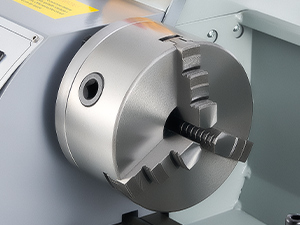
Image: Close-up of the 3-jaw chuck, used for holding workpieces.
4.2 3-Jaw Chuck
The 5-inch (125 mm) 3-jaw chuck is designed to securely hold both round and hexagonal workpieces. Ensure the workpiece is centered and tightly clamped before operation.
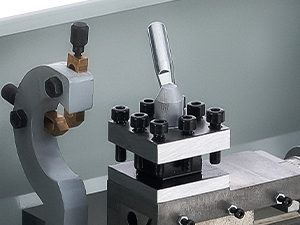
Image: Close-up of the 4-way tool post, where cutting tools are mounted.
4.3 Tool Post
The 4-way tool post allows for mounting various cutting tools, enabling different machining operations without frequent tool changes.

Image: Close-up of the tailstock quill, used for supporting long workpieces or holding drilling tools.
4.4 Tailstock
The tailstock supports the free end of long workpieces or holds drilling and reaming tools. Its quill can be advanced or retracted using the tail feed handwheel.
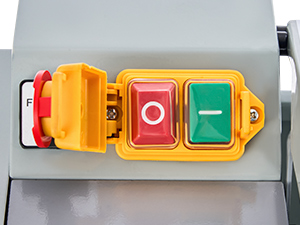
Image: Close-up of the power and emergency stop buttons for quick machine control.
4.5 Power and Emergency Stop
The main power switch and the prominent red emergency stop button are located on the control panel for immediate machine shutdown.
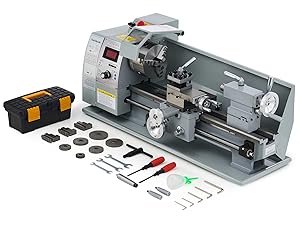
Image: Close-up of the carriage handwheel, used for manual longitudinal movement.
4.6 Carriage Handwheel
Controls the longitudinal movement of the carriage along the bedways.
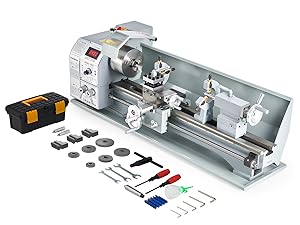
Image: Close-up of the compound control wheel, used for precise angular adjustments.
4.7 Compound Control Wheel
Allows for fine angular adjustments of the cutting tool relative to the workpiece.
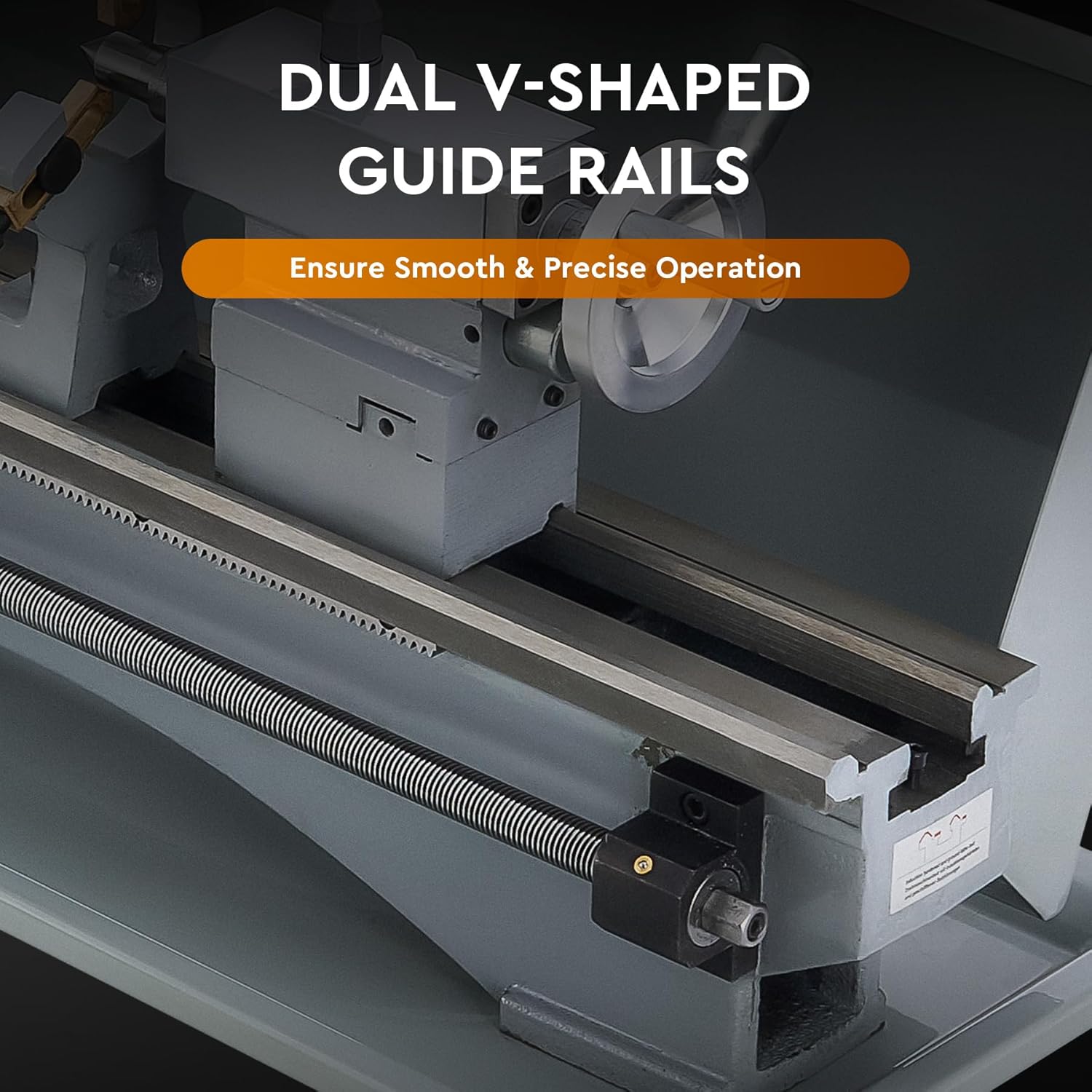
Image: View of the dual V-shaped guide rails and lead screw, ensuring smooth and precise movement.
4.8 Dual V-Shaped Guide Rails & Lead Screw
The precision-ground V-shaped guide rails ensure smooth and accurate movement of the carriage and tailstock. The lead screw is essential for automatic feeding and threading operations.

Image: View of the durable metal gear set, responsible for power transmission and threading ratios.
4.9 Durable Metal Gear Set
The robust metal gear set ensures efficient power transmission and allows for various threading pitches by changing the gear configuration.
5. Setup
Follow these steps to set up your lathe before initial operation:
- Unpacking and Inspection: Carefully remove the lathe from its packaging. Inspect the machine for any signs of damage that may have occurred during transit. Pay close attention to the tailstock and other exposed components.
- Mounting: Securely mount the lathe to a sturdy, level workbench using appropriate bolts and washers. Ensure the workbench can support the lathe's weight (approximately 198 lbs or 90 kg) and withstand operational vibrations.
- Cleaning Protective Grease: The lathe is coated with a protective grease to prevent rust during shipping. Thoroughly clean all machined surfaces (bedways, chuck, lead screw, etc.) using a suitable degreaser and soft cloth.
- Lubrication: After cleaning, apply a thin layer of machine oil to all moving parts and machined surfaces to prevent rust and ensure smooth operation. Refer to the maintenance section for detailed lubrication points.
- Power Connection: Connect the lathe to a grounded power outlet. Ensure the power supply matches the machine's requirements (110V, 60Hz for typical US models).
- Initial Test Run: Before mounting a workpiece, perform a brief test run to ensure the spindle rotates smoothly and the controls function correctly.
6. Operating Instructions
This section outlines the basic operation of your CREWORKS Mini Metal Lathe.
6.1 Power On/Off
- To power on, ensure the emergency stop button is disengaged (pulled out) and press the green 'ON' button.
- To power off, press the red 'OFF' button. In an emergency, press the large red emergency stop button.
6.2 Speed Adjustment

Image: The control panel showing the digital display and speed adjustment knob.
- The lathe features a variable speed control, allowing adjustment from 0 to 3000 RPM.
- Rotate the speed adjustment knob to increase or decrease the spindle speed. The current RPM will be displayed on the digital readout.
- Always select an appropriate speed for the material and cutting tool being used. Lower speeds are generally used for larger diameters, harder materials, and threading.
6.3 Chuck Operation

Image: Diagram illustrating the clamping range of the 3-jaw chuck with internal and external jaws.
- Use the chuck key to open and close the jaws. Insert the workpiece and tighten the jaws firmly and evenly using all three chuck key holes to ensure concentricity and secure clamping.
- Never leave the chuck key in the chuck. Remove it immediately after tightening or loosening the workpiece.
- The 3-jaw chuck is self-centering, ideal for round and hexagonal stock. For irregular shapes or higher precision, a 4-jaw independent chuck (sold separately) may be required.
6.4 Tool Post and Tooling
- Mount your cutting tool securely in the 4-way tool post. Ensure the cutting edge is aligned with the center height of the workpiece for optimal cutting performance and surface finish.
- Adjust the tool post position using the tool post control handle and the compound rest handwheel.
6.5 Threading Operations
- Threading requires specific gear configurations to achieve the desired pitch. Refer to the threading chart on the machine or in the detailed manual section (if provided separately) for correct gear setup.
- Engage the half-nut lever to connect the carriage to the lead screw for automatic feed during threading.
6.6 Applications

Image: Visual representation of various applications including metalworking, drilling, internal & external threading, polishing, gyroscope processing, woodworking, screw turning, and slot turning.
This lathe is capable of a wide range of operations including:
- Turning: Reducing the diameter of a workpiece, facing, tapering.
- Drilling: Creating holes along the center axis of the workpiece using the tailstock.
- Threading: Cutting external or internal threads.
- Cutting: Parting off material or making grooves.
7. Maintenance
Regular maintenance is crucial for the longevity and performance of your lathe.
- Cleaning: After each use, clean the lathe thoroughly. Remove all metal chips, dust, and debris from the bedways, lead screw, and other components. Use a brush or shop vacuum; avoid using compressed air as it can embed chips into moving parts.
- Lubrication: Regularly lubricate all moving parts, including the bedways, lead screw, cross slide, compound slide, and tailstock quill. Use a high-quality machine oil. Refer to the lubrication points diagram (if available in a separate detailed manual) for specific areas.
- Inspection: Periodically inspect belts for wear, tension, and alignment. Check all electrical connections for tightness and signs of damage. Ensure all fasteners are secure.
- Chuck Maintenance: Keep the chuck jaws and scroll plate clean and lightly oiled to ensure smooth operation and prevent rust.
8. Troubleshooting
This section addresses common issues you might encounter with your lathe.
| Problem | Possible Cause | Solution |
|---|---|---|
| Tailstock loose or damaged upon arrival | Shipping impact | Inspect immediately upon receipt. If damaged, contact CREWORKS customer support for replacement. |
| Workpiece not spinning smoothly / Chuck jaws have movement | Improperly secured workpiece; chuck wear/damage | Ensure workpiece is properly centered and tightened using all three chuck key holes. Inspect chuck jaws and scroll for wear or debris. Consider replacing the chuck if issues persist. |
| Variable speed control inconsistent at low RPMs | Characteristic of motor control at very low speeds | Operate within the stable RPM ranges. For very low speed operations, consider alternative methods or accept minor fluctuations. |
| Fuses blowing or fuse holder breaking | Motor overload; incorrect fuse rating; faulty fuse holder | Ensure you are not overloading the motor. Verify the fuse rating is correct. Replace the fuse and fuse holder if damaged. Inspect wiring for shorts. |
| Loose screws or poor finish on components | Manufacturing tolerance; vibration during shipping/operation | Perform a thorough inspection upon receipt. Tighten all accessible fasteners. Clean and deburr any rough edges as necessary. |
9. Specifications
Detailed technical specifications for the CREWORKS 9" x 30" Mini Metal Lathe:
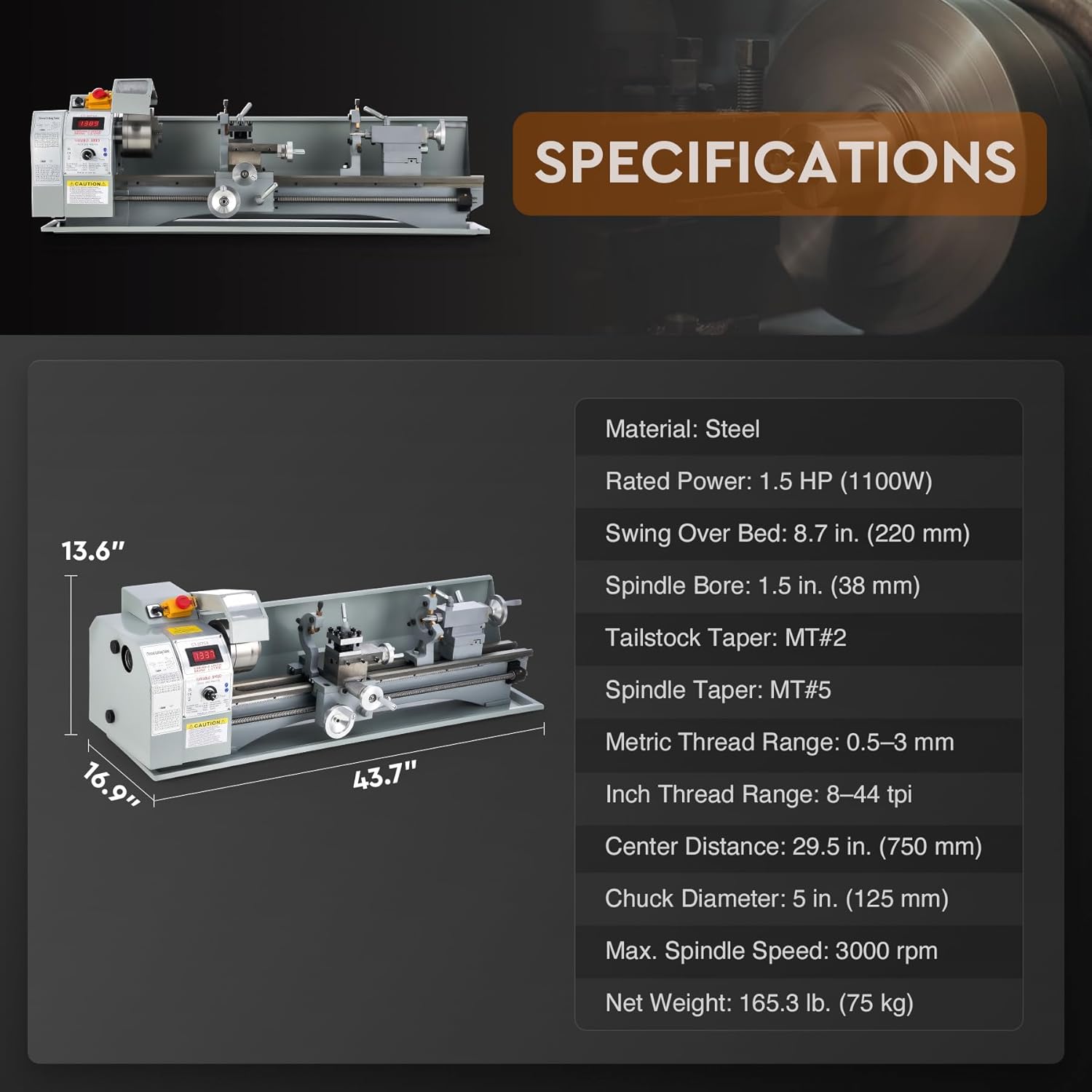
Image: Diagram showing key dimensions and specifications of the lathe.
| Specification | Value |
|---|---|
| Product Dimensions | 43.7 x 16.9 x 13.6 inches |
| Item Weight | 198 pounds (approx. 90 kg) |
| Rated Power | 1.5 HP (1100W) |
| Swing Over Bed | 8.7 in. (220 mm) |
| Spindle Bore | 1.5 in. (38 mm) |
| Tailstock Taper | MT#2 |
| Spindle Taper | MT#5 |
| Metric Thread Range | 0.5–3 mm |
| Inch Thread Range | 8–44 tpi |
| Center Distance | 29.5 in. (750 mm) |
| Chuck Diameter | 5 in. (125 mm) |
| Max. Spindle Speed | 3000 rpm |
| Manufacturer | CREWORKS |
| Model Number | YS-2275A |
10. Warranty and Support
CREWORKS stands behind the quality of its products. This product is covered by a standard manufacturer's warranty against defects in materials and workmanship. Please refer to your purchase documentation for specific warranty terms and duration.
For technical assistance, troubleshooting not covered in this manual, or warranty claims, please contact CREWORKS customer support. Have your model number (YS-2275A) and purchase date ready when contacting support.
Note: No official product videos from the seller were available for embedding at the time of manual creation.