1. Important Safety Information
Please read this manual carefully before using the Lexibook Disney Stitch Wireless Light Speaker. Keep these instructions for future reference.
- This product is not a toy. Adult supervision is recommended for children.
- Do not expose the device to water, moisture, or extreme temperatures.
- Do not attempt to disassemble or modify the device. This may void the warranty and cause damage.
- Use only the provided charging cable or a certified equivalent.
- Ensure proper ventilation when charging.
2. Product Overview
The Lexibook Disney Stitch Wireless Light Speaker is a portable audio device featuring Bluetooth connectivity, multicoloured light effects, and a wired microphone for karaoke. It supports multiple playback options including USB, SD/TF card, and AUX-in.
Package Contents:
- Lexibook Disney Stitch Wireless Light Speaker
- Wired Microphone
- USB Type-C Charging Cable
- User Manual (this document)
Device Layout:

Image 2.1: Front view of the Lexibook Disney Stitch Wireless Light Speaker with microphone and charging cable.
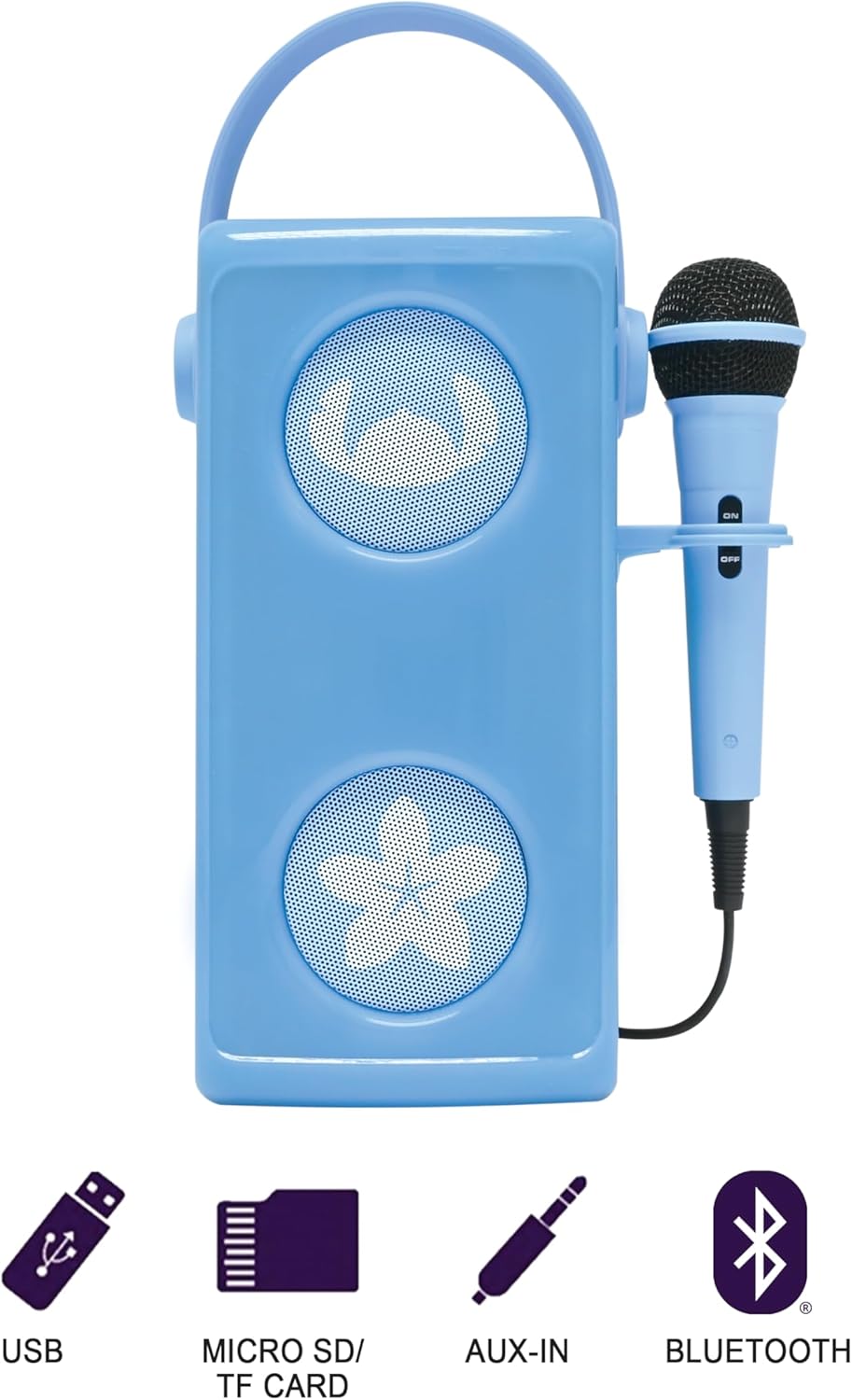
Image 2.2: Rear panel of the speaker, detailing the ON/OFF switch, USB-C charging port, USB port, SD/TF card slot, AUX-in jack, volume controls, echo control, and microphone input.
Refer to Image 2.2 for the location of the following controls and ports:
- ON/OFF Switch: Powers the speaker on or off.
- USB-C Charging Port: For charging the internal battery.
- USB Port: For playing music from a USB flash drive.
- SD/TF Card Slot: For playing music from a Micro SD or TF card (up to 32GB).
- AUX-in Jack (3.5mm): For connecting external audio devices via an audio cable (not included).
- Volume Controls: Adjusts the overall speaker volume.
- Echo Control: Adjusts the echo effect for the microphone.
- Mic Input: Connects the wired microphone.
- Playback Controls: Buttons for play/pause, next track, previous track.
3. Setup
3.1 Charging the Speaker
- Connect the provided USB Type-C charging cable to the USB-C charging port on the rear of the speaker.
- Connect the other end of the cable to a USB power adapter (not included) or a computer's USB port.
- The charging indicator light will illuminate during charging and turn off when fully charged.
- A full charge typically takes approximately 3-4 hours.
3.2 Initial Power On
Slide the ON/OFF Switch to the 'ON' position. The speaker will power on, and the multicoloured light effects will activate.
4. Operating Instructions
4.1 Bluetooth Connection
- Ensure the speaker is powered on. It will automatically enter Bluetooth pairing mode, indicated by a flashing light or audible prompt.
- On your Bluetooth-enabled device (smartphone, tablet, laptop), go to the Bluetooth settings.
- Search for available devices and select "Lexibook BTP185DZ" (or similar name).
- Once paired, the speaker will emit an audible confirmation, and the light indicator will change.
- You can now play audio from your device through the speaker.

Image 4.1: Bluetooth connectivity icon.
4.2 USB / SD/TF Card Playback
- Insert a USB flash drive or a Micro SD/TF card (up to 32GB) containing MP3 audio files into the respective port on the rear of the speaker.
- The speaker will automatically detect the storage device and begin playing music.
- Use the playback control buttons (Play/Pause, Next, Previous) to manage your music.

Image 4.2: USB port icon.

Image 4.3: SD/TF card slot icon.
4.3 AUX-in Connection
- Connect a 3.5mm audio cable (not included) from your external audio device's headphone jack to the AUX-in jack on the speaker.
- The speaker will automatically switch to AUX-in mode.
- Control playback and volume from your external audio device.

Image 4.4: AUX-in jack icon.
4.4 Microphone Usage
- Plug the wired microphone into the Mic Input jack on the rear of the speaker.
- Ensure the microphone's ON/OFF switch is in the 'ON' position.
- Adjust the microphone volume and echo effect using the dedicated knobs on the speaker's rear panel.

Image 4.5: A young girl using the microphone with the speaker.
4.5 Light Effects
The speaker features multicoloured light effects that activate automatically when the speaker is powered on. These lights enhance the audio experience.
5. Maintenance
5.1 Cleaning
- Always power off the speaker before cleaning.
- Wipe the exterior with a soft, dry, or slightly damp cloth.
- Do not use abrasive cleaners, solvents, or harsh chemicals.
5.2 Battery Care
- To prolong battery life, avoid fully discharging the battery frequently.
- Charge the speaker regularly, even if not in use, to maintain battery health.
- Store the speaker in a cool, dry place when not in use for extended periods.
6. Troubleshooting
| Problem | Possible Cause | Solution |
|---|---|---|
| No power | Battery is discharged. | Charge the speaker using the provided USB-C cable. |
| No sound | Volume is too low. Incorrect input source. | Increase the speaker volume. Ensure the correct input source (Bluetooth, USB, SD/TF, AUX) is active. |
| Bluetooth not connecting | Speaker not in pairing mode. Device too far. | Ensure speaker is on and in pairing mode. Move device closer to speaker (within 10 meters). Forget device on your phone and re-pair. |
| Microphone not working | Microphone switch off. Not properly connected. | Ensure microphone's ON/OFF switch is 'ON'. Check microphone connection to the Mic Input jack. Adjust microphone volume. |
7. Specifications
- Brand: Lexibook
- Model Number: BTP185DZ
- Color: Blue
- Connectivity Technology: Bluetooth
- Connector Type: 3.5 mm (AUX-in), USB
- Special Feature: Portable, Multicoloured Light Effects
- Compatible Devices: Smartphone, Tablet, Laptop, Personal Computer
- Power Source: Battery Powered (Rechargeable 1200mAh)
- Media Type: SD, TF, USB, Bluetooth
- Number of Speakers: 1
- Components Included: Speaker, Microphone, USB Charging Cable
8. Warranty and Support
This product comes with a manufacturer's warranty of 2 years.
For technical support, warranty claims, or further assistance, please refer to the contact information provided on the Lexibook official website or your purchase documentation.


