
OEARE 18L Cool Mist Humidifier
OEARE 18L Cool Mist Humidifier Instruction Manual
Model: 18L Cool Mist Humidifier | Brand: OEARE
1. Introduction
Thank you for choosing the OEARE 18L Cool Mist Humidifier. This manual provides essential information for the safe and efficient operation, maintenance, and troubleshooting of your new humidifier. Please read it thoroughly before use and retain it for future reference.
2. Safety Instructions
- Always place the humidifier on a firm, flat, and waterproof surface.
- Do not place the humidifier near heat sources or in direct sunlight.
- Keep out of reach of children and pets.
- Use only clean, cool tap water. Distilled or demineralized water is recommended to prevent white dust.
- Do not add essential oils directly into the water tank. Use the designated essential oil tray.
- Unplug the humidifier from the power outlet before filling, cleaning, or performing any maintenance.
- Do not block the mist outlet.
- If the humidifier is not in use for a long period, empty the water tank and clean the unit thoroughly.
3. Product Overview
The OEARE 18L Cool Mist Humidifier is designed to provide optimal humidity levels for large rooms and whole houses. Its key features include:
- Large Capacity: 18 Liters (4.8 Gallons) for extended operation.
- Wide Coverage: Humidifies spaces up to 2200 square feet.
- High Mist Output: Up to 800mL/h.
- Custom Humidity: Adjustable humidity range from 30% to 95%.
- Long Runtime: Up to 60 hours on the lowest mist setting.
- Quiet Operation: Operates at a low noise level (30dB) for minimal disturbance.
- Convenient Controls: Features both remote control and touch screen control.
- Aromatherapy: Integrated essential oil tray for diffusing your favorite scents.
- Flexible Mist Direction: 360° rotatable nozzle and optional extension mist tube.

Figure 1: OEARE 18L Cool Mist Humidifier, remote, and extension tube.
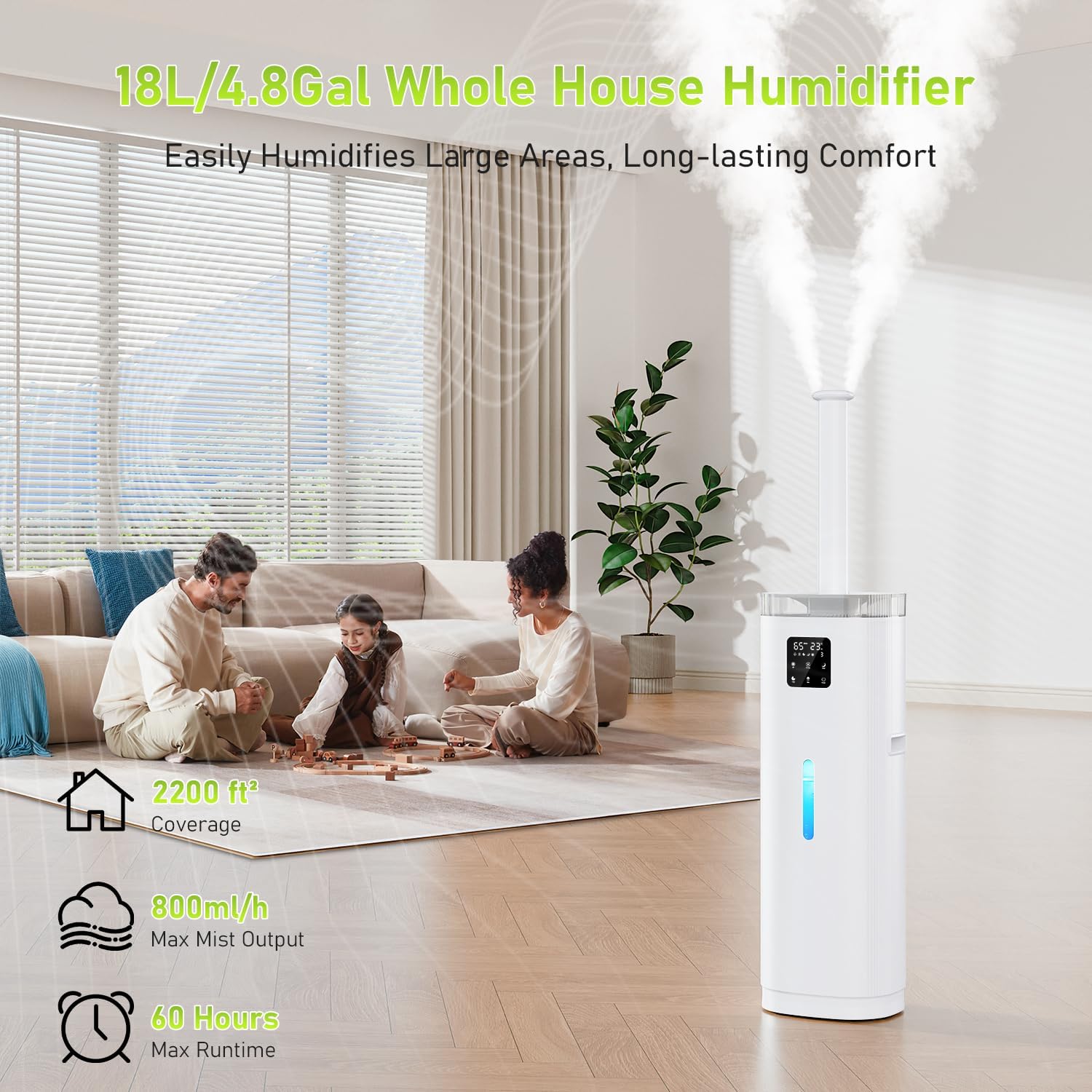
Figure 2: Humidifier features overview in a living room setting.
4. Setup
4.1 Unpacking
- Carefully remove all packaging materials from the humidifier and its accessories.
- Ensure all components are present: humidifier unit, remote control, extension mist tube, and user manual.
4.2 Placement
- Place the humidifier on a flat, stable, and elevated surface at least 6 inches (15 cm) away from walls and furniture.
- Avoid placing it directly on carpet or near sensitive electronics.
4.3 Attaching the Extension Mist Tube (Optional)
For higher and wider mist distribution, attach the extension mist tube:
- Align the base of the extension tube with the mist outlet on top of the humidifier.
- Gently push down and twist clockwise until it is securely in place.

Figure 3: Attaching the extension mist tube.
4.4 Filling the Water Tank
The OEARE humidifier offers two convenient ways to fill the water tank:
- Top-Fill: Directly pour water into the top opening of the humidifier.
- Water Tank Filling: Remove the top cover, lift the water tank, and fill it from a faucet.
- Ensure the water level does not exceed the 'MAX' line indicated on the tank.
- The transparent water level indicator allows you to monitor the water level easily.

Figure 4: Water filling methods and tank cleaning.
5. Operating Instructions
Your humidifier can be operated using the touch control panel on the unit or the included remote control.

Figure 5: Control Panel and Remote Control Overview.
5.1 Power On/Off
- Press the Power button on the control panel or remote to turn the humidifier on or off.
5.2 Mist Volume Adjustment
Adjust the mist output to your desired level:
- Press the Mist Volume button to cycle through Low, Medium, and High mist settings.
5.3 Custom Humidity Setting
Set your preferred humidity level (30% to 95%):
- Press the Humidity button to select your target humidity. The humidifier will automatically maintain this level.

Figure 6: Smart Humidity Adjustment for Home and Plants.
5.4 Timer Function
Set a timer for automatic shut-off:
- Press the Timer button to select a duration from 1 to 14 hours.
5.5 Sleep Mode
For undisturbed sleep:
- Press the Sleep button to turn off the display lights and operate at a low noise level (30dB).

Figure 7: Quiet Sleep Mode and Essential Oil Diffuser.
5.6 Essential Oil Tray
Enjoy aromatherapy with your humidifier:
- Pull out the essential oil tray located on the side of the unit.
- Add 1-2 drops of your preferred essential oil onto the aroma pad.
- Slide the tray back into the humidifier.
5.7 Mist Direction
Direct the mist where you need it most:
- The 360° rotatable nozzle allows you to manually adjust the mist direction.
- The optional extension mist tube provides higher and wider mist distribution.
6. Maintenance
Regular cleaning is crucial for optimal performance and hygiene of your humidifier. Unplug the unit before any cleaning or maintenance.
6.1 Water Tank Cleaning
Clean the water tank regularly to prevent mineral buildup and mold:
- Empty any remaining water from the tank.
- Wipe the inside of the tank with a soft cloth or sponge.
- For stubborn mineral buildup, fill the tank with a mixture of equal parts white vinegar and water. Let it soak for 30 minutes, then scrub and rinse thoroughly.
6.2 Atomizer/Mist Outlet Cleaning
Ensure the atomizer and mist outlet are free from debris:
- Gently wipe the atomizer and mist outlet with a soft, damp cloth.
- Do not use harsh chemicals or abrasive cleaners.
6.3 Storage
When storing the humidifier for an extended period:
- Empty and thoroughly clean the unit.
- Allow all parts to air dry completely before reassembling.
- Store in a cool, dry place.
Video 1: Humidifier Cleaning Guide. This video demonstrates general cleaning procedures for a humidifier. Note: The specific model shown in the video is LCD-MH-2303A, but the cleaning principles are broadly applicable to similar humidifiers.
7. Troubleshooting
If you encounter any issues with your humidifier, please refer to the following common problems and solutions:
| Problem | Possible Cause | Solution |
|---|---|---|
| No mist or weak mist | Low water level; Mineral buildup on atomizer; Mist outlet blocked; Pump issue. | Refill water tank; Clean atomizer and mist outlet; Ensure mist outlet is clear; Check pump connection. |
| Unit not turning on | No power; Water tank not properly seated; Low water level sensor activated; Power outage. | Check power connection; Re-seat water tank; Refill water tank; Manually restart after power outage. |
| Unusual noise | Unit not on a flat surface; Water level too low; Foreign object in tank. | Place on a flat surface; Refill water tank; Remove any foreign objects. |
| Humidity sensor malfunction | Sensor dirty or damaged. | Clean the sensor area; Contact customer support if issue persists. |
| UV light not working | UV lamp malfunction. | Contact customer support for assistance. |
8. Specifications
| Feature | Specification |
|---|---|
| Brand | OEARE |
| Model | 18L Cool Mist Humidifier |
| Product Dimensions | 25.4 x 73.91 x 21.84 cm |
| Capacity | 18 Liters |
| Runtime | Up to 60 hours |
| Special Features | Quiet, Timer |
| Item Weight | 4.84 kg |
| Floor Area Coverage | 2200 Square Feet |
| Operation Mode | Ultrasonic |
| Control Method | Remote, Touch |
9. Warranty and Support
OEARE is committed to providing quality products and customer satisfaction. While specific warranty details are not provided in this manual, we encourage you to contact our support team for any questions or concerns regarding your humidifier.
For assistance, please reach out to our customer support:
- Contact Information: Refer to your product packaging or the seller's information for the most up-to-date contact details.
Video 2: General Humidifier Overview. This video provides a general overview of a large room humidifier, showcasing its top-fill design for easy refilling, large capacity for extended operation, remote and touch controls, smart humidity adjustment, multiple mist settings, integrated essential oil tray, and quiet performance.
Video 3: Humidifier Features and Operation. This video review highlights the humidifier's significant water tank capacity, convenient remote control, adjustable humidity levels, quiet sleep mode, and the functionality of its essential oil tray.
Video 4: Quiet Humidifier with Mist Modes. This video presents a quiet humidifier designed for large rooms, demonstrating its various mist modes and user-friendly controls for effective and silent humidification.
Ask a question about this manual
Ask about setup, troubleshooting, compatibility, parts, safety, or missing instructions. Manuals+ will review the question and use this page’s manual context to help answer it.