
DOOGEE V40Pro
DOOGEE V40 Pro 5G Rugged Smartphone User Manual
Model: V40Pro
1. Introduction
This manual provides detailed instructions for the safe and efficient use of your DOOGEE V40 Pro 5G Rugged Smartphone. Please read this manual thoroughly before using the device to ensure optimal performance and longevity.
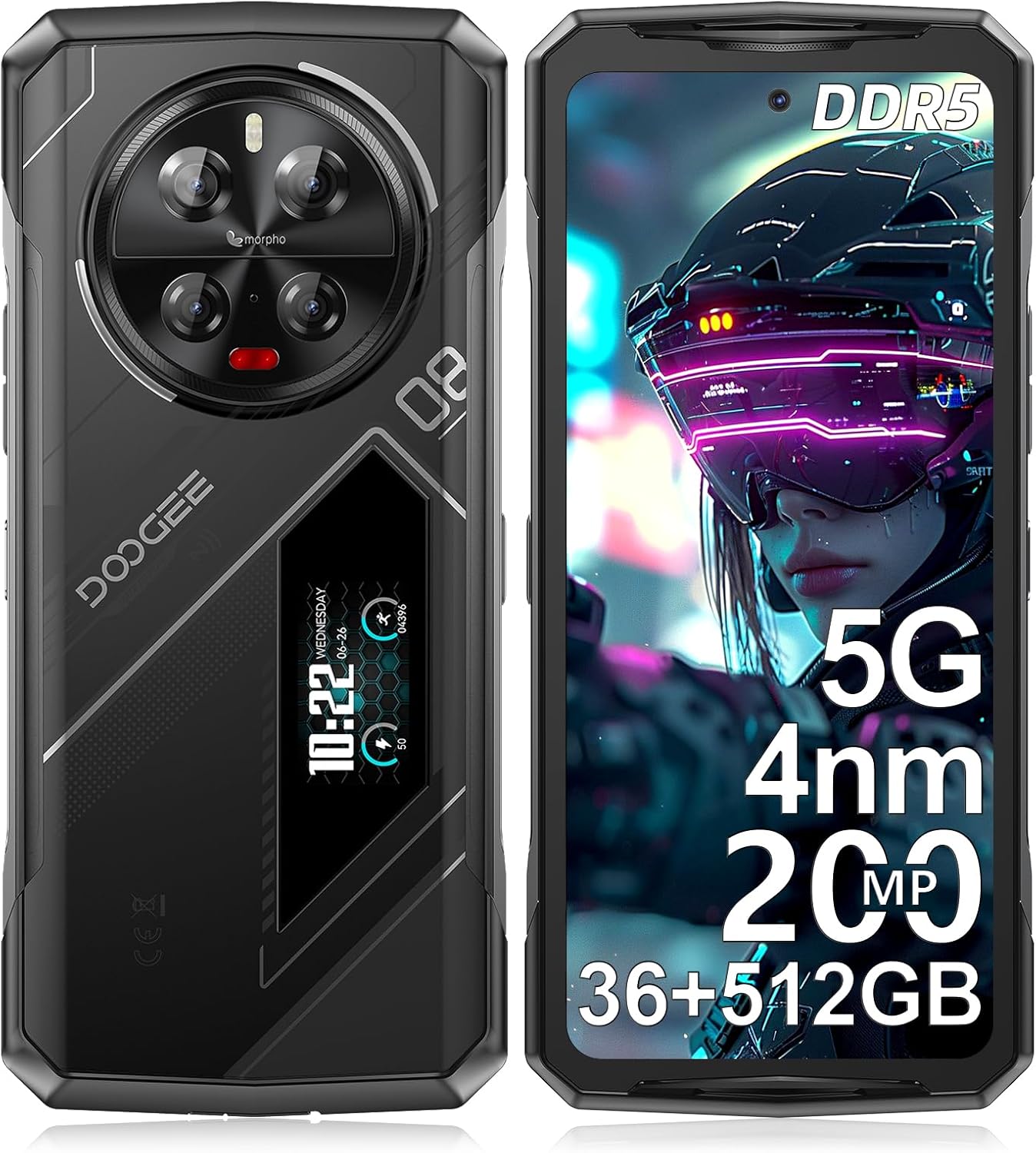
Image: Front and rear view of the DOOGEE V40 Pro 5G Rugged Smartphone, highlighting its robust design and rear display.
2. What's in the Box
Verify that all items are present in the packaging:
- 1 x V40Pro Rugged Smartphone
- 1 x Type-C USB Cable
- 1 x Charger
- 1 x Screen-printed Protective Film (Pre-applied)
- 1 x Manual

Image: Illustration of the DOOGEE V40 Pro packaging contents, including the phone, charger, cable, and manual.
3. Setup
3.1 SIM and TF Card Installation
- Locate the SIM card tray on the side of the device.
- Insert the SIM ejector tool into the small hole next to the tray to open it.
- Place your Nano-SIM cards and/or TF (microSD) card into the designated slots. The V40 Pro supports 2 SIM cards + 1 TF card simultaneously.
- Carefully push the tray back into the device until it is flush.
3.2 Initial Power On
Press and hold the Power button (located on the side) until the DOOGEE logo appears. Follow the on-screen prompts to complete the initial setup, including language selection, Wi-Fi connection, and Google account setup.
3.3 Charging the Device
Connect the provided Type-C USB cable to the charging port at the bottom of the phone and the other end to the charger. Plug the charger into a power outlet. The device supports 33W fast charging. A full charge is recommended before first use.

Image: Illustration showing the DOOGEE V40 Pro being charged, highlighting its 8680mAh battery and 33W fast charging capability.
4. Operating the Device
4.1 Main Display Features
The DOOGEE V40 Pro features a 6.78-inch FHD+ IPS display with a 120Hz refresh rate, providing a smooth visual experience for various applications, including gaming and video playback.

Image: Visual representation of the DOOGEE V40 Pro's 6.78-inch 120Hz display, demonstrating its smooth refresh rate.
4.2 Rear Display Functionality
The unique 1.47-inch rear display provides quick access to essential information and controls without needing to unlock the main screen. Functions include:
- Notifications
- Music control
- Battery level display
- Exercise volume tracking

Image: Detailed view of the DOOGEE V40 Pro's 1.47-inch rear display, showing various functions like music control and battery status.
4.3 Performance and Storage
The device is powered by an advanced 4nm MediaTek Dimensity 7300 5G processor, ensuring high-speed performance and efficient multitasking. It comes with 36GB of RAM (16GB + up to 20GB extended) and 512GB of internal storage, expandable up to 2TB via TF card.

Image: Diagram illustrating the 4nm Dimensity 7300 Octa-core 5G Chip, highlighting its advanced process and frequency.

Image: Visual representation of the 16GB Basic RAM + 512GB ROM configuration, including extended RAM and expandable memory.
4.4 Camera System
The V40 Pro features a 200MP AI quad camera system on the rear, including a 20MP night vision camera, 8MP wide-angle lens, and 3x optical zoom. The front camera is 32MP. Various modes are available for different photography styles.
- 200MP AI Main Camera: For high-resolution photos.
- 20MP Night Vision Camera: For clear images in low-light conditions.
- 8MP Ultra-wide & Macro Camera: For expansive shots and close-up details.
- 32MP Ultra HD Front Camera: For high-quality selfies and video calls.

Image: Detailed breakdown of the DOOGEE V40 Pro's camera system, showing the 200MP main camera, night vision, wide-angle, and front camera.
4.5 Security Features
The device offers dual security options for quick and secure access:
- Side Fingerprint Sensor: Provides fast unlocking with a 0.1-second response time.
- Face Unlock: Utilizes facial recognition for convenient access.

Image: Visuals demonstrating the side fingerprint recognition and face recognition features of the DOOGEE V40 Pro.
4.6 Connectivity
The V40 Pro supports a range of connectivity options:
- 5G Network: For high-speed data and seamless streaming.
- Wi-Fi 6: Enhanced wireless internet connectivity.
- Bluetooth 5.2: For connecting to wireless accessories.
- NFC: Supports Google Pay, transportation cards, and access keys.
- OTG: On-The-Go functionality for connecting USB devices and reverse charging.

Image: Illustration showing the OTG reverse charging capability of the DOOGEE V40 Pro, allowing it to charge other devices.
4.7 Operating System
The DOOGEE V40 Pro runs on Android 14, offering a safe, secure, and user-friendly experience with enhanced privacy and security features.

Image: Screenshot of the Android 14 interface on the DOOGEE V40 Pro, showcasing its clean and user-friendly design.
5. Maintenance
5.1 Durability and Protection
The DOOGEE V40 Pro is engineered to withstand extreme conditions, meeting MIL-STD-810H and IP68/IP69K standards for water, dust, and shock resistance. This ensures durability against drops, moisture, and dust.
- MIL-STD-810H: Military standard for ruggedness against environmental stresses.
- IP68: Protected from dust and capable of submersion in water up to 1.5 meters for 30 minutes.
- IP69K: Protected against close-range high-pressure, high-temperature spray downs.

Image: The DOOGEE V40 Pro shown in various rugged environments, demonstrating its IP68, IP69K, and MIL-STD-810H certifications for water, dust, and shock resistance.
5.2 Battery Management
To maximize battery life:
- Utilize the built-in Battery Saver mode.
- Monitor battery usage in settings to identify power-consuming apps.
- Avoid extreme temperatures. The phone is designed to endure temperatures from -40°C (-40°F) to +70°C (158°F).

Image: Screenshots of the DOOGEE V40 Pro's battery management settings, showing options for ultra power saving and battery percentage display.
5.3 Cleaning
To clean your device, use a soft, lint-free cloth. For stubborn dirt, a slightly damp cloth can be used. Avoid harsh chemicals or abrasive materials.
6. Troubleshooting
| Issue | Possible Cause | Solution |
|---|---|---|
| Cannot connect to carrier network (e.g., T-Mobile 5G) | Carrier compatibility issues with 5G, or 5G setting interference. | Try disabling 5G in network settings and use 4G LTE. Verify carrier compatibility with the device model. |
| Front camera images appear oversaturated/unnatural | Software processing or specific camera settings. | Check camera settings for color correction, filters, or AI enhancements. Reset camera settings to default if necessary. Ensure good lighting conditions. |
| Apps close unexpectedly | Background app limits, low memory, or app-specific bugs. | Ensure sufficient free RAM. Close unnecessary background apps. Clear app cache/data for problematic apps. Update apps and Android OS to the latest versions. |
| Device feels heavy | Inherent design of rugged phones for durability. | This is normal for a rugged device designed for enhanced protection and a large battery. No action required. |
7. Specifications
| Feature | Specification |
|---|---|
| Model Name | V40Pro |
| Operating System | Android 14 |
| Processor | 4nm MediaTek Dimensity 7300 5G Octa-core |
| RAM | 36GB (16GB + up to 20GB extended) |
| Internal Storage | 512GB |
| Expandable Storage | Up to 2TB (TF card) |
| Main Display | 6.78 Inches FHD+ IPS, 120Hz Refresh Rate |
| Rear Display | 1.47 Inches Multi-function |
| Rear Camera System | 200MP AI Main + 20MP Night Vision + 8MP Wide-angle/Macro |
| Front Camera | 32MP Ultra HD |
| Battery Capacity | 8680 mAh |
| Charging | 33W Fast Charging |
| Connectivity | 5G, Wi-Fi 6, Bluetooth 5.2, NFC, OTG |
| SIM Card Slots | 3 Card Slots (2 SIM + 1 TF) |
| Security | Side Fingerprint Unlock, Face ID Unlock |
| Durability | MIL-STD-810H, IP68, IP69K (Water, Dust, Shock Resistant) |
| Dimensions | 7.23 x 3.3 x 0.64 inches |
| Item Weight | 9.2 ounces (262 Grams) |
8. Warranty and Support
DOOGEE offers comprehensive customer service for your V40 Pro smartphone:
- 30-Days Money Back Guarantee and Free Return: For initial satisfaction.
- 2-Years Limited Warranty: Covers manufacturing defects.
- 24/7 One-on-One Online Support: For technical assistance and inquiries.
If you encounter any issues or have questions, please contact DOOGEE customer service through Amazon's messaging system. Responses are typically provided within 24 hours.
Related documentsV40Pro


Ask a question about this manual
Ask about setup, troubleshooting, compatibility, parts, safety, or missing instructions. Manuals+ will review the question and use this page’s manual context to help answer it.