Introduction
This user manual provides comprehensive instructions for the safe and efficient operation, maintenance, and troubleshooting of your Frigidaire 50-Pint Portable Dehumidifier with Built-In Pump, Wi-Fi & Energy Star Certification. Designed for medium to large rooms and basements, this unit helps maintain optimal humidity levels for a comfortable and healthy indoor environment.

Figure 1: Frigidaire 50-Pint Portable Dehumidifier with Wi-Fi connectivity shown alongside a smartphone displaying the Frigidaire app interface.
Safety Information
Please read all safety instructions before operating the dehumidifier to prevent injury or damage. Keep this manual for future reference.
- Electrical Safety: Ensure the unit is plugged into a properly grounded outlet. Do not use extension cords or adapter plugs. Disconnect power before servicing.
- Placement: Place the dehumidifier on a level surface. Maintain at least 8 inches (20 cm) of clearance around the unit for proper airflow. Do not block air inlets or outlets.
- Operation: Do not operate the unit if the power cord is damaged. Keep children and pets away from the unit during operation. Do not insert objects into the air vents.
- Water Collection: Always empty the water bucket when full or use the continuous drain option to prevent overflow.
- Temperature Range: This unit is designed to operate efficiently in temperatures as low as 41°F (5°C).
Setup
Unpacking and Placement
Carefully remove the dehumidifier from its packaging. Place the unit upright on a firm, level surface in the desired location. Ensure there is adequate space around the unit for optimal air circulation.
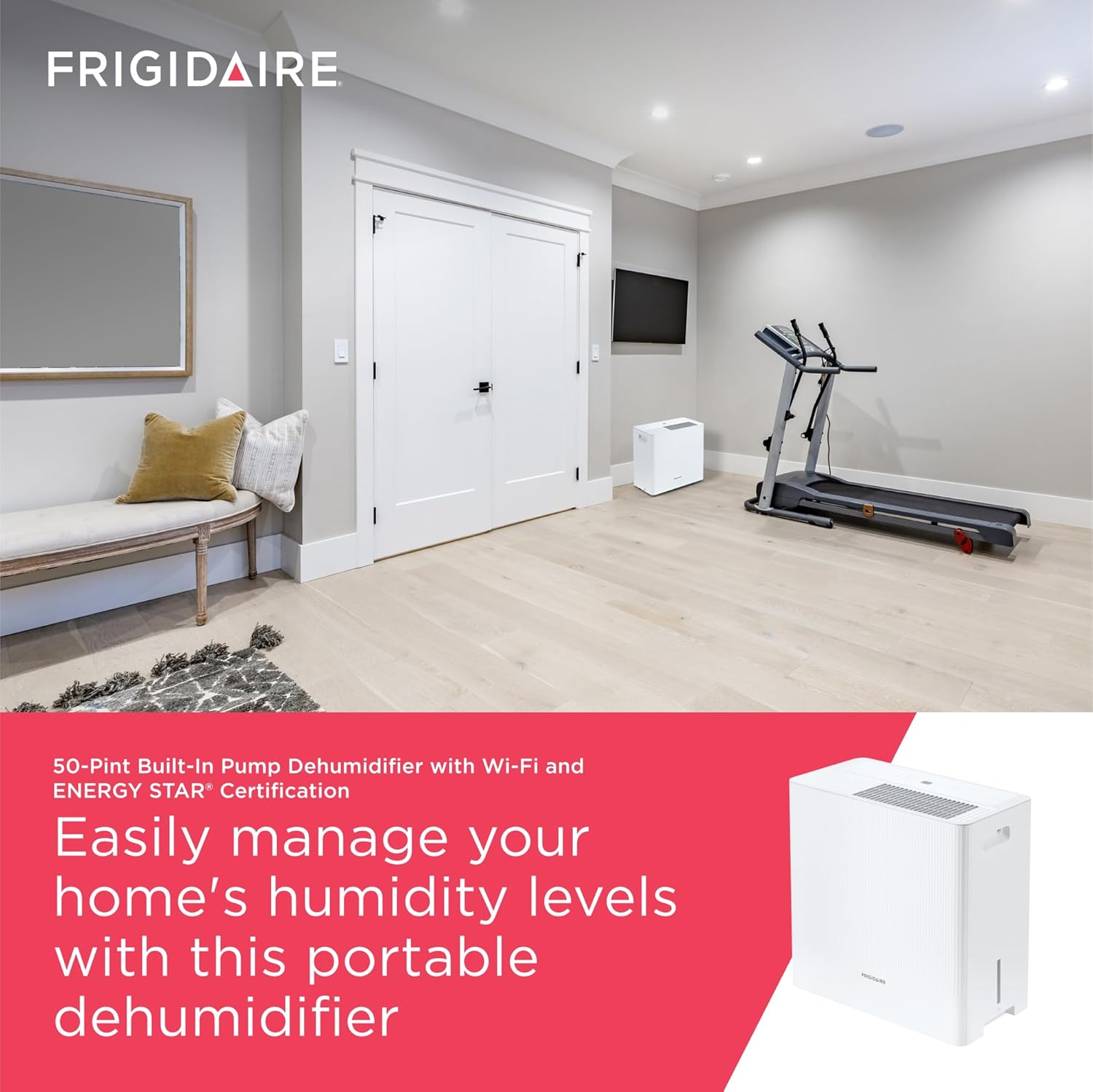
Figure 2: The dehumidifier positioned in a room, demonstrating suitable placement for effective humidity control.
Drainage Options
Your Frigidaire dehumidifier offers three convenient drainage methods:
- Easy-Carry Water Bucket: For manual emptying, the front-loading water bucket can be easily removed and carried. The unit will automatically shut off when the bucket is full.
- Continuous Drain: Attach a standard garden hose (not included) to the continuous drain port at the back of the unit. This allows water to drain continuously into a floor drain, eliminating the need to empty the bucket.
- Built-In Pump: Utilize the integrated pump for upward moisture discharge. Connect the included drain hose to the pump outlet and direct it to a sink or out a window.

Figure 3: Visual representation of the three available drainage methods for the dehumidifier.
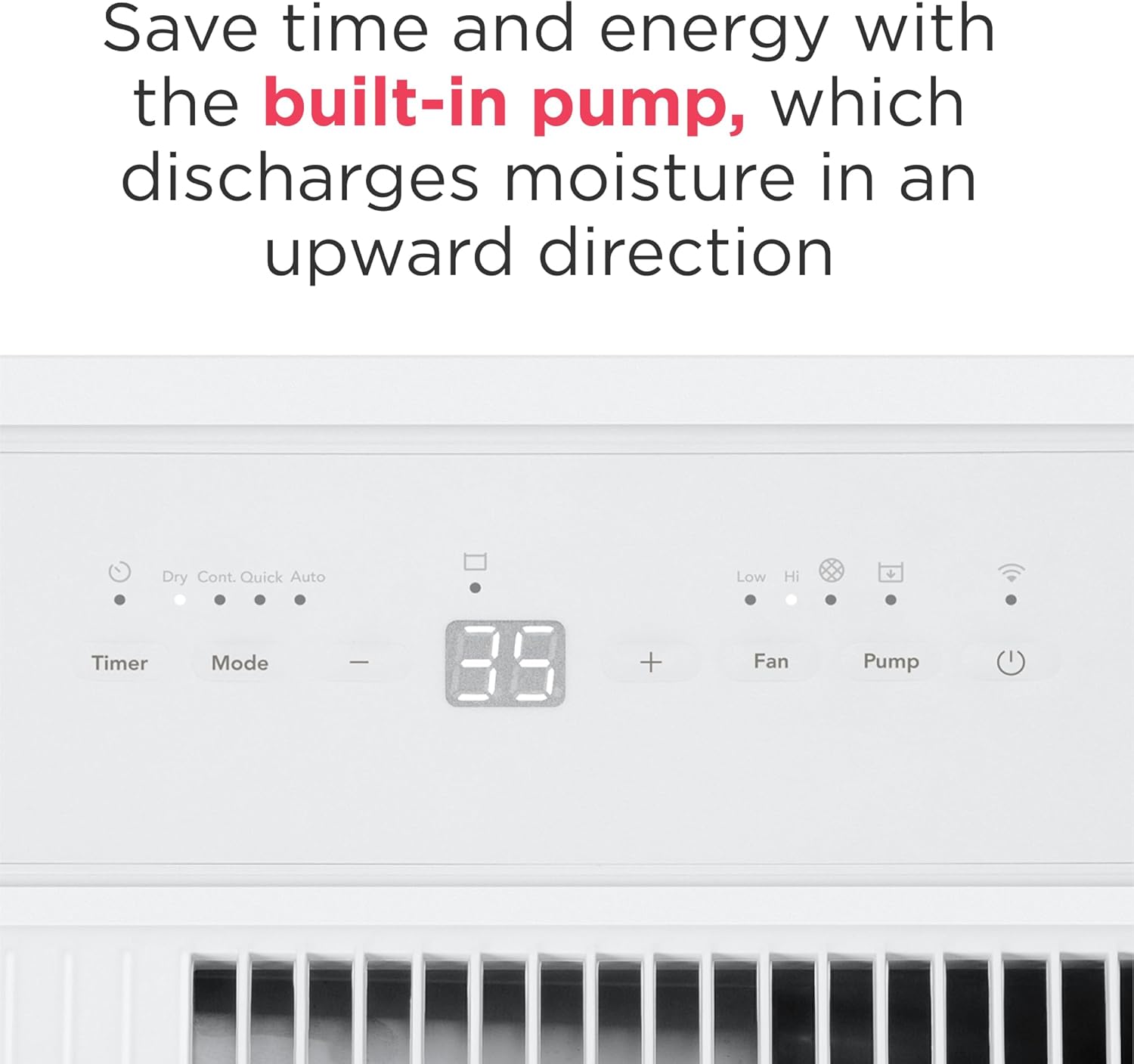
Figure 4: Detail of the dehumidifier's rear panel, highlighting the built-in pump connection for upward drainage.
Wi-Fi Connectivity
This dehumidifier features Wi-Fi connectivity, allowing you to control and monitor it remotely using the Frigidaire app. Download the Frigidaire app from your device's app store and follow the in-app instructions to connect your dehumidifier. The unit is also compatible with Amazon Alexa and Google Home devices for voice control.
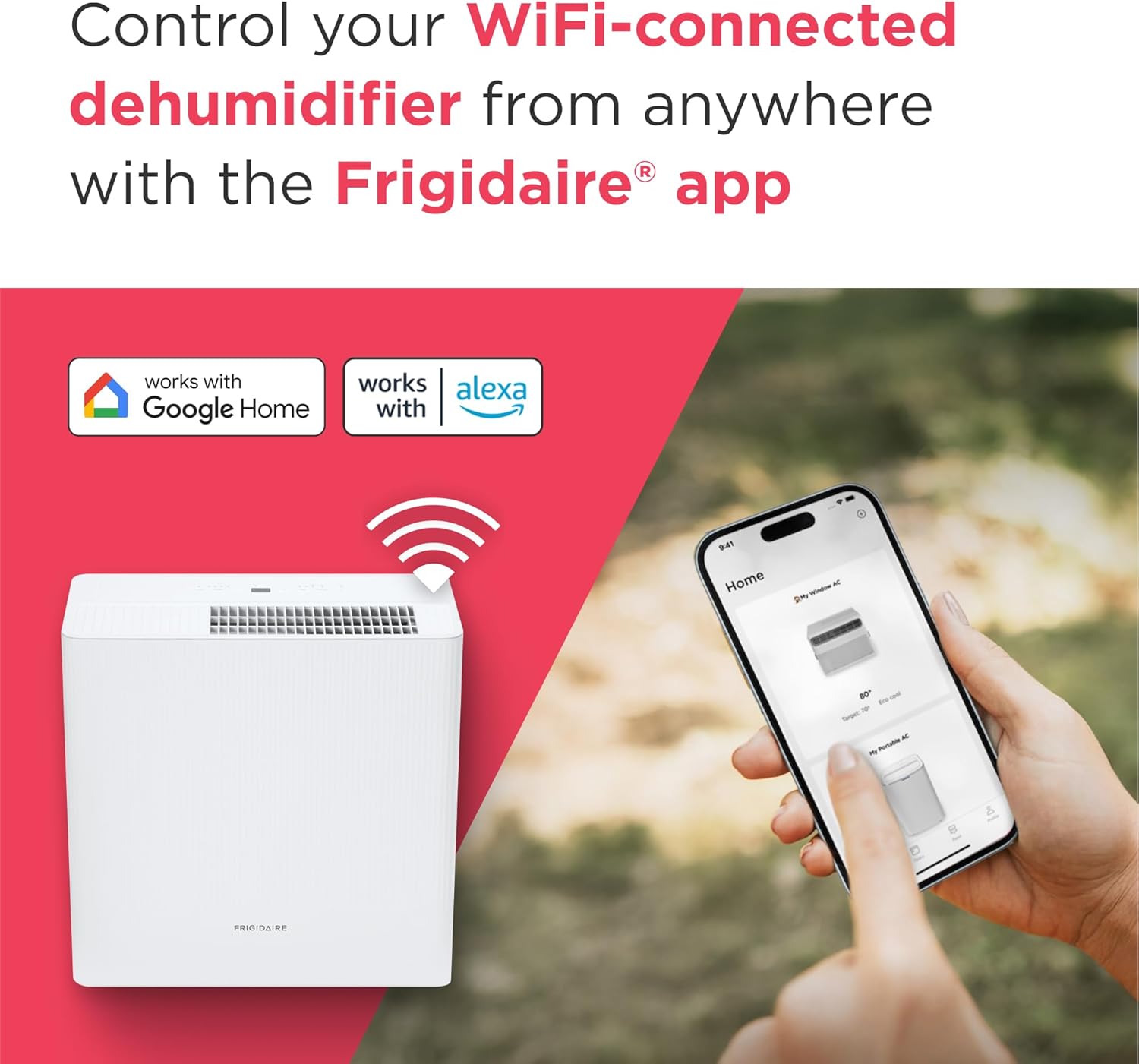
Figure 5: The dehumidifier's Wi-Fi capability, illustrating remote control via the Frigidaire app and integration with smart home systems.
Operating Instructions
Control Panel Overview
The control panel on top of the unit allows you to manage all settings. It includes buttons for Power, Mode, Fan Speed, Timer, and Pump, along with a digital display for humidity levels.

Figure 6: Detailed view of the control panel, emphasizing its user-friendly interface and Energy Star certification.
Setting Desired Humidity
Press the "Mode" button to cycle through operating modes. Use the "+" and "-" buttons to set your desired humidity level. The unit will operate until the set humidity is reached, then cycle on and off to maintain it.
Fan Speed
Select between two fan speeds (Low/High) using the "Fan" button to adjust the airflow and noise level. The unit operates quietly at 49 dBA on its lowest setting.

Figure 7: Noise level comparison chart, indicating the quiet operation of the dehumidifier at 49 dBA.
Timer Function
Use the "Timer" button to program the unit to turn on or off automatically within a 24-hour period, optimizing energy usage and convenience.
Automatic Features
- Auto Shut-Off: The unit automatically turns off when the water bucket is full or the set humidity level is reached.
- Auto Restart: In case of a power outage, the dehumidifier will automatically restart with its previous settings once power is restored.
- Low Temperature Operation: The unit is designed for efficient performance in cooler environments, down to 41°F (5°C).
Maintenance
Cleaning the Washable Filter
The dehumidifier is equipped with an easy-to-clean washable dust filter. Regular cleaning ensures optimal performance and air quality. The unit will alert you when it's time to clean the filter.
- Turn off the dehumidifier and unplug it from the power outlet.
- Locate the filter access at the back of the unit.
- Gently slide out the filter.
- Wash the filter with warm, soapy water. Rinse thoroughly.
- Allow the filter to air dry completely before reinserting it.
- Once the filter is clean and dry, slide it back into place.

Figure 8: The rear of the dehumidifier, indicating the location of the washable filter for easy maintenance.
Emptying and Cleaning the Water Bucket
If you are using the water bucket for collection, empty it regularly. For cleaning, remove the bucket and wash it with mild detergent and water. Rinse thoroughly and ensure it is dry before placing it back into the unit.
Winter Storage
Before storing the unit for an extended period, especially during winter, ensure the water bucket is empty and clean, and the filter is clean and dry. Store the dehumidifier in an upright position in a dry, temperate location.
Troubleshooting
Before contacting customer service, please refer to the following common issues and solutions:
| Problem | Possible Cause | Solution |
|---|---|---|
| Dehumidifier does not operate. | Power cord unplugged; Water bucket full or not properly seated; Set humidity level is higher than room humidity. | Ensure unit is plugged in; Empty and re-seat water bucket; Lower the set humidity level. |
| Unit runs but does not dehumidify. | Air filter is clogged; Room temperature is too low; Air intake/outlet blocked. | Clean the air filter; Ensure room temperature is above 41°F (5°C); Clear any obstructions. |
| Unit is noisy. | Unit not on a level surface; Air filter clogged. | Place unit on a firm, level surface; Clean the air filter. |
| Water leaks from the unit. | Water bucket not properly seated; Drain hose connection is loose or clogged. | Re-seat water bucket; Check drain hose for proper connection and clear any clogs. |
Specifications
| Feature | Detail |
|---|---|
| Brand | Frigidaire |
| Model Name | FHDP5033W1 |
| Capacity | 50 Pints per Day |
| Tank Volume | 1.9 Gallons |
| Floor Area Coverage | Up to 4500 sq ft |
| Product Dimensions (D x W x H) | 10"D x 19"W x 19"H |
| Item Weight | 42 Pounds |
| Color | White |
| Material | Plastic |
| Special Features | Automatic Moisture Removal, Continuous Draining, Built-in Pump, Wi-Fi Enabled, Programmable, Energy Star Certified |
| Noise Level | 49 dBA (lowest setting) |
| UPC | 012505285844 |

Figure 9: Key specifications and dimensions of the Frigidaire 50-Pint Portable Dehumidifier.

Figure 10: Features such as Wi-Fi connectivity, Energy Star certification, custom humidity control, and quiet operation.

Figure 11: Capacity guide for the 50-pint dehumidifier, suggesting suitable room sizes and humidity levels.
Warranty and Support
Frigidaire is committed to providing high-quality appliances. For warranty information, product registration, or technical support, please visit the official Frigidaire website or contact their customer service department. Keep your purchase receipt as proof of purchase for warranty claims.
You can find more information and support at the Frigidaire Store on Amazon.