
1. Introduction
The SANSUI W93 Open Ear Earbuds offer a unique audio experience with their open-ear hook design, ensuring both comfort and a secure fit. These wireless Bluetooth 5.4 headphones provide a stable and seamless connection, delivering Hi-Fi stereo sound with rich bass and crystal-clear treble. Equipped with an integrated ENC noise-canceling microphone, they ensure clear voice communication for calls and commands. Designed for extended use, the earbuds offer up to 36 hours of playtime, which can be extended to 56 hours with the included charging case, making them ideal for on-the-go listening.
2. Product Overview
Familiarize yourself with the components of your SANSUI W93 Open Ear Earbuds.

Figure 2.1: SANSUI W93 Open Ear Earbuds (Ivory) and their charging case. The earbuds feature an open-ear hook design for comfortable wear, and the compact case provides portable charging.

Figure 2.2: A user demonstrating the comfortable and secure fit of the SANSUI W93 earbuds, highlighting their adaptability for daily use and active lifestyles.

Figure 2.3: An internal view of the SANSUI W93 earbud, showcasing its 14.2mm large dynamic drivers designed for pure, high-quality sound, wider audio performance, and powerful bass.
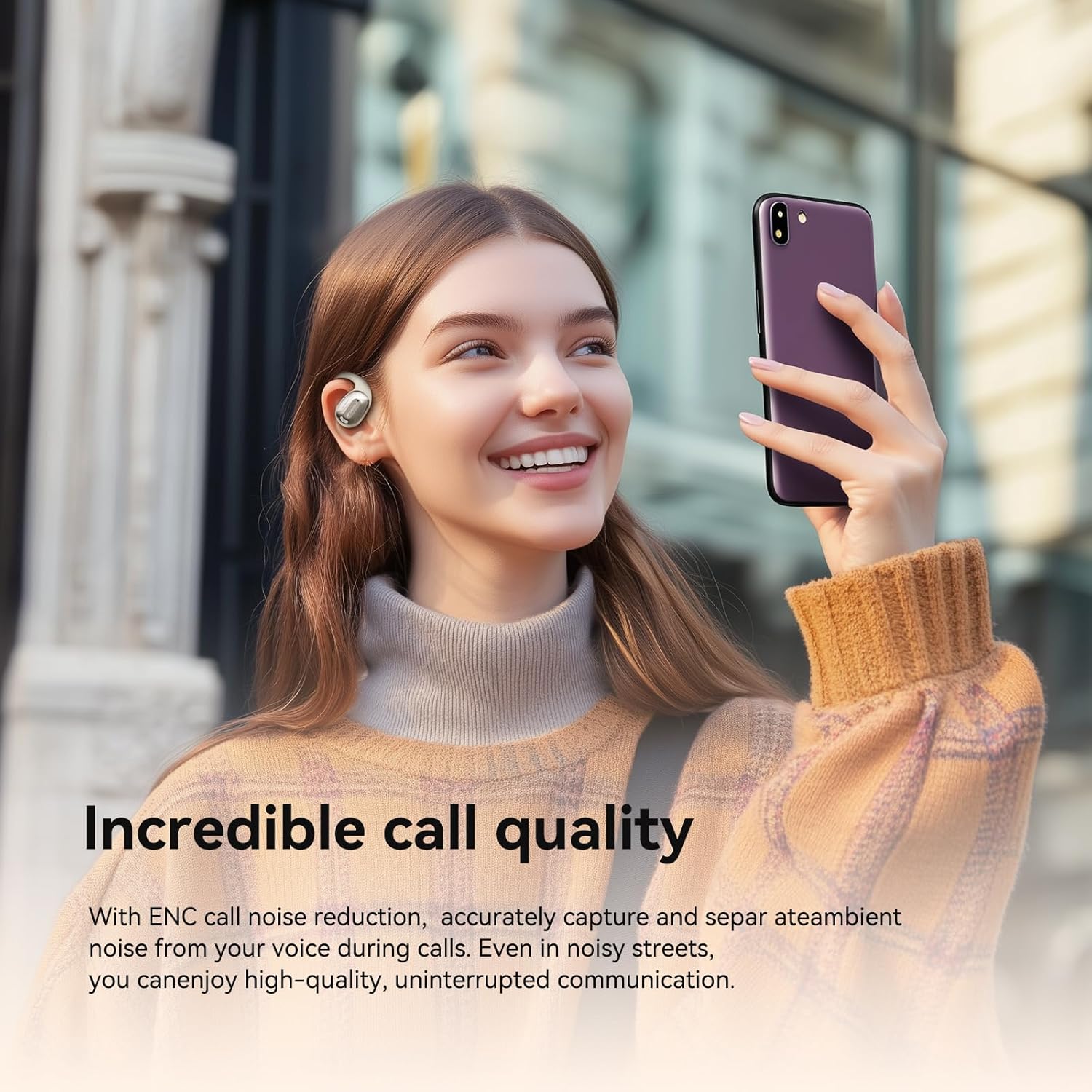
Figure 2.4: A user enjoying clear communication with the SANSUI W93 earbuds, which feature ENC call noise reduction technology to accurately capture voice and separate ambient noise.

Figure 2.5: The SANSUI W93 earbuds are suitable for various activities, including office work, sports, and city walks, providing stable and comfortable wear while allowing situational awareness.

Figure 2.6: Detailed dimensions of the SANSUI W93 earbuds and their charging case, providing precise measurements for user reference.
3. Setup
3.1 Charging the Earbuds and Case
Before first use, ensure both the earbuds and the charging case are fully charged. The charging case provides convenient on-the-go power for your earbuds.
- Connect the charging case to a power source using the provided USB-C cable.
- Place the earbuds into their respective slots in the charging case. They will begin charging automatically.
- A full charge for the earbuds and case takes approximately 1.5 hours.
- The earbuds offer up to 9 hours of playtime on a single charge. With the charging case, the total playtime extends up to 56 hours.

Figure 3.1: Visual representation of the SANSUI W93's impressive battery life, indicating 9 hours for headphones and 56 hours total with the charging case, fully charged in 1.5 hours.
Video 3.1: This video demonstrates the physical appearance of the SANSUI W93 Open Ear Headphones and their charging case, including how the earbuds are placed into the case for charging. It also briefly shows the charging indicator light.
3.2 Wireless Pairing Connection
The SANSUI W93 earbuds utilize Bluetooth V5.4 for a stable and quick connection. Once paired, they will automatically connect to the last connected device.
- Ensure the earbuds are in the charging case. Open the lid; the earbuds will automatically turn on and enter pairing mode.
- On your device (smartphone, tablet, etc.), turn on the Bluetooth function.
- Search for "SANSUI W93" in the list of available Bluetooth devices and select it to connect.
- After successful connection, the earbuds will automatically connect to your device next time they are powered on and within range.
4. Operating Instructions
4.1 Wearing the Earbuds
The SANSUI W93 earbuds are designed with an open-ear hook for maximum comfort and stability, allowing you to remain aware of your surroundings.
- Gently place the ear hook over the top of your ear.
- Position the earbud speaker near your ear canal without inserting it directly into the ear.
- Adjust for a snug and comfortable fit. The lightweight design ensures comfort even during prolonged use.

Figure 4.1: The ergonomic design of the SANSUI W93 earbuds, made with skin-friendly material, ensures comfortable wear for extended periods, promoting active movement and comfort.
4.2 Button Operations
The SANSUI W93 earbuds feature intuitive touch controls for various functions:
| Function | Action |
|---|---|
| Music Play/Pause | Double tap Left/Right earbud function button. |
| Previous Song | Triple tap Left earbud function button. |
| Next Song | Triple tap Right earbud function button. |
| Volume Down | Long press Left earbud function button. |
| Volume Up | Long press Right earbud function button. |
| Answer/Hang up Call | Tap once Left/Right earbud function button. |
| Reject Call | Double tap Left/Right earbud function button. |
| Switch Call (Earbuds/Phone) | Press & hold Left/Right earbud function button for 2 seconds. |
| Activate Voice Assistant | Double tap Left/Right earbud function button. |
| Game/Music Mode Switch | Press & hold Right earbud function button for 2 seconds. |
5. Maintenance
Proper maintenance ensures the longevity and optimal performance of your SANSUI W93 earbuds.
- Cleaning: Regularly wipe the earbuds and charging case with a soft, dry, lint-free cloth. Avoid using harsh chemicals or abrasive materials.
- Storage: When not in use, always store the earbuds in their charging case to protect them from dust and damage.
- Water Resistance: Please note that these earbuds are Not Water Resistant. Avoid exposure to water, sweat, or high humidity to prevent damage.
- Battery Care: To preserve battery life, avoid fully discharging the earbuds and case frequently. Charge them regularly, even if not in daily use.
6. Troubleshooting
If you encounter any issues with your SANSUI W93 earbuds, refer to the following common solutions:
- Earbuds not pairing or connecting:
- Ensure Bluetooth is enabled on your device and the earbuds are in pairing mode (open case lid).
- Check if "SANSUI W93" appears in your device's Bluetooth list.
- Try resetting the earbuds to factory mode (see Reset to Factory Mode below).
- Ensure the earbuds and charging case have sufficient battery charge.
- Poor sound quality or no sound:
- Check the volume levels on both your device and the earbuds.
- Ensure the earbuds are properly positioned on your ears.
- Move closer to your connected device to avoid interference or range issues.
- Disconnect and reconnect the earbuds from your device's Bluetooth settings.
- Earbuds not charging:
- Ensure the charging cable is securely connected to both the case and the power source.
- Verify that the charging pins inside the case and on the earbuds are clean and free of debris.
- Try using a different charging cable or power adapter.
6.1 Reset to Factory Mode
If you experience persistent issues, performing a factory reset may resolve them:
- Place both earbuds in the charging case and open the lid.
- Press and hold the function button on both the Left and Right earbuds simultaneously until they power off and remove pairing information.
- After the earbuds power on again, they will automatically connect to each other and enter pairing mode. You will then need to re-pair them with your device following the "Wireless Pairing Connection" steps.
7. Specifications
| Feature | Detail |
|---|---|
| Model Name | W93 |
| Brand | SANSUI |
| Connectivity Technology | Wireless (Bluetooth V5.4) |
| Ear Placement | Open Ear |
| Earpiece Shape | Angled Ear Hook/Wing |
| Noise Control | Sound Isolation (ENC Noise-Canceling Microphone) |
| Battery Life | 36 Hours (up to 56 hours with charging case) |
| Bluetooth Range | 30 Meters |
| Frequency Range | 20 Hz - 20,000 Hz |
| Impedance | 32 Ohm |
| Item Weight | 75 Grams (2.65 ounces) |
| Product Dimensions | 5.71 x 4.13 x 1.57 inches |
| Water Resistance Level | Not Water Resistant |
| Batteries | 3 Lithium Polymer batteries required (included) |
| UPC | 198401999815 |
| Country of Origin | China |
8. Warranty and Support
SANSUI is committed to providing excellent customer service and product support.
- Lifetime Quality Support: SANSUI offers lifetime quality support for its products.
- Free Replacement: In case of eligible product issues, free replacement services are available.
- 24/7 Quick Reply: Customer support is available 24/7 for quick replies to your inquiries.
- For further assistance or to view more SANSUI products, please visit the Official SANSUI Store on Amazon.

Figure 8.1: SANSUI's commitment to customer satisfaction, including 24/7 quick reply, free replacement, faster delivery, and lifetime quality support.