
1. Introduction
Thank you for choosing the Cuifati Wearable Headlamp Camera. This device combines a high-definition 1080P video recorder with a powerful LED headlamp, designed for various outdoor activities such as cycling, running, hiking, and travel. It features a wave sensing function for the light and supports video recording with a 2.0M CMOS sensor. Please read this manual thoroughly before using the product to ensure proper operation and to maximize its lifespan.
2. Safety Information
- Do not expose the device to extreme temperatures, direct sunlight, or corrosive liquids.
- Keep the device away from water and moisture unless specifically designed for waterproof use (this model is not specified as waterproof).
- Do not attempt to disassemble or modify the device. This may void the warranty and cause damage.
- Use only the provided charging cable or a certified Type-C cable for charging to prevent damage to the battery and device.
- Ensure the device is fully charged before first use.
- Avoid pointing the LED light directly into eyes, as it can cause temporary vision impairment.
3. Package Contents
Please check the package for the following items:
- Cuifati Wearable Headlamp Camera
- Adjustable Head Strap
- USB Type-C Charging Cable
- User Manual (this document)
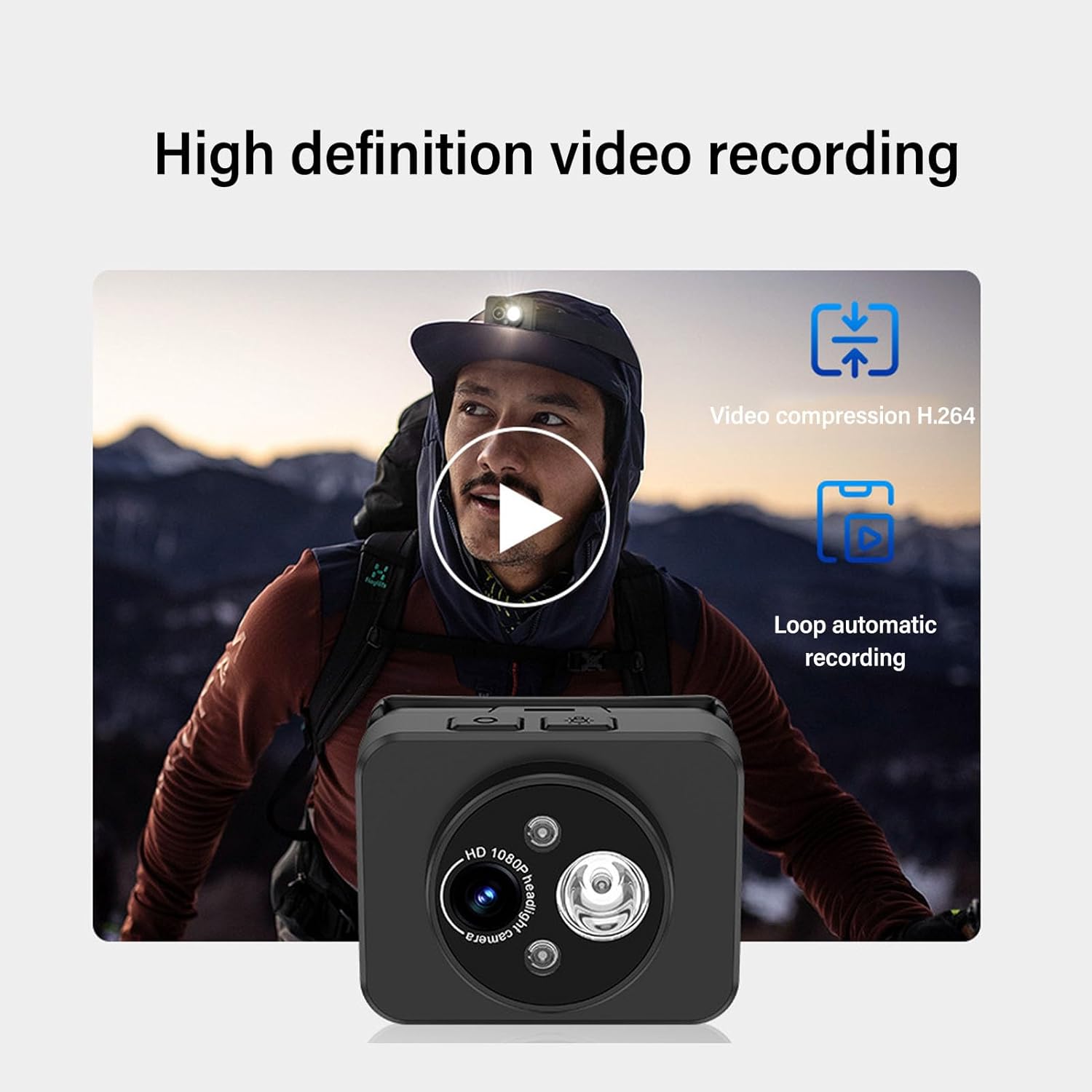
Image: Contents of the product package, including the headlamp camera unit, an adjustable head strap, and a USB Type-C charging cable.
4. Product Overview
Familiarize yourself with the components of your Cuifati Wearable Headlamp Camera:

Image: Front view of the headlamp camera, highlighting the HD 1080P camera lens and the integrated LED flashlight.
- Camera Lens: Captures 1080P video.
- LED Flashlight: Provides illumination, adjustable up to 45 degrees.
- Power Button: Used for turning the device on/off and taking photos.
- Wave Sensor: Detects hand gestures for controlling the LED light.
- Type-C Charging Port: For connecting the charging cable.
- Memory Card Slot: Supports up to 128GB memory expansion (memory card not included).

Image: A composite image illustrating key features: 45-degree vertical adjustment of the camera/light unit, the first-person perspective recording capability, a battery charge indicator, and the memory card expansion slot.
5. Setup
5.1 Charging the Battery
- Connect the provided USB Type-C charging cable to the device's charging port.
- Plug the other end of the cable into a standard USB power adapter (not included) or a computer's USB port.
- The device features a guard function to prevent overcharging, over-discharging, and short circuits.
- Allow the device to charge fully before its first use.
5.2 Inserting a Memory Card
The device supports memory expansion up to 128GB (memory card not included).
- Locate the memory card slot on the device.
- Carefully insert a compatible memory card into the slot until it clicks into place. Ensure the card is inserted in the correct orientation.
- To remove, gently press the card inward until it springs out.
5.3 Attaching the Head Strap
- Thread the adjustable head strap through the designated loops on the camera unit.
- Adjust the strap to fit comfortably and securely around your head.
6. Operating Instructions
6.1 Power On/Off
- To Power On: Press and hold the Power button for a few seconds until the indicator light illuminates.
- To Power Off: Press and hold the Power button again for a few seconds until the indicator light turns off.
6.2 Video Recording
The device is designed to automatically enter recording mode upon startup, generating a new video file. It supports video compression and 5-minute segmented storage for convenient playback and viewing.

Image: Visual representation of the high-definition video recording capabilities, including H.264 video compression and automatic loop recording functionality.
6.3 Taking Photos
While in recording mode:
- Short press the Power button once to capture a photo.
- After the photo is captured, video recording will automatically resume, and a new video file will be generated.
6.4 Adjusting Headlight Angle
The headlight can be manually adjusted up to 45 degrees to suit various close-range lighting needs.

Image: A man wearing the headlamp camera, demonstrating the 45-degree upward and downward rotation capability of the camera and light unit.
6.5 Wave Sensing Function for LED Light
This feature allows you to control the LED light with a simple hand gesture.
- To Activate/Deactivate: Refer to the device's specific button combination or setting for turning the wave sensor function on or off.
- To Use: Once activated, wave your hand approximately 5-10 cm (2-4 inches) away from the headlamp lens to turn the LED light on or off.

Image: A man hiking outdoors, wearing the headlamp camera, demonstrating the wave sensing feature for controlling the super bright, energy-saving headlight.
7. Maintenance
- Cleaning: Use a soft, dry cloth to clean the device. For the lens, use a specialized lens cleaning cloth. Do not use harsh chemicals or abrasive materials.
- Storage: Store the device in a cool, dry place away from direct sunlight and extreme temperatures when not in use.
- Battery Care: For optimal battery life, charge the device regularly, even if not in frequent use. Avoid fully discharging the battery for extended periods.
8. Troubleshooting
- Device not turning on: Ensure the battery is charged. Connect to a power source and try again.
- Video not recording: Check if a memory card is inserted correctly and has sufficient free space. The card may need to be formatted (refer to device settings if available).
- LED light not working: Check if the wave sensing function is enabled or if the light was manually turned off. Ensure the battery is charged.
- Charging issues: Verify the Type-C cable is securely connected to both the device and the power source. Try a different cable or power adapter.
9. Specifications
| Feature | Specification |
|---|---|
| Video Resolution | 1080P |
| Sensor | 2.0M CMOS |
| Video Decoding | H.264 |
| Video Storage Format | MP4 |
| Headlight Adjustment | Up to 45° |
| Charging Port | Type-C |
| Memory Expansion | Supports up to 128GB (Memory Stick PRO) |
| Power Source | Battery Powered |
| Item Weight | 4.2 ounces |
| Item Model Number | CUIFATIepznkoc5td |
| Brand | Cuifati |
10. Warranty and Support
This product comes with a standard manufacturer's warranty. For detailed warranty information, please refer to the warranty card included in your package or contact Cuifati customer support.
If you encounter any issues or have questions not covered in this manual, please contact Cuifati customer support through the retailer's platform or the official Cuifati website for assistance.