
GUY-TECH 9V 500mA AC-DC Adapter
Contents
GUY-TECH 9V 500mA AC-DC Adapter User Manual
Model: 9V 500mA AC-DC Adapter
Product Overview
The GUY-TECH 9V 500mA AC-DC Adapter is a compact and efficient power supply designed for various electronic devices, including the Domyos VE510 Cross Trainer. It provides stable power with built-in protection features to ensure the safety and longevity of your connected equipment.

Image: The GUY-TECH 9V 500mA AC-DC Adapter with its power cord coiled, showcasing its compact design.
Key Features:
- Input Voltage: 100V - 240V worldwide compatibility.
- Safety Protections: Over Voltage, Over Current, and Short Circuit output protection.
- Efficiency: High power exchange efficiency for stable operation and controlled working temperature.
- Portability: Small and lightweight design for easy transport and storage.
Setup and Installation
Follow these steps to properly set up your GUY-TECH AC-DC Adapter:
- Verify Compatibility: Before connecting, ensure that your device requires a 9V 500mA power supply and has a compatible DC input jack. This adapter is specifically designed for devices like the Domyos VE510 Cross Trainer.
- Connect to Device: Insert the DC output plug of the adapter firmly into the power input jack of your electronic device.
- Connect to Power Outlet: Plug the AC input prongs of the adapter into a standard 100V-240V AC wall outlet. Ensure the outlet is easily accessible.
- Power On: Once connected, your device should receive power. Refer to your device's manual for specific power-on procedures.
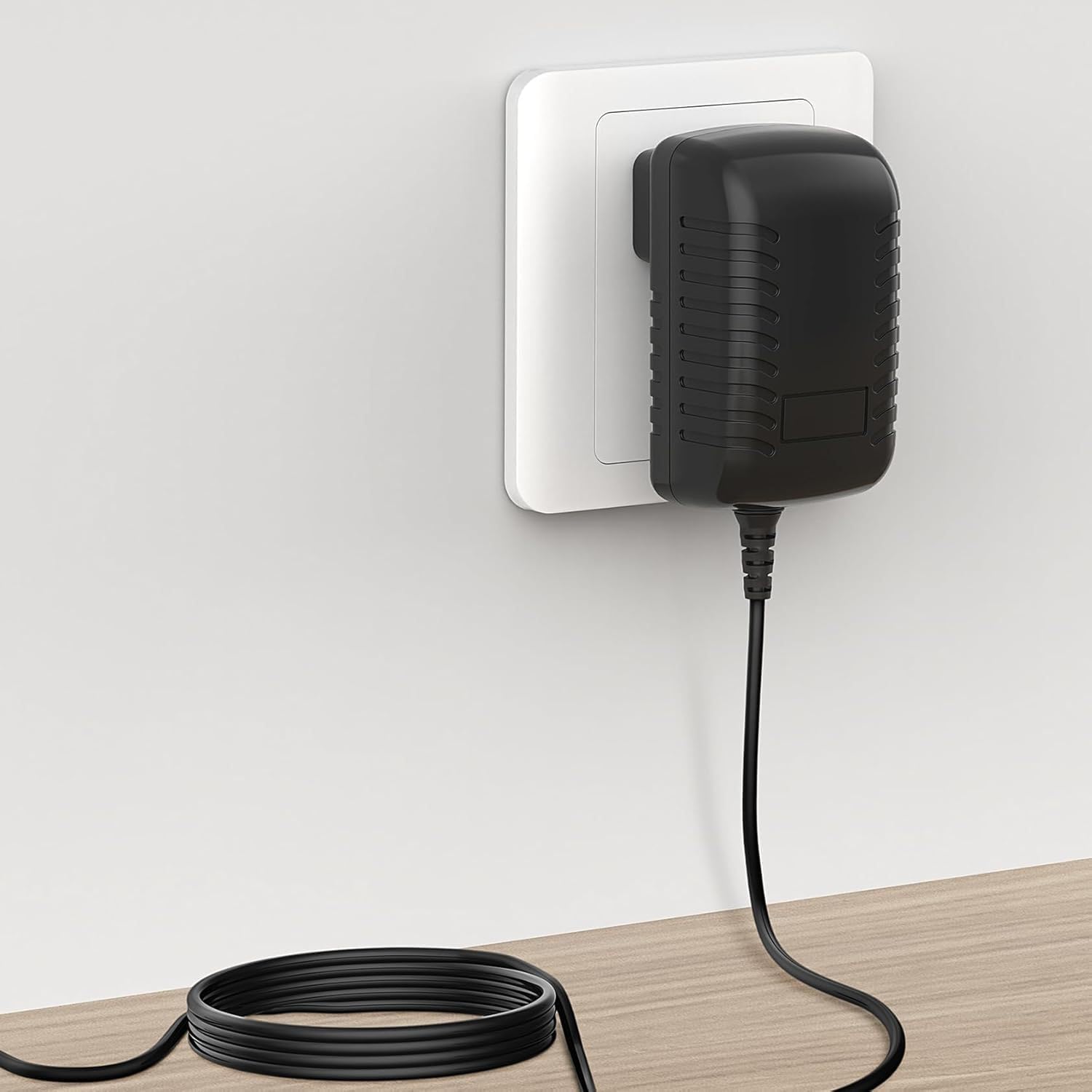
Image: The GUY-TECH adapter securely plugged into a wall outlet, demonstrating a typical setup.
Operating Instructions
The GUY-TECH AC-DC Adapter operates automatically once connected to a power source and a compatible device. It provides a stable 9V DC output at up to 500mA.
- The adapter is designed for continuous operation within its specified voltage and current limits.
- No user intervention is required for its operation beyond proper connection.
- The adapter's internal protection mechanisms will activate in case of over-voltage, over-current, or short-circuit conditions to protect both the adapter and your connected device.

Image: Detailed view of the adapter highlighting its American plug type, thick copper core for durability, and the flexibility of the power cord.
Maintenance and Care
To ensure the longevity and optimal performance of your GUY-TECH AC-DC Adapter, follow these simple maintenance guidelines:
- Cleaning: Disconnect the adapter from the power outlet and your device before cleaning. Use a soft, dry cloth to wipe the exterior. Do not use liquid cleaners or abrasive materials.
- Storage: When not in use, store the adapter in a cool, dry place away from direct sunlight and extreme temperatures. Avoid tightly coiling the cable to prevent damage.
- Handling: Do not drop, disassemble, or attempt to repair the adapter. This can void any potential warranty and pose a safety risk.
- Ventilation: Ensure the adapter has adequate ventilation during operation. Do not cover it or place it in enclosed spaces that could lead to overheating.
Troubleshooting
If you encounter issues with your GUY-TECH AC-DC Adapter, please refer to the following common troubleshooting steps:
| Problem | Possible Cause | Solution |
|---|---|---|
| Device not powering on. | Adapter not properly connected to outlet or device. Outlet is not live. Device requires more power than 500mA. Adapter or device fault. | Ensure both ends of the adapter are securely plugged in. Test the outlet with another device. Verify your device's power requirements match the adapter's specifications (9V 500mA). Try the adapter with another compatible device, or try another adapter with your device to isolate the issue. |
| Adapter feels warm during use. | Normal operation. Insufficient ventilation. Overload. | A slight warmth is normal. Ensure the adapter is not covered and has good airflow. Confirm your device's current draw does not exceed 500mA. If it feels excessively hot, disconnect immediately. |
| Intermittent power to device. | Loose connection. Damaged cable or plug. | Check all connections for tightness. Inspect the cable and plug for any visible damage. If damaged, discontinue use and replace the adapter. |
If the problem persists after trying these steps, please contact customer support.
Specifications
| Attribute | Value |
|---|---|
| Model | 9V 500mA AC-DC Adapter |
| Brand | GUY-TECH |
| Input Voltage | 100V - 240V AC (Worldwide) |
| Output Voltage | 9V DC |
| Output Current | 500mA |
| Color | Black |
| Dimensions (Adapter Body) | Approximately 2.92 in (L) x 1.58 in (W) x 1.18 in (H) |
| Protections | Over Voltage Protection, Over Current Protection, Short Circuit Protection |

Image: Visual representation of the adapter's dimensions, showing length, width, and height measurements.
Warranty and Support
Warranty Information:
This product is typically covered by a standard return policy. Please refer to your purchase documentation or the retailer's website for specific return and refund policies. For this product, a 30-day return policy is generally offered.
Customer Support:
For technical assistance, troubleshooting beyond this manual, or warranty inquiries, please contact the seller or manufacturer directly through the platform where the product was purchased. Please have your order number and product details ready when contacting support.
Manufacturer: GUY-TECH
ASIN: B0DFYJ1GBB
Documents and downloads
Ask a question about this manual
Ask about setup, troubleshooting, compatibility, parts, safety, or missing instructions. Manuals+ will review the question and use this page’s manual context to help answer it.