
eppfun Cutemeet 818 (LS003)
eppfun Cutemeet 818 Wireless Headphones User Manual
Model: LS003
Brand: eppfun
Introduction
Thank you for purchasing the eppfun Cutemeet 818 Wireless Headphones. These headphones are designed to provide a superior audio experience with advanced features such as Bluetooth 5.4, LE Audio, and aptX Lossless support. They offer both wireless and wired connectivity, ensuring versatility for various listening scenarios. With a lightweight and comfortable design, the Cutemeet 818 is perfect for extended use.
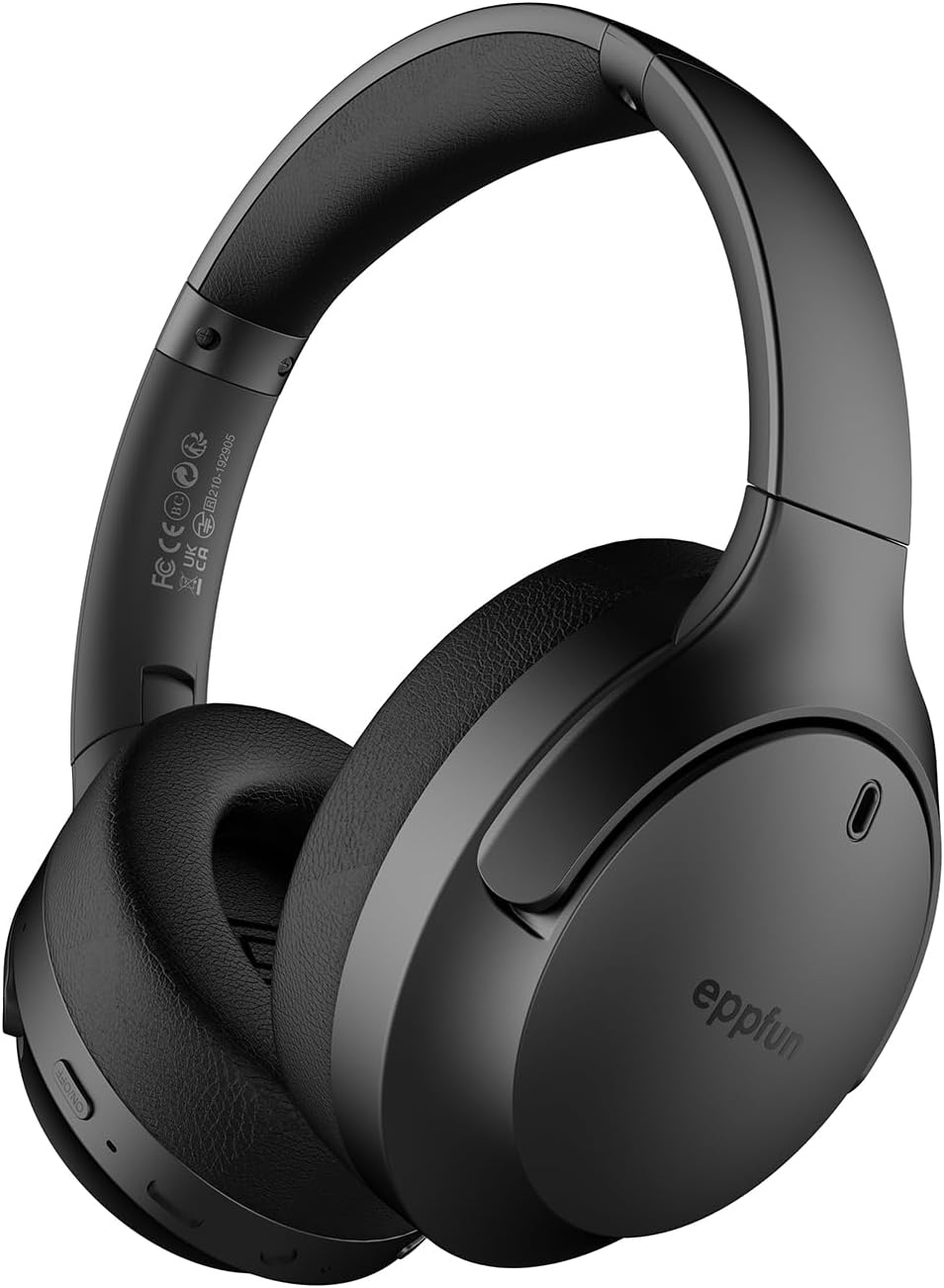
Figure 1: eppfun Cutemeet 818 Wireless Headphones
The image displays the eppfun Cutemeet 818 wireless headphones in black, showcasing their sleek design and over-ear form factor. The eppfun logo is visible on the earcups.
Safety Information
Please read this safety information carefully before using the headphones to ensure proper operation and prevent damage or injury.
- Do not expose the headphones to extreme temperatures, humidity, or corrosive substances.
- Avoid dropping or subjecting the headphones to strong impacts.
- Do not disassemble or attempt to repair the headphones yourself. This will void the warranty.
- Clean the headphones with a soft, dry cloth. Do not use harsh chemicals or abrasive materials.
- Listen at moderate volume levels to prevent hearing damage. Prolonged exposure to loud sounds can cause irreversible hearing loss.
- Keep out of reach of children and pets.
Package Contents
Verify that all items are present in your package:
- eppfun Cutemeet 818 Wireless Headphones
- USB-C Charging Cable
- 3.5mm AUX Audio Cable
- User Manual (this document)
Product Overview
Familiarize yourself with the various parts and controls of your headphones.
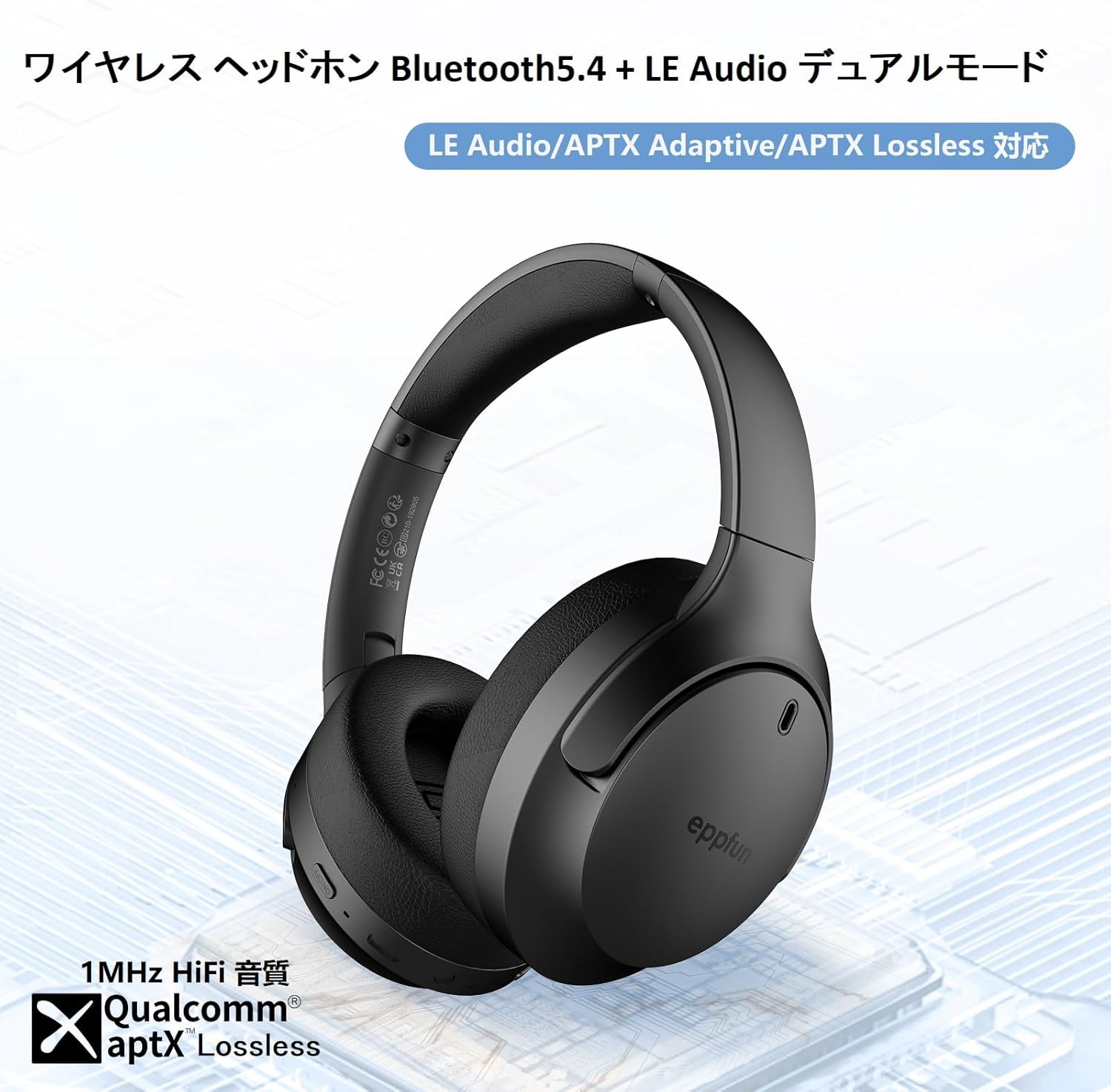
Figure 2: Headphone Features and Controls
This image highlights the eppfun Cutemeet 818 headphones, emphasizing their support for Bluetooth 5.4, LE Audio, APTX Adaptive, and APTX Lossless technologies, indicating high-fidelity audio capabilities.
Controls and Ports:
- Power Button: Press and hold to power on/off. Short press for play/pause.
- Volume Up/Next Track Button: Short press for volume up. Long press for next track.
- Volume Down/Previous Track Button: Short press for volume down. Long press for previous track.
- Multi-function Button (MFB): Used for answering/ending calls, activating voice assistant.
- USB-C Charging Port: For charging the headphones.
- 3.5mm Audio Jack: For wired connection using the AUX cable.
- LED Indicator: Displays power status, pairing status, and charging status.
- Microphone: Built-in CVC 8.0 noise-cancelling microphone for clear calls.
Setup
1. Charging the Headphones
Before first use, fully charge the headphones. Connect the USB-C charging cable to the headphone's USB-C port and the other end to a USB power adapter (not included) or a computer's USB port. The LED indicator will show charging status and turn off or change color when fully charged.
2. Bluetooth Pairing
- Ensure the headphones are powered off.
- Press and hold the Power button for approximately 5 seconds until the LED indicator flashes blue and red alternately, indicating pairing mode.
- On your device (smartphone, tablet, computer), enable Bluetooth and search for new devices.
- Select "eppfun Cutemeet 818" from the list of available devices.
- Once connected, the LED indicator will turn solid blue or flash blue slowly.

Figure 3: Bluetooth Connectivity Example
This image illustrates the eppfun Cutemeet 818 headphones wirelessly connected to both a smartphone and a tablet, demonstrating their versatile Bluetooth 5.4 capabilities for seamless audio and communication.
3. Wired Connection (AUX Mode)
To use the headphones in wired mode, connect one end of the included 3.5mm AUX audio cable to the headphone's 3.5mm audio jack and the other end to your audio source's 3.5mm output. The headphones will automatically switch to wired mode, and the Bluetooth function will be disabled.
Operating Instructions
Power On/Off
- Power On: Press and hold the Power button for 2-3 seconds until the LED indicator flashes blue.
- Power Off: Press and hold the Power button for 3-4 seconds until the LED indicator flashes red and then turns off.
Music Playback
- Play/Pause: Short press the Power button.
- Volume Up: Short press the Volume Up button.
- Volume Down: Short press the Volume Down button.
- Next Track: Long press the Volume Up button.
- Previous Track: Long press the Volume Down button.
Call Management
- Answer/End Call: Short press the MFB.
- Reject Call: Long press the MFB.
- Activate Voice Assistant: Double-press the MFB.
LE Audio and Auracast Functionality
The eppfun Cutemeet 818 headphones support LE Audio for superior sound quality with low power consumption and Auracast for ultra-low latency audio transmission. To utilize the Auracast feature for ultra-low latency, an eppfun LE Audio transmitter (sold separately, e.g., ASIN B0CCRTMQ3W) is required. Connect the headphones to the transmitter for an optimized gaming or video experience.

Figure 4: LE Audio and Auracast Support
This image displays a comparison chart of Bluetooth codecs, highlighting the advantages of LC3 (LE Audio) over SBC in terms of audio quality at various bitrates. It also features the Auracast logo, indicating support for this advanced audio sharing technology.
Maintenance
- Cleaning: Use a soft, lint-free cloth to wipe the headphones. For earcups, gently wipe with a slightly damp cloth and then dry thoroughly. Do not use alcohol, solvents, or abrasive cleaners.
- Storage: When not in use, store the headphones in a cool, dry place, away from direct sunlight and extreme temperatures. The foldable design (Figure 5) allows for compact storage and easy portability.
- Battery Care: To prolong battery life, avoid fully discharging the headphones frequently. Charge them regularly, especially if not used for extended periods.

Figure 5: Foldable Design for Portability
This image demonstrates the foldable design of the eppfun Cutemeet 818 headphones, highlighting their compact nature for convenient storage and travel.
Troubleshooting
| Problem | Possible Cause | Solution |
|---|---|---|
| Headphones won't turn on. | Low battery. | Charge the headphones fully. |
| Cannot pair with device. | Headphones not in pairing mode; device Bluetooth off; too far from device. | Ensure headphones are in pairing mode (flashing blue/red). Turn on device Bluetooth. Move headphones closer to device (within 10m). |
| No sound or poor sound quality. | Volume too low; incorrect audio source; interference; low battery. | Increase volume on headphones and device. Check if AUX cable is properly connected. Move away from sources of interference. Charge headphones. |
| Call quality is poor. | Environmental noise; microphone obstruction. | Move to a quieter environment. Ensure microphone is not covered. |
| Intermittent connection/audio drops. | Too far from device; interference; low battery. | Move closer to the device. Avoid obstacles between headphones and device. Charge headphones. |
Specifications
| Feature | Detail |
|---|---|
| Model Name | LS003 (Cutemeet 818) |
| Connectivity Technology | Bluetooth 5.4, Wired (3.5mm AUX) |
| Wireless Communication Technology | Bluetooth |
| Noise Control | Sound Isolation (CVC 8.0 for calls) |
| Headphone Jack | 3.5mm Jack |
| Included Components | Cable, Headphones |
| Target Age | Adult |
| Material | Acrylonitrile Butadiene Styrene (ABS), Leather, Metal |
| Compatible Devices | iPhone & Android Smartphones, Gaming Consoles, TVs, Laptops, Mobile Phones |
| Water Resistance Level | Water Resistant |
| Battery Required | Yes |
| Manufacturer | eppfun |
| Item Weight | 430 g |
| Impedance | 32 Ohms |
| Headphone Style | Over-Ear |
| Audio Codecs Supported | LE Audio (LC3), aptX Lossless, aptX Adaptive |
Warranty and Support
eppfun products come with a standard warranty. For detailed warranty information, product support, or technical assistance, please refer to the warranty card included in your package or visit the official eppfun website. You can also contact eppfun customer service through the retailer where you purchased the product.
Important Note: The maximum communication distance for Bluetooth is 10 meters. This distance may vary depending on the usage environment and interference from other electronic devices. If the battery level is too low, latency may occur. Please charge the headphones regularly.
Related Documents - Cutemeet 818 (LS003)
 |
eppfun Cutemeet 818 Bluetooth Speaker User Manual and Specifications Comprehensive guide for the eppfun Cutemeet 818 Bluetooth speaker, covering product specifications, detailed user interface operations, packaging contents, and essential regulatory compliance information. |
 |
Wireless Audio Transmitter User Manual (LE502 / QCC3056) User manual for the LE502 Wireless Audio Transmitter, featuring Bluetooth 5.3, aptX Adaptive/HD/LL support, dual-device connectivity, and troubleshooting guide. |
 |
eppfun AK3040R PRO User Manual: Bluetooth Audio Receiver Setup & Operation Comprehensive user manual for the eppfun AK3040R PRO Bluetooth audio receiver. Learn how to connect, operate, charge, and troubleshoot this high-fidelity audio adapter. |
 |
eppfun 3040C Pro Bluetooth 5.4 Transmitter and Receiver Specifications Technical specifications and packaging list for the eppfun 3040C Pro 3-in-1 Bluetooth 5.4 transmitter and receiver. |
 |
Eppfun AK3040 TOPEST User Manual Comprehensive user manual for the Eppfun AK3040 TOPEST Bluetooth transmitter, covering specifications, operation modes, app integration, and LED indicators. |
 |
EPPFUN Cute meet 600 Wireless Earbuds User Manual and Guide Comprehensive user manual for the EPPFUN Cute meet 600 wireless earbuds, covering product overview, specifications, setup, usage, troubleshooting, warranty, and safety information. |
Ask a question about this manual
Ask about setup, troubleshooting, compatibility, parts, safety, or missing instructions. Manuals+ will review the question and use this page’s manual context to help answer it.