1. Introduction
The VIHELM AZ8601 is a high-precision, multi-function portable meter designed for measuring pH, mV (oxidation-reduction potential), and temperature. This device is suitable for various applications requiring accurate water quality analysis. This manual provides detailed instructions for the proper setup, operation, maintenance, and troubleshooting of your AZ8601 meter.
2. Safety Information
- Always handle the pH/mV electrode with care. The glass bulb is fragile.
- Do not immerse the meter body in water. It is not waterproof.
- Use only the specified power supply (9V battery or external 9V power supply).
- Keep the device out of reach of children.
- Store the electrode in its protective cap with appropriate storage solution when not in use to prevent drying.
3. Product Overview and Components
The AZ8601 meter features a clear liquid crystal display (LCD) and intuitive button controls. It comes with a combined pH/mV/temperature probe for comprehensive measurements.
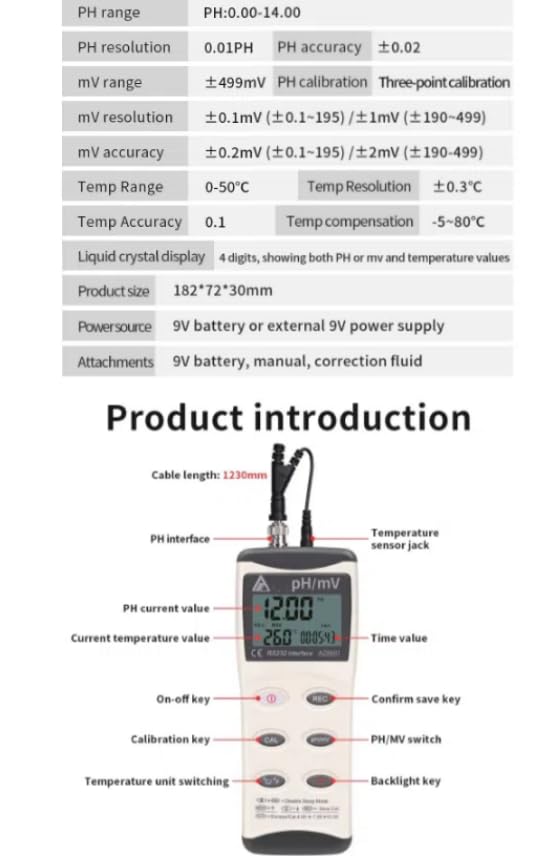
Figure 3.1: Front view of the AZ8601 meter with key components labeled, including the PH interface, temperature sensor jack, PH current value, current temperature value, time value, On-off key, Calibration key, PH/MV switch, Temperature unit switching, Backlight key, and Confirm save key. A table of specifications is also visible.
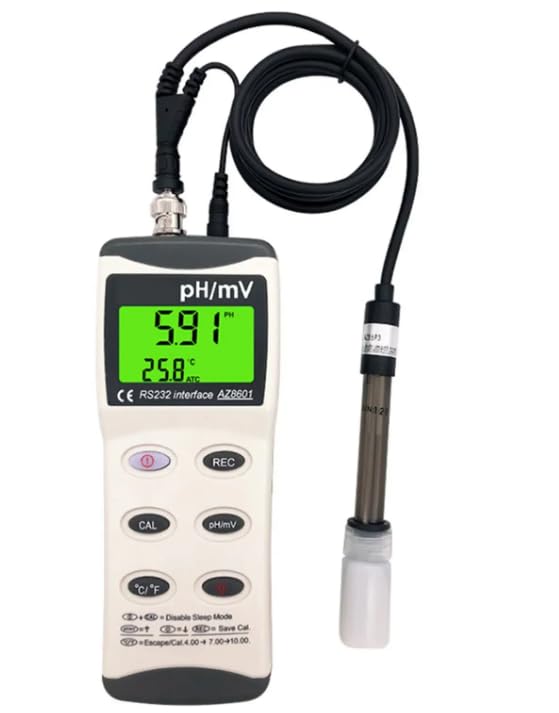
Figure 3.2: The AZ8601 meter connected to its probe, showing a typical measurement display with pH and temperature readings.
What's in the Box:
- AZ8601 Meter (x1)
- pH/mV/Temperature Probe (x1)
- User Manual (this document)
- 9V Battery (not included, please purchase separately)
- Correction Fluid (not included, please purchase separately for calibration)
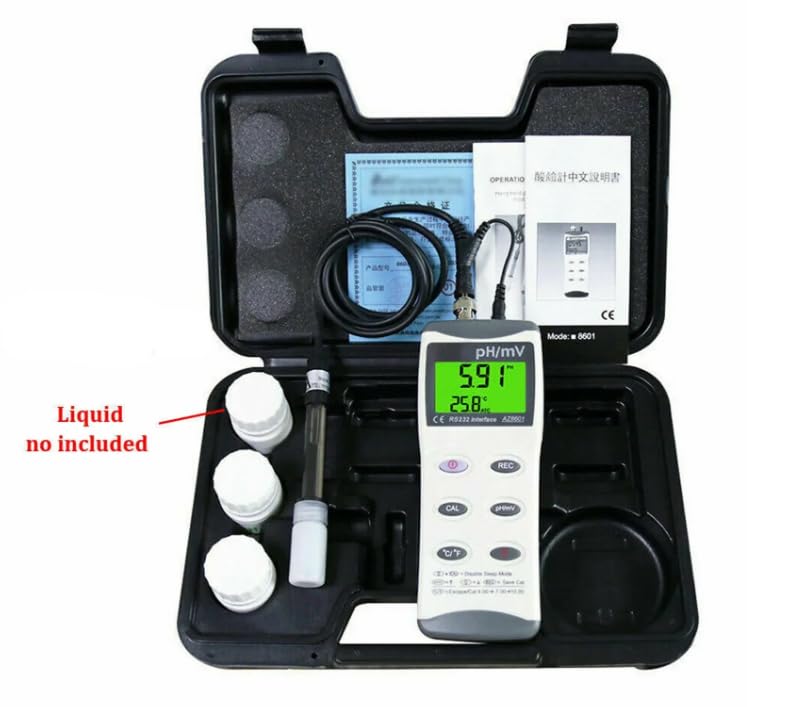
Figure 3.3: The AZ8601 meter and its standard accessories, including the probe and a carrying case. Note that calibration liquids are not included.
4. Setup
4.1 Battery Installation
- Locate the battery compartment cover on the back of the meter.
- Slide or unscrew the cover to open.
- Insert a new 9V battery, ensuring correct polarity.
- Replace the battery compartment cover securely.
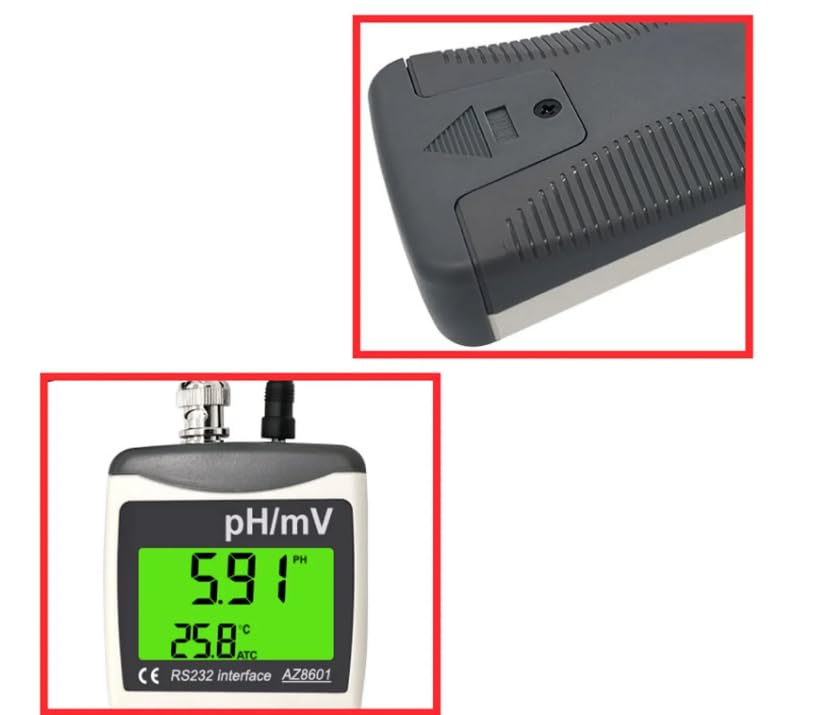
Figure 4.1: Close-up view of the top rear section of the meter, indicating the battery compartment location, and a close-up of the display.
4.2 Probe Connection
- Carefully remove the protective cap from the pH/mV/temperature probe.
- Connect the BNC connector of the probe cable to the pH interface port on the top of the meter. Twist gently to secure.
- Connect the temperature sensor jack to its corresponding port next to the BNC connector.
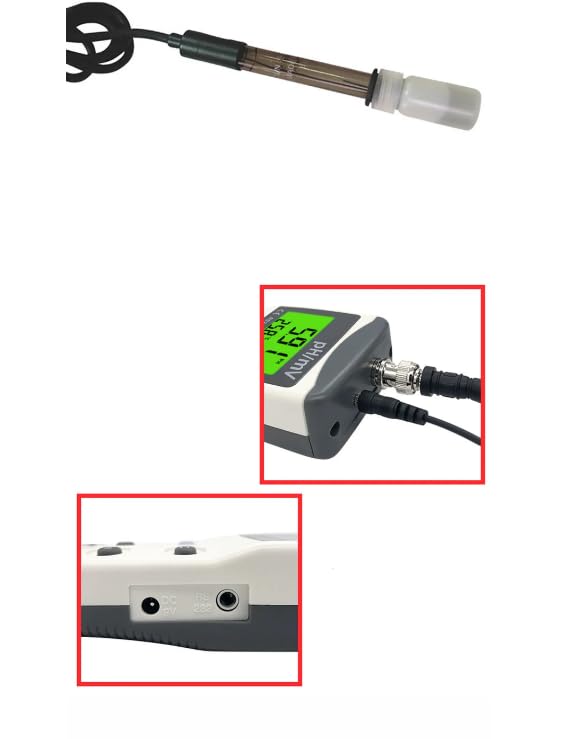
Figure 4.2: Detailed view of the probe connection points on the top of the meter (BNC and temperature jack) and the power/RS232 ports on the bottom.
5. Operating Instructions
5.1 Power On/Off
Press the On-off key (red button) to turn the meter on or off.
5.2 Measurement Modes (pH/mV)
Press the pH/MV switch button to toggle between pH and mV measurement modes. The display will indicate the active mode.
5.3 Temperature Unit Switching
Press the Temperature unit switching button (℃/℉) to switch the temperature display between Celsius and Fahrenheit.
5.4 pH Calibration
The AZ8601 supports three-point pH calibration for accuracy. Refer to the diagram (Figure 3.1) for the Calibration key. Typically, calibration involves using standard buffer solutions (e.g., pH 4.00, 7.00, 10.00). Follow these general steps:
- Prepare fresh pH buffer solutions.
- Rinse the probe with distilled water and blot dry.
- Immerse the probe in the first buffer solution (e.g., pH 7.00).
- Press the CAL key and wait for the reading to stabilize. The meter will automatically recognize the buffer.
- Repeat for the second and third buffer solutions (e.g., pH 4.00 and pH 10.00).
- The meter will indicate successful calibration.
5.5 Data Saving
Press the REC key to save the current measurement data. The meter has 99 points of memory for data storage.
5.6 Backlight
Press the Backlight key to turn the display backlight on or off for better visibility in low-light conditions.
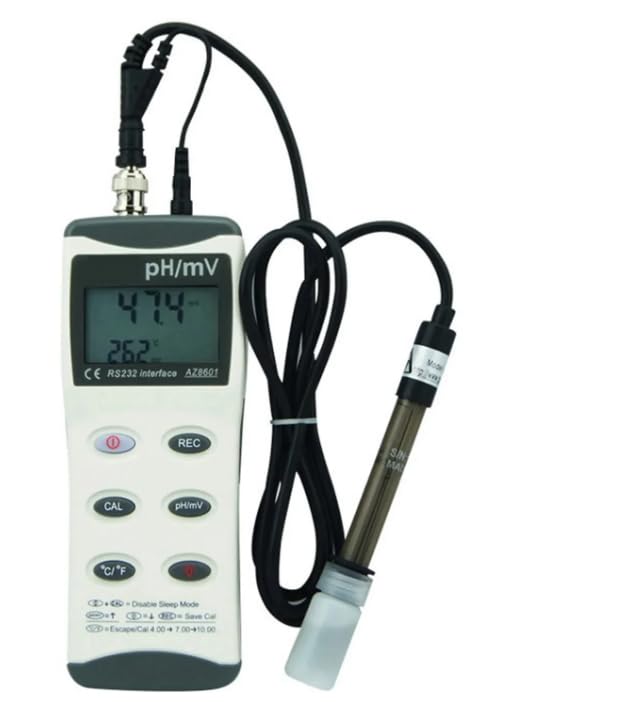
Figure 5.1: The AZ8601 meter in operation, showing a pH reading and corresponding temperature.
6. Maintenance
6.1 Probe Care and Storage
- Always rinse the probe with distilled or deionized water after each use.
- Blot the probe dry with a soft tissue; do not rub.
- Store the pH electrode in its protective cap filled with a suitable storage solution (e.g., 3M KCl solution or pH 4 buffer) to prevent the glass bulb from drying out. Never store dry.
- The sensor life time is typically >6 months with good maintenance.
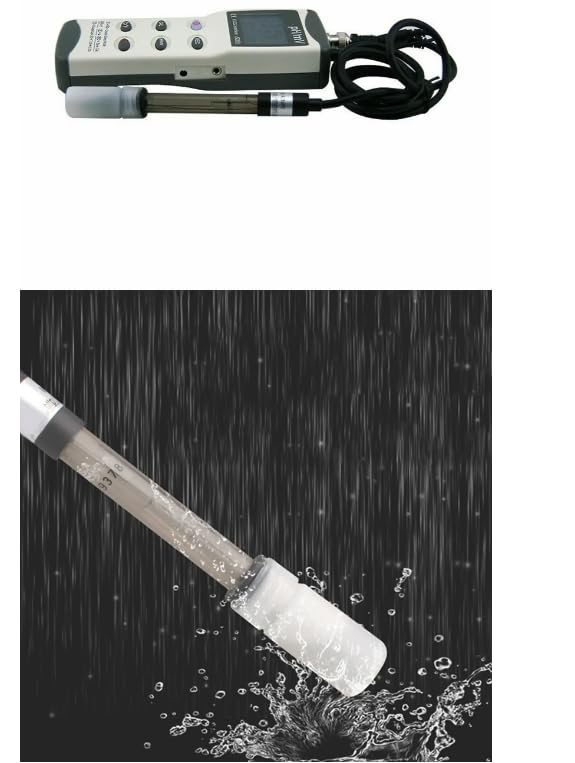
Figure 6.1: The pH probe immersed in liquid, demonstrating its operational state and the importance of proper cleaning after use.
6.2 Cleaning the Meter
Wipe the meter body with a clean, damp cloth. Do not use abrasive cleaners or immerse the meter in water.
6.3 Battery Replacement
When the battery indicator appears on the display, replace the 9V battery as described in Section 4.1.
7. Troubleshooting
- No Power: Check battery installation and ensure the battery has sufficient charge. Replace if necessary.
- Unstable Readings: Ensure the probe is clean and properly connected. Calibrate the pH electrode regularly. Check for air bubbles around the electrode bulb.
- Incorrect Readings: Perform a fresh calibration. Ensure buffer solutions are not expired. Check probe for damage.
- Meter Shuts Off Automatically: The meter has an automatic shut-down feature after 20 minutes of inactivity to conserve battery. This is normal operation.
- Error Messages: If an error code appears, refer to the specific error code section in the full manual (if available) or contact customer support.
8. Specifications
The following table details the technical specifications of the VIHELM AZ8601 meter:
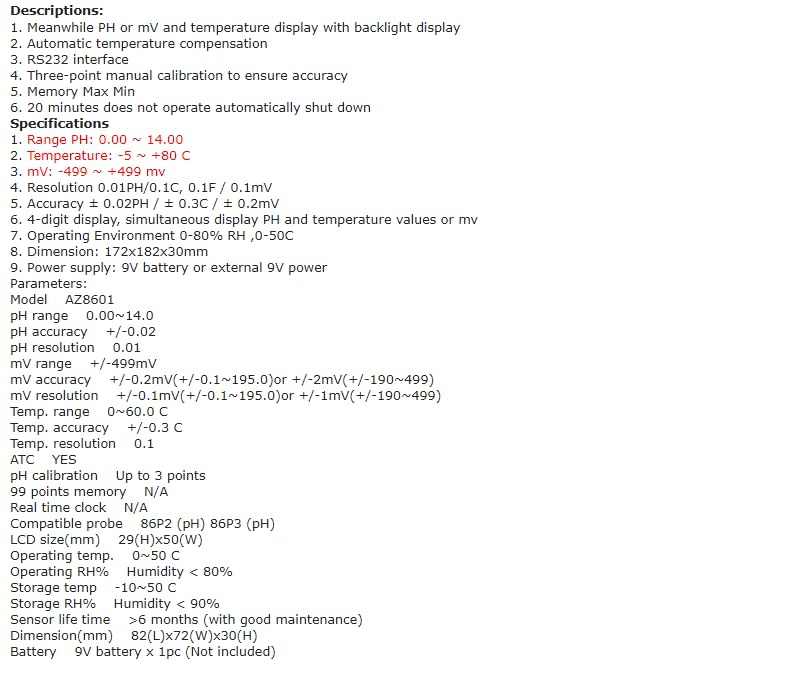
Figure 8.1: Comprehensive technical specifications for the AZ8601 meter, including ranges, resolutions, accuracies, and operating conditions.
| Parameter | Specification |
|---|---|
| Model | AZ8601 |
| pH Range | 0.00 ~ 14.00 pH |
| pH Accuracy | +/-0.02 pH |
| pH Resolution | 0.01 pH |
| mV Range | +/-499 mV |
| mV Accuracy | +/-0.2 mV (+/-0.1~195.0) / +/-2 mV (+/-190~499) |
| mV Resolution | +/-0.1 mV (+/-0.1~195.0) / +/-1 mV (+/-190~499) |
| Temperature Range | 0 ~ 60.0 ℃ |
| Temperature Accuracy | +/-0.3 ℃ |
| Temperature Resolution | 0.1 ℃ |
| Automatic Temperature Compensation (ATC) | Yes |
| pH Calibration | Up to 3 points |
| Memory | 99 data points |
| LCD Size | 29(H)x50(W) mm |
| Operating Temperature | 0 ~ 50 ℃ |
| Operating RH% | Humidity < 80% |
| Storage Temperature | -10 ~ 50 ℃ |
| Storage RH% | Humidity < 90% |
| Sensor Life Time | >6 months (with good maintenance) |
| Dimensions | 182(L)x72(W)x30(H) mm |
| Power Source | 9V battery or external 9V power supply |
9. Warranty and Support
For warranty information or technical support, please refer to the documentation provided with your purchase or contact your retailer. Specific warranty terms may vary by region and seller.