
1. Introduction
The Acbaeta AK480+ is a versatile detection device designed to help protect your privacy by identifying various hidden surveillance equipment. Utilizing passive and infrared scanning technologies, it can accurately detect wireless signal sources, hidden cameras, GPS trackers, and eavesdropping devices. This manual provides detailed instructions for the proper use and maintenance of your AK480+ detector.

Figure 1: Acbaeta AK480+ Detector. This image shows the sleek, pen-shaped design of the AK480+ detector, highlighting its compact and portable nature.
2. Product Overview
2.1 Key Features
- Accurate Detection: Identifies eavesdropping devices, GPS location trackers, hidden cameras, and electrical radiation sources.
- Multiple Detection Modes: Includes RF wireless signal detection, GPS magnetic field signal detection, IR radiation detection, and a flashlight auxiliary lighting mode.
- Wide Frequency Range: Detects radio waves, 2G, 3G, 4G mobile signals, and SIM card bugs within a 1MHz to 6.5GHz frequency range.
- Adjustable Sensitivity: 5-level sensitivity adjustment for precise detection over a 15 square meter range.
- Portable Design: Lightweight, small, and rechargeable with a long battery life (up to 25 hours working time, 30 days standby).
2.2 Components
The AK480+ detector features a compact design with intuitive controls. Key components include:
- Power/Mode Button
- Sensitivity Adjustment Buttons
- LED Indicator Lights (for signal strength and mode)
- IR Detection Window
- Flashlight
- Charging Port (USB-C)

Figure 2: Internal view and battery details. This image illustrates the internal circuitry and highlights the 300mAh battery capacity, 25 hours running time, 1 hour fast charging, and 30 days standby time.

Figure 3: Compact design and detection capabilities. This image emphasizes the device's portability and lists its functions: Hidden Camera Detectors, Anti-Spy Camera Detector, Car GPS Tracker Detector, Listening Device Detector, RF Signal Detector, and Anti-Monitoring Scan Tracker Detector.
3. Setup
3.1 Initial Charging
Before first use, fully charge the AK480+ detector.
- Connect the provided USB-C charging cable to the charging port on the device.
- Connect the other end of the cable to a standard USB power adapter (not included) or a computer USB port.
- The indicator lights will show charging status. A full charge typically takes approximately 1 hour.
- Once fully charged, disconnect the device from the charging cable.

Figure 4: Battery life. This image visually represents the device's 25-hour operating time on a full charge.
4. Operating Instructions
The AK480+ features multiple detection modes to address various surveillance threats.
4.1 Power On/Off and Mode Selection
- Power On: Press and hold the Power/Mode button for a few seconds until the indicator lights illuminate.
- Mode Selection: Short press the Power/Mode button to cycle through the available detection modes.
- Power Off: Press and hold the Power/Mode button again for a few seconds until the lights turn off.
4.2 RF Wireless Signal Detection Mode
This mode is used to detect wireless signals from hidden cameras, eavesdropping devices, and other RF transmitters.
- Select the RF Wireless Signal Detection mode.
- Slowly scan the area. The indicator lights will illuminate and an audible alert may sound (depending on settings) as the device approaches a wireless signal source.
- Adjust sensitivity (see Section 4.5) to pinpoint the source.

Figure 5: RF signal detection. This graphic illustrates the device's ability to scan and detect radio frequency signals in an area.
4.3 GPS Magnetic Field Signal Detection Mode
This mode is specifically designed to detect magnetic GPS trackers, often found attached to vehicles.
- Select the GPS Magnetic Field Signal Detection mode.
- Move the detector close to surfaces where a magnetic tracker might be hidden, such as under a car, inside wheel wells, or under seats.
- The device will alert you upon detecting a magnetic field.
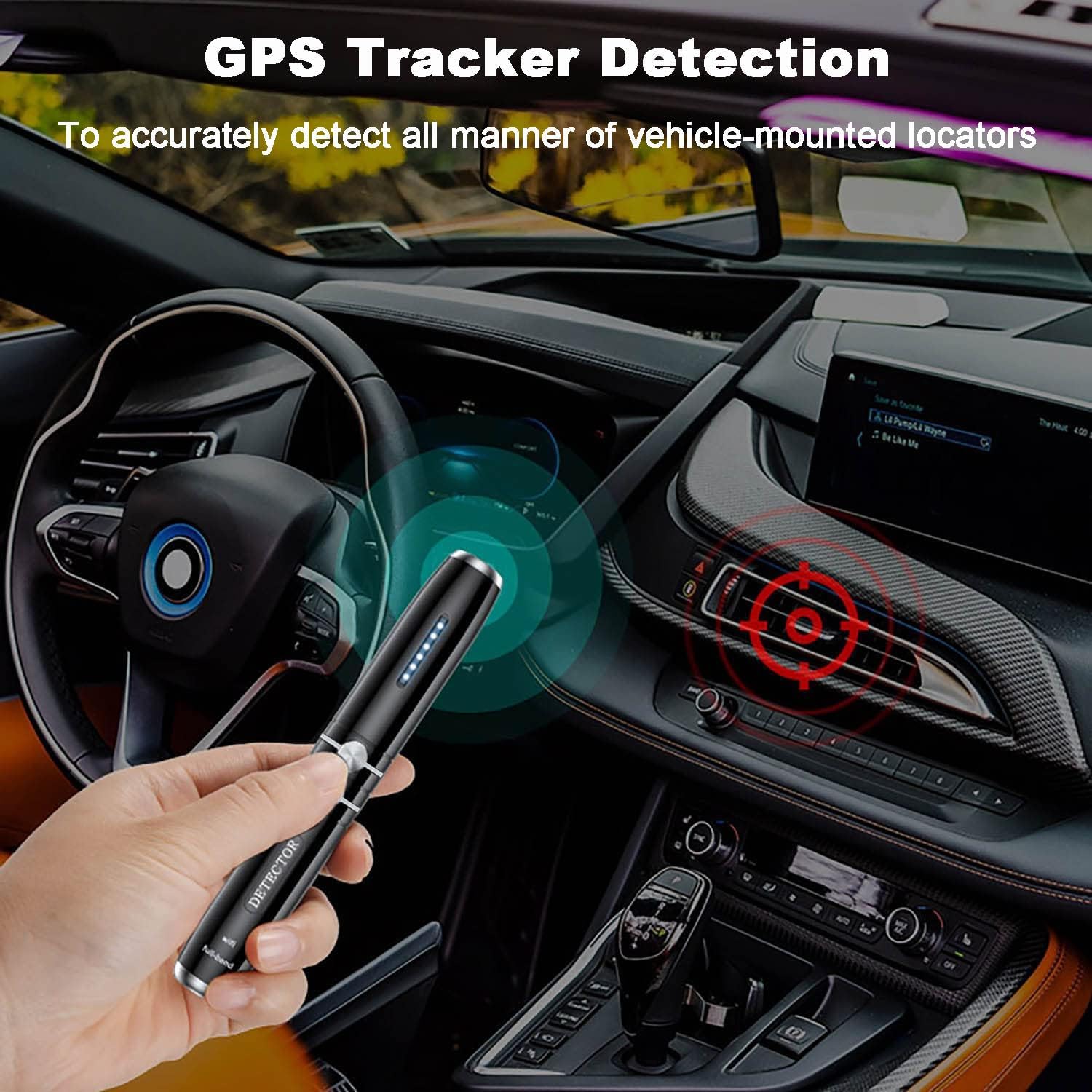
Figure 6: GPS tracker detection. The image shows the AK480+ being used to scan for a GPS tracker within a car's interior, indicating its application for vehicle surveillance detection.
4.4 IR Radiation Detection Mode (Hidden Camera Finder)
This mode helps locate hidden cameras by detecting their lenses, which reflect infrared light.
- Select the IR Radiation Detection mode.
- Look through the IR detection window on the device while scanning the room.
- Hidden camera lenses will appear as bright red dots when illuminated by the device's IR light.
4.5 Flashlight Auxiliary Lighting Mode
The built-in flashlight can be used to illuminate dark areas during inspection, aiding in visual searches for hidden devices.
- Activate the flashlight mode by cycling through the modes or a dedicated button press (refer to device markings).
4.6 Sensitivity Adjustment
The AK480+ features 5 levels of adjustable sensitivity to refine detection.
- Use the Sensitivity Adjustment buttons (usually '+' and '-' or up/down arrows) to increase or decrease sensitivity.
- Increase Sensitivity: Expands the detection range, useful for initial scans of larger areas.
- Decrease Sensitivity: Narrows the detection range, helpful for pinpointing the exact location of a detected signal.

Figure 7: Sensitivity adjustment. This image highlights the LED indicator lights that show the current sensitivity level of the detector.
5. Maintenance
- Keep the device clean and dry. Use a soft, dry cloth to wipe the exterior.
- Avoid exposing the device to extreme temperatures, humidity, or direct sunlight.
- Do not attempt to disassemble or repair the device yourself, as this will void the warranty.
- Store the device in a safe place when not in use.
6. Troubleshooting
| Problem | Possible Cause | Solution |
|---|---|---|
| Device does not power on. | Battery is depleted. | Charge the device fully using the provided USB-C cable. |
| Weak or no signal detection. | Sensitivity is too low, or device is too far from source. | Increase sensitivity. Move closer to the suspected area. Ensure the correct mode is selected. |
| False alarms or constant detection. | Sensitivity is too high, or strong ambient RF signals. | Decrease sensitivity. Move away from known signal sources (e.g., Wi-Fi routers, mobile phones). |
| IR detection not working. | IR mode not selected, or lens is obstructed. | Ensure IR mode is active. Clean the IR detection window. |
7. Specifications
| Model | AK480+ |
| Brand | Acbaeta |
| Detection Modes | RF Wireless, GPS Magnetic Field, IR Radiation, Flashlight |
| Frequency Range | 1MHz - 6.5GHz |
| Sensitivity | 5 Levels Adjustable |
| Detection Range | Up to 15 square meters (adjustable) |
| Battery Capacity | 300 mAh Lithium Ion |
| Working Time | Up to 25 hours |
| Standby Time | Up to 30 days |
| Charging Time | Approx. 1 hour |
| Power Source | Battery Powered (USB-C charging) |
| Item Weight | 3.2 ounces |
| Package Dimensions | 5 x 1 x 1 inches |
| UPC | 716709240127 |
8. Warranty and Support
The Acbaeta AK480+ detector comes with a 1-year warranty against manufacturing defects. Additionally, a 30-day no-questions-asked refund policy is offered.
For any questions, technical assistance, or warranty claims, please contact Acbaeta customer support. Refer to the product packaging or the retailer's website for contact information.