
1. Introduction
This manual provides essential information for the safe and efficient operation, setup, and maintenance of your Qlima SRE 9046 C-2 electronic paraffin/petroleum heater. Please read these instructions carefully before using the appliance and retain them for future reference.
The Qlima SRE 9046 C-2 is a high-performance electronic heater designed to efficiently warm spaces up to 76 m² (or 190 m³). It features an electronically controlled burner for optimal combustion efficiency, a 9-liter fuel tank, and operates quietly. Key features include a timer function, energy-saving mode, child safety lock, odor reduction system, anti-tilt safety, and overheat protection. An integrated fan ensures uniform heat distribution.

This appliance is GS and NF approved and bears the CE label, ensuring compliance with European safety standards.
2. Important Safety Information
Always adhere to the following safety guidelines to prevent accidents, injury, or damage to property.
- Ventilation: Ensure adequate ventilation in the room where the heater is used. Do not use in unventilated spaces.
- Fuel: Use only pure paraffin or petroleum lamp oil specifically designed for heaters. Never use gasoline, diesel, or other flammable liquids.
- Placement: Place the heater on a stable, level surface, away from flammable materials such as curtains, furniture, and bedding. Maintain a minimum distance of 1 meter (3 feet) from any combustible objects.
- Supervision: Do not leave the heater unattended, especially when children or pets are present.
- Do Not Cover: Never cover the heater, as this can lead to overheating and fire.
- Moving: Do not move the heater while it is operating or still hot.
- Maintenance: Disconnect the power supply before performing any maintenance or cleaning.
- Indoor Use Only: This appliance is designed for indoor use only.
- Power Cord: Do not place the power cord under carpets or in areas where it can be tripped over or damaged.
3. Product Overview
Familiarize yourself with the main components of your Qlima SRE 9046 C-2 heater.
3.1 Front View

3.2 Control Panel

- Display: Shows current temperature, set temperature, time, and error codes.
- Power Button (Red): Turns the heater on or off.
- SET Button: Used to access and confirm settings.
- TEMP/TIME Buttons (Up/Down Arrows): Adjusts temperature settings or timer values.
- Timer Button: Activates or deactivates the timer function.
- ECO Button: Engages the energy-saving mode.
- Child Lock Button: Activates or deactivates the child safety lock.
4. Setup
4.1 Unpacking
Carefully remove the heater from its packaging. Inspect the appliance for any signs of damage. Keep packaging materials out of reach of children.
4.2 Placement
Place the heater on a firm, level, and heat-resistant surface. Ensure there is sufficient clearance around the heater for proper air circulation (minimum 1 meter from walls, furniture, and other objects). Do not place the heater near heat-sensitive materials or in direct sunlight.
4.3 Fueling the Heater
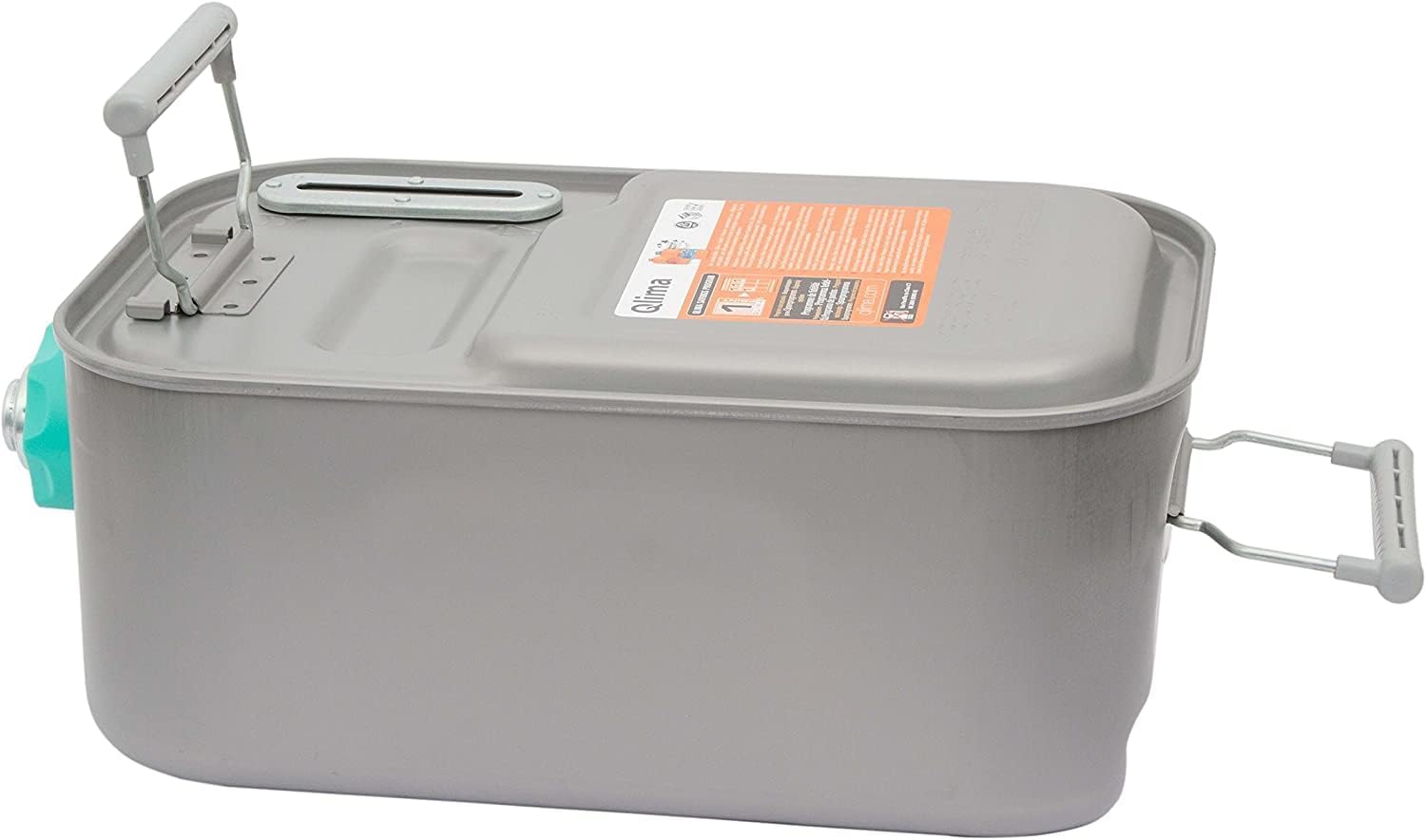
The Qlima SRE 9046 C-2 uses paraffin/petroleum fuel. Always use high-quality, pure paraffin or petroleum lamp oil to ensure optimal performance and prevent damage to the heater. The fuel tank has a capacity of 9 liters.
- Ensure the heater is turned off and cool before refueling.
- Locate the removable fuel tank, typically found on the side or back of the unit.
- Carefully remove the fuel tank from the heater.
- Unscrew the fuel cap.
- Fill the tank with the appropriate fuel, being careful not to overfill. Do not spill fuel.
- Securely replace the fuel cap and wipe away any spilled fuel.
- Carefully reinsert the fuel tank into the heater until it clicks into place.

4.4 Power Connection
Connect the power cord to a grounded electrical outlet. Ensure the voltage matches the heater's requirements (240 Volts AC).

5. Operating Instructions
5.1 Power On/Off
- To turn on: Press the red Power Button. The heater will initiate a startup sequence.
- To turn off: Press the red Power Button again. The heater will enter a cool-down phase before shutting down completely.
5.2 Setting the Temperature
- Press the SET button to enter temperature setting mode.
- Use the TEMP/TIME Up/Down Arrows to adjust the desired room temperature.
- Press SET again to confirm, or wait a few seconds for the setting to be automatically saved.
5.3 Timer Function
The timer allows you to program the heater to turn on or off at a specific time.
- Press the Timer Button.
- Use the TEMP/TIME Up/Down Arrows to set the desired on/off time.
- Press the Timer Button again to activate the timer. The timer indicator will illuminate.
5.4 Energy-Saving Mode (ECO)
The ECO mode helps reduce fuel consumption by automatically adjusting the heating output to maintain a comfortable temperature more efficiently.
- Press the ECO Button to activate or deactivate the energy-saving mode. The ECO indicator will light up when active.
5.5 Child Safety Lock
To prevent accidental operation or changes to settings by children, activate the child safety lock.
- Press and hold the Child Lock Button for a few seconds until the lock indicator appears on the display.
- To deactivate, press and hold the Child Lock Button again until the indicator disappears.
6. Maintenance
Regular maintenance ensures the longevity and efficient operation of your heater.
6.1 Regular Cleaning
- Always unplug the heater and allow it to cool completely before cleaning.
- Wipe the exterior surfaces with a soft, damp cloth. Do not use abrasive cleaners or solvents.
- Clean the air intake and outlet grilles regularly to prevent dust buildup, which can impede airflow.
6.2 Fuel Filter
Check the fuel filter periodically for any debris or blockages. Refer to the full product manual for instructions on how to access and clean or replace the fuel filter.
6.3 Storage
If storing the heater for an extended period:
- Empty the fuel tank completely.
- Clean the heater thoroughly.
- Store the heater in a dry, dust-free location, away from direct sunlight and extreme temperatures.
7. Troubleshooting
If you encounter issues with your Qlima SRE 9046 C-2 heater, consult the following common troubleshooting tips:
- Heater Not Turning On: Check if the power cord is securely plugged in and if there is power to the outlet. Ensure the fuel tank is not empty and is correctly inserted.
- Unusual Odor: A slight odor may occur during initial use. If a strong or persistent odor is present, ensure proper ventilation and check for fuel spills. Using incorrect or contaminated fuel can also cause odors.
- Error Codes: If an error code appears on the display, consult the comprehensive product manual for specific code meanings and recommended actions. Common issues might relate to fuel levels, ventilation, or internal sensor readings.
- Reduced Heating Performance: Check if the air intake and outlet grilles are clean and unobstructed. Ensure the room size is within the heater's capacity.
- Automatic Shutdown: The heater is equipped with safety features like anti-tilt and overheat protection. If it shuts down unexpectedly, check if it has been knocked over or if the air vents are blocked. Allow it to cool down before restarting.
If the problem persists after attempting these solutions, contact Qlima customer support or a qualified service technician.
8. Specifications
| Feature | Specification |
|---|---|
| Brand | Qlima |
| Model | SRE 9046 C-2 |
| Color | Black/White |
| Dimensions (L x W x H) | 34.9 x 46.6 x 44.5 cm |
| Weight | 14.1 Kilograms |
| Voltage | 240 Volts (AC) |
| Heat Output | 4.65 kW |
| Thermal Coverage | Up to 76 m² / 190 m³ |
| Fuel Type | Kerosene / Paraffin |
| Fuel Tank Capacity | 9 Liters |
| Number of Speeds | 2 |
| Safety Features | Anti-tilt, Overheat Protection, Child Safety Lock |
| Certifications | GS, NF, CE |
9. Warranty and Support
The Qlima SRE 9046 C-2 heater comes with a 4-year manufacturing warranty. This warranty covers defects in materials and workmanship under normal use.
For warranty claims, technical support, or spare parts inquiries, please contact your authorized Qlima dealer or visit the official Qlima website for customer service contact information. Please have your model number (SRE 9046 C-2) and proof of purchase available when contacting support.


