Introduction
This manual provides essential information for setting up, operating, and maintaining your BOSGAME P6 Mini PC. The BOSGAME P6 is a compact desktop computer designed for various tasks, including gaming, multimedia, and office productivity. It features an AMD Ryzen 9 6900HX processor, 32GB of DDR5 RAM, and a 1TB PCIe 4.0 NVMe SSD, offering robust performance in a small form factor.
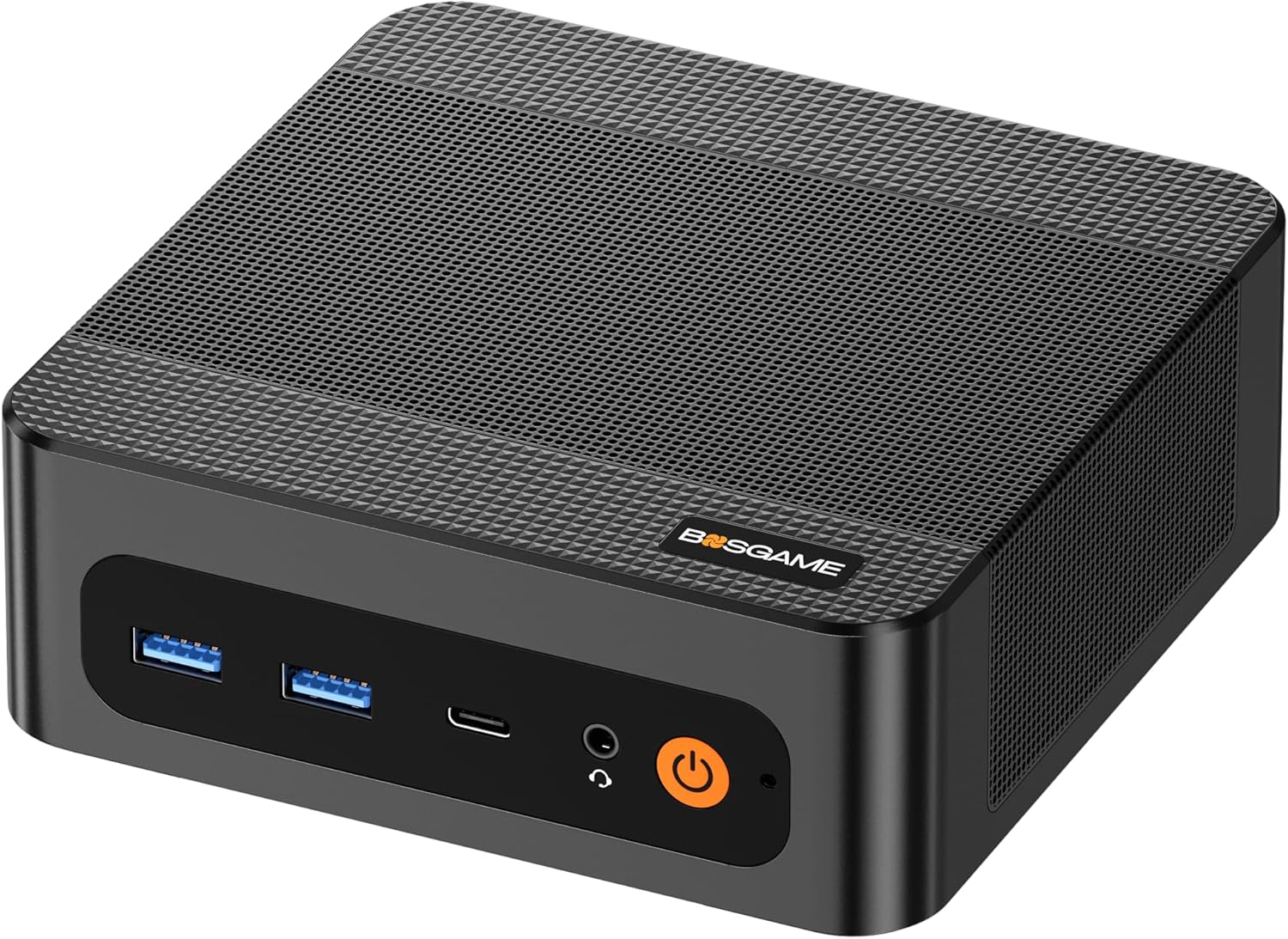
Image: Front view of the BOSGAME P6 Mini PC, showcasing its compact design and front ports.
What's in the Box
Verify that all items listed below are included in your package:
- 1x BOSGAME P6 Mini PC
- 1x HDMI Cable
- 1x Wall Mount
- 1x Power Adapter (Input AC 100~240V, 50/60Hz, Output DC 19V/6.3A) (5.5mm x 2.5mm)
- 1x User Manual
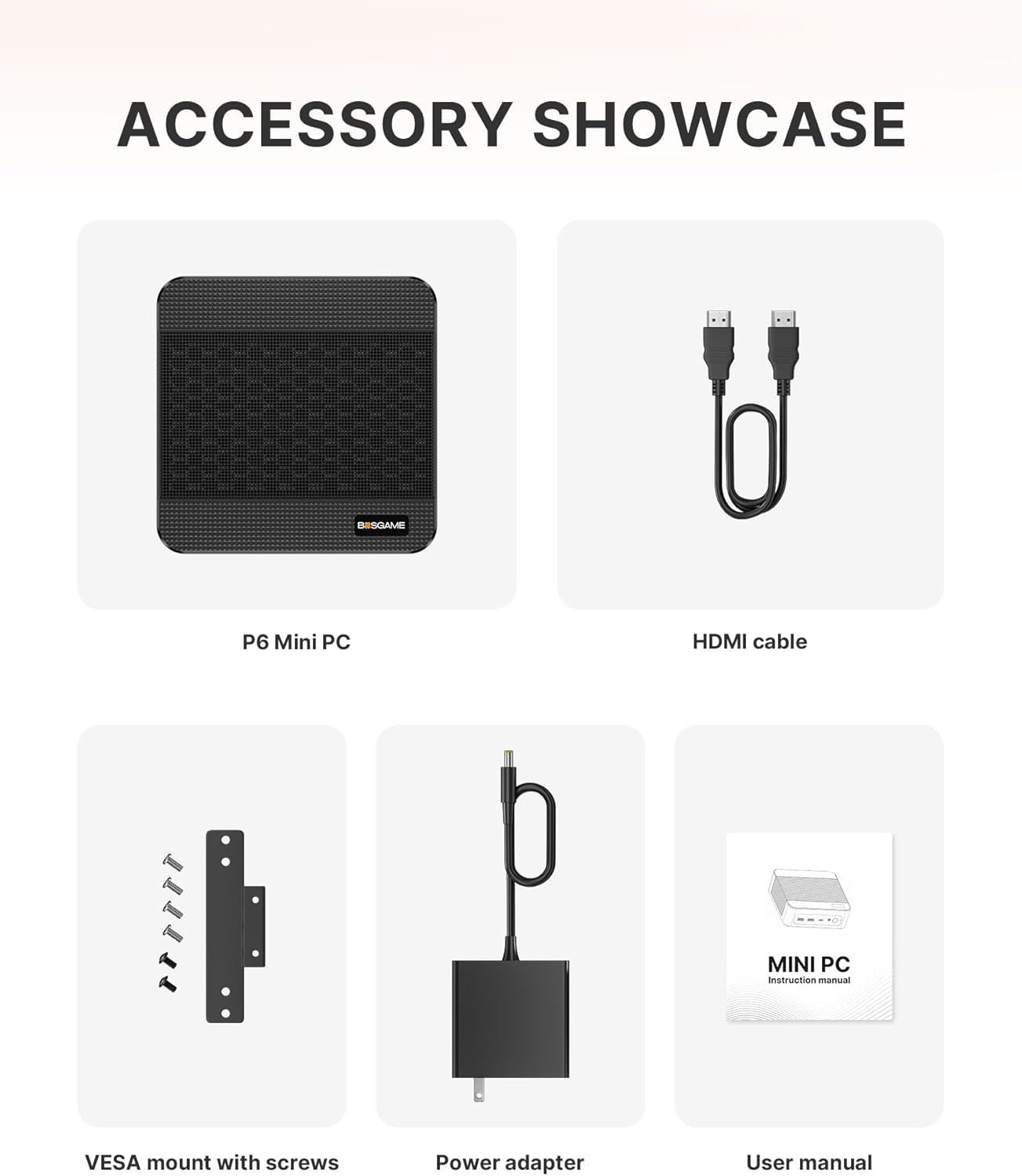
Image: All included accessories for the BOSGAME P6 Mini PC, including the PC unit, HDMI cable, wall mount, power adapter, and user manual.
Product Overview
The BOSGAME P6 Mini PC is designed for efficiency and versatility. Its compact dimensions (approximately 129 x 123 x 44 mm) allow for flexible placement in various environments.
Ports and Connectors
The device features a comprehensive set of ports for connectivity:
- Front Ports: Power button, Audio Jack, USB-C (4K@60Hz), 2x USB 3.2 Gen2 10Gbps ports.
- Rear Ports: DC Power Input, 2x RJ45 LAN ports, HDMI (4K@60Hz), DP (4K@60Hz), 2x USB 3.2 Gen2 10Gbps ports, 2x USB 2.0 480Mbps ports.

Image: Detailed diagram illustrating the front and rear port configurations of the BOSGAME P6 Mini PC.
Setup
Follow these steps for initial setup of your BOSGAME P6 Mini PC:
- Connect Display: Connect your monitor(s) to the Mini PC using the HDMI, DisplayPort (DP), or USB-C ports.
- Connect Peripherals: Connect your keyboard, mouse, and any other USB devices to the available USB ports.
- Connect Power: Plug the power adapter into the DC input port on the Mini PC, then plug the adapter into a power outlet.
- Power On: Press the power button on the front of the Mini PC.
- Initial Windows Setup: Follow the on-screen instructions to complete the Windows operating system setup.
Windows System Setup Guide
Video: An official guide from BOSGAME PC demonstrating the steps to set up the Windows operating system on the Mini PC.
Operating Instructions
Connecting Multiple Displays
The BOSGAME P6 supports up to three 4K monitors simultaneously, utilizing its HDMI, DisplayPort (DP), and full-function USB-C ports. This allows for an expanded workspace for productivity or immersive gaming experiences.

Image: A visual representation of the BOSGAME P6 Mini PC connected to three displays, demonstrating its triple screen display capability.
Wireless Connectivity
The Mini PC is equipped with Wi-Fi 6E for high-speed wireless internet access and Bluetooth 5.3 for connecting wireless peripherals such as headphones, speakers, keyboards, and mice.
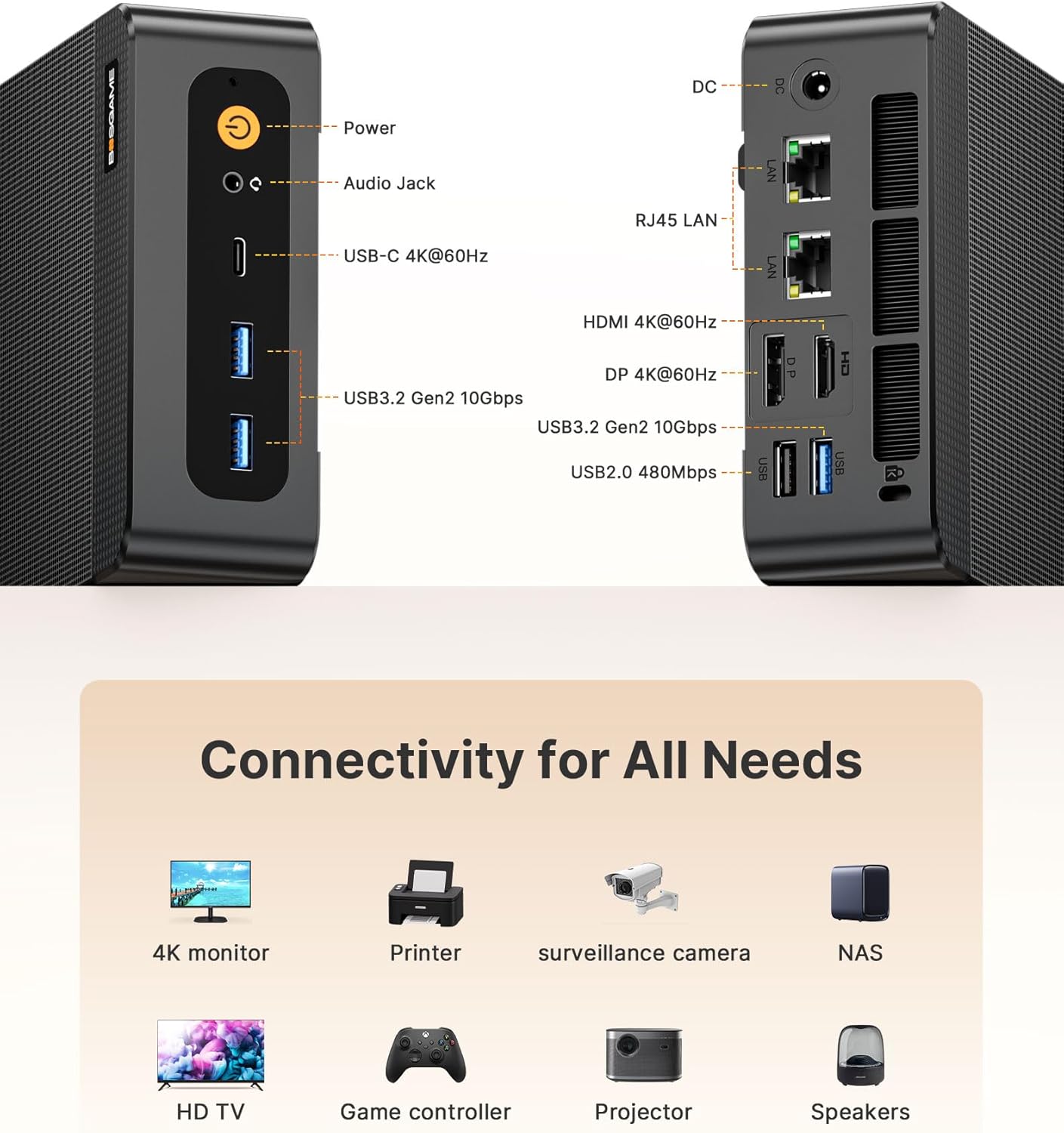
Image: Diagram illustrating the Wi-Fi 6E and Bluetooth 5.3 capabilities of the BOSGAME P6 Mini PC and compatible devices.
Wired Network Connectivity
Dual RJ45 LAN ports provide stable and fast wired internet speeds, supporting features like Wake On LAN (WOL) for remote management and an Auto Power On function for automatic startup.

Image: Illustration of the dual RJ45 LAN ports on the BOSGAME P6 Mini PC, highlighting features like bandwidth aggregation and network reliability.
Multi-Function USB-C Port
The full-function USB-C port supports 10Gbps data transmission, 4K video output, and Power Delivery (PD 3.0) for charging compatible devices or powering the Mini PC from a suitable power source.

Image: Visual guide to the multi-function USB-C port on the BOSGAME P6 Mini PC, detailing its capabilities for data, video, external devices, and power delivery.
Performance Features
Processor
The BOSGAME P6 is powered by the AMD Ryzen 9 6900HX processor, featuring 8 cores and 16 threads with a maximum boost clock of 4.9GHz. Integrated Radeon 680M graphics (RDNA 2 architecture) provide capable visual processing for gaming and demanding applications.
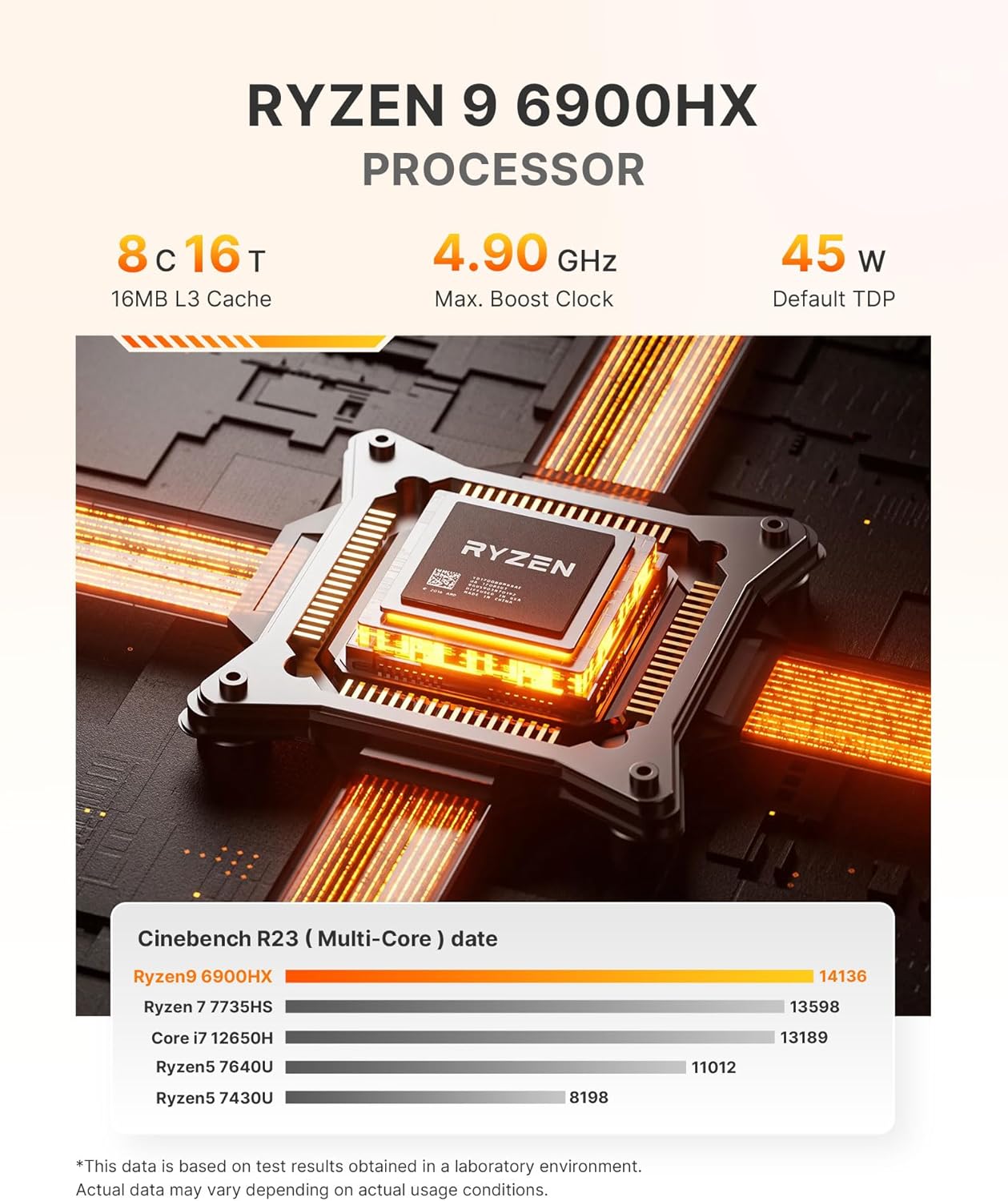
Image: Detailed view of the AMD Ryzen 9 6900HX processor, highlighting its core count, thread count, clock speed, and TDP.
Memory and Storage
The Mini PC includes 32GB of LPDDR5X RAM operating at 6400MHz, ensuring smooth multitasking. Storage is provided by a 1TB NVMe PCIe 4.0 SSD, offering fast boot times and application loading. The storage is expandable up to 8TB across dual slots.
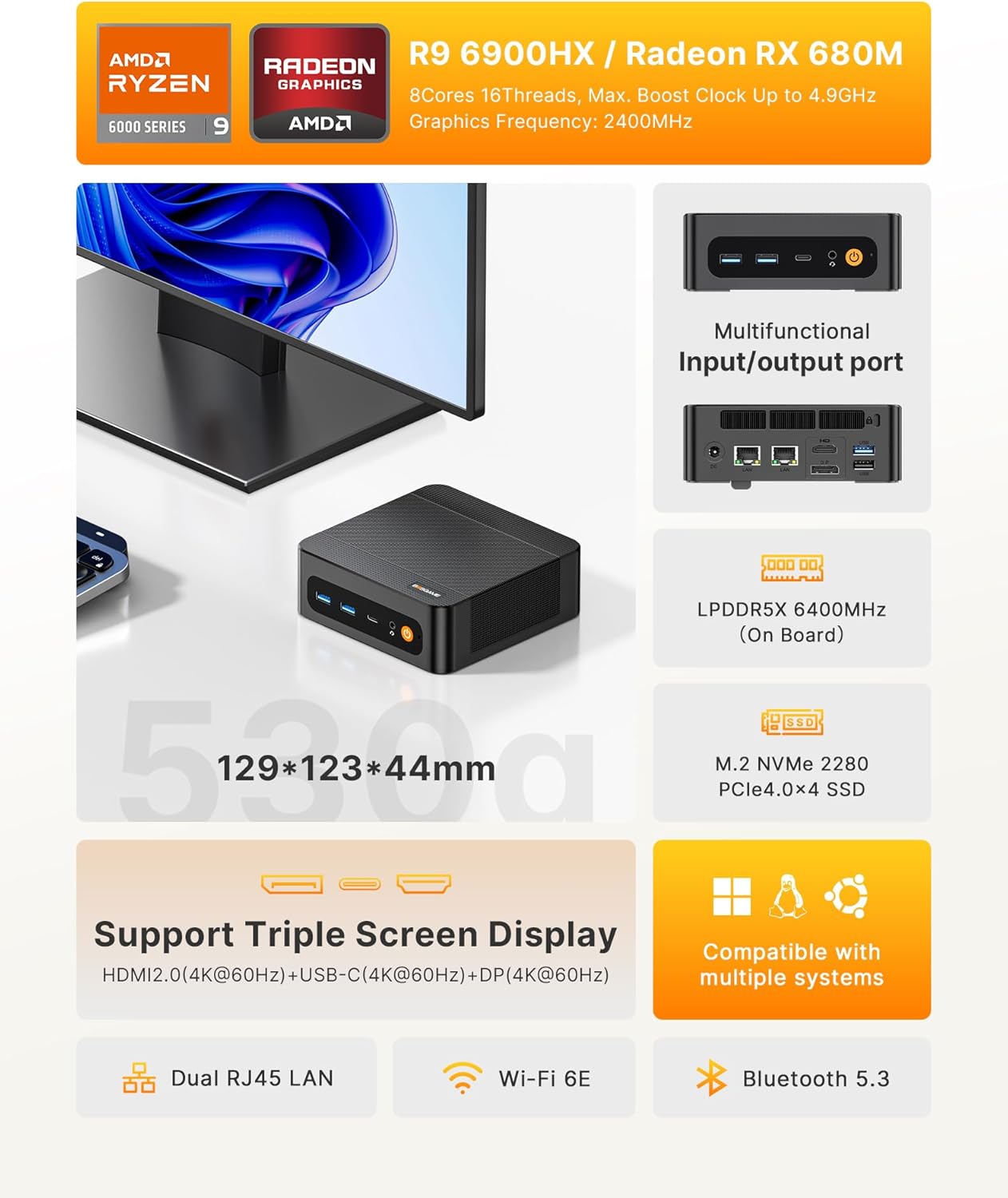
Image: Diagram showing the LPDDR5X RAM and M.2 NVMe PCIe 4.0 SSD, illustrating their speeds and expandability.
Cooling System
An advanced vapor chamber cooling system is integrated to maintain optimal operating temperatures, ensuring stable performance even under heavy loads.

Image: Illustration demonstrating the highly efficient heat dissipation system of the BOSGAME P6 Mini PC.
Gaming Performance Example
Video: A benchmark test of the 'Black Myth WU KONG' game running on the BOSGAME P6 Mini PC, demonstrating its gaming capabilities.
Maintenance
To ensure the longevity and optimal performance of your BOSGAME P6 Mini PC, regular maintenance is recommended:
- Dust Removal: Periodically clean the exterior of the Mini PC with a soft, dry cloth. Use compressed air to clear dust from ventilation grilles to prevent overheating.
- Software Updates: Keep your operating system and drivers updated to the latest versions for security and performance improvements.
- Environmental Conditions: Operate the Mini PC in a well-ventilated area, away from direct sunlight, excessive heat, and moisture.
Troubleshooting
If you encounter issues with your Mini PC, refer to the following common troubleshooting tips:
- No Power: Ensure the power adapter is securely connected to both the Mini PC and a working power outlet. Try a different outlet if necessary.
- No Display: Verify that the display cable (HDMI, DP, or USB-C) is firmly connected to both the Mini PC and the monitor. Check if the monitor is set to the correct input source.
- Peripheral Not Detected: Ensure USB devices are properly connected. Try connecting them to a different USB port. For wireless devices, check battery levels and pairing status.
- System Slowdown: Close unnecessary applications. Check for background processes consuming high resources. Ensure sufficient free storage space.
Specifications
| Feature | Specification |
|---|---|
| Brand | BOSGAME |
| Series | BOSGAME Ryzen 9 6900HX Mini Gaming PC |
| Model Number | P3 |
| Processor | AMD Ryzen 9 6900HX (8C/16T, 4.9GHz) |
| Graphics Card | AMD Radeon 680M (RDNA 2) |
| RAM | 32GB LPDDR5X (6400MHz) |
| Hard Drive | 1TB PCIe 4.0 NVMe SSD |
| Operating System | Support Win/Ubuntu/Linux |
| Wireless Type | Wi-Fi 6E, Bluetooth 5.3 |
| Ethernet | Dual RJ45 LAN (Gigabit) |
| USB Ports | 4x USB 3.2 Gen2, 2x USB 2.0, 1x Full-function USB-C |
| Video Output | HDMI 4K@60Hz, DP 4K@60Hz, USB-C 4K@60Hz (Triple Display Support) |
| Dimensions | 129 x 123 x 44 mm |
| Item Weight | 2.75 pounds |
Warranty and Support
BOSGAME offers a 1-year limited warranty on all PCs. Enjoy 30-day hassle-free returns and access to 24/7 technical support for any issues. If you encounter any problems, contact BOSGAME directly—our dedicated team is committed to resolving your concerns promptly with honest and professional service.
For technical support, please visit the official BOSGAME website or contact their customer service team.
Product Overview Video
Video: A short overview of the BOSGAME P3 Mini PC, showcasing its design and features.


