1. Introduction
Welcome to the user manual for your new Siemens iQ300 Front-Load Washing Machine, model WM14N29XEP. This appliance is designed to provide efficient and gentle care for your laundry. Please read this manual carefully to ensure safe operation, optimal performance, and proper maintenance of your washing machine.
Key features of your Siemens iQ300 washing machine include:
- 9 kg Capacity: Suitable for the laundry needs of an entire family.
- 1400 rpm Spin Speed: Ensures clothes are as dry as possible after each cycle.
- SmartFinish Technology: Reduces wrinkles during washing, simplifying ironing.
- Outdoor Program: Specifically designed for gentle cleaning of delicate fabrics and outdoor garments, protecting seams and waterproof membranes.
- iQdrive Motor: An efficient, quiet, and durable motor for reliable long-term performance.
- Energy Efficiency Class A: Contributes to environmental care and reduced energy bills.
- 15-Minute Quick Wash Option: For when you need clean clothes in a short time.
- Anti-fingerprint Matte Steel Design: Maintains a clean and elegant appearance.

Image 1.1: Front view of the Siemens iQ300 WM14N29XEP washing machine.
2. Safety Information
Please observe the following safety instructions to prevent accidents and damage to the appliance:
- Electrical Safety: Ensure the appliance is correctly earthed. Do not use extension cords or multi-plug adapters. Do not touch the power plug with wet hands.
- Water Connection: Use new hose sets for connection. Do not reuse old hose sets. Ensure all connections are tight to prevent leaks.
- Child Safety: Keep children away from the appliance. Activate the child lock function to prevent unintended operation. Packaging materials can be dangerous for children.
- Installation: The appliance must be installed on a firm, level surface. Ensure adequate ventilation. Do not install in areas where temperatures may fall below freezing.
- Operation: Do not overload the machine. Do not wash items that have been soiled with flammable substances. Always close the door firmly before starting a cycle.
- Maintenance: Disconnect the appliance from the power supply before any cleaning or maintenance.
3. Setup and Installation
3.1 Unpacking
- Remove all packaging materials, including the transport bolts at the rear of the machine. Keep the transport bolts for future transport.
- Check the appliance for any transport damage. If damaged, do not connect it.
- Ensure all accessories are present, including the power cable.
3.2 Placement
Place the washing machine on a stable, level, and clean surface. Avoid placing it on soft floor coverings. Ensure there is sufficient space around the appliance for ventilation and access.

Image 3.1: Side view of the washing machine with overall dimensions (Height: 84.50 cm, Depth: 63.30 cm, Width: 59.80 cm).

Image 3.2: Technical drawing showing side dimensions (Height: 845+12 mm, Depth: 590 mm, Total Depth with door: 633 mm).

Image 3.3: Technical drawing showing top-front view with width (598 mm).
3.3 Leveling
Use a spirit level to ensure the machine is perfectly level. Adjust the feet by turning them clockwise or counter-clockwise until the machine is stable and does not wobble.
3.4 Water Connection
- Connect the inlet hose to a cold water tap with a ¾ inch thread.
- Connect the other end of the inlet hose to the water inlet valve at the rear of the machine.
- Secure the drain hose to a standpipe or over the edge of a sink, ensuring it is not kinked and is at an appropriate height (60-100 cm from the floor).
3.5 Electrical Connection
Plug the power cable into a properly installed and earthed socket. Ensure the voltage and frequency match the specifications on the rating plate of the appliance.
4. Operating Instructions
4.1 Control Panel Overview

Image 4.1: Close-up of the control panel, showing the program selector dial and digital display.
- Program Selector Dial: Used to select the desired wash program (e.g., Cotton, Synthetics, Delicates, Outdoor, SmartFinish, Express 15/30 min).
- Display: Shows program information, remaining time, temperature, spin speed, and error codes.
- Function Buttons: Allow adjustment of temperature, spin speed, pre-wash, extra rinse, and other options.
- Start/Pause Button: To start, pause, or cancel a wash cycle.
4.2 Loading Laundry
- Open the washing machine door.
- Load laundry loosely into the drum, ensuring not to exceed the maximum 9 kg capacity.
- Close the door firmly until it clicks.

Image 4.2: Washing machine with the door open, ready for loading laundry.
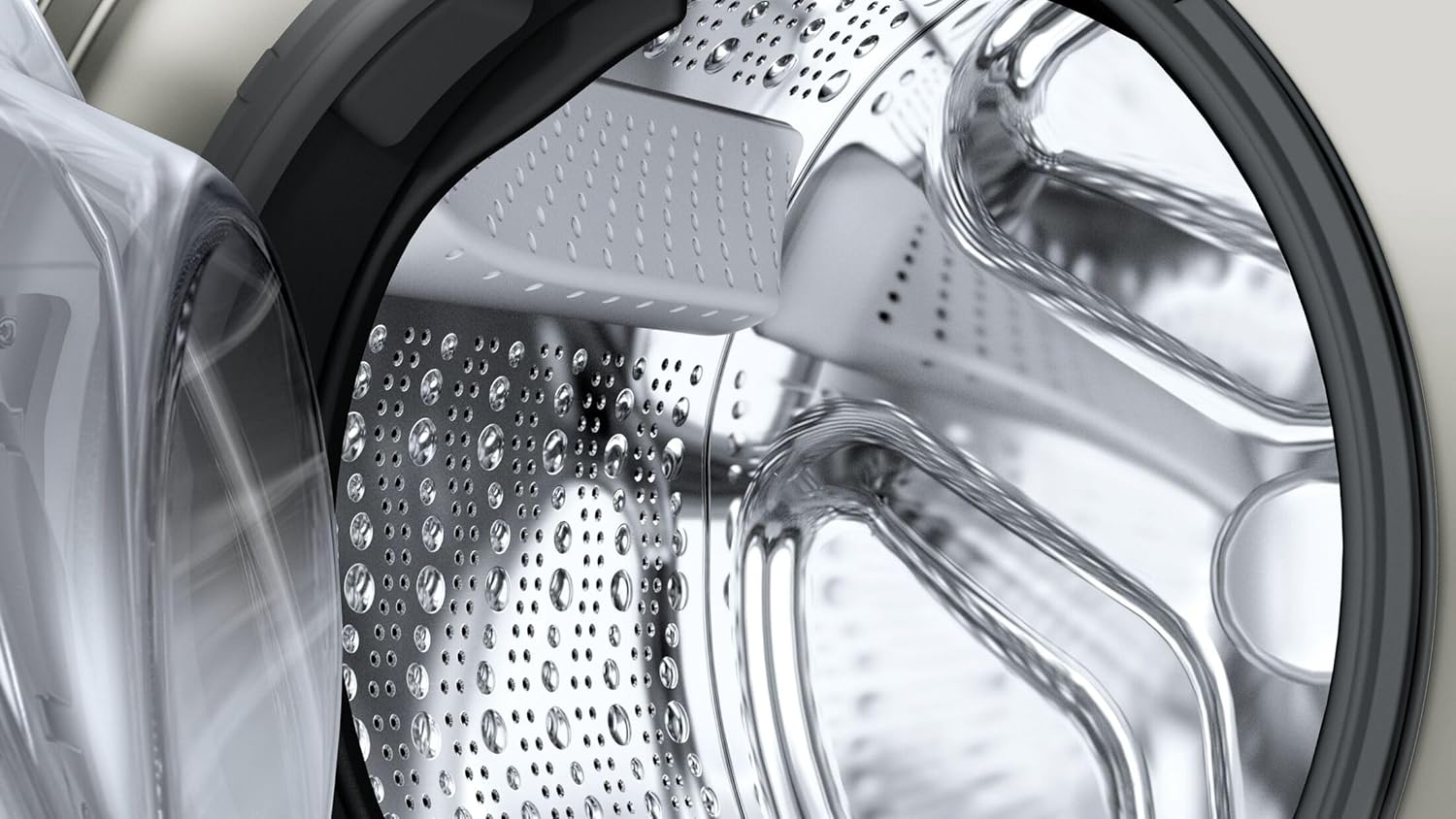
Image 4.3: Detailed view of the washing machine drum interior.
4.3 Adding Detergent and Additives
Pull out the detergent dispenser drawer. Add detergent to the main wash compartment and any fabric softener or pre-wash detergent to their respective compartments, following the detergent manufacturer's instructions.
4.4 Program Selection
Turn the program selector dial to choose the desired wash program. The display will show the default settings for the selected program. You can then adjust options like temperature and spin speed using the function buttons.
- SmartFinish: Select this program to reduce wrinkles and minimize ironing time.
- Outdoor: Use for waterproof or delicate outdoor clothing to preserve their properties.
- Express 15/30 min: For lightly soiled items that need a quick wash.
4.5 Starting a Wash Cycle
Press the Start/Pause button to begin the wash cycle. The program indicator will light up, and the display will show the remaining time.
4.6 Child Lock
To activate the child lock, press and hold the designated child lock button (refer to your control panel for the specific button, often indicated by a key symbol) for a few seconds. Repeat the process to deactivate it.
4.7 End of Cycle
The machine will signal the end of the cycle, and the door will unlock. Open the door and remove your laundry. Leave the door slightly ajar to allow the drum to air dry.
5. Maintenance and Care
Regular maintenance ensures the longevity and optimal performance of your washing machine.
5.1 Cleaning the Exterior
Wipe the exterior surfaces with a soft, damp cloth. Do not use abrasive cleaners or solvents. The anti-fingerprint matte steel finish requires only gentle cleaning.
5.2 Cleaning the Detergent Dispenser
Periodically remove the detergent dispenser drawer and rinse it under running water to remove any detergent residue. Use a brush if necessary. Reinsert the drawer.
5.3 Cleaning the Drain Filter
The drain filter should be cleaned regularly to prevent blockages. Locate the filter cover at the bottom front of the machine. Place a shallow container underneath to catch any residual water. Unscrew the filter, clean it, and then screw it back in securely.
5.4 Cleaning the Drum
Run a maintenance wash cycle (e.g., a hot wash with no laundry and a descaling agent or a specific drum cleaning program if available) periodically to prevent odors and residue buildup in the drum.
6. Troubleshooting
Before contacting customer service, please check the following common issues and solutions:
| Problem | Possible Cause | Solution |
|---|---|---|
| Machine does not start | No power supply; Door not closed; Child lock active; Start/Pause not pressed. | Check power plug and fuse; Close door firmly; Deactivate child lock; Press Start/Pause. |
| Water not filling | Water tap closed; Inlet hose kinked or blocked. | Open water tap; Straighten hose; Clean filter in inlet hose. |
| Water not draining | Drain hose kinked or blocked; Drain filter blocked. | Straighten hose; Clean drain filter. |
| Excessive vibration/noise | Transport bolts not removed; Machine not level; Laundry unevenly distributed. | Remove transport bolts; Adjust feet to level machine; Redistribute laundry. |
| Error code on display | Specific malfunction. | Refer to the appliance's full manual for specific error code meanings or contact customer support. |
7. Technical Specifications
| Specification | Value |
|---|---|
| Brand | SIEMENS |
| Model Number | WM14N29XEP |
| Product Dimensions (D x W x H) | 59 x 59.8 x 84.5 cm |
| Weight | 69.9 kg |
| Capacity | 9 Kilograms |
| Spin Speed | 1400 rpm |
| Energy Efficiency Class | A |
| Special Features | High efficiency, Child lock |
| Access Type | Front-load |
| Color | Matte Steel |
| Control Type | Button |
| Material | Plastic |
| Included Components | Power cable |
8. Warranty and Support
Your Siemens iQ300 washing machine is designed for reliability and performance. In the event of any issues, please refer to the troubleshooting section first.
For returns, Amazon.it offers a 30-day return policy from the date of receipt if you change your mind. For defective or damaged products, please consult the Amazon.it help page on returns and refunds.
For technical support, warranty claims, or further assistance, please contact Siemens customer service. Details can typically be found on the Siemens official website or in the documentation provided with your appliance.


