
Silonn SLIM32T-US
Silonn Nugget Ice Maker SLIM32T-US Instruction Manual
Model: SLIM32T-US | Brand: Silonn
1. Introduction
Thank you for choosing the Silonn Nugget Ice Maker. This countertop appliance is designed to provide you with soft, chewable nugget ice quickly and efficiently. With its user-friendly features, including a pull-out water tank and a removable ice basket, it's perfect for home kitchens, offices, and gatherings. This manual provides essential information for the safe and effective operation, maintenance, and troubleshooting of your ice maker.
2. Safety Information
Please read all instructions carefully before operating the appliance and retain this manual for future reference.
- Ensure the ice maker is connected to a grounded power outlet with the correct voltage (120 Volts).
- Do not immerse the appliance, power cord, or plug in water or other liquids.
- Place the ice maker on a stable, level surface, ensuring adequate ventilation around the unit.
- Keep the appliance away from heat sources and direct sunlight.
- Unplug the ice maker before cleaning, maintenance, or if it will not be used for an extended period.
- Do not operate the appliance with a damaged cord or plug. Contact customer support for repairs.
- This appliance is for household use only. Do not use outdoors.
- Keep children and pets away from the appliance during operation.
3. Product Overview
Familiarize yourself with the main components of your Silonn Nugget Ice Maker.

Figure 3.1: Front view of the Silonn Nugget Ice Maker, highlighting its compact design and the ice viewing window.
Key Components:
- LED Control Panel: User-friendly interface with indicators for operation status.
- Ice Viewing Window: Allows you to monitor ice production and level.
- Removable Ice Basket: For easy retrieval and storage of nugget ice.
- Pull-Out Water Tank: Conveniently removable for filling and cleaning.
- Air Vent: Located on the side for proper heat dissipation.
4. Setup
Follow these steps for the initial setup of your ice maker.
- Unpacking: Carefully remove the ice maker from its packaging. Remove all packing materials, including any tape or protective film.
- Placement: Place the ice maker on a flat, stable, and heat-resistant surface. Ensure there is at least 6 inches of clearance on all sides for proper ventilation. Avoid placing it near heat sources or in direct sunlight.
- Initial Cleaning: Before first use, it is recommended to clean the internal components.
- Remove the ice basket and pull-out water tank. Wash them with warm water and mild detergent. Rinse thoroughly.
- Wipe the exterior of the unit with a soft, damp cloth.
- Perform a self-cleaning cycle (refer to Section 6.1 for instructions).
- Fill Water Tank: Pull out the water tank from the unit. Fill it with clean, potable water up to the "MAX" fill line.Slide the filled water tank back into the ice maker until it clicks into place.

Figure 4.1: The pull-out water tank is easily removed for filling and cleaning under a faucet.
- Connect Power: Plug the power cord into a grounded electrical outlet.
5. Operating Instructions
Operating your Silonn Nugget Ice Maker is straightforward.
- Power On: Press the ON/OFF button on the control panel to turn on the ice maker. The "Making Ice" indicator light will illuminate.
- Ice Production: The ice maker will begin producing nugget ice. The first batch of ice is typically ready in approximately 10 minutes. The machine can produce up to 44 pounds of ice in 24 hours.
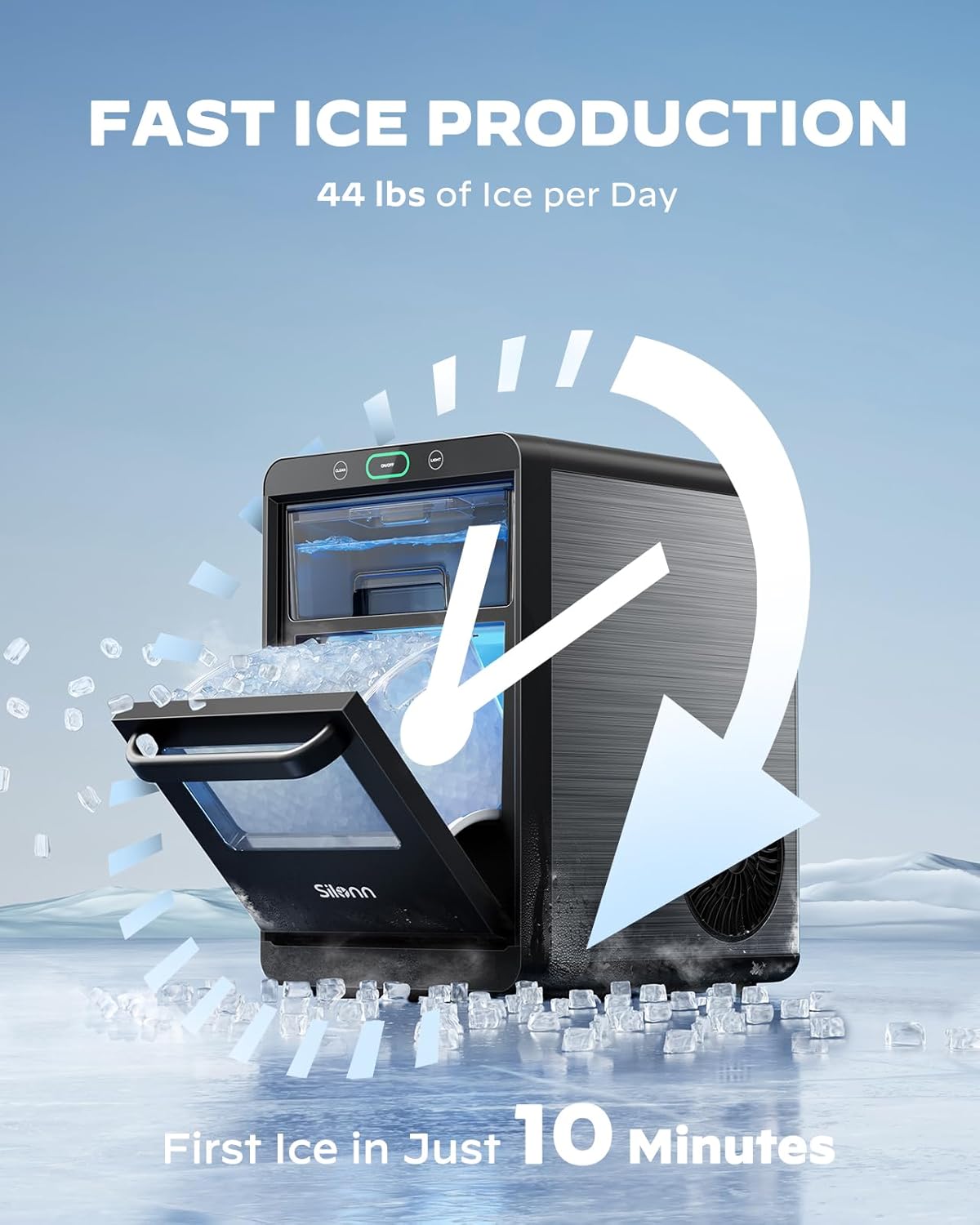
Figure 5.1: The ice maker is capable of producing its first batch of ice in approximately 10 minutes and up to 44 pounds of ice daily.
- Ice Collection: As ice is produced, it will fall into the removable ice basket.When the ice basket is full, the "Ice Basket Full" indicator light will turn on, and the ice production will pause. Once ice is removed, production will resume automatically.
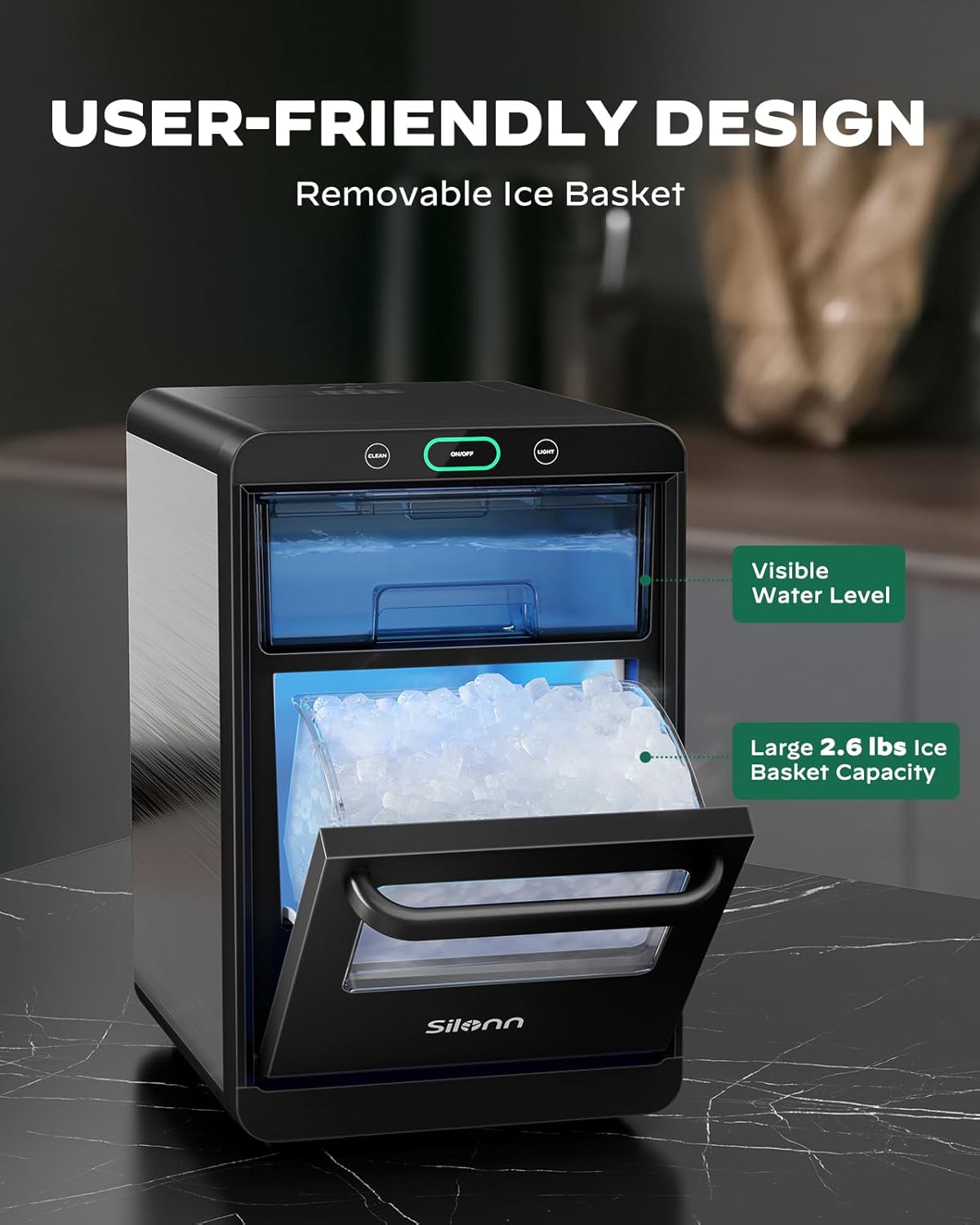
Figure 5.2: The unit features a visible water level indicator and a large 2.6 lbs ice basket capacity for convenience.
- Water Refill: If the water tank runs low, the "Water Tank Empty" indicator light will turn on, and ice production will stop. Refill the water tank as described in Section 4.4.
- LED Indicators: The LED control panel provides clear visual cues for the ice maker's status.

Figure 5.3: The LED control panel provides clear indicators for the ice maker's status, including when it's making ice, the basket is full, self-cleaning is active, or the water tank is empty.
- Power Off: Press the ON/OFF button again to turn off the ice maker.
6. Maintenance & Cleaning
Regular cleaning and maintenance will ensure optimal performance and longevity of your ice maker.
6.1 Self-Cleaning Function
The ice maker features a convenient one-touch self-cleaning function.
- Ensure the water tank is filled with clean water.
- Press and hold the CLEAN button for 5 seconds. The "Self-cleaning" indicator light will illuminate.
- The cleaning cycle will run automatically. Once complete, the unit will return to standby mode.
- Drain any remaining water from the unit (refer to Section 6.3).
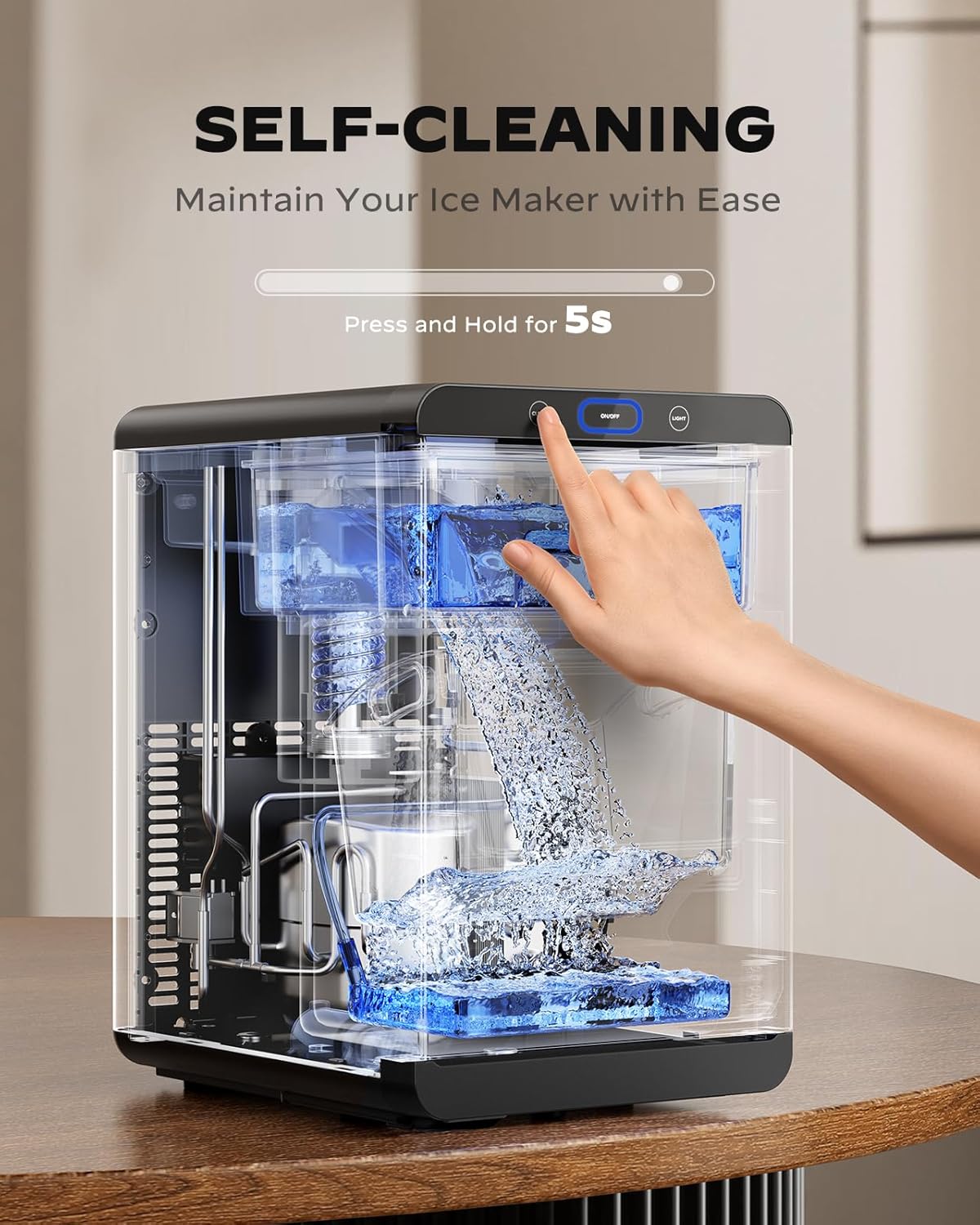
Figure 6.1: The ice maker features a one-touch self-cleaning function for easy maintenance. Press and hold the 'Clean' button for 5 seconds to activate.
6.2 Manual Cleaning
For thorough cleaning, especially of removable parts:
- Unplug the ice maker from the power outlet.
- Remove the ice basket and pull-out water tank. Wash them with warm water and a mild, non-abrasive detergent. Rinse thoroughly and dry completely.
- Wipe the interior of the ice storage area and water reservoir with a soft cloth dampened with a mild cleaning solution.
- Clean the exterior with a soft, damp cloth. Do not use harsh chemicals or abrasive cleaners.
- Ensure all parts are dry before reassembling and plugging in the unit.
6.3 Descaling
Mineral deposits from water can build up over time, affecting ice quality and machine performance. Descaling is crucial, especially in hard water areas.
- Moderately Hard Water Areas: Descale monthly.
- Hard to Very Hard Water Areas: Descale every two to three weeks.
Use a descaling solution specifically designed for ice makers or a mixture of white vinegar and water (1:1 ratio). Follow the instructions on the descaling solution packaging or run a self-cleaning cycle with the vinegar solution, then rinse thoroughly by running several cycles with clean water.
7. Troubleshooting
If you encounter issues with your ice maker, refer to the following common problems and solutions.
| Problem | Possible Cause | Solution |
|---|---|---|
| Ice maker is not producing ice. |
|
|
| Ice maker is loud or making unusual noises. |
|
|
| Ice is melting quickly in the basket. |
|
|
| "Ice Basket Full" indicator is on, but basket is not full. |
|
|
8. Specifications
Technical specifications for the Silonn Nugget Ice Maker SLIM32T-US.
| Feature | Detail |
|---|---|
| Brand | Silonn |
| Model Name | SLIM32T |
| Product Dimensions (D x W x H) | 13.59"D x 9.39"W x 14.79"H |
| Capacity | 44 Pounds (ice production per 24h) |
| Wattage | 120 Watt-hours |
| Voltage | 120 Volts |
| Refrigerant | R600a |
| Material | Stainless Steel |
| Item Weight | 26.5 pounds |
| Installation Type | Countertop |
| UPC | 810174343861 |
| Included Components | Pull-out water tank, Removable ice basket, Scoop |
9. Warranty and Support
For warranty information or technical support, please refer to the official Silonn website or contact their customer service directly. You may also find additional resources and a downloadable PDF user manual at the following link:Silonn Nugget Ice Maker User Manual (PDF)
Please have your model number (SLIM32T-US) and purchase information ready when contacting support.
Related documentsSLIM32T-US

Ask a question about this manual
Ask about setup, troubleshooting, compatibility, parts, safety, or missing instructions. Manuals+ will review the question and use this page’s manual context to help answer it.