
1. Introduction
This manual provides detailed instructions for the assembly, operation, and maintenance of your MOUMON LED Lighted Medicine Cabinet, Model 2 Doors-35.4"W. This wall-mounted bathroom cabinet features integrated LED lighting with adjustable color and brightness, an independent anti-fog function, and multi-layered storage shelves. Please read this manual thoroughly before installation and use to ensure proper function and safety.
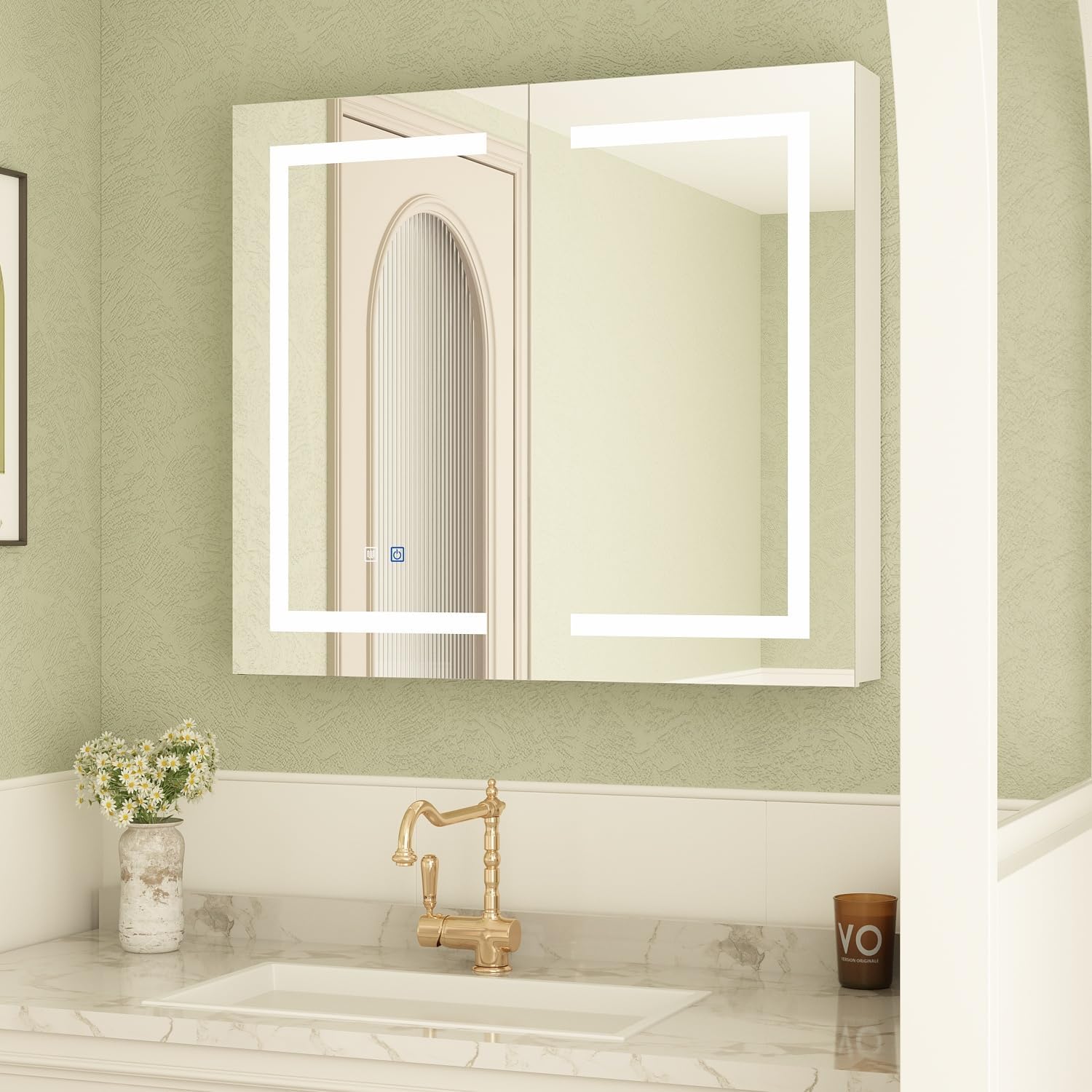
Image 1.1: MOUMON LED Lighted Medicine Cabinet (Front View)
2. Safety Information
WARNING: Failure to follow these safety instructions may result in injury or product damage.
- Always follow the assembly instructions carefully.
- Do not exceed the load limit of the cabinet to prevent structural damage or injury.
- Always use appropriate safety gear (e.g., safety glasses, gloves) when installing the cabinet.
- Ensure the wall structure is capable of supporting the cabinet's weight when fully loaded.
- Disconnect power before any electrical connections or maintenance.
- Keep children away from the assembly area and ensure all small parts are out of reach.
3. Package Contents
Verify that all components are present and undamaged before beginning assembly. If any parts are missing or damaged, please contact customer support.
- Medicine Cabinet Unit (Main Frame with Mirror Doors)
- Adjustable Glass Shelves (3 included)
- Mounting Hardware (screws, anchors, brackets)
- Assembly Manual
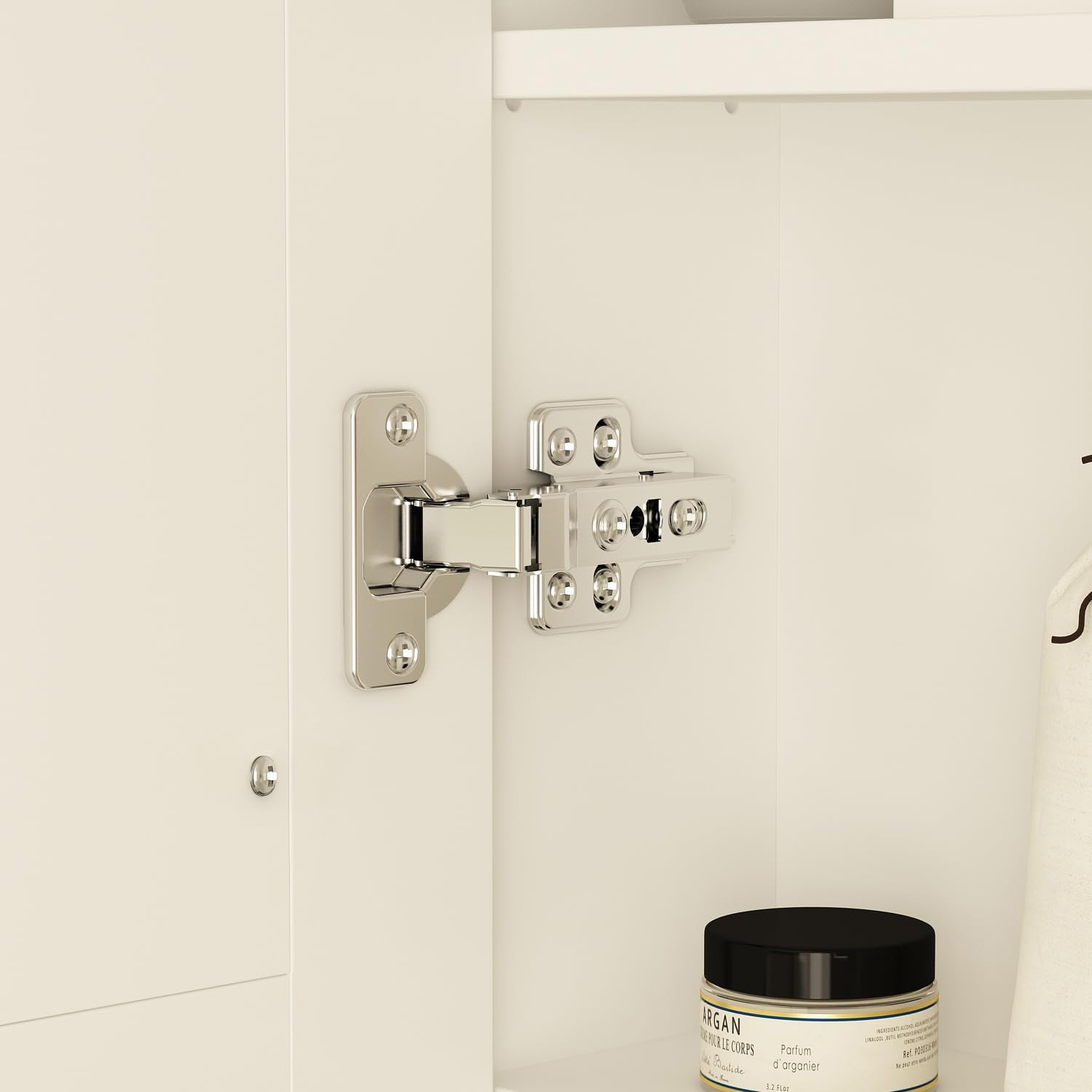
Image 3.1: Cabinet Interior with Shelves
4. Setup and Installation
4.1 Pre-Installation Checklist
- Measure your wall space to ensure the cabinet (5.1"D x 35.4"W x 31.5"H) fits appropriately.
- Identify the location of electrical wiring and plumbing within the wall to avoid damage during drilling.
- Ensure the wall surface is clean, dry, and structurally sound.
4.2 Tools Required
- Drill
- Level
- Measuring Tape
- Pencil
- Screwdriver (Phillips head)
- Safety Glasses
4.3 Mounting Instructions
- Mark Mounting Points: Using a level and measuring tape, mark the desired height and width for the cabinet on the wall. Refer to the assembly manual for precise mounting hole distances.
- Drill Pilot Holes: Drill pilot holes at the marked locations. Use appropriate drill bits for your wall type (e.g., drywall, tile, concrete). Insert wall anchors if necessary.
- Attach Mounting Brackets: Secure the mounting brackets to the wall using the provided screws. Ensure they are level and firmly attached.
- Hang the Cabinet: With assistance, carefully lift the cabinet and align its rear mounting points with the wall brackets. Gently lower the cabinet until it is securely seated on the brackets. Note: This step typically requires two people for safe handling and alignment.
- Secure Cabinet: Use additional screws (if provided) to secure the cabinet to the wall through internal mounting points to prevent movement.
- Install Shelves: Place the adjustable glass shelves into the desired positions inside the cabinet.
- Connect Electrical: If connecting to a wall switch, ensure power is off at the circuit breaker. Connect the cabinet's electrical wiring to the household wiring according to local electrical codes. If using a plug, ensure it is connected to a suitable outlet.
- Adjust Doors: If the doors are not perfectly aligned, use the adjustment screws on the hinges to fine-tune their position. (Refer to Image 4.1 for hinge detail).

Image 4.1: Hinge Detail for Door Adjustment
5. Operating Instructions
5.1 LED Lighting Control
The medicine cabinet features integrated LED lights with adjustable settings.
- Power On/Off: Briefly touch the power icon on the mirror surface to turn the lights on or off.
- Change Color Temperature: With the lights on, briefly touch the power icon again to cycle through the three color options: warm light, cool light, and neutral light.
- Adjust Brightness: With the lights on, long-press the power icon to adjust the brightness from dark to bright. Release the icon when the desired brightness is reached.

Image 5.1: LED Light Color Options
5.2 Anti-Fog Function
The mirror includes an independent anti-fog function to maintain a clear reflection after bathing.
- Activate Anti-Fog: Briefly touch the anti-fog icon on the mirror surface. The anti-fog element will begin to heat, clearing fog from the mirror surface.
- Deactivate Anti-Fog: Briefly touch the anti-fog icon again to turn off the function.

Image 5.2: Anti-Fog Feature in Operation
6. Maintenance
- Cleaning the Mirror: Use a soft, lint-free cloth and a non-abrasive glass cleaner. Spray cleaner onto the cloth, not directly onto the mirror, to prevent liquid from seeping into the edges.
- Cleaning the Cabinet: Wipe the cabinet surfaces with a soft, damp cloth. Avoid harsh chemicals or abrasive cleaners that could damage the finish.
- Hinge Inspection: Periodically check hinges for tightness and smooth operation. Adjust if necessary (refer to Section 4.3).
- Electrical Components: Ensure all electrical connections remain dry. Do not attempt to service internal electrical components yourself. Contact qualified personnel if issues arise.
7. Troubleshooting
Refer to the table below for common issues and their potential solutions.
| Problem | Possible Cause | Solution |
|---|---|---|
| LED lights do not turn on. | No power, loose connection, faulty switch. | Check power supply. Ensure electrical connections are secure. Contact support if switch is unresponsive. |
| LED lights are too dim or flicker. | Brightness setting too low, power fluctuation. | Long-press the power icon to adjust brightness. Ensure stable power supply. |
| Anti-fog function not working. | Function not activated, electrical issue. | Ensure anti-fog icon is touched to activate. Check power supply. |
| Cabinet doors do not align or close properly. | Hinges are loose or misaligned. | Adjust the screws on the hinges to realign the doors (refer to Section 4.3). |
| Cabinet feels unstable after installation. | Mounting hardware not fully secured, wall not adequate. | Re-check all mounting screws and anchors. Ensure the wall can support the weight. |
8. Specifications
| Feature | Detail |
|---|---|
| Brand | MOUMON |
| Model | 2 Doors-35.4"W |
| Product Dimensions | 5.1"D x 35.4"W x 31.5"H |
| Color | White |
| Mounting Type | Wall Mount |
| Special Features | Adjustable Lights, Anti-fog, Hidden Storage |
| Number of Doors | 2 |
| Number of Shelves | 3 |
| Frame Material | Engineered Wood |
| Back Material Type | Tempered Glass |
| Assembly Required | Yes |
| Item Weight | Approximately 200 pounds (shipping weight) |
9. Warranty and Support
Your MOUMON Medicine Cabinet is designed for durability and performance. For specific warranty details, please refer to the documentation included with your purchase or contact the seller directly.
- Returns: This product typically includes a 30-day easy return policy. Please check your purchase details for specific terms.
- Customer Support: For assistance with assembly, missing parts, or operational issues, please contact the MOUMON Official Store. You can usually find their contact information on your purchase platform or through the brand's official website.