
Important Safety Information
- Always ensure the lock box is securely mounted to a stable surface to prevent unauthorized removal.
- Do not share your combination with unauthorized individuals. Change the combination regularly for enhanced security.
- Keep the combination dials clean and free from debris to ensure smooth operation.
- Avoid exposing the lock box to extreme temperatures or harsh chemicals, which may damage the materials.
Package Contents
- 1 x AMMIY Key Lock Box
- 4 x Screws
- 4 x Expansion Plugs
- 1 x User Manual
Product Overview
The AMMIY Key Lock Box is designed for secure outdoor key storage. Constructed from high-strength alloy steel and stainless steel, it resists hammering, crushing, sawing, and prying. An ABS shell provides protection against rain, dust, snow, and sun, ensuring long-term durability. It features a 4-digit resettable combination lock, offering 10,000 possible combinations for enhanced security. The spacious interior can hold up to 5 house keys, small car keys, or other small items.
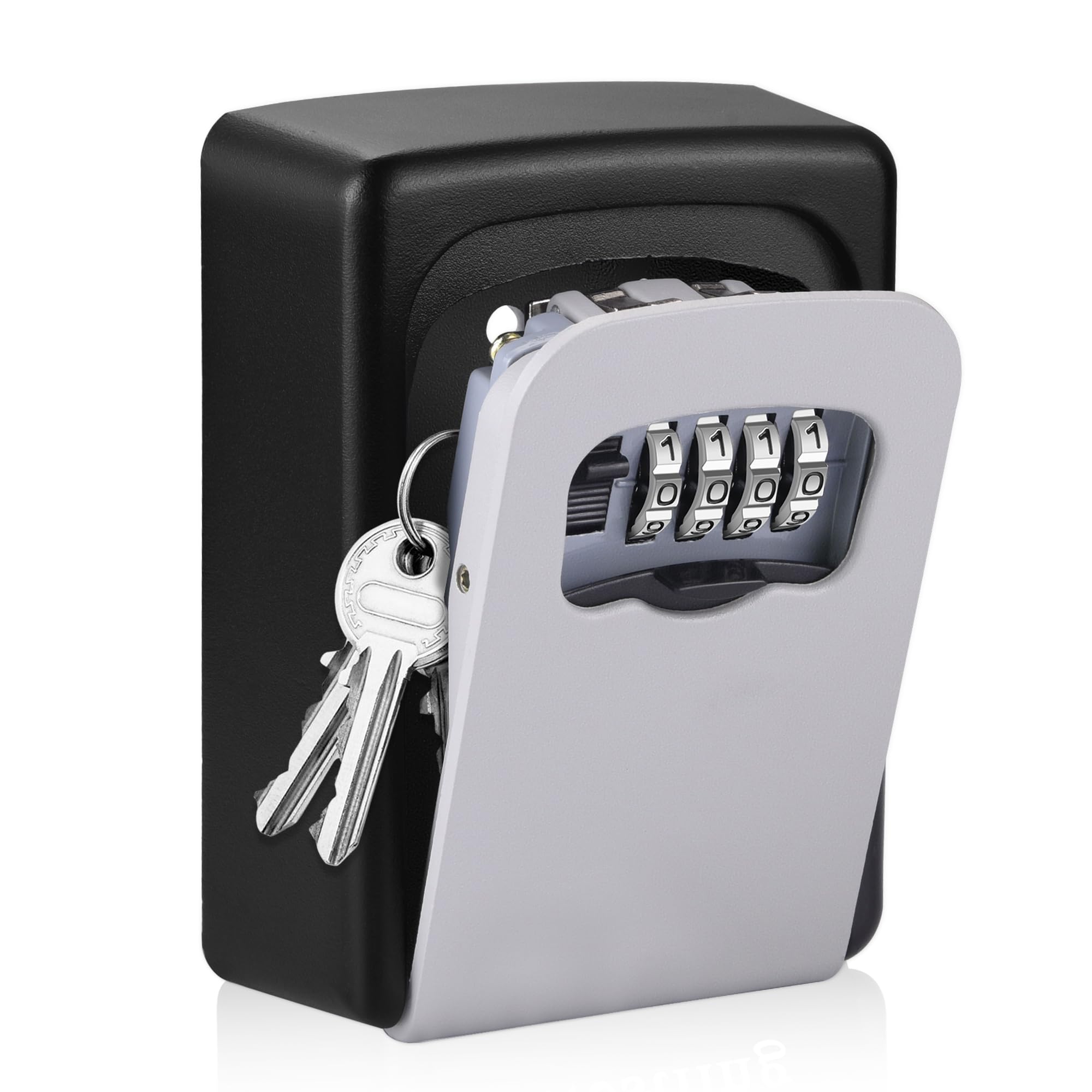
Image: The AMMIY Key Lock Box, highlighting its 4-digit combination lock and 10,000 possible combinations.

Image: Detailed view of the lock box components, including the switch to open the cover, the 4-digit dials, the reset button for changing the code, and the protective shutter cover.
Video: An overview of the AMMIY Key Lock Box, demonstrating its operation and features. This video is provided by Ivan Bosnjak (Seller).
Setup
Setting the Combination
- Open the lock box by sliding the cover down to reveal the dials. The default combination is usually 0-0-0-0.
- Inside the lock box, locate the reset lever or button. Push it from position 'A' to 'B' (or according to specific instructions if different).
- Set your desired 4-digit combination by rotating the dials to your chosen numbers. Ensure the numbers are aligned correctly.
- Return the reset lever/button from 'B' to 'A'. Your new combination is now set.
- Scramble the dials to lock the box.

Image: A hand demonstrating how to access the reset mechanism for changing the combination on the lock box.
Mounting the Lock Box
The AMMIY Key Lock Box can be easily installed at your home entrance, garage, business, or indoors. It requires no power and offers several installation methods.
- Step 1: Mark Position - Hold the open lock box against the desired mounting surface and mark the positions for the 4 screw holes.
- Step 2: Drill Holes - Use a drill to create pilot holes at the marked positions.
- Step 3: Insert Expansion Plugs - Insert the provided expansion plugs into the drilled holes.
- Step 4: Install with Screws - Align the lock box with the holes and secure it to the wall using the provided screws.

Image: A visual guide illustrating the four steps for wall-mounting the key lock box.
Video: A demonstration of the installation process for the AMMIY Key Lock Box, including important tips for secure mounting. This video is provided by Carlin B. (Seller).
Operating Instructions
Opening the Lock Box
- Slide the protective shutter cover down to reveal the combination dials.
- Rotate the dials to your preset 4-digit combination. Ensure all numbers are perfectly aligned with the indicator line.
- Push the release switch (located on the side or top of the dials) downwards. The front cover of the lock box will open.
- Access or place your keys/items inside.
Closing the Lock Box
- Close the front cover of the lock box firmly until it clicks into place.
- Scramble the combination dials to a random set of numbers. This secures the lock box.
- Slide the protective shutter cover back up to conceal the dials and protect them from weather and dust.
Video: A review of the AMMIY Key Lock Box, demonstrating how to open and close it, and highlighting its ease of use. This video is provided by Agnes (Seller).
Maintenance
- Cleaning: Periodically wipe the exterior of the lock box with a soft, damp cloth to remove dirt and grime. Avoid abrasive cleaners.
- Dial Operation: If the combination dials become stiff, apply a small amount of silicone-based lubricant to the moving parts. Do not use oil-based lubricants as they can attract dust.
- Inspection: Regularly inspect the lock box for any signs of wear, damage, or corrosion. Ensure the mounting screws are tight and the protective cover functions correctly.
- Weather Protection: While designed to be weather-resistant, ensure the protective shutter cover is always closed when not in use to maximize protection against elements.
Troubleshooting
- Cannot Open Lock Box:
- Ensure the correct combination is entered and all numbers are perfectly aligned.
- Check if the release switch is fully pushed down.
- If the dials are stiff, try gently wiggling them while entering the code.
- Difficulty Changing Combination:
- Make sure the lock box is open and the reset lever/button is fully moved to the 'B' position before setting a new code.
- Ensure the new numbers are clearly aligned before returning the reset lever/button to 'A'.
- Dials are Stiff:
- Clean any dirt or debris from around the dials.
- Apply a small amount of silicone lubricant to the dials.
Specifications
| Brand | AMMIY |
| Model Name | Key Box |
| Item Model Number | CH851 |
| Lock Type | Mechanical Code Lock |
| Material | Metal |
| Item Dimensions (L x W x H) | 4.7 x 3.5 x 1.6 inches |
| Item Weight | 11.3 ounces (0.32 Kilograms) |
| Special Feature | Combination Lock, Portable |
| Mounting Type | Wall Mount |
| Batteries Required? | No |
Warranty and Support
AMMIY products are manufactured to high-quality standards. For any questions, concerns, or warranty claims regarding your Key Lock Box, please refer to the contact information provided at the point of purchase or visit the official AMMIY website for customer support details. Please retain your proof of purchase for warranty validation.