
1. Introduction
Thank you for choosing the K&F CONCEPT 75-inch Camera Tripod. This manual provides essential information for the proper setup, operation, and maintenance of your tripod. Please read these instructions carefully before use to ensure optimal performance and longevity of the product.
This lightweight and portable tripod is designed for various photography and videography needs, supporting DSLR cameras, smartphones, and tablets. Its robust aluminum construction and versatile features make it suitable for both indoor and outdoor use.
2. Package Contents
Verify that all items listed below are included in your package:
- K&F Concept Camera Tripod (1)
- Quick Release Plate (2)
- Cellphone & Tablet Clip (1)
- Remote Control (1)
- Tripod Bag (1)
- Instruction Manual (1)

Image: The K&F CONCEPT tripod with its included accessories: two quick release plates, a cellphone and tablet clip, a remote control, and a carrying bag.
3. Product Features
- Pentagonal Tube Design: Enhances stability and durability while maintaining a lightweight profile (2.6 lbs / 1.18 kg).
- Compact Size: Folds down to 19.6 inches (50 cm) for easy portability.
- Adjustable Height: Extends from 18.9 inches (48 cm) to 75 inches (190 cm).
- 3-Way Pan Head: Features 360° rotation, smooth panning, and tilting for precise camera movements.
- Integrated Bubble Level: Ensures accurate horizontal alignment.
- Universal Compatibility: Includes a 2-in-1 adjustable holder for smartphones (2.1-3.67 inches width) and tablets (4.6-7.8 inches width).
- Wireless Bluetooth Remote: Provides remote control for photos and videos from up to 472 inches (12 meters).
- Material: Constructed from durable aluminum.
- Weight Limit: Supports devices up to 8.8 lbs (4 kg).
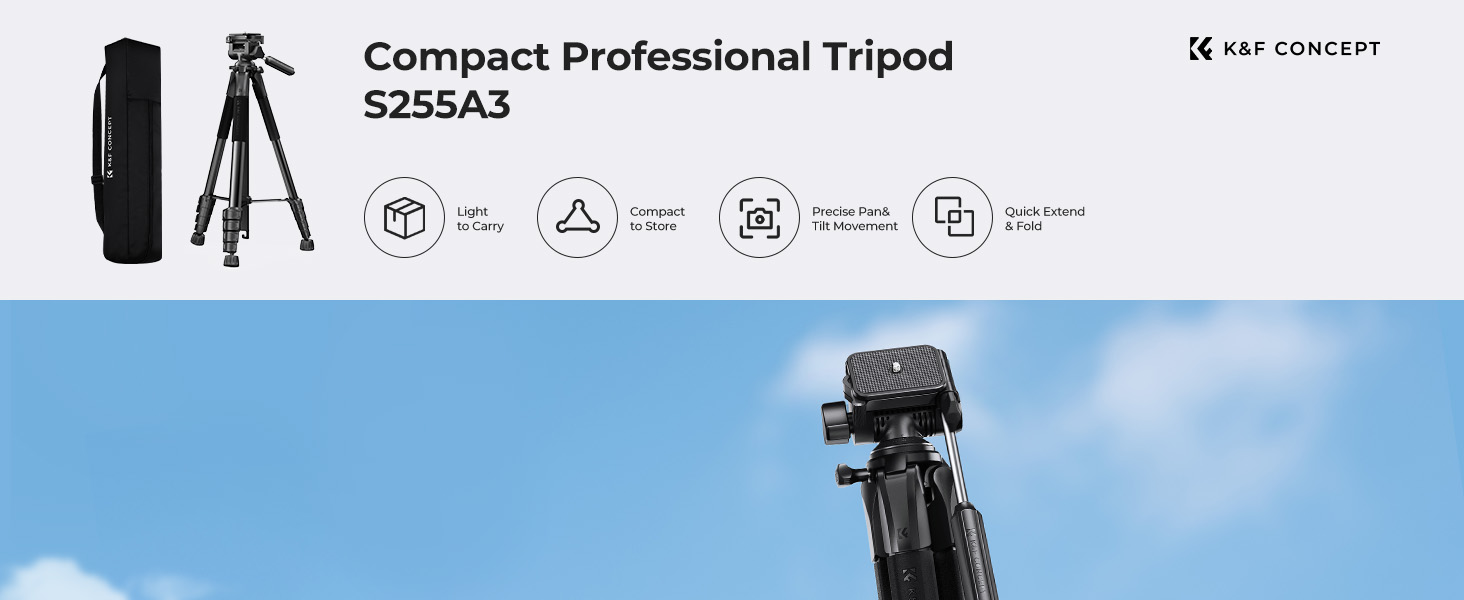
Image: An overview of the tripod's key features, highlighting its portability, compact design, precise movement, and quick extension/folding capabilities.
4. Setup Instructions
4.1 Unfolding the Tripod
- Place the tripod on a flat, stable surface.
- Gently spread the three legs outwards until they are fully extended and locked into position.
- Adjust the leg sections by unlocking the quick flip locks, extending the legs to the desired height, and then securely closing the locks.
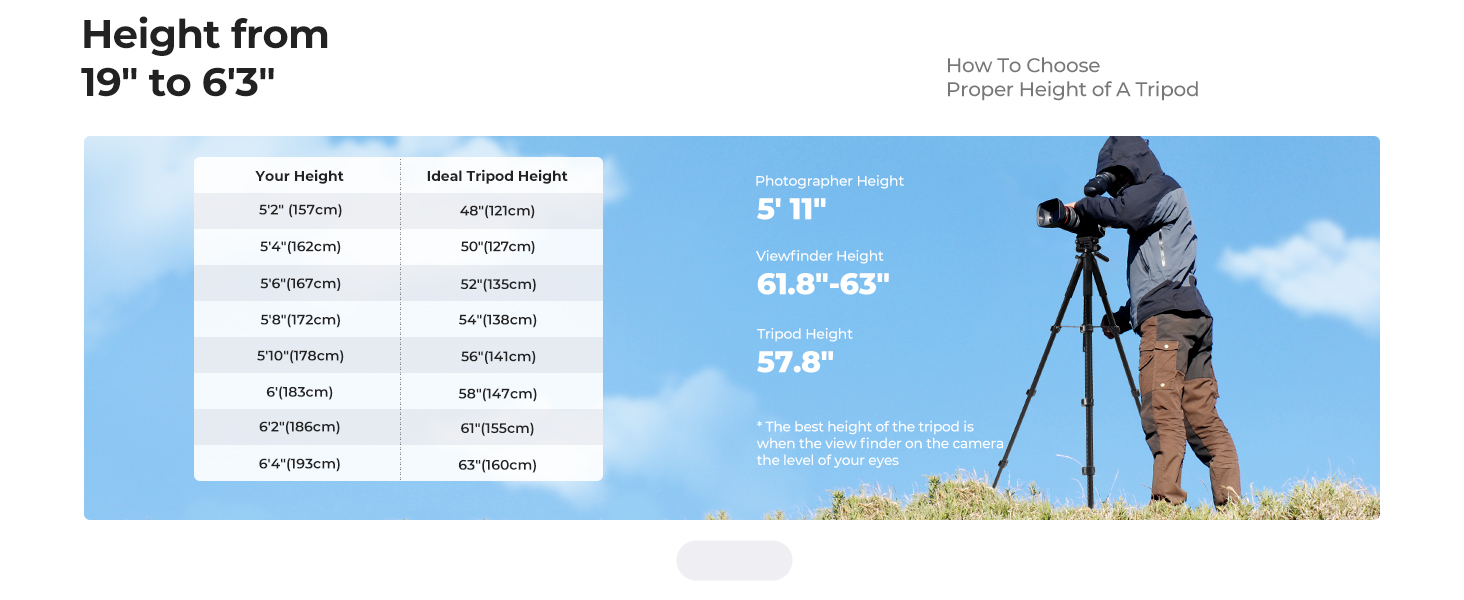
Image: Illustration showing how to unlock the buckles, let the legs fall to full length, and then lock the clips to extend the tripod legs.
4.2 Attaching a Camera or Device
- Locate the quick release plate on the tripod head.
- Unscrew the quick release plate lock knob and remove the plate from the tripod head.
- Attach the quick release plate to the bottom of your camera or to the cellphone/tablet clip using the 1/4-inch screw. Ensure it is securely tightened.
- Slide the quick release plate with your device back into the tripod head until it clicks into place. Tighten the quick release plate lock knob to secure it.

Image: A camera being attached to the quick release plate on the tripod head. The image highlights the quick release plate, lock knob, and 1/4" screw.
4.3 Using the Cellphone & Tablet Clip
- Attach the cellphone & tablet clip to one of the quick release plates.
- Expand the clip to fit your smartphone or tablet securely. The clip accommodates devices with widths between 2.1-3.67 inches (smartphones) and 4.6-7.8 inches (tablets).
- Ensure the device is firmly gripped by the rubber padding to prevent slipping.

Image: A smartphone mounted in the cellphone and tablet clip, which is attached to the tripod. The image also shows the Bluetooth remote control.
4.4 Pairing the Bluetooth Remote Control
- Turn on the Bluetooth remote control.
- On your smartphone or tablet, go to Bluetooth settings and search for available devices.
- Select the remote control (usually named "K&F Remote" or similar) to pair.
- Once paired, you can use the remote to trigger your device's camera shutter from a distance.
5. Operating Instructions
5.1 Adjusting Tripod Height
- To adjust the height of the legs, open the quick flip locks on each leg section, extend or retract the sections to the desired length, and then firmly close the locks.
- To adjust the center column height, loosen the center column locking knob, raise or lower the column, and then tighten the knob securely.

Image: Visual representation of the tripod's adjustable height range, from a minimum of 19 inches (48 cm) to a maximum of 75 inches (190 cm).
5.2 Using the 3-Way Pan Head
- Panning (Horizontal Rotation): Loosen the horizontal lock knob to rotate the head 360° horizontally. Tighten the knob to secure the position.
- Tilting (Vertical Movement): Use the pan handle to tilt the camera up or down. Loosen the tilt lock knob to adjust, then tighten to secure.
- Portrait/Landscape Orientation: The pan head allows for quick switching between horizontal (landscape) and vertical (portrait) shooting orientations. Adjust the angle adjustment knob to achieve the desired orientation.

Image: Demonstrates the 3-way pan head's capabilities, including 100° and 70° tilt ranges, and 360° horizontal rotation, allowing for flexible camera positioning.
5.3 Ensuring Stability
- Always ensure all leg locks and head knobs are securely tightened before leaving your device unattended.
- Use the built-in bubble level on the tripod head to ensure your setup is perfectly horizontal, especially for panoramic shots.
- For added stability in windy conditions or with heavier equipment, you can hang a weight (e.g., your camera bag) from the hook located at the bottom of the center column.
6. Maintenance
- Cleaning: Wipe the tripod with a soft, dry cloth after each use. For stubborn dirt, use a slightly damp cloth and mild soap, then dry thoroughly. Avoid harsh chemicals or abrasive materials.
- Storage: Store the tripod in its carrying bag in a cool, dry place away from direct sunlight and extreme temperatures.
- Lubrication: The moving parts of the tripod head are factory-lubricated and generally do not require additional lubrication. If movement becomes stiff, consult customer support.
- Inspection: Periodically check all screws, knobs, and leg locks for tightness. Tighten any loose components to prevent accidental damage.
7. Troubleshooting
| Problem | Possible Cause | Solution |
|---|---|---|
| Tripod is unstable. | Leg locks are not fully tightened; legs are not spread evenly; uneven surface. | Ensure all leg locks are securely closed. Spread legs fully and evenly. Use the bubble level to adjust for uneven ground. Consider hanging a weight from the center column hook. |
| Camera/device slips from tripod head. | Quick release plate not secured; device not properly attached to plate. | Ensure the quick release plate lock knob is fully tightened. Verify the camera/device is firmly screwed onto the quick release plate. |
| Bluetooth remote not connecting. | Remote battery low; not in pairing mode; device Bluetooth off. | Check remote battery. Ensure remote is turned on and in pairing mode. Verify Bluetooth is enabled on your smartphone/tablet and try re-pairing. |
| Pan head movement is stiff. | Lock knobs are too tight; dirt/debris in mechanism. | Loosen the relevant lock knobs. Clean the head mechanism if visible dirt is present. If stiffness persists, contact customer support. |
8. Specifications
- Model: KF09.126
- Material: Aluminum
- Maximum Height: 75 inches (190 cm)
- Minimum Height: 18.9 inches (48 cm)
- Folded Length: 19.6 inches (50 cm)
- Item Weight: 2.6 pounds (1.18 kg)
- Weight Limit: 8.8 pounds (4 kg)
- Tripod Head Type: 3-Way Pan Head
- Compatible Devices: Camcorder, Camera, Smartphone, Tablet
- Bluetooth Remote Range: Up to 472 inches (12 meters)
- Battery (Remote): 1 Lithium Metal battery (included)
9. Warranty and Support
K&F CONCEPT products are designed and manufactured to high-quality standards. For warranty information, technical support, or any inquiries regarding your product, please refer to the official K&F CONCEPT website or contact their customer service directly.
Website: www.kentfaith.com
Please retain your proof of purchase for warranty claims.