Introduction
This manual provides detailed instructions for the safe and efficient use of your ThermoMaven Wireless Bluetooth Smart Meat Thermometer G2. Please read thoroughly before operation to ensure optimal performance and longevity of your device.
What's in the Box
Upon unboxing your ThermoMaven G2, you will find the following components:
- Wireless Meat Thermometer G2 Device Base
- 2 Ultra-Thin Probes
- User Manual
- USB-C Charging Cable
- Certificate of Calibration
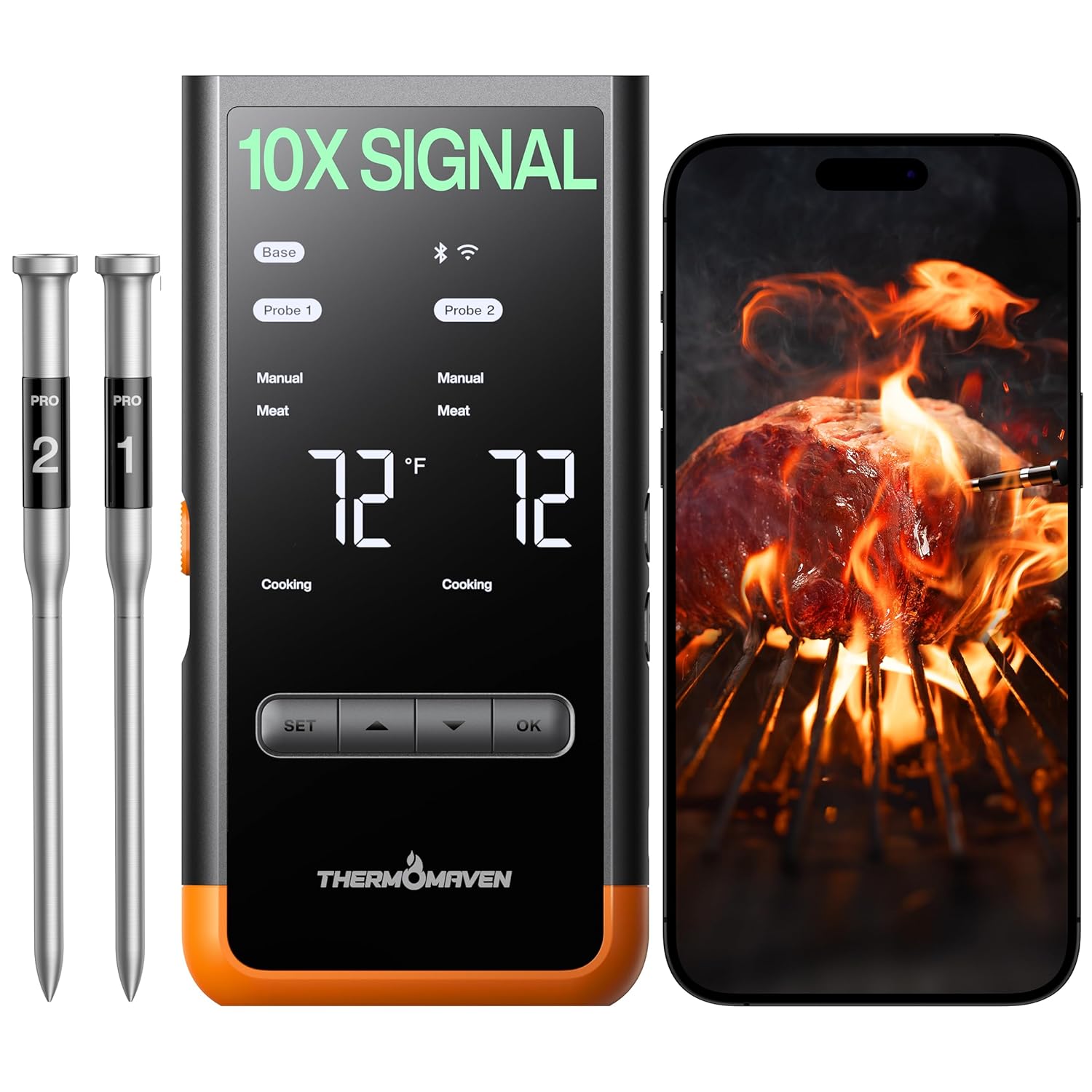
Image: The ThermoMaven G2 device base, two probes, and a smartphone displaying the companion app.
Product Features
The ThermoMaven G2 is designed with advanced features to enhance your cooking experience:
- Unmatched Range and Stability: Sub-1G technology provides a 3000ft unobstructed range and 700ft in obstructed environments, ensuring a stable connection.
- Smart Display Base: Real-time readings and temperature setting directly on the device, with an optional smart app for extended functionality.
- 100% Wireless Freedom: Enjoy cooking without tangled wires, thanks to Bluetooth long-range connectivity between the base and probes.
- 6-Sensor Accuracy: Equipped with 5 internal and 1 external sensor, NIST-certified for ±0.5°F accuracy and 0.01°F resolution.
- Two Ultra-Thin Probes: Monitor two dishes simultaneously. The thin design preserves food integrity and juices.

Image: A comparison chart detailing the superior features of the ThermoMaven G2.
Setup & Operation
1. Charging the Probes
Before first use, and before each cooking session, ensure your probes are charged. Place the probes into the device base. The base will automatically charge them via the USB-C port. A full charge typically takes a short period, providing extended use.
2. App Download & Pairing
For smart features, download the ThermoMaven app from your device's app store. Scan the QR code provided in the packaging or search for "ThermoMaven" directly.
- Download the ThermoMaven App (available on App Store and Google Play).
- Register an account using your email.
- In the app, navigate to 'Devices' and click '+Add Device'.
- Select your ThermoMaven G2 device from the list to pair.
- Confirm pairing by pressing the 'OK' button on the device base.
- Connect your device to a 2.4GHz Wi-Fi network for remote monitoring.
3. Probe Insertion
Always insert the probe into the thickest part of the meat, avoiding bones or large areas of fat. Ensure the probe is inserted past the notch (safety line) to prevent damage and ensure accurate readings.

Image: A probe inserted into a cut of meat, illustrating the placement of multiple sensors.
4. Cooking with the Device Base (Manual Mode)
The device base allows for standalone operation without the app:
- Power on the device and remove the probes.
- Press the 'SET' button to select the desired probe (Probe 1 or Probe 2).
- Use the arrow buttons to choose 'Manual Mode' and confirm with 'OK'.
- Set your target temperature using the arrow buttons and confirm with 'OK'.
- Insert the probe into your food and begin cooking.
- The base will alert you when the target temperature is reached, and the 'Ready' indicator will illuminate.

Image: The ThermoMaven G2 device base showing its display and controls.
5. Cooking with the App (Smart Mode)
Utilize the ThermoMaven app for guided cooking and remote monitoring:
- Ensure your device is paired and connected to Wi-Fi.
- In the app, select the desired probe and click 'New Cook'.
- Choose 'Smart Mode' and select the type of meat and cut you are cooking.
- Set your desired doneness level (target temperature).
- Insert the probe into the food and begin cooking.
- The app will provide real-time temperature graphs, estimated remaining cook time, and alerts for early removal or when the target temperature is reached.

Image: A smartphone displaying the ThermoMaven app interface with cooking data and controls.
Cleaning & Maintenance
Proper cleaning and maintenance ensure the longevity and accuracy of your ThermoMaven G2:
- The probes are dishwasher safe (IPX8 waterproof rating).
- Alternatively, hand wash probes with liquid detergent.
- Ensure the charging contacts on both the probes and the device base are clean and dry before returning probes to the base for charging. Wipe contacts with a dry cloth if necessary.

Image: Visual representation of the probe's IPX8 waterproof rating and high-heat resistance.
Specifications
| Feature | Detail |
|---|---|
| Product Dimensions | 6.6 x 1 x 3.2 inches; 9.44 ounces |
| Item Model Number | WT07 |
| Batteries | 1 C batteries required (included) |
| Manufacturer | ThermoMaven |
| Special Feature | Alarm, App Companion, Dual Probe, High Accuracy, Large Display |
| Outer Material | Plastic |
| Specification Met | NIST |
| Display Type | Digital |
| Connectivity Technology | WiFi, Bluetooth, Sub-1G |
| Product Care Instructions | Machine Wash (probes), Oven Safe (probes), Wipe Clean (base) |
Support & Warranty
For technical support, troubleshooting, or warranty inquiries, please contact ThermoMaven customer service. Refer to the product packaging or the official ThermoMaven website for contact details.