
1. Introduction
Thank you for choosing the ANENG DM3004A Handheld Metal Detector. This device is designed for quick and efficient detection of various metal objects, including ferrous and non-ferrous metals. Its compact and lightweight design makes it ideal for security checks, treasure hunting, and locating small metallic items in various environments. Please read this manual thoroughly before operating the device to ensure proper use and optimal performance.

Image 1.1: The ANENG DM3004A Handheld Metal Detector, showcasing its compact and ergonomic design.
2. Product Overview
Familiarize yourself with the components of your ANENG DM3004A Metal Detector:

Image 2.1: Labeled diagram of the ANENG DM3004A Metal Detector components, including the probe, rotary joint, indicator light, handle, battery compartment, and lanyard.
- Probe: The circular detection coil responsible for sensing metallic objects.
- Rotary Joint: Allows the probe to fold for compact storage.
- Indicator Light: Illuminates to indicate power status and metal detection.
- Handle: Ergonomically designed for comfortable grip during operation.
- Battery Compartment: Houses the 9V battery.
- Lanyard: For secure handling and to prevent accidental drops.
- ON/OFF Switch: Controls the power to the device.
3. Setup
3.1 Battery Installation
The ANENG DM3004A requires one DC9V 6F22 battery (not included) for operation.
- Locate the battery compartment cover at the end of the handle.
- Gently slide or open the battery compartment cover.
- Connect a new 9V 6F22 battery to the battery clip, ensuring correct polarity (+ to + and - to -).
- Place the battery inside the compartment.
- Close the battery compartment cover securely.
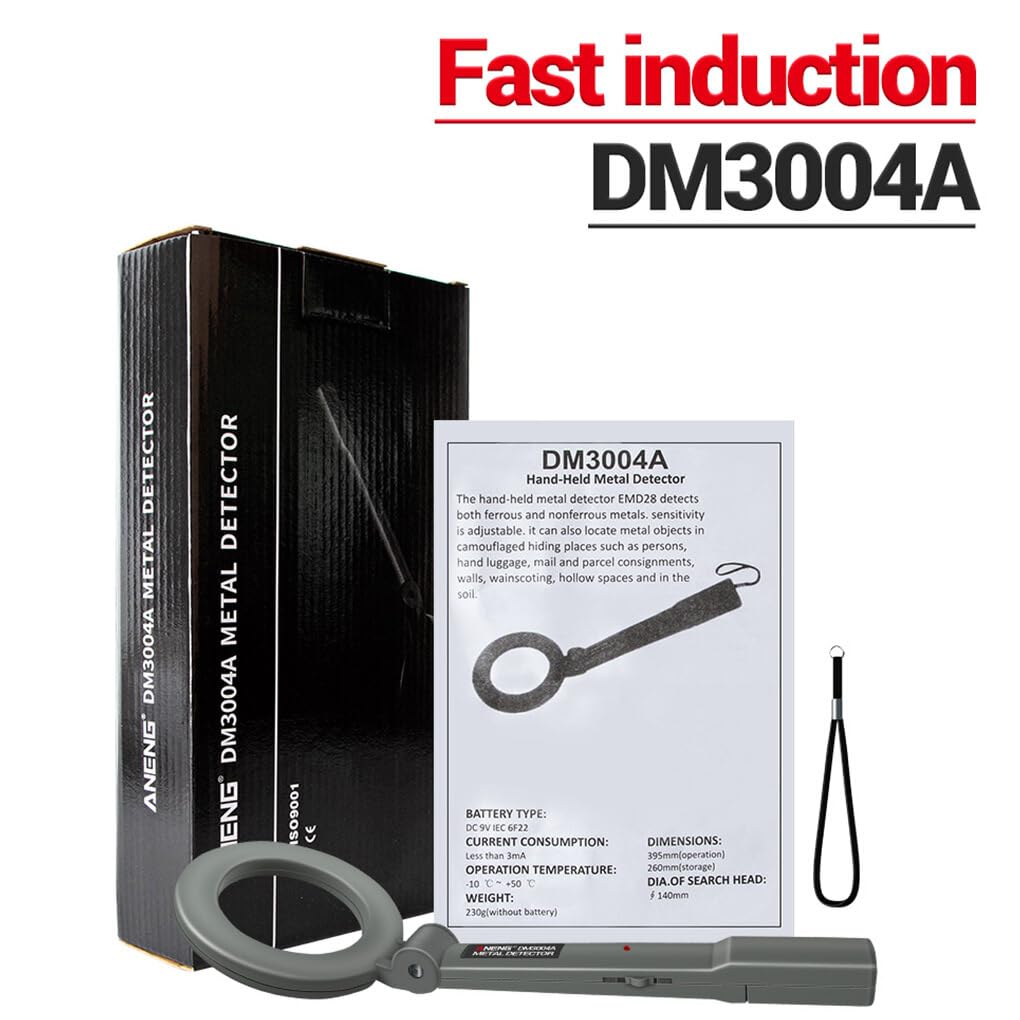
Image 3.1: Visual guide for battery installation, showing the open battery compartment, battery connection, and closing the cover.
4. Operating Instructions
4.1 Power On/Off
To power on the device, slide the ON/OFF switch located on the handle to the 'ON' position. The indicator light will illuminate briefly. To power off, slide the switch to the 'OFF' position.

Image 4.1: Detail of the ON/OFF switch and the buzzer alarm area on the detector's handle.
4.2 Metal Detection
Once powered on, hold the detector by the handle and sweep the probe steadily over the area you wish to scan. Maintain a consistent distance from the surface. When a metallic object is detected, the device will emit an audible alarm (buzzer sound) and the indicator light will illuminate or change color, depending on the model's specific features.

Image 4.2: Illustrates the proper technique for using the handheld metal detector to scan an object or person.
4.3 Detection Response
The ANENG DM3004A features a fast induction coil. Upon detecting a metal substance within its range, the device will immediately activate its alarm system, providing both sound and light alerts.

Image 4.3: Depicts the detector's fast response, with the probe glowing to symbolize immediate detection upon encountering metal.
5. Maintenance
- Cleaning: Wipe the detector with a soft, dry cloth. Do not use abrasive cleaners or solvents.
- Battery Care: Remove the battery if the device will not be used for an extended period to prevent leakage and damage.
- Storage: Store the detector in a cool, dry place, away from direct sunlight and extreme temperatures.
- Avoid Impact: Protect the device from strong impacts or drops, which can damage internal components.
6. Troubleshooting
- No Power: Ensure the battery is correctly installed and fully charged. Check the ON/OFF switch position.
- No Detection/Weak Alarm: The battery might be low. Replace with a fresh 9V battery. Ensure the probe is close enough to the metallic object.
- False Alarms: Ensure you are not sweeping over areas with known metal objects (e.g., rebar in concrete, metal furniture).
7. Specifications
| Model | DM3004A |
| Battery | DC9V 6F22 (Not Included) |
| Operating Temperature | -10℃ ~ 50℃ |
| Current Consumption | <3mA |
| Dimensions (Stretch) | Approx. 394 x 140 mm (15.51 x 5.51 inches) |
| Weight (without battery) | 244 Grams |
| Search Head Diameter | 140 mm |
8. Safety Information
- Do not expose the device to water or high humidity.
- Keep out of reach of children.
- Do not attempt to disassemble or modify the device. This will void the warranty and may cause damage.
- Dispose of batteries responsibly according to local regulations.
9. Warranty and Support
For warranty information and technical support, please refer to the documentation provided at the time of purchase or contact your retailer. Keep your proof of purchase for any warranty claims.


