
1. Product Overview
This manual provides detailed instructions for the RovyVon E5 Pocket Flashlight and the RovyVon E30 Flat Flashlight, which are designed for various lighting needs including camping, hiking, walking, and searching. Both flashlights feature a dual power system for extended usability.
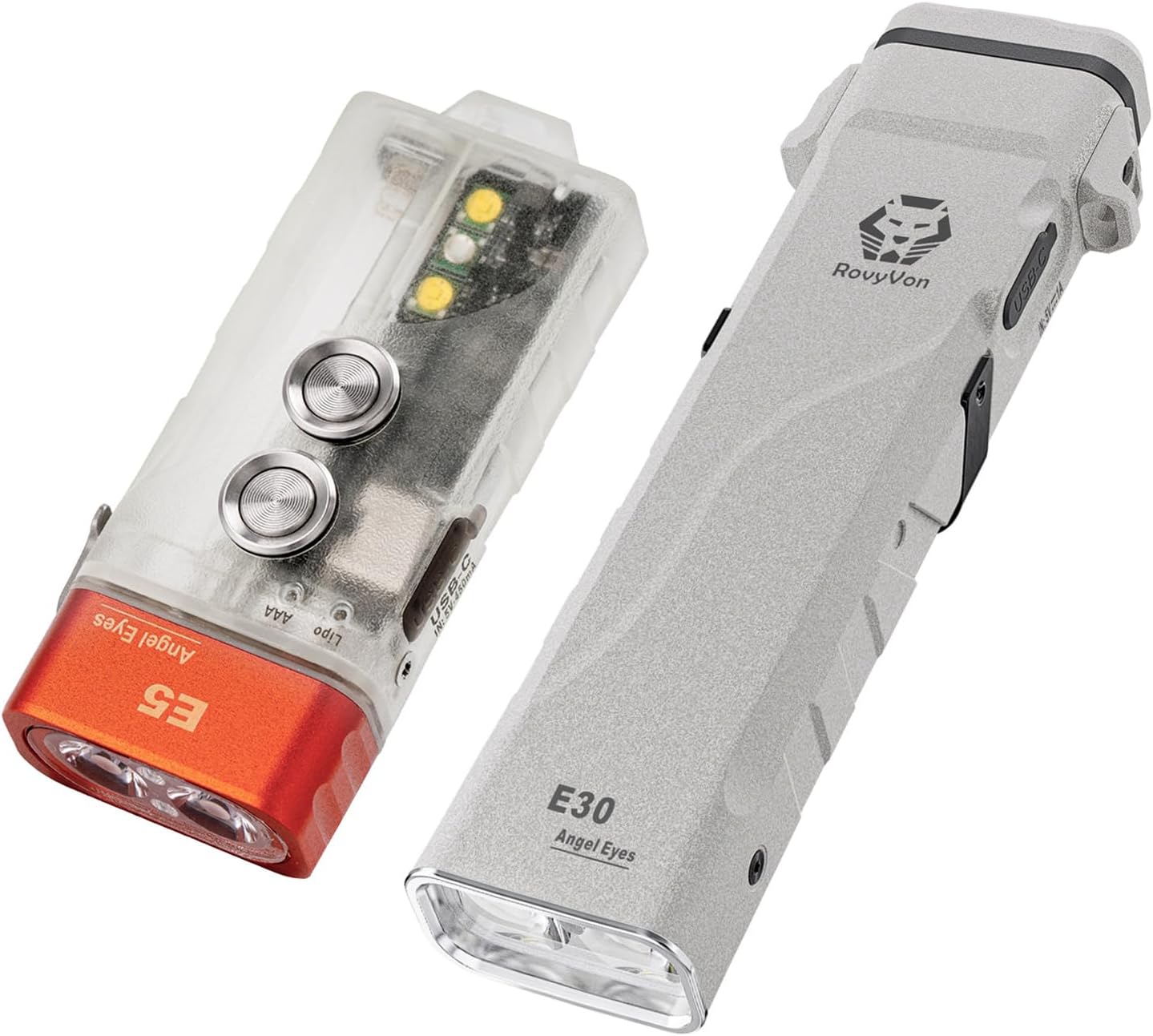
Image 1: The RovyVon E5 Pocket Flashlight (left) and the RovyVon E30 Flat Flashlight (right).
Key Features:
- Dual Power System: Both E5 and E30 models can utilize their built-in rechargeable batteries or external AAA batteries (not included for E5, 2xAAA for E30).
- E5 Specifics: Dual side switches for independent control of front and side lights, warm white sidelight, UV LED, and a glow-in-the-dark casing.
- E30 Specifics: Built-in 900 mAh Li-Po battery, proximity sensor for automatic brightness adjustment, and a comfortable anti-slip grip.
2. Setup and Charging
2.1 Initial Charging
Before first use, it is recommended to fully charge the built-in batteries of both flashlights.
- E5 Flashlight: Connect a USB-C charging cable (not included) to the charging port. The charging indicator will show the charging status.
- E30 Flashlight: Connect the included USB-C charging cable to the charging port. The charging indicator will show the charging status.
2.2 Battery Installation (External AAA)
Both flashlights support external AAA batteries as an alternative power source when the built-in battery is depleted or unavailable.
- E5 Flashlight: To install an AAA battery, open the battery compartment as indicated on the device. Insert one AAA battery with the correct polarity.
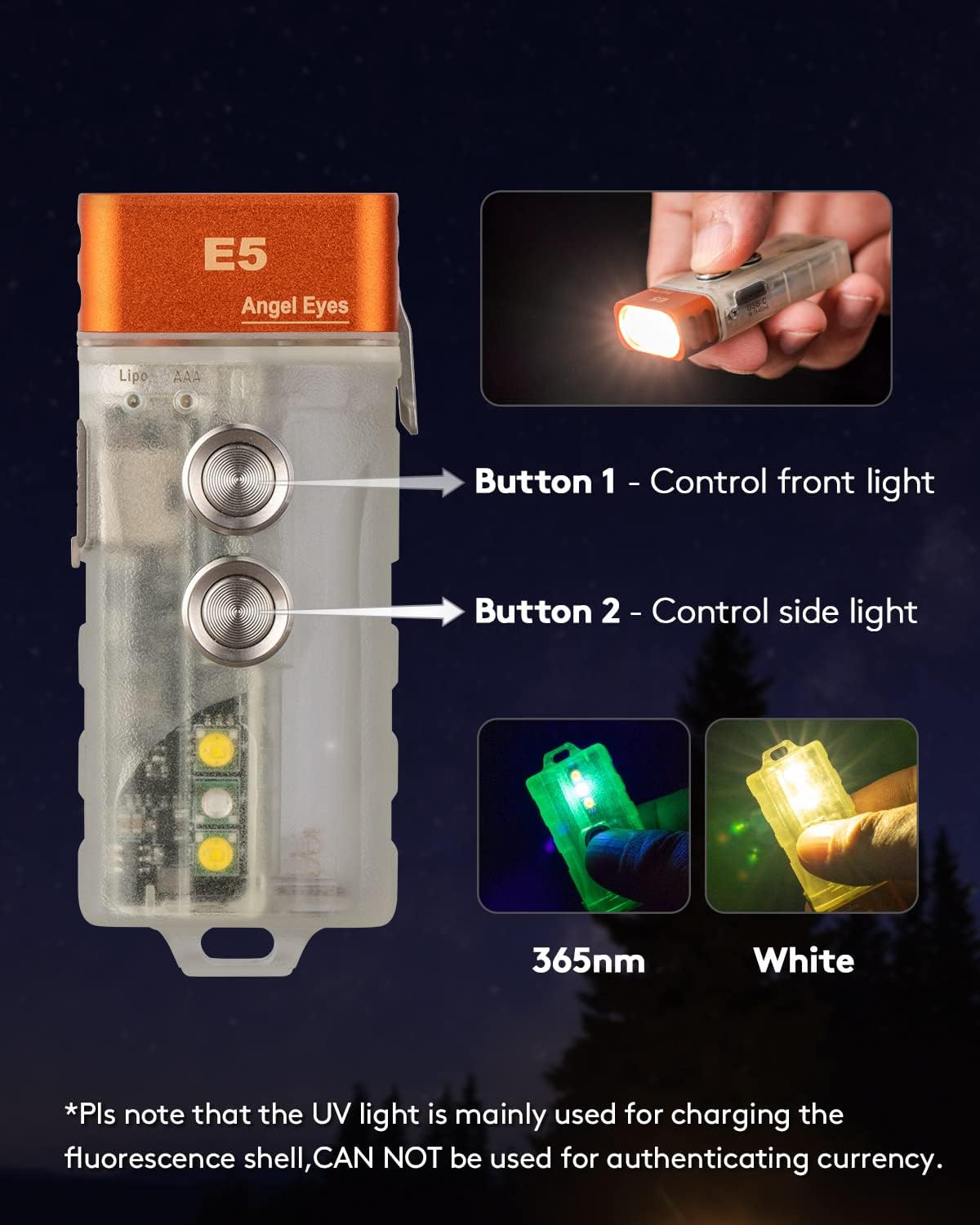
Image 2: The RovyVon E5 flashlight demonstrating its dual power source, showing the slot for a replaceable AAA battery alongside its rechargeable built-in battery.
- E30 Flashlight: To install AAA batteries, open the battery compartment. Insert two AAA batteries with the correct polarity.

Image 3: The RovyVon E30 flashlight illustrating its dual power capability, showing where to insert two AAA batteries when the internal 900mAh battery is low.
3. Operating Instructions
3.1 RovyVon E5 Pocket Flashlight Operation
The E5 features two distinct buttons for controlling its lighting functions.
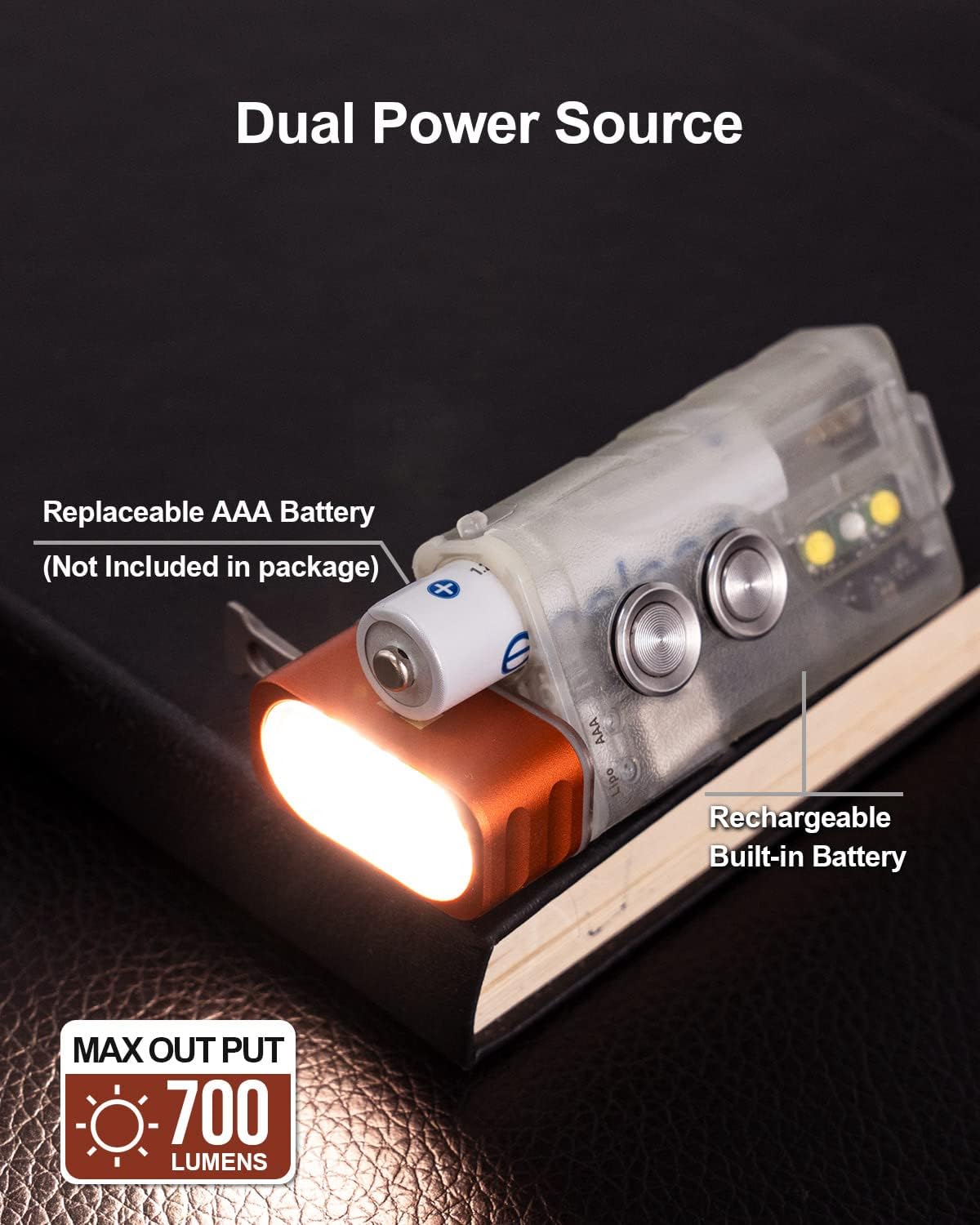
Image 4: The RovyVon E5 flashlight highlighting its dual side switches: Button 1 controls the front light, and Button 2 controls the side light.
- Button 1 (Front Light Control): Press to turn on/off the main front light. Cycle through brightness modes (e.g., Low, Medium, High, Turbo) with subsequent presses.
- Button 2 (Sidelight Control): Press to activate the sidelights. Cycle through different sidelight modes, which may include warm white LED and UV LED.

Image 5: The RovyVon E5 flashlight showcasing its sidelight capabilities, featuring both a warm white LED and a UV LED.
The E5's translucent casing can glow in the dark after being exposed to sunlight or 365nm UV light.

Image 6: The RovyVon E5 flashlight glowing green in a dark environment after being charged by sunlight or 365nm light.
3.2 RovyVon E30 Flat Flashlight Operation
The E30 features a single EDC switch for control and a proximity sensor.
- Power On/Off: Press the EDC switch to turn the flashlight on or off.
- Mode Cycling: With the flashlight on, press the EDC switch to cycle through different brightness modes (e.g., Low, Medium, High, Turbo).
- Proximity Sensor: In Medium, High, and Turbo modes, the E30's output will automatically adjust to 100 lumens when an object is detected at a short distance. This is a safety feature to prevent overheating or accidental blinding.

Image 7: The RovyVon E30 flashlight demonstrating its proximity sensor, showing how brightness automatically dims when an object is close.
- Deactivating Proximity Sensor: To deactivate the proximity sensor function, press and hold the EDC switch for 10 seconds.
4. Maintenance
4.1 Charging
Regular charging helps maintain battery health. Use a compatible USB-C cable for charging. Avoid over-discharging the built-in Li-Po batteries.
4.2 Cleaning
Wipe the flashlight body with a soft, damp cloth. Do not use abrasive cleaners or solvents. Keep the lens clean for optimal light output.
4.3 Water Resistance
The RovyVon E30 flashlight is rated IP67, indicating it is dust-tight and protected against temporary immersion in water (up to 1 meter for 30 minutes). However, the overall bundle is specified as 'Not Water Resistant'. Exercise caution and avoid prolonged submersion or exposure to high-pressure water jets for either unit, especially the E5, unless specifically confirmed.
5. Troubleshooting
- Flashlight Not Turning On:
- Ensure the built-in battery is charged.
- If using external AAA batteries, check their polarity and ensure they are not depleted.
- For E5, try both Button 1 and Button 2.
- Dim Light Output:
- The battery may be low; recharge or replace AAA batteries.
- For E30, check if the proximity sensor is active and an object is nearby, causing it to dim. Deactivate the sensor if necessary.
- Clean the flashlight lens.
- Charging Issues:
- Ensure the USB-C cable is properly connected to both the flashlight and the power source.
- Try a different USB-C cable or power adapter.
6. Specifications

Image 8: The RovyVon E30 Angel Eyes Flashlight highlighting its key performance specifications.
| Feature | Specification |
|---|---|
| Brand | RovyVon |
| Models | E5 Pocket Flashlight, E30 Flat Flashlight |
| Power Source | Battery Powered (Built-in Li-Po, External AAA) |
| Light Source Type | LED |
| Special Features | Proximity Sensor (E30), Dual Power System, Versatile Lighting Modes |
| E30 Built-in Battery | 900 mAh Li-Po |
| E5 Max Output | 700 Lumens |
| E30 Max Output | 2800 Lumens |
| E30 Max Throw | 180 Meters |
| E30 Drop Test | 1.5 Meters |
| E30 Water Resistance | IP67 (Dust-tight, temporary immersion up to 1m for 30 min) |
| Bundle Water Resistance | Not Water Resistant (General product specification) |
| Included Components | Battery (built-in), USB-C charging cable (for E30) |
7. Warranty and Support
For warranty information, technical support, or service inquiries, please refer to the product packaging or contact RovyVon customer service directly through their official website or the retailer where the product was purchased. Keep your proof of purchase for warranty claims.