
Introduction
Thank you for choosing the Poounur H9 Wireless Earbuds. This manual provides detailed instructions for setting up, operating, and maintaining your earbuds to ensure optimal performance and longevity. Please read this manual thoroughly before using the product.
Package Contents
Verify that all items are present in your package:
- Poounur H9 Wireless Earbuds (Left and Right)
- Wireless Charging Case
- USB Charging Cable
- Multiple Sizes of Ear Tips (S, M, L)
- User Manual
Product Overview
Familiarize yourself with the components of your Poounur H9 Wireless Earbuds.
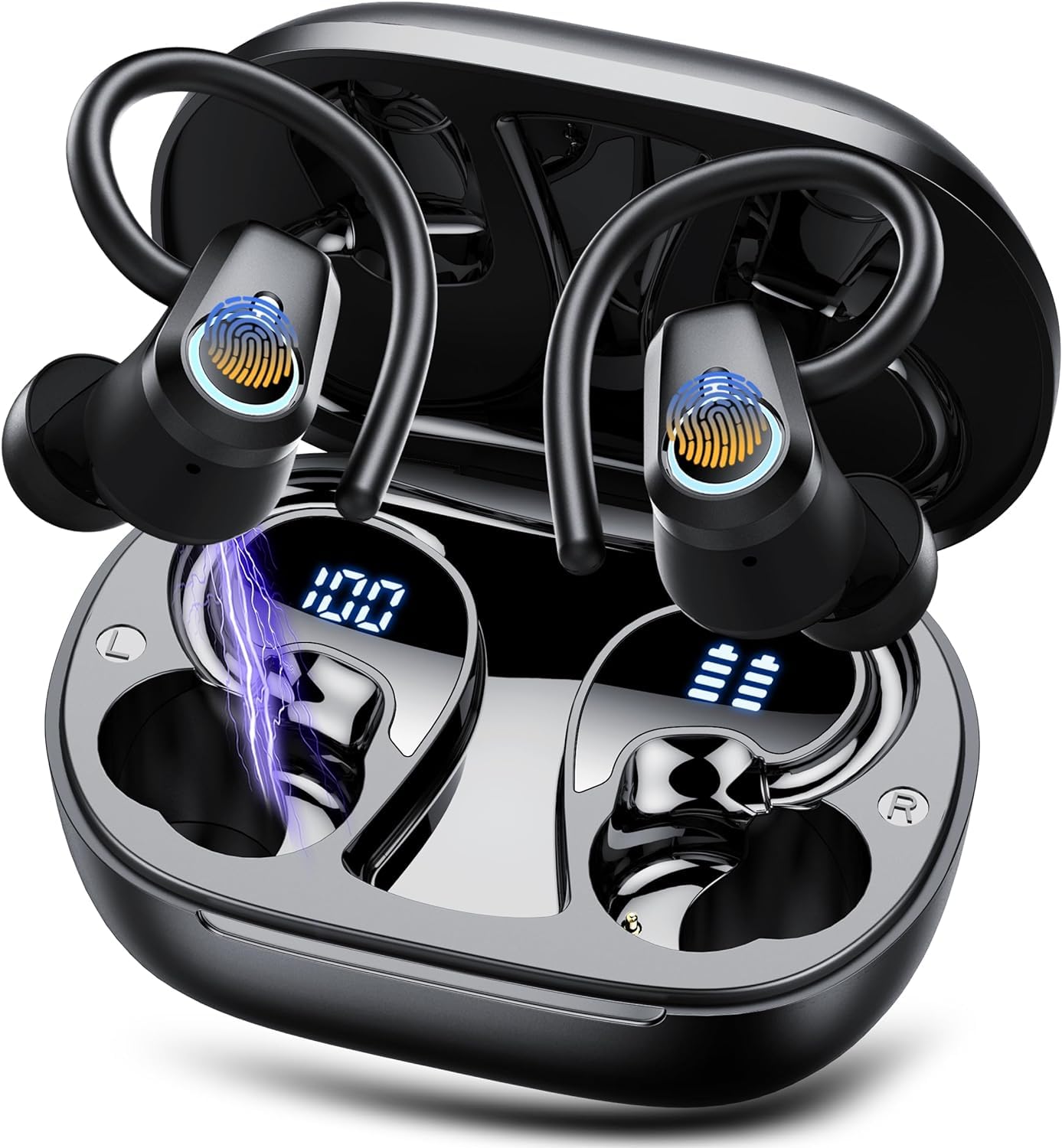
Image: Poounur H9 Wireless Earbuds and Charging Case. The image displays the earbuds inside the open charging case, showing an LED battery display. It also illustrates the individual earbud weight (4.7g) and dimensions (30*39*25 mm), and the charging case weight (47.4g) and dimensions (74*50*31 mm). Playtime is indicated as 40 hours with the charging case and 10 hours for earbuds alone.

Image: Exploded view of a Poounur H9 earbud, highlighting internal components such as the driver and sound chamber. Icons indicate Bluetooth 5.3, 13MM drivers, and bass sound capabilities.
Setup
1. Charging the Earbuds and Case
Before first use, fully charge both the earbuds and the charging case. Place the earbuds into the charging case. Connect the USB charging cable to the charging port on the case and to a power source. The LED display on the charging case will indicate the charging status and battery level. A full charge typically takes 1-2 hours.
2. Powering On/Off
- Power On: Open the charging case, and the earbuds will automatically power on. Alternatively, press and hold the touch control area on both earbuds for 3 seconds.
- Power Off: Place the earbuds back into the charging case and close the lid; they will power off automatically. Alternatively, press and hold the touch control area on both earbuds for 5 seconds.
3. Bluetooth Pairing
- Ensure the earbuds are charged and powered on.
- Open the charging case. The earbuds will enter pairing mode, indicated by a flashing LED light on one of the earbuds.
- On your device (smartphone, tablet, etc.), enable Bluetooth and search for available devices.
- Select "Poounur H9" from the list of devices.
- Once connected, the LED indicator on the earbud will turn off or flash slowly, and you will hear a confirmation tone.
The earbuds will automatically reconnect to the last paired device when powered on, if the device's Bluetooth is active and within range.

Image: An illustration of a Poounur H9 earbud highlighting the Bluetooth 5.3 chip and stable signal transmission up to 15 meters. This demonstrates the advanced connectivity technology.
4. Fitting the Earbuds
For optimal sound quality and comfort, choose the ear tips that best fit your ears. Gently insert the earbuds into your ear canal and rotate them slightly until they feel secure and comfortable. The ear hooks should rest over your ears for added stability.

Image: A woman wearing the Poounur H9 earbuds, demonstrating their ergonomic design and secure fit. The image also shows available ear tip sizes (S, M, L) to ensure a comfortable and stable fit for various users.
Operating Instructions
The Poounur H9 earbuds feature touch controls for various functions.
Music Playback
- Play/Pause: Single tap the touch control area on either the Left (L) or Right (R) earbud.
- Next Track: Double tap the touch control area on the Right (R) earbud.
- Previous Track: Double tap the touch control area on the Left (L) earbud.
- Volume Up: Triple tap the touch control area on the Right (R) earbud.
- Volume Down: Triple tap the touch control area on the Left (L) earbud.
Call Management
- Answer/End Call: Single tap the touch control area on either earbud.
- Reject Call: Press and hold the touch control area on either earbud for 2 seconds.
Voice Assistant
- Activate Voice Assistant: Press and hold the touch control area on either earbud for 2 seconds (when not on a call).
Maintenance
Proper maintenance ensures the longevity and performance of your earbuds.
- Cleaning: Regularly clean the earbuds and charging case with a soft, dry, lint-free cloth. Do not use abrasive cleaners or solvents. For ear tips, remove them and clean with a mild soap solution, then rinse and dry thoroughly before reattaching.
- Storage: When not in use, store the earbuds in their charging case to protect them from dust and damage. Store in a cool, dry place away from extreme temperatures.
- Water Resistance: The earbuds are IP7 waterproof, meaning they are protected against immersion in water up to 1 meter for up to 30 minutes. However, they are not designed for swimming or prolonged submersion. Ensure the charging port is dry before charging.

Image: An illustration showing the Poounur H9 earbuds with water droplets, indicating their IP7 waterproof rating. Icons represent resistance to rainy days, sweat, and splashes, highlighting their suitability for sports and outdoor activities.
Troubleshooting
If you encounter issues with your Poounur H9 earbuds, refer to the following common solutions:
| Problem | Solution |
|---|---|
| Earbuds not pairing with device. |
|
| No sound from one or both earbuds. |
|
| Earbuds not charging. |
|
| Poor call quality. |
|
Specifications
Key technical specifications for the Poounur H9 Wireless Earbuds:
- Model Name: H9
- Brand: Poounur
- Connectivity Technology: Wireless
- Wireless Communication Technology: Bluetooth 5.3
- Ear Placement: In Ear
- Form Factor: In Ear
- Control Type: Touch, Media Control
- Special Feature: Noise Cancellation (Microphone-based for calls)
- Material: Plastic
- Color: Black
- Item Weight (Earbud): Approximately 2 Grams (0.071 ounces)
- Product Dimensions: 0.79 x 0.79 x 0.79 inches (earbud)
- Battery: 1 Lithium Polymer battery (included)
- Playback Time: Up to 10 hours (earbuds), up to 40 hours (with charging case)
- Waterproof Rating: IP7
Warranty and Support
Poounur products are designed for reliability and performance. For warranty information or technical support, please refer to the warranty card included in your package or contact Poounur customer service through the retailer where the product was purchased. Please retain your proof of purchase for warranty claims.
