
1. Introduction
Thank you for purchasing the Frigidaire Gallery EFMIS172 6-Liter Mini Fridge with Lighted Mirror. This compact and versatile appliance is designed to keep your beverages, snacks, skincare products, and cosmetics perfectly chilled. Its unique lighted mirror door adds functionality, making it ideal for bedrooms, offices, dorms, or travel. Please read this manual thoroughly before use to ensure safe and optimal performance.
2. Safety Information
Always follow basic safety precautions when using electrical appliances to reduce the risk of fire, electric shock, and injury. Keep this manual for future reference.
- Read all instructions: Before operating the appliance.
- Electrical Safety: Ensure the voltage matches your power supply. Do not use with damaged cords or plugs.
- Ventilation: Allow adequate space around the unit for proper ventilation (at least 4 inches on all sides). Do not block air vents.
- Placement: Place on a firm, flat surface away from direct sunlight, heat sources, or moisture.
- Cleaning: Unplug before cleaning. Use a soft, damp cloth. Do not immerse in water.
- Children: Keep out of reach of children.
- Intended Use: This appliance is for cooling and warming items as described. Do not use for other purposes.
- Power Off: Always turn off and unplug the unit when not in use for extended periods.
3. Package Contents
- Frigidaire Gallery 9-Can Beauty Lighted Mirror Fridge (Model EFMIS172)
- AC Power Cord (for home use)
- DC Car Adapter (for vehicle use)
- User Guide
- Removable Shelf
4. Product Features
- Capacity: 6 Liters (approximately 9 standard beverage cans).
- Lighted Mirror Door: Front door features an integrated mirror with adjustable LED lighting, perfect for makeup application or skincare routines.
- Cooling & Warming Functions: Capable of cooling items to approximately 32°F (18°C) below ambient temperature or warming them up to 140°F (60°C).
- Compact Design: Ideal for small spaces, measuring approximately 15 x 11.7 x 16 inches.
- Portability: Equipped with a convenient top handle for easy transport. Includes both AC and DC power cords for home and vehicle use.
- Removable Shelf: Allows for flexible storage configurations to accommodate various items.
- Door Storage: Small compartment on the inside of the door for additional storage of smaller items.
5. Setup
- Unpack: Carefully remove the mini fridge and all accessories from the packaging.
- Placement: Choose a stable, level surface. Ensure there is at least 4 inches of clearance around all sides of the unit for proper ventilation. Avoid placing near heat sources or in direct sunlight.
- Power Connection:
- For Home Use (AC): Connect the AC power cord to the AC port on the back of the unit, then plug the other end into a standard 120V wall outlet.
- For Vehicle Use (DC): Connect the DC car adapter to the DC port on the back of the unit, then plug the other end into your vehicle's 12V cigarette lighter socket.
- Internal Configuration: The removable shelf can be inserted or removed to customize the internal storage space according to your needs.
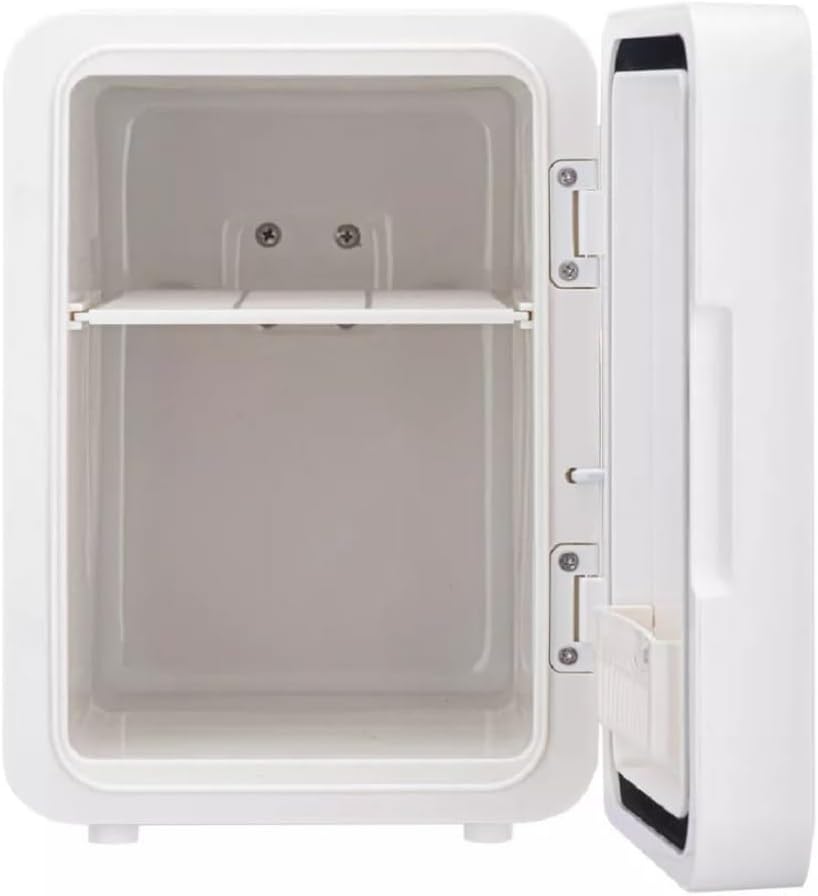
This image displays the interior of the Frigidaire Gallery mini fridge. It features a single removable shelf, allowing for flexible organization of items. The internal walls are smooth and white, indicating a clean and simple design for easy maintenance.

The rear view of the mini fridge highlights the power input section. It includes a toggle switch for 'COOL' and 'OFF' modes, along with distinct ports for AC (120V) and DC (12V) power cords. A circular ventilation fan is prominently visible, emphasizing the need for clear space around the back for optimal performance.
6. Operating Instructions
- Power On: Once plugged in, locate the power switch on the back of the unit. Slide the switch to the "COOL" position for cooling or "WARM" for warming. A green indicator light will illuminate when the unit is powered on.
- Lighted Mirror: The mirror on the front door features touch-sensitive LED lighting. Tap the power icon on the mirror to turn the light on/off or cycle through brightness settings.
- Loading Items: Open the door using the side latch. Place items inside, ensuring not to overfill, which could obstruct airflow and reduce efficiency.
- Closing the Door: Close the door firmly until the latch engages to maintain internal temperature.
- Portability: To transport the unit, ensure it is unplugged from the power source. Use the integrated handle on top for easy carrying.
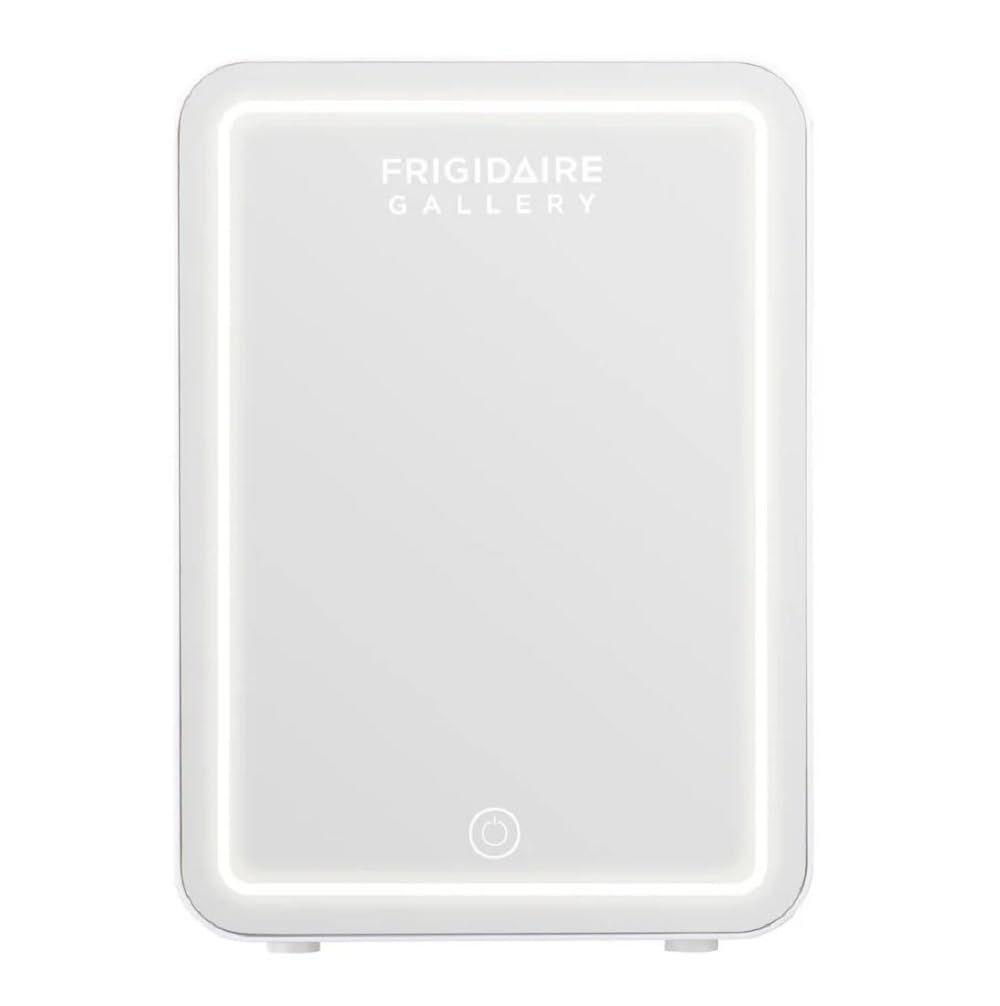
This image shows the front of the Frigidaire Gallery mini fridge. The door is a reflective mirror surface, framed by an illuminated LED light strip. A touch-sensitive power icon is visible at the bottom center of the mirror, used to control the light settings.
7. Maintenance
- Cleaning:
- Always unplug the unit before cleaning.
- Wipe the interior and exterior with a soft, damp cloth and mild detergent.
- Do not use abrasive cleaners or harsh chemicals.
- Ensure the unit is completely dry before plugging it back in.
- Defrosting: The unit features automatic defrost. If ice buildup occurs on the internal cooling plate, unplug the unit and allow the ice to melt naturally. Wipe away any excess water.
- Storage: If storing the unit for an extended period, ensure it is clean, dry, and unplugged. Store in a cool, dry place.
8. Troubleshooting
| Problem | Possible Cause | Solution |
|---|---|---|
| Unit not cooling/warming | Not plugged in; Power switch in "OFF" position; Insufficient ventilation; Door not closed properly. | Check power connection; Ensure switch is set to "COOL" or "WARM"; Provide adequate clearance around unit; Close door firmly. |
| Lighted mirror not working | Light function is off; Power issue. | Tap the power icon on the mirror to turn on/off or adjust brightness; Check main power connection. |
| Excessive noise | Fan obstruction; Unit not level. | Ensure nothing is blocking the fan vents; Place unit on a level surface. |
9. Specifications
| Feature | Detail |
|---|---|
| Brand | Frigidaire |
| Model | EFMIS172 |
| Capacity | 6 Liters (approx. 9 cans) |
| Dimensions (L x W x H) | 15 x 11.7 x 16 inches |
| Item Weight | 9 Pounds |
| Voltage | 120 Volts (AC), 12 Volts (DC) |
| Defrost System | Automatic |
| Special Features | Lighted mirror cosmetic door, Portable handle, Cooling & Warming functions |
10. Warranty and Support
For warranty information or technical support, please refer to the official Frigidaire website or contact their customer service. Keep your purchase receipt as proof of purchase for any warranty claims.
Online Support: Visit www.frigidaire.com for FAQs, product registration, and contact information.


