
Moultrie Micro-42 Trail Camera Kit
Moultrie Micro-42 Trail Camera Kit Instruction Manual
Model: Micro-42 Trail Camera Kit | Brand: Moultrie
Introduction
The Moultrie Micro-42 Trail Camera Kit is designed for outdoor surveillance and game monitoring. Its compact size and robust features make it ideal for capturing high-quality images and videos in various environmental conditions. This manual provides comprehensive instructions for setup, operation, and maintenance to ensure optimal performance of your camera.
What's Included
Your Moultrie Micro-42 Trail Camera Kit includes the following components:
- Moultrie Micro-42 Trail Camera
- 4 x AA Batteries
- Mounting Strap
- Quick Start Guide (refer to this manual for full details)
Setup
1. Battery and SD Card Installation
Open the camera's housing. Insert 4 AA batteries into the designated battery compartment, ensuring correct polarity. Insert a Micro SD card (not included, up to 32GB recommended) into the SD card slot until it clicks into place. Close the camera housing securely.
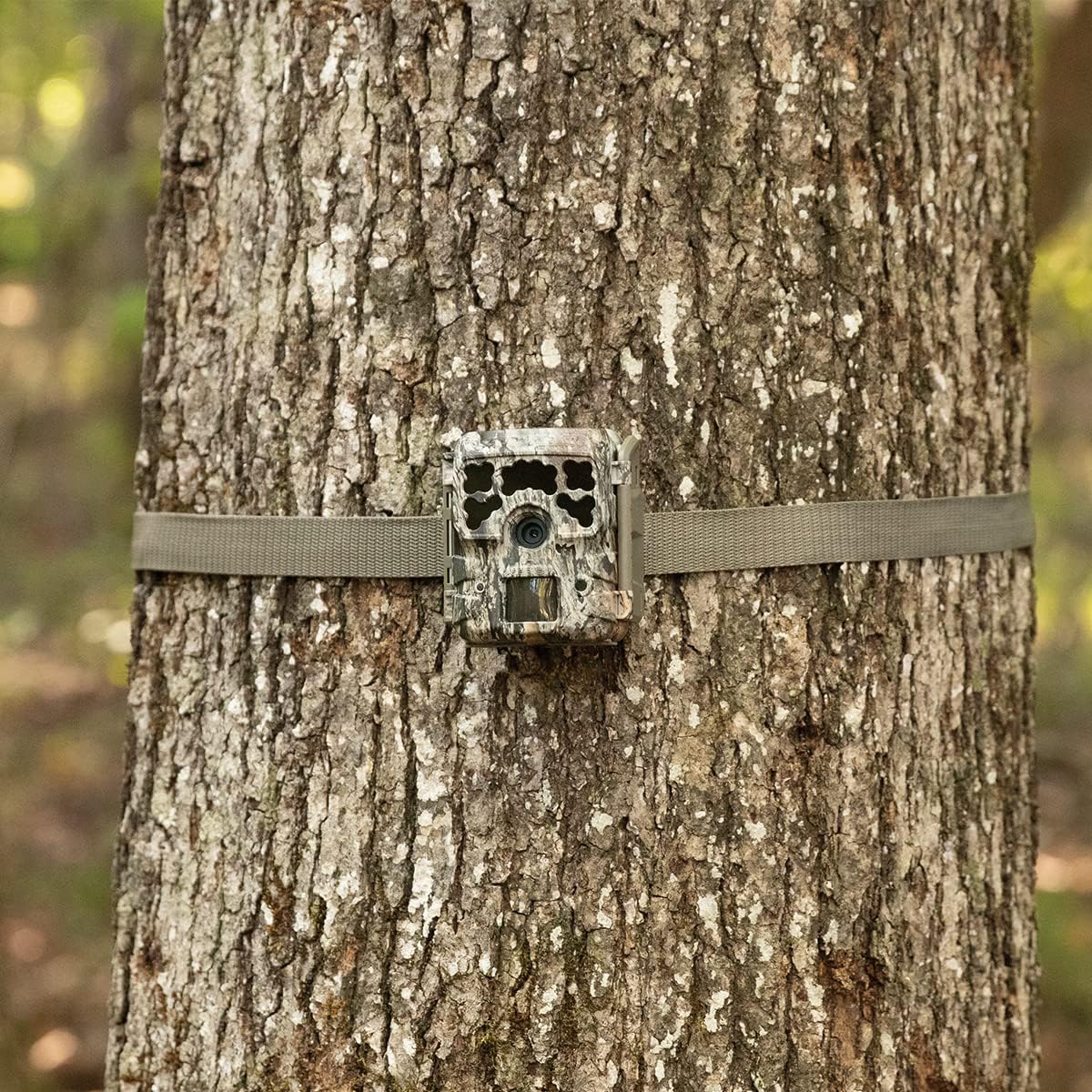
Image: Opening the camera to install batteries and SD card.
2. Mounting the Camera
Select a suitable location for your camera, such as a tree or post. Use the included mounting strap to secure the camera firmly. Ensure the camera is level and pointed towards the desired detection area. The compact size allows for discreet placement.

Image: Moultrie Micro-42 Trail Camera mounted on a tree.

Image: Securing the camera to a tree using the mounting strap.
Operating the Camera
Power On/Off and Setup Mode
Locate the ON/SETUP/OFF switch inside the camera housing. To configure settings, switch to the 'SETUP' position. To begin operation, switch to the 'ON' position. To power off the camera, switch to the 'OFF' position.
Navigating Settings
Use the navigation buttons (up, down, enter) to scroll through and select various camera settings. Key settings include:
- Resolution: Set image resolution up to 42 MP.
- Video Resolution: Choose video quality, typically 1280x720.
- Trigger Speed: Adjust the time from motion detection to image capture (0.4 seconds).
- Detection Range: Configure the range at which motion is detected (up to 70 FT.).
- Flash Range: Set the effective range for night illumination (up to 100 FT. with Long-Range Flash).
- Motion Detect Delay: Set the delay between captures (0 sec, 15 sec, 30 sec, 1 min, 5 min options).
Data Retrieval
To retrieve captured images and videos, remove the Micro SD card from the camera. Insert the SD card into a compatible card reader connected to a computer or a mobile device with an appropriate adapter. You can then view, transfer, or delete files as needed.
Maintenance
Battery Replacement
Replace batteries when the battery indicator shows low power or when performance degrades. Always use fresh, high-quality AA batteries. Battery life is approximately 13,000 images.
Cleaning
Periodically clean the camera lens and housing with a soft, lint-free cloth. Avoid using abrasive cleaners or solvents that could damage the camera's components or finish. Ensure the camera is dry before closing the housing.
Storage
When not in use for extended periods, remove batteries from the camera to prevent leakage. Store the camera in a cool, dry place away from direct sunlight and extreme temperatures.
Troubleshooting
- Camera Not Powering On: Ensure batteries are inserted correctly with proper polarity and are fully charged. Check if the ON/SETUP/OFF switch is in the 'ON' or 'SETUP' position.
- No Images/Videos Captured: Verify the SD card is properly inserted and not full. Check the motion detect delay settings; a long delay might miss events. Ensure the camera is positioned correctly within the detection range.
- Poor Image/Video Quality: Clean the camera lens. Ensure the flash range is appropriate for night shots. Check resolution settings.
- Short Battery Life: Use high-quality alkaline or lithium AA batteries. Frequent video recording or high flash usage can reduce battery life. Consider reducing capture frequency or video length settings.
Specifications
| Feature | Detail |
|---|---|
| Model Name | Micro-42 Trail Camera Kit |
| Brand | Moultrie |
| Camera Dimensions | 3.25” W x 3.5” L x 2.625” D |
| Resolution | 42 MP |
| Trigger Speed | 0.4 SEC |
| Detection Range | 70 FT. |
| Flash Range | 100 FT. |
| Flash Technology | Long-Range Flash |
| Battery Life | 13,000 Images |
| Power Source | 4 x AA Batteries (Included) |
| Video Resolution | 1280x720 |
| Motion Detect Delay | 0 SEC./15 SEC./30 SEC./1 MIN./5 MIN. |
| Material | Plastic |
| International Protection Rating | IP66 |
Warranty and Support
Warranty Information
The Moultrie Micro-42 Trail Camera Kit comes with a warranty of up to 2 years. Please retain your proof of purchase for warranty claims.
Customer Support
For further assistance, technical support, or warranty inquiries, please visit the official Moultrie website or contact their customer service department. Refer to the product packaging or the official website for the most current contact information.
Related Documents - Micro-42 Trail Camera Kit
 |
Moultrie Micro Series Game Camera: Setup, Features, and Warranty Guide Comprehensive guide for the Moultrie Micro Series Digital Game Camera, covering easy setup, mounting, camera options, battery information, warranty, troubleshooting, and FCC compliance. Includes model details for Micro 42, 42i, and 32i. |
 |
Moultrie Micro Series Game Camera Instructions and Setup Guide This document provides comprehensive instructions and setup guidance for the Moultrie Micro Series Digital Game Camera. It covers initial setup, battery and SD card installation, camera options, mounting procedures, and troubleshooting tips. |
 |
Moultrie Micro Series Game Camera Instructions and Setup Guide Comprehensive instructions for setting up, mounting, and operating the Moultrie Micro Series digital game cameras, including model numbers Micro 42, Micro 42i, and Micro 32i. Covers FCC compliance, battery information, warranty, and troubleshooting. |
 |
Moultrie Micro Series Game Camera Instructions User manual for the Moultrie Micro Series Digital Game Camera, covering setup, mounting, camera options, battery information, warranty, and troubleshooting. |
 |
Moultrie Micro Series Game Camera Instructions and Setup Guide This guide provides essential instructions for setting up, mounting, and operating the Moultrie Micro Series digital game camera, covering initial configuration, operational modes, and important support information. |
 |
Moultrie M-550 Digital Game Camera User Manual This document provides comprehensive instructions and specifications for the Moultrie M-550 Digital Game Camera, covering setup, features, capture modes, software usage, and specifications. |
Ask a question about this manual
Ask about setup, troubleshooting, compatibility, parts, safety, or missing instructions. Manuals+ will review the question and use this page’s manual context to help answer it.