
Introduction
This manual provides instructions for the Scosche Qi2 Wireless MagSafe Car Mount Charger, Model MEQMRWDV-XC0. This device offers magnetic mounting and 15W wireless charging for compatible smartphones in your vehicle, with options for windshield, dashboard, or vent installation.
Package Contents
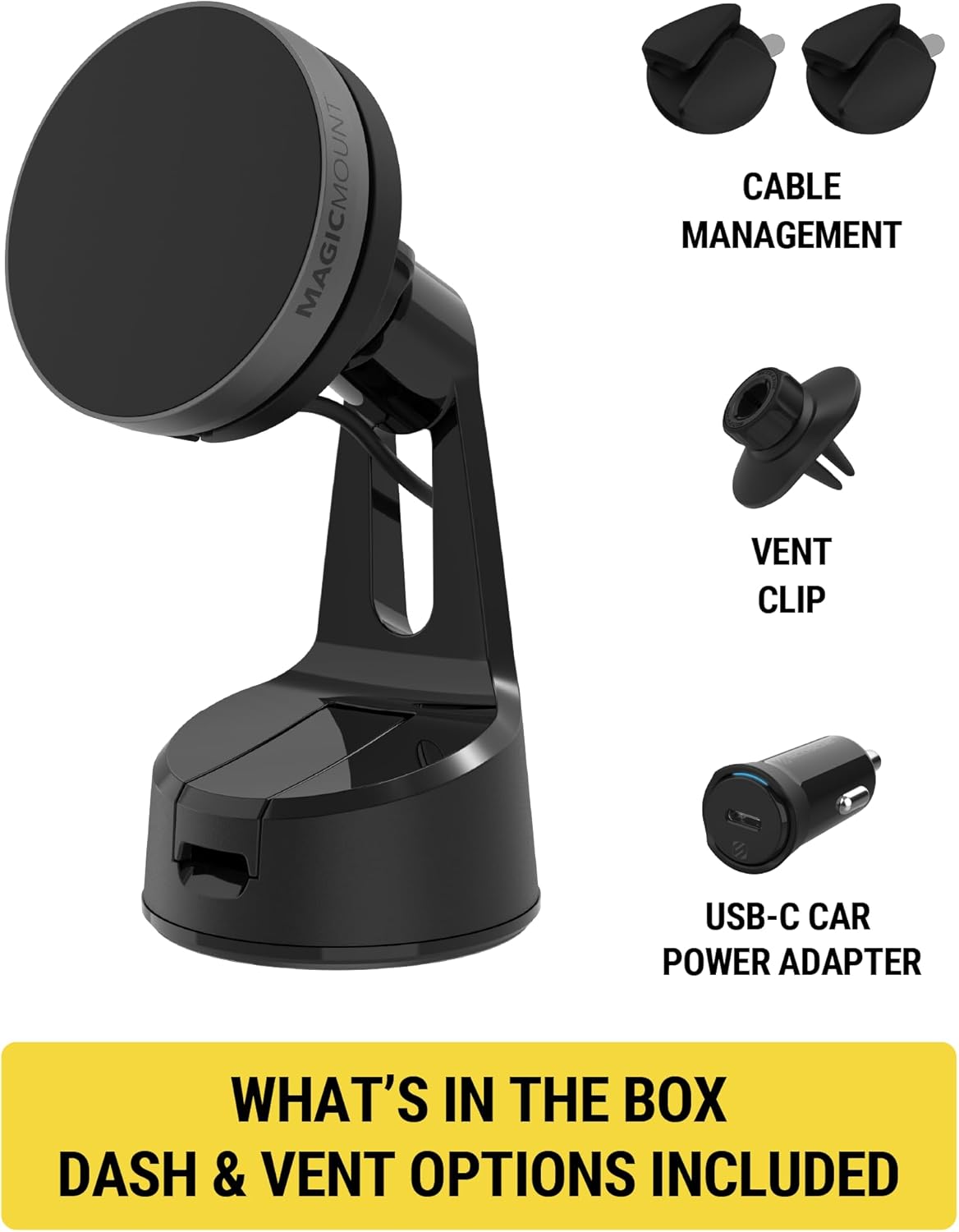
- MagicMount Charge Elite Mount with attached USB-C charging cable
- Vent Mount Base
- 20W USB-C Power Adapter
- (2) Cable Management Clips
- Cleaning Wipe
Setup Instructions
The Scosche Qi2 Wireless MagSafe Car Mount Charger offers versatile mounting options. Choose the method that best suits your vehicle and preference.
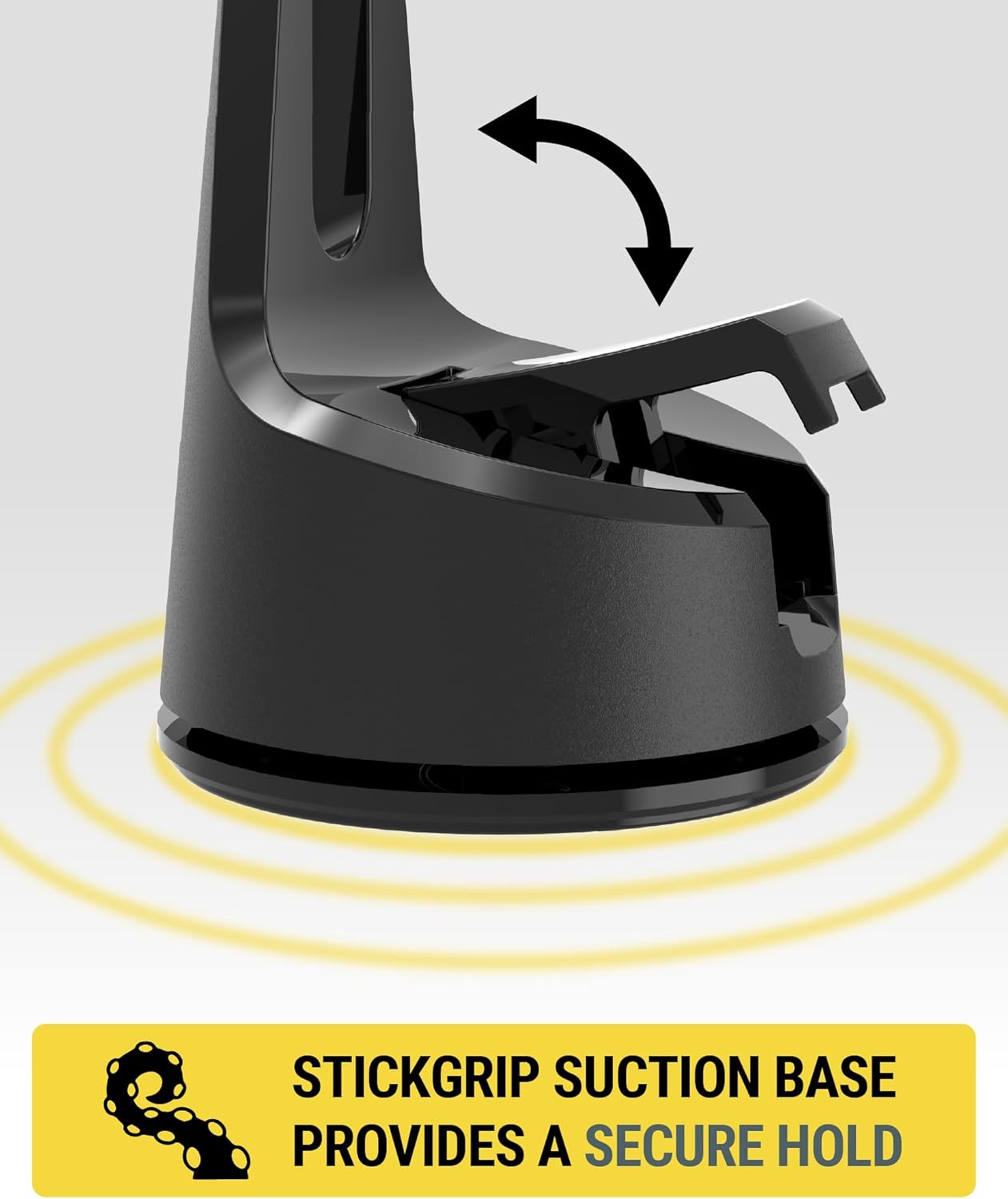
1. Windshield or Dashboard Mounting (Suction Cup)
- Clean the desired mounting surface (windshield or dashboard) with the provided cleaning wipe. Allow it to dry completely.
- Position the suction cup base on the clean surface.
- Press down firmly on the base and engage the locking lever to secure the suction cup.
- Adjust the mount arm and charging head to your preferred viewing angle.
2. Vent Mounting
- Attach the vent mount adapter to the back of the charging head.
- Carefully insert the vent clip into a suitable air vent slat in your vehicle. Ensure it is securely seated.
- Adjust the charging head to your preferred viewing angle.

3. Power Connection
- Plug the attached USB-C cable from the mount into the provided 20W USB-C car charger.
- Insert the car charger into your vehicle's 12V power outlet (cigarette lighter socket).
- Use the included cable management clips to neatly route and secure the charging cable, preventing clutter.

Operating Instructions
Attaching Your Smartphone
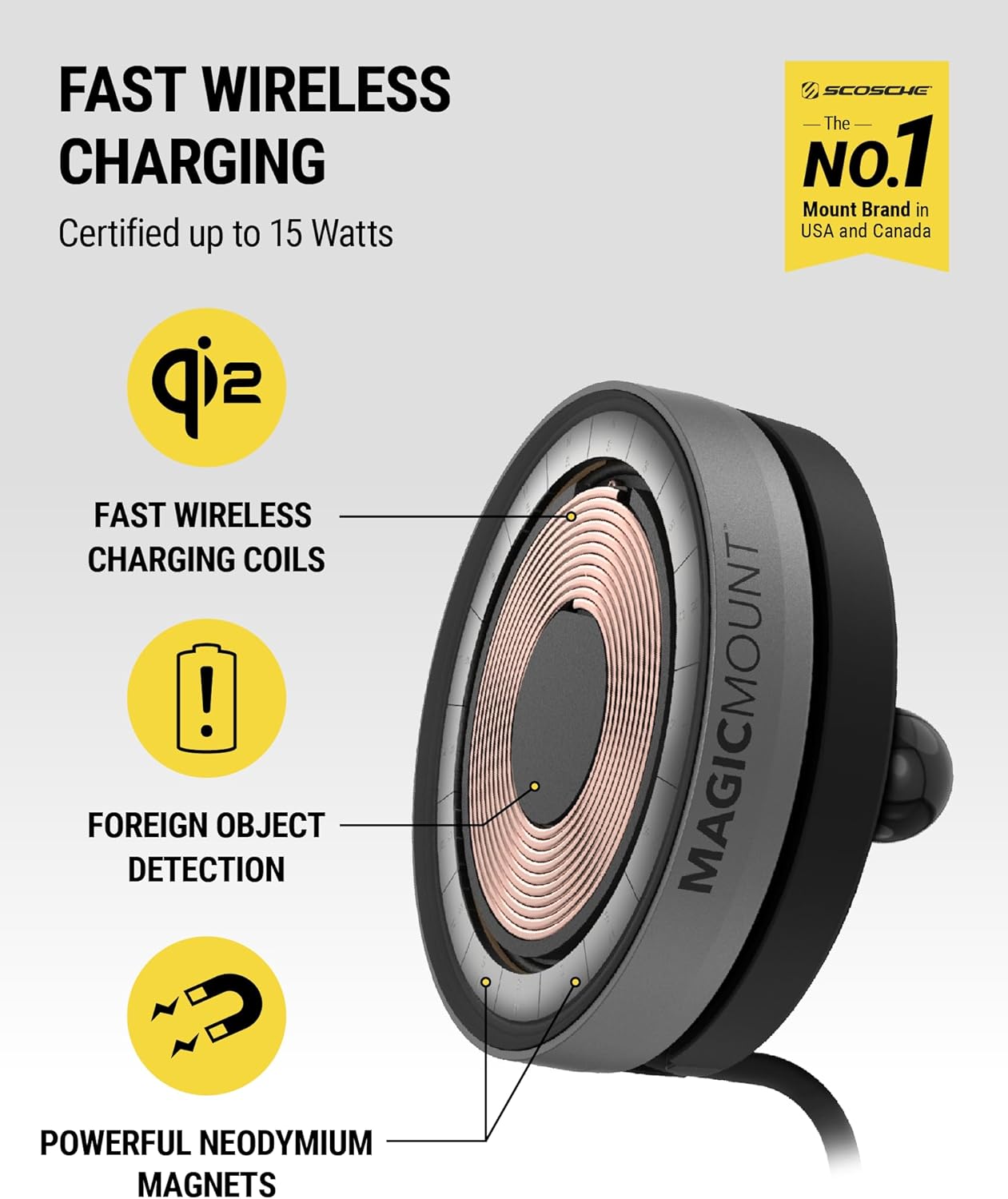
The mount utilizes powerful neodymium magnets for a secure hold. Ensure your phone is compatible with MagSafe or Qi2 magnetic accessories.
- For MagSafe-compatible iPhones: Simply place your iPhone (iPhone 12 series or newer) directly onto the magnetic charging head. The magnets will automatically align and secure the device.
- For Qi2-Ready Phones with Magnetic Cases: If your Android phone or older iPhone uses a Qi2-ready magnetic case, place the phone with the case onto the magnetic charging head.

Wireless Charging
Once your compatible smartphone is securely attached to the mount and the mount is powered, wireless charging will begin automatically. The charger delivers up to 15W of power (Note: iPhone 12 Mini charges at 12W per Apple specifications).
- The charger features Qi2 technology, fast wireless charging coils, and foreign object detection for safe and efficient charging.
Phone Compatibility
This charger is compatible with:
- iPhone Models with MagSafe (iPhone 12 series and newer, excluding 16e)
- Qi2-Ready phones with magnetic cases (e.g., Samsung Galaxy S25 series with a magnetic case)
Ensure your device or phone case supports MagSafe or Qi2 magnetic alignment for optimal performance.

Maintenance
To ensure optimal performance and longevity of your Scosche Qi2 Wireless MagSafe Car Mount Charger, follow these simple maintenance guidelines:
- Cleaning: Use the provided cleaning wipe or a soft, dry cloth to gently clean the magnetic charging surface and the mount body. Avoid abrasive cleaners or solvents.
- Suction Cup Care: If using the suction cup mount, periodically clean the suction cup and the mounting surface to maintain a strong seal. If the suction cup loses adhesion, rinse it with warm water and let it air dry before re-applying.
- Cable Inspection: Regularly check the USB-C charging cable for any signs of wear, fraying, or damage. If damage is observed, discontinue use and contact customer support.
Troubleshooting
If you encounter issues with your Scosche Qi2 Wireless MagSafe Car Mount Charger, refer to the following common solutions:
- Phone Not Charging:
- Ensure the car charger is securely plugged into the vehicle's 12V outlet and the USB-C cable is firmly connected to both the mount and the car charger.
- Verify your phone is properly aligned on the magnetic charging head. The phone's charging coil needs to be centered over the mount's coil.
- Confirm your phone or phone case is MagSafe or Qi2 magnetic compatible. Non-magnetic cases may prevent proper alignment and charging.
- Check for any foreign objects between the phone and the charging surface that might interfere with wireless charging.
- Phone Not Holding Securely:
- Ensure your phone or phone case is MagSafe or Qi2 magnetic compatible. Standard cases without integrated magnets will not provide a strong magnetic hold.
- Verify the phone is centered on the magnetic charging head for maximum magnetic adhesion.
- If using the suction cup, ensure the mounting surface is clean and smooth, and the locking lever is fully engaged.
- Mount Overheating:
- Wireless charging generates some heat, which is normal. However, excessive heat could indicate an issue.
- Ensure there are no foreign objects on the charging surface.
- Avoid direct sunlight exposure for extended periods, especially during charging, as this can increase device temperature.
- If overheating persists or is accompanied by unusual smells, discontinue use and contact support.
Specifications
| Model Number | MEQMRWDV-XC0 |
| Wireless Charging Output | Up to 15W (12W for iPhone 12 Mini) |
| Mounting Type | Windshield, Dashboard (Suction Cup), Vent (Clip) |
| Connectivity | USB-C (attached cable) |
| Car Charger Output | 20W USB-C Power Adapter included |
| Item Weight | 12.6 ounces |
| Package Dimensions | 15 x 12.91 x 2.6 inches |
Warranty and Support
The Scosche Qi2 Wireless MagSafe Car Mount Charger is backed by Scosche's Limited Lifetime Warranty and lifetime technical support.
For warranty claims, technical assistance, or further inquiries, please visit the official Scosche website or contact their customer service department.
You can find more information and support resources at the Scosche Store on Amazon.


